Accent Remover: Strip Diacritics for Clean ASCII Text
Remove accents and diacritics from text via Unicode NFKD normalization for clean ASCII exports, usernames, and search indexes. Free and instant in your browser.
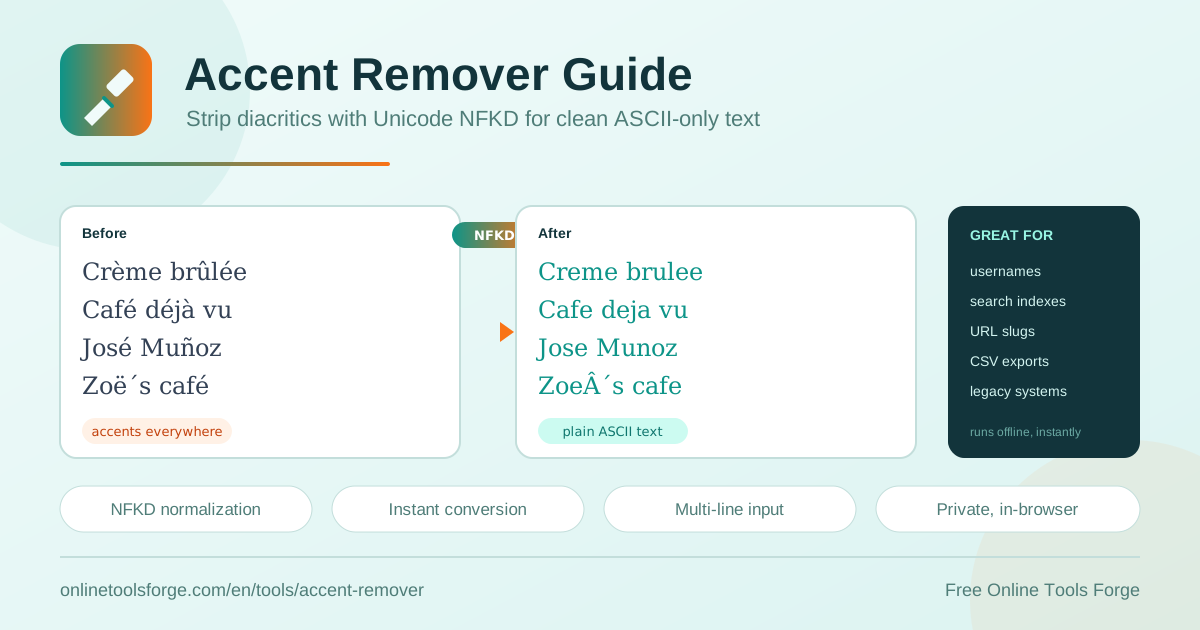
Table of Contents
Accented characters are part of everyday writing. Names like José and Zoë, menu items like crème brûlée, and words like naïve or résumé all carry diacritical marks. The problem appears the moment that text meets a system built for plain ASCII: usernames get rejected, URL slugs turn into percent-encoded strings, database imports fail, and searches quietly miss results. An accent remover solves this by converting accented letters to their unaccented equivalents before the text ever reaches those systems.
The free accent remover at Online Tools Forge handles this in one step. Paste your text and the tool applies Unicode NFKD normalization, splits each accented character into a base letter plus a combining mark, then removes the marks. Crème brûlée becomes Creme brulee and José becomes Jose instantly. Everything runs in your browser, so nothing is uploaded and no signup is required.
Why Use the Accent Remover?
Accent folding is a standard normalization step, and it earns its keep in these situations:
- Unblock usernames and identifiers: many platforms allow only A-Z, a-z, digits, and a few symbols; folding an accented Jose into jose makes registration work the first time.
- Make search match reliably: users type Jose, your data stores the accented form; folding both sides to one ASCII key fixes the mismatch.
- Survive legacy imports: older systems, mainframes, and picky CSV parsers choke on multi-byte characters; ASCII-only data imports cleanly.
- Produce clean URL slugs: percent-encoded accents look messy and break in some clients; fold first for readable, shareable links.
- Handle whole documents: the tool processes multi-line text, so a five-hundred-line customer list is cleaned as fast as a single word.
- Keep data private: conversion happens entirely in your browser — no uploads, no accounts, no waiting.
Key Features
Everything the tool does, at a glance:
| Feature | What it does |
|---|---|
| Paste any text | Accepts anything with accented characters, from one word to an entire multi-line document |
| NFKD normalization | Decomposes accented letters into a base character plus combining marks, per the Unicode standard |
| Diacritic stripping | Removes combining diacritical marks so only clean base letters remain |
| Instant conversion | Results appear immediately, with no server round trips |
| Private processing | Runs 100 percent in your browser; your text never leaves the tab |
| Free, no signup | No accounts, no limits, no paywalls |
Two details worth knowing:
- Line breaks, punctuation, numbers, and already-plain characters pass through untouched, so document structure survives.
- NFKD also expands compatibility characters: the ligature œ becomes two letters, and the German sharp s becomes ss, for a fully ASCII-safe result.
How to Remove Accents From Text
- Open the accent remover in your browser.
- Paste your text into the input area — a single name, a paragraph, or a multi-line document.
- The tool applies NFKD normalization and removes combining diacritical marks automatically; there is no button to hunt for.
- Review the output: Crème brûlée now reads Creme brulee and José reads Jose, with your line structure preserved.
- Copy the clean ASCII result into your target system — username field, slug builder, CSV import, or search index.
How Unicode Normalization Strips Accents
Unicode can represent the same visible letter in two ways. The composed form uses a single code point: é is U+00E9. The decomposed form uses two code points: a plain e followed by U+0301, the combining acute accent, from the Combining Diacritical Marks block (U+0300 to U+036F). Both render identically, which is exactly why naive string comparison and search fail — the two versions look the same but are different byte sequences.
NFKD (Normalization Form Compatibility Decomposition) rewrites every character into its fully decomposed form. Accented letters split into a base character plus combining marks, and compatibility characters expand at the same time. Once decomposition is complete, removing every character in the combining marks range leaves only plain base letters. Decompose, then strip — that is the entire algorithm.
Before: Crème brûlée, naïve façade, José
After:  Creme brulee, naive facade, Jose
Accent folding is not translation. It changes only the surface form of letters; language, meaning, and vocabulary stay as written. That is also where its limits live. In some languages diacritics distinguish words rather than decorate them: Spanish año means year while ano means something quite different, and French ou (or) and où (where) merge into one folded form. Vietnamese tone marks carry meaning for speakers, and folding erases them. A few letters never decompose at all — Polish ł and Danish æ and ø have no NFKD decomposition, so they survive folding unchanged. The practical rule: fold a copy for matching, identifiers, and machine-facing fields, and keep the original for display.
Practical Use Cases
Building Usernames and URL Slugs
Most registration systems and slug builders reject or mangle accented input. Fold first, then apply your rules: lowercase, replace spaces with hyphens, strip leftovers. A customer named André Müller becomes andre-muller, and the dish Creme brulee gets a clean menu identifier instead of a wall of percent signs. Pair the accent remover with the slug generator for production-ready URLs, and use the whitespace remover when tabs or double spaces sneak into the source text.
Normalizing Search Indexes
Search that fails on accents frustrates users. If your index stores José but the query says Jose, a byte-level match returns nothing. Standard practice is to store a folded copy alongside the original: index and query both through NFKD decomposition plus mark removal, so José, Jose, and JOSÉ all resolve to the same key. This is how Elasticsearch analyzers and most accent-insensitive database collations work.
Cleaning CSV Exports for Legacy Imports
Old accounting packages, ERP systems, and government portals often specify ASCII-only input but say nothing helpful when they receive é or ñ. Cleaning the export first avoids silent corruption, such as é arriving as mojibake. Run the whole file through the accent remover, spot-check a few rows, then import with confidence.
Preparing Email Addresses and Identifiers
Email local parts and API keys are safer when restricted to plain characters. A subscriber signing up as corazón.flor folds cleanly to corazon.flor, keeping addresses deliverable and logs easy to grep. Fold before validation, not after, so uniqueness checks compare like with like.
Best Practices
A few habits make accent folding dependable:
- Fold a copy, keep the original: display José, match on jose; never overwrite human-facing content.
- Normalize case and accents together: lowercase after folding so Café and cafe land on the same key.
- Fold at ingest time: normalize once when data enters your system, not in every query path.
- Know your exceptions: Polish ł and Danish æ and ø do not decompose; keep a small mapping table for languages you serve.
- Watch meaning-bearing diacritics: where año versus ano matters, use folded text for matching only.
- Validate after folding: confirm the result meets downstream length limits and allowed character sets.
Ready to stop fighting encoding errors? Open the free accent remover, paste your text, and get clean ASCII output in seconds — no signup, no uploads, no command line required.
Related Tools You Might Like:
- Whitespace Remover — strip trailing, leading, and extra spaces from any text.
- Unicode Normalizer — convert text between NFC, NFD, NFKC, and NFKD forms.
- Slug Generator — turn any title into a clean, URL-safe slug.
Happy cleaning!
Frequently Asked Questions
Q: Is the accent remover really free? A: Yes. It is completely free with no signup, no usage limits, and no watermarks, and it runs entirely in your browser.
Q: Does removing accents change the meaning of my text? A: For most Western European text, folding is safe for machine-facing fields. In languages where diacritics distinguish words — Spanish año versus ano, French ou versus où — the folded copy loses that distinction, so keep the original wherever humans read it.
Q: Which characters does NFKD not fix? A: Letters without a decomposition, such as Polish ł and Danish æ and ø, pass through unchanged. NFKD also expands some characters into multiple letters, like ß into ss and œ into oe, which is usually what you want for identifiers.
Q: Is my text uploaded anywhere? A: No. All normalization and mark removal happens locally in your browser. Nothing is sent to a server, which makes the tool safe for confidential data.