AI Crawler Checker: See Exactly Which AI Bots Can Read Your Site
AI Crawler Checker audits your robots.txt and meta tags against GPTBot, ClaudeBot, CCBot, PerplexityBot and other AI crawlers, then hands you copy-paste blocking snippets.
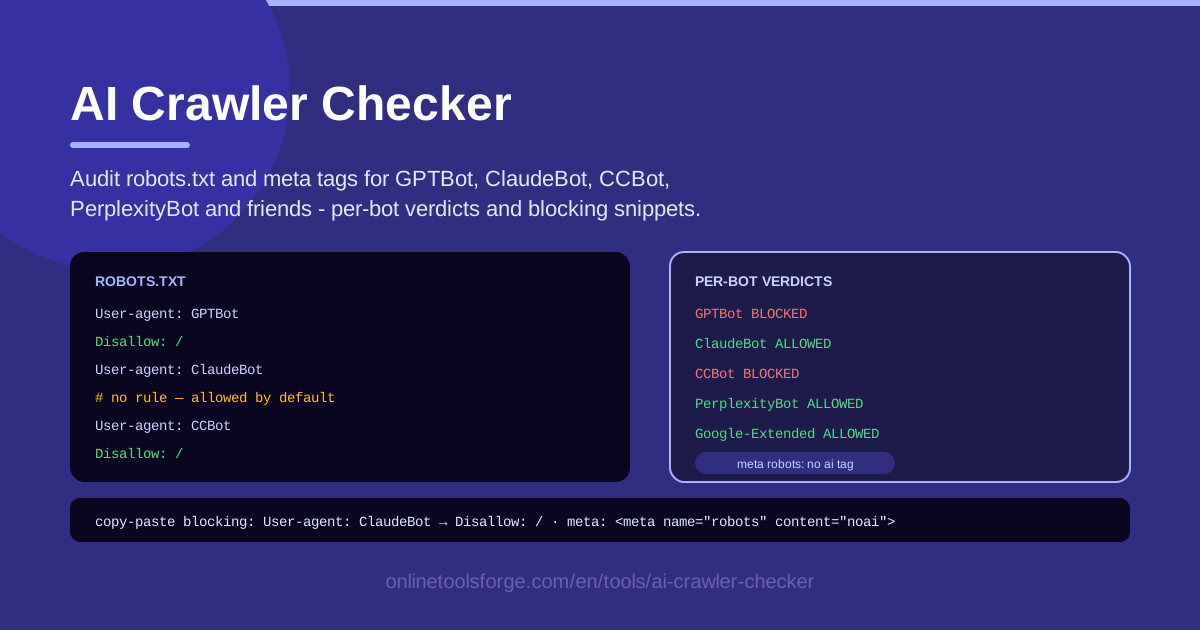
Table of Contents
Every month brings another AI crawler onto the web. GPTBot from OpenAI, ClaudeBot from Anthropic, CCBot from Common Crawl, PerplexityBot from Perplexity, Google-Extended from Google — these user agents sweep millions of sites for content that feeds search indexes and language models. Most site owners never notice, because robots.txt runs on a silent default: if you never wrote a rule for a bot, it is allowed to crawl everything you publish. The fastest way to see where you stand is to audit your file with AI Crawler Checker.
Paste your robots.txt and relevant meta tags into the tool and it reviews your AI crawler access rules bot by bot, returning a clear verdict — blocked, or allowed by default — for GPTBot, ClaudeBot, CCBot, PerplexityBot, Google-Extended and more. When you decide a bot should not read your pages, the tool hands you copy-paste snippets that block it. Everything runs in the browser, so nothing about your configuration ever leaves your machine.
Why Use AI Crawler Checker?
- Silent allow-by-default bots: a robots.txt you have never reviewed is effectively a permission slip for every AI crawler that exists today — and every one that launches tomorrow.
- Training versus search is a real fork: GPTBot collects training data while OAI-SearchBot feeds search results; blocking both is a very different decision than blocking one.
- Two surfaces, one audit: AI access rules live in robots.txt and in page meta tags, and the two often contradict each other; the checker reviews both together.
- The bot list keeps growing: Bytespider, meta-externalagent, Applebot-Extended and friends appear constantly, so last year's audit says little about this quarter.
- Actionable output: every verdict comes with a copy-paste blocking snippet, collapsing the gap between knowing and fixing to a single paste.
- Private by design: parsing happens entirely in your browser, so nothing about your site configuration is uploaded anywhere.
Key Features
| Feature | What it does |
|---|---|
| Paste-in audit | Drop in your live robots.txt and the meta tags from your key page templates; no site crawl required. |
| Per-bot verdicts | A blocked or allowed-by-default result for GPTBot, ClaudeBot, CCBot, PerplexityBot, Google-Extended and other major agents. |
| Default detection | Flags every bot with no matching rule, turning silent permissions into visible rows. |
| Blocking snippets | Ready-to-paste robots.txt groups for each bot you decide to keep out. |
| Browser-only execution | All parsing and matching run locally in your browser. |
A few details worth knowing:
- The verdict logic mirrors how real robots.txt parsers behave: the most specific matching user-agent group wins, and a missing file or missing rule means allowed.
- Meta tag findings tell you where page-level signals help — and where robots.txt is the only lever that works.
- The tool supports iteration: paste a draft, read the verdicts, edit, and paste again until every row matches your intent.
How to Use AI Crawler Checker
- Paste your robots.txt. Open https://yourdomain.com/robots.txt, copy its contents, and paste them into the robots.txt panel. If your site has no robots.txt at all, the audit starts from the correct baseline: every bot allowed.
- Paste your meta tags. Add the meta tags used on your important templates — articles, product pages, image pages — so page-level signals are audited too.
- Review the per-bot verdicts. Read the result for GPTBot, ClaudeBot, CCBot, PerplexityBot, Google-Extended and the rest. Anything marked allowed by default is currently crawl-eligible.
- Decide your policy per bot. Weigh training access against search visibility (see the next section), then label each bot as intentionally allowed or to be blocked.
- Copy the snippets and deploy. For each bot you are blocking, paste the generated group into your live robots.txt, deploy, and re-run the audit on the new file to confirm every verdict flipped.
Who Is Training on Your Content
The major AI user agents map to a handful of companies, and their purposes differ. GPTBot and OAI-SearchBot belong to OpenAI: the first collects training data, the second builds the search index behind ChatGPT search. ClaudeBot belongs to Anthropic and crawls for model training. CCBot is run by Common Crawl, a non-profit that publishes open web datasets widely used for model training — blocking it cuts off many downstream AI companies at once. PerplexityBot powers Perplexity's answer engine. Google-Extended is a control, not a crawler: it signals whether Google may use your content to train Gemini and related models, separate from Googlebot and Search. Add Bytespider (ByteDance), meta-externalagent (Meta) and Applebot-Extended (Apple) and the roster covers most of the industry.
Semantics matter here. robots.txt is allow-by-default and advisory: a bot with no matching rule may crawl, and compliance is voluntary — reputable operators honor it, some scrapers do not. Rules attach to user-agent groups, the most specific match wins, and nothing is inherited from Googlebot to GPTBot.
Meta tags are a second, weaker surface. Signals such as nosnippet or noarchive shape search results, and newer tokens like noai and TDM reservation attempt to decline training, but only crawlers that fetch and parse your HTML ever see them, and no AI operator is bound to honor them all. Google-Extended, notably, has no meta tag equivalent — robots.txt is its only switch.
That is why the practical approach is a per-bot policy. Decide explicitly: training crawlers in or out; search-side crawlers usually in, because they drive discovery; dataset builders like CCBot on their own line; control signals like Google-Extended set to match your brand stance. The checker gives you a row for each decision so nothing is left to the default.
Practical Use Cases
A publisher's blocking decision
A news site discovers GPTBot and CCBot have open access. Editors want search traffic but not wholesale training use, so they block GPTBot and CCBot, allow OAI-SearchBot, and set Google-Extended to disallow. The audit confirms each verdict before the file ships.
A SaaS documentation policy
A software company wants its public docs quoted in AI answers — that is free distribution — but not ingested wholesale. It allows search-side crawlers, blocks training crawlers, and documents the choice in a comment inside robots.txt for future maintainers.
An artist portfolio protection
An illustrator finds their gallery crawled and their style imitated. They block all AI user agents from the portfolio directory, keep general search engines unaffected, and re-run the checker each quarter as new art-scraping bots appear.
A compliance review before launch
An agency inherits a client site mid-redesign. Before launch, it runs the robots.txt and meta tags through the checker, produces a per-bot table for the client's legal team, and deploys the agreed blocking snippets in the same release.
Best Practices
- Write explicit rules, not omissions. Add a named group for each major AI bot with an explicit Allow or Disallow, so your intent survives new deployments and CMS rewrites.
- Test after you deploy. Re-run the audit against the live file; a single robots.txt typo silently reverts your policy to allow-by-default.
- Revisit the bot list quarterly. New agents launch constantly; a verdict set is a snapshot, not a permanent state.
- Pair robots.txt with authentication for private content. robots.txt only requests that well-behaved bots stay out; anything truly private needs a login or paywall.
- Comment your intent inside the file. A one-line note per group explains why each rule exists when a colleague edits it a year from now.
- Watch server logs for stragglers. Bots that ignore robots.txt only show up in your access logs, never in the file itself.
Ready to see your real exposure? Open AI Crawler Checker, paste your robots.txt and meta tags, and turn every silent default into an explicit decision — it takes about five minutes.
Related Tools You Might Like:
- Robots.txt Generator — build a clean robots.txt from scratch with AI crawler groups included.
- Robots.txt Tester — verify individual URLs against your rules before deploying.
- Security Headers Generator — harden the rest of your site's HTTP surface in one pass.
Happy auditing!
Frequently Asked Questions
Q: Does blocking GPTBot hurt my Google search rankings? A: No. GPTBot is OpenAI's training crawler and is entirely separate from Googlebot and Google-Extended. Blocking it does not affect Google Search indexing or rankings; Google-Extended only controls whether Google may use your content to train models like Gemini.
Q: Can I rely on meta tags alone to block AI crawlers? A: No. Meta tags are only seen by crawlers that fetch and parse your HTML, and no AI operator is universally bound to honor them. robots.txt is the primary lever for GPTBot, ClaudeBot, CCBot and PerplexityBot; treat meta tags as a supplement, not a substitute.
Q: Are AI crawlers required to obey robots.txt? A: No — it is a convention, not a law. Reputable operators such as OpenAI, Anthropic, Google and Perplexity publish their behavior and generally honor it, but some scrapers ignore it, which is why log monitoring and authentication for private content still matter.