Annuity Calculator Guide: Turn a Lump Sum Into Sustainable Monthly Withdrawals
The Annuity Calculator computes sustainable monthly withdrawals from a lump sum, with fixed or inflation-adjusted payouts, a depletion date, and total interest earned.
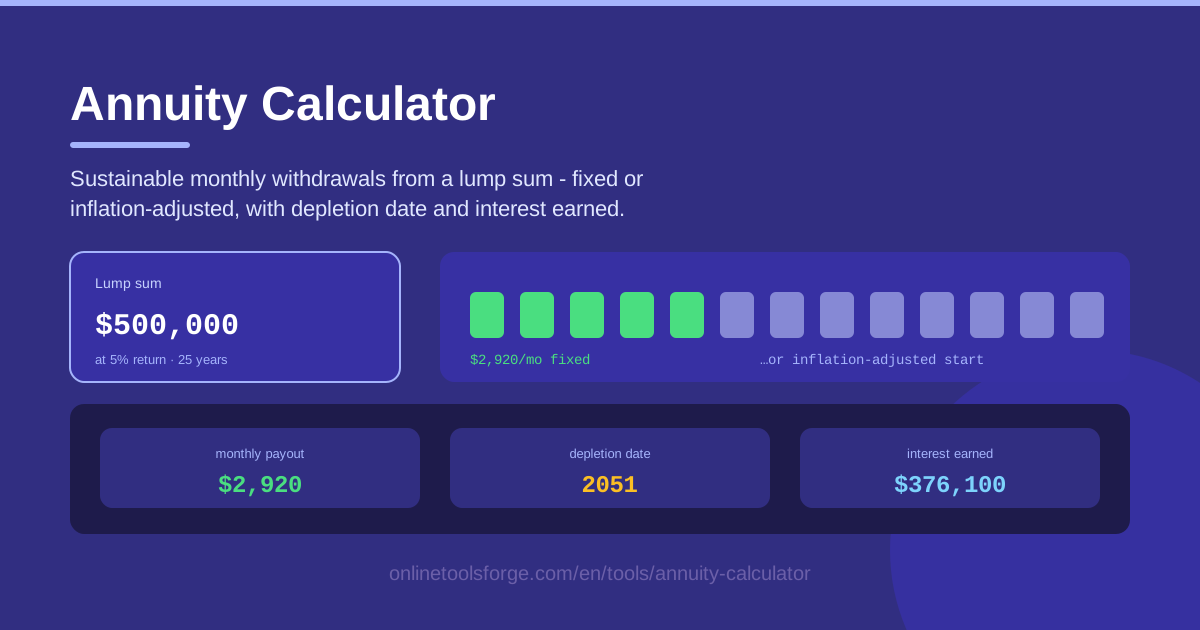
Table of Contents
When a retirement nest egg, an inheritance, or a legal settlement lands in your account, one question matters more than any other: how much can you safely spend each month? The Annuity Calculator gives you a precise answer. Enter your lump sum, an expected return rate, and a payout horizon, and it computes the sustainable monthly withdrawal, the exact depletion date, and the total interest you will earn along the way.
The tool does more than divide your balance by the number of months. Because the money you have not withdrawn yet keeps earning returns, a $500,000 portfolio earning 5% supports larger payments than the same money sitting idle. The calculator models that interaction automatically instead of making you guess.
In this guide you will find a step-by-step walkthrough, the intuition behind withdrawal math, and real-world scenarios ranging from retirement income to education fund drawdowns.
Why Use Annuity Calculator?
- Know how long your money will last. The biggest fear for anyone living off savings is running dry. The calculator turns your inputs into a concrete depletion date, so the vague worry of "will it last?" becomes a firm "it lasts until March 2049."
- Get a truly sustainable payout figure. Instead of a naive balance-divided-by-months estimate, you receive an amount that respects the growth your remaining balance keeps generating.
- Compare fixed vs inflation-adjusted payments. See side by side how a level payout holds up against one that rises each year to preserve purchasing power.
- Watch total interest earned. Over long horizons, interest earned during the drawdown can equal a large share of your original lump sum, and the tool tracks it explicitly.
- Stress-test your assumptions in seconds. Drop the return rate from 6% to 4% and instantly see how far the depletion date moves.
- Keep everything private. All math runs client-side in your browser, so no number you enter ever leaves your device.
Key Features
| Feature | What it does |
|---|---|
| Lump sum input | Enter the starting balance you plan to draw down. |
| Return rate | Set the annual return you expect the remaining balance to earn. |
| Payout horizon | Specify how many years the money needs to last. |
| Monthly withdrawal | Computes the sustainable monthly payout your inputs can support. |
| Fixed payment mode | Withdraw the same amount every month for the whole horizon. |
| Inflation-adjusted mode | Payments grow each year to keep pace with rising costs. |
| Depletion date | Shows the exact month your balance reaches zero. |
| Total interest earned | Tracks cumulative interest generated during the payout period. |
- The two payment modes answer different questions. Fixed mode produces one constant amount; inflation-adjusted mode starts lower but steps up annually, which usually matches living costs better.
- The depletion date is a planning anchor. Once you can see it, choices like delaying a purchase or trimming withdrawals become concrete rather than emotional.
- Results update as you type, so exploring scenarios is quick and painless.
How to Use Annuity Calculator
- Enter your lump sum. Type the starting balance you plan to draw down — retirement savings, an inheritance, settlement proceeds, or any pool of money.
- Set the return rate and horizon. Enter the annual return you realistically expect and how many years the money must last; a conservative 4-6% is common for balanced portfolios.
- Choose fixed or inflation-adjusted payments. Pick fixed for a level income, or inflation-adjusted if you want the payout to grow each year — and notice the starting amount is lower in the latter.
- Read your payout and depletion date. The tool shows the sustainable monthly withdrawal, the month the balance hits zero, and total interest earned along the way.
- Stress-test the plan. Lower the return rate a couple of points, extend the horizon a few years, or switch payment modes, and watch how the results respond before you commit.
Making a Lump Sum Last
The core tension in any drawdown is between withdrawal size and investment returns. Withdraw more than your portfolio earns and the balance shrinks — slowly at first, then faster as the interest engine loses fuel. Withdraw less than the return and the balance can hold steady or even grow. This crossover is why $500,000 might support roughly $3,000 per month for 20 years at a 4% return but only around $2,400 for 30 years at the same rate: the time horizon matters almost as much as the rate itself.
Inflation-adjusted payouts shrink the balance in a subtly different way. A fixed payment looks constant on paper but quietly loses purchasing power every year — 3% inflation cuts the real value of a payment nearly in half over 24 years. An inflation-adjusted schedule starts smaller but rises annually, so the larger later payments consume proportionally more of the balance. That is why the starting payout in inflation-adjusted mode is lower: you are prepaying purchasing-power protection with a smaller check today.
The depletion math rewards a simple picture. Think of your balance as a bathtub, your withdrawal rate as the drain, and the return as the tap; the money lasts until the drain empties more than the tap refills. A famous cousin of this logic is the 4% rule, which suggests that withdrawing 4% of the initial balance per year, inflation-adjusted, gives a portfolio a reasonable chance of lasting 30 years. The calculator is essentially a personalized version of that idea — instead of a universal rule, you get a depletion date and payout tailored to your own return, horizon, and payment style.
One caution the tool cannot model for you is sequence of returns. The calculation assumes a steady average return, but real markets deliver anything but. A crash in the first years of withdrawals, while the balance is largest, does far more damage than the same crash in year 20. This is the classic sequence-of-returns risk, and it is why planners suggest keeping a year or two of withdrawals in cash so you are never forced to sell into a downturn.
Practical Use Cases
Retirement income planning
Suppose you retire at 62 with $600,000, expect a 5% return, and want the money to last 30 years. The calculator returns a sustainable monthly withdrawal and a depletion date you can plan around. Switch to inflation-adjusted mode and you immediately see the trade-off: a lower starting payment now in exchange for one that keeps up with grocery and medical bills later. Recalculate each year with your updated balance.
Lottery and settlement payouts
Anyone receiving a large one-time payment — a lottery prize, a legal settlement, or an inheritance — faces the same spend-it-or-stretch-it dilemma. Setting a payout horizon turns a windfall into salary-like monthly income. Many recipients find that a 15-20 year schedule provides far more long-term security than spending freely during the first two years.
Education fund drawdown
Parents with a dedicated education fund can use the same math in reverse time. Enter the fund balance with a short four-year horizon and the calculator produces the monthly amount available for tuition and living costs. Testing a lower return — since education money is often kept conservative — shows whether the fund comfortably covers all four years or needs topping up.
Comparing insurance annuity offers
Insurers will happily quote a monthly payment in exchange for your lump sum. Before accepting, run the same lump sum through the calculator at a conservative return rate. If the insurer's offer is lower than what a simple self-managed drawdown would produce, you know exactly how much the guarantee is costing you — sometimes it is worth it, sometimes it is not.
Best Practices
- Test lower return scenarios. Run the numbers at two or three points below your expected return; if the plan still works, it is robust.
- Revisit the plan yearly. Balances, returns, and inflation all drift, and a quick annual recalculation keeps your withdrawal aligned with reality.
- Keep a cash buffer. Holding 12-24 months of withdrawals in cash protects you from selling investments during a downturn.
- Remember taxes. The calculator works with pre-tax figures, and withdrawals from traditional retirement accounts are usually taxable, so budget accordingly.
- Think in inflation-adjusted terms for long horizons. Any plan longer than a decade should account for rising costs, not just nominal amounts.
Ready to find out what your lump sum can really do? Open the Annuity Calculator, enter your numbers, and get a sustainable monthly payout and depletion date in seconds — no signup required, and your data never leaves your browser.
Related Tools You Might Like:
- Compound Interest Calculator — see how the same returns grow a balance while you are still saving.
- Savings Goal Calculator — work backward from a target lump sum to a monthly savings plan.
- Loan Calculator — the mirror image of annuity math: paying into a loan instead of drawing from savings.
Happy planning!
Frequently Asked Questions
Q: How does the annuity calculator work? A: It applies standard amortization math in reverse. Given a lump sum, an annual return rate, and a payout horizon, it solves for the largest monthly withdrawal that brings the balance to exactly zero at the end of the period, tracking total interest and the depletion date along the way.
Q: What return rate should I enter? A: Use a realistic, conservative estimate that matches how your money is actually invested — for example, 4-6% for a balanced portfolio rather than a bull-market 10%. Testing a lower rate alongside your base case shows how sensitive the plan is.
Q: Should I choose fixed or inflation-adjusted payments? A: For horizons longer than about ten years, inflation-adjusted is usually safer because it preserves purchasing power, though the starting payment is lower. Fixed payments suit shorter horizons or situations where other income sources will grow over time.
Q: Is my financial data safe? A: Yes. The calculator runs entirely client-side in your browser. Your lump sum, return rate, and every other input never leave your device, and nothing is stored or transmitted anywhere.