AWS IAM Policy Builder: Write Least-Privilege Policies Without Guessing
Build and validate AWS IAM policy JSON with visual statements, actions, resources, principals, and condition blocks — least-privilege friendly, 100% client-side.
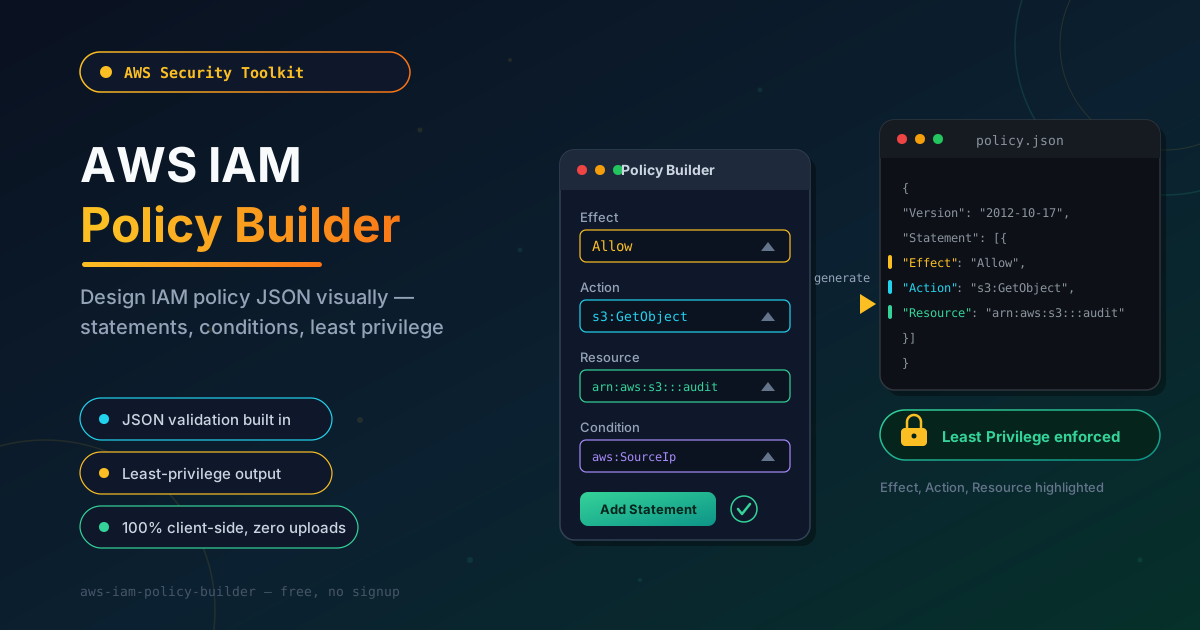
Free Interactive Tool
AWS IAM Policy Builder
Build and validate IAM policy JSON with statements, actions, resources, principals, and condition blocks.
Table of Contents
IAM JSON is the language of AWS permissions — and wildcards are how mistakes become incidents. Every Allow and Deny your account enforces is a policy document, and one careless "Action": "s3:*" paired with "Resource": "*" can quietly hand an attacker read, delete, and even policy-modification rights over data you assumed was locked down.
Hand-writing that JSON in the AWS console is slow and unforgiving. A missing comma, an unquoted principal, or a mistyped ARN segment produces no friendly error; it either breaks your deployment or grants far more access than intended.
The AWS IAM Policy Builder removes the guesswork. You assemble statements visually — Effect, Action, Resource, Principal, and Condition blocks — and the tool produces clean, validated, least-privilege-friendly JSON for your IaC. Everything runs 100% client-side, so your infrastructure details never leave the browser.
Why Use AWS IAM Policy Builder?
- Skip console round-trips — Compose and iterate on statements locally, then paste the finished policy into IAM, Terraform, or CloudFormation.
- Validation as you build — Live checks catch malformed JSON, empty action arrays, and structural mistakes early.
- Least privilege by default — The output nudges you toward explicit actions and scoped ARNs instead of blanket wildcards.
- The full IAM vocabulary — Effect, Action, Resource, Principal, and Condition blocks are first-class fields for both identity and resource policies.
- Readable, consistent output — Uniform indentation and field ordering make policies easier to diff and review.
- Private by design — Policies can reveal infrastructure details; everything runs in your browser, never on a server.
Key Features
| Feature | What It Does |
|---|---|
| Visual statement editor | Add Effect, Action, Resource, and Principal through simple forms |
| Condition blocks | Attach aws:SourceIp, StringEquals, and other operators to any grant |
| JSON validation | Live syntax and structure checks before a policy ships |
| Principal support | Build trust policies and resource policies with exact principal ARNs |
| Copy and download | Export the finished document with one click |
| Privacy-first | 100% in-browser processing — no uploads, no accounts |
The tool is deliberately focused: it does one job well instead of replacing the AWS console. Pair it with the JSON Formatter when you want to pretty-print a policy pulled from Terraform state.
How to Use
- Open the tool — Navigate to the AWS IAM Policy Builder. No signup, installation, or AWS credentials required.
- Add your first statement — Choose an Effect (Allow or Deny), then enter the actions needed as exact service:Action names such as s3:GetObject.
- Scope the resources — Paste the specific ARNs the statement applies to, down to the bucket, key prefix, or role level.
- Add Principal and Condition where needed — Resource and trust policies take a Principal ARN; add a Condition such as aws:SourceIp to restrict when the grant applies.
- Validate and export — Confirm the JSON passes validation, then copy or download it into your IaC templates.
Anatomy of a Least-Privilege Statement
Each statement in an IAM policy answers five questions.
Effect declares whether the statement grants or revokes access — Allow or Deny. An explicit Deny always wins over any Allow, making it a guardrail against risky actions.
Action names the operations being granted, using the service:Action convention: s3:GetObject, ec2:StartInstances, iam:PassRole. Write them conventionally — lowercase service prefix, CamelCase action — so reviewers can pattern-match at a glance, and enumerate the few actions an identity needs instead of reaching for service:*.
Resource pins the grant to specific ARNs. An ARN reads as arn:partition:service:region:account-id:resource, so arn:aws:s3:::reports-2026 identifies an S3 bucket with no region or account segment, while arn:aws:iam::123456789012:role/DeployRole points at a role in account 123456789012. Each concrete segment shrinks the blast radius; each * widens it.
Principal says who the statement applies to. It is only valid in resource-based policies — bucket policies, key policies, and trust policies — never in identity policies. Use a full role or account ARN, and treat Principal: "*" as a red flag.
Condition is the multiplier that turns broad policies into narrow ones. Operators like StringEquals, IpAddress, and ArnLike gate the grant on request context: restrict an action to your office CIDR with aws:SourceIp, or to your organization with aws:PrincipalOrgID.
The classic wildcard gone wrong:
{
  "Version": "2012-10-17",
  "Statement": [
    {
      "Effect": "Allow",
      "Action": "s3:*",
      "Resource": "*"
    }
  ]
}
That grants create, delete, and policy-edit rights on every bucket in every region. The same requirement with least privilege for read-only access to one bucket:
{
  "Version": "2012-10-17",
  "Statement": [
    {
      "Effect": "Allow",
      "Action": ["s3:GetObject", "s3:GetObjectVersion", "s3:ListBucket"],
      "Resource": [
        "arn:aws:s3:::reports-2026",
        "arn:aws:s3:::reports-2026/*"
      ],
      "Condition": {
        "IpAddress": { "aws:SourceIp": "203.0.113.0/24" }
      }
    }
  ]
}
Same workload, different risk: three explicit actions, one bucket, and a network fence.
Practical Use Cases
CI/CD Deploy Users
Pipeline credentials are the most exposed secrets in most organizations. Build a dedicated deploy identity whose statements cover exactly what the pipeline does — push artifacts, update a function, invalidate a distribution — and attach conditions tying the grant to your build environment.
Service Roles for Lambda and EC2
A Lambda execution role needs logs:CreateLogGroup and a handful of DynamoDB or S3 actions against named resources — not AdministratorAccess. Draft the trust policy with the correct Principal and the permissions policy with scoped ARNs, and your functions stop holding permissions their code never calls.
Cross-Account Access
Granting another account access to your bucket or KMS key means editing a resource policy, which means getting Principal, Action, and Condition exactly right. The builder's structured fields keep the account ARN, external role, and StringEquals conditions straight.
Audit Remediation
When IAM Access Analyzer flags an external trust or a finding cites a wildcard resource, rebuild the statement with explicit actions, named ARNs, and conditions, then attach the before-and-after JSON to the ticket.
Best Practices
- Start from nothing and add — Begin with zero permissions and grant each action as a demonstrated need. Slower than copying a template, far safer than trimming later.
- Validate with IAM Access Analyzer — After deployment, let AWS surface external access and unused permissions, then fold them into a tighter revision.
- Never use Principal "*" casually — An unrestricted principal in a resource policy invites the internet. If you must allow broad principals, compensate with strict conditions and explicit Deny statements.
- Test with the simulator — Run identities and proposed policies through the IAM policy simulator before shipping, so you learn about a missing s3:ListBucket in a sandbox, not a failed deploy.
- Prefer conditions over narrower wildcards — A condition on source IP, MFA, or organization ID often secures a grant better than enumerating every action spelling.
- Review wildcards on a schedule — Every quarter, search your policies for * and replace each wildcard without a documented reason to exist.
Build Your Next Policy With Confidence
IAM does not need to be a syntax minefield. Open the AWS IAM Policy Builder, assemble your next statement with structured fields and live validation, and ship a policy you can defend in an audit — free and entirely in your browser.
Related Tools You Might Like:
- JSON Formatter — pretty-print and validate policy JSON and any other structured document
- Security Headers Generator — produce hardened HTTP security headers for the apps your policies protect
- Safelink Decoder — unwrap disguised tracking and safe-links URLs to reveal their true destination
Happy policy building!
Frequently Asked Questions
Q: Does the AWS IAM Policy Builder connect to my AWS account?
A: No. The tool is entirely client-side: you describe the statements, it generates and validates the policy JSON locally; nothing is transmitted anywhere.
Q: When should I use a Principal element?
A: Only in resource-based policies such as S3 bucket policies, KMS key policies, and IAM role trust policies. Identity policies never take one, because the principal is the identity they attach to.
Q: Are wildcards ever acceptable in an IAM policy?
A: Yes, when they are deliberate and scoped. s3:GetObject on Resource: "arn:aws:s3:::reports-2026/*" is a reasonable pattern for one bucket. An accidental wildcard action plus wildcard resource never is.
Q: Can I use the output in Terraform or CloudFormation?
A: Yes. The generated JSON is standard IAM policy grammar, so you can paste it into a Terraform jsonencode() block or a CloudFormation PolicyDocument.