BIMI Record Generator: Put Your Verified Logo Next to Every Email You Send
Build a valid BIMI DNS TXT record (v=BIMI1) from your SVG logo URL and optional VMC URL, then publish it at default._bimi.yourdomain.com with correct l= and a= tags every time.
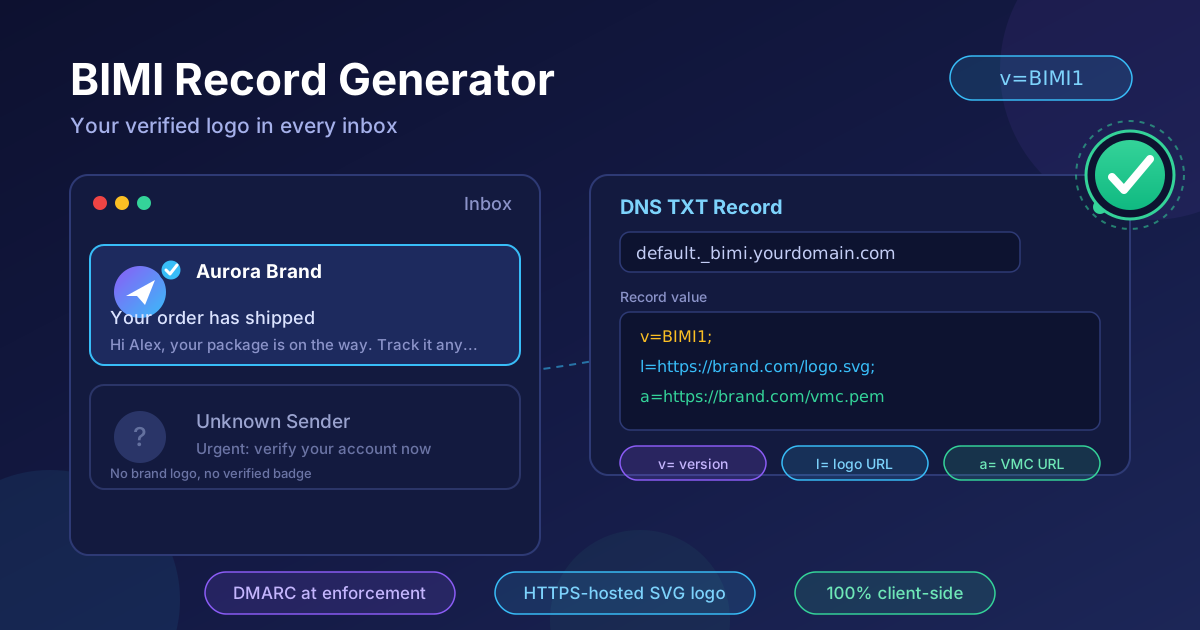
Free Interactive Tool
BIMI Record Generator
Build a BIMI DNS TXT record (v=BIMI1) from your SVG logo URL and optional Verified Mark Certificate URL, and publish it at default._bimi.yourdomain.com.
Table of Contents
BIMI puts your verified logo next to every email you send — brand trust at the inbox level. Instead of a generic letter avatar, recipients see your actual mark in Gmail, Apple Mail, and other supporting clients, making legitimate mail instantly recognizable and impostors obviously wrong.
Getting there requires publishing a BIMI record in DNS, and that record is unforgiving: an unusual hostname, strict tag syntax, hard logo hosting requirements, and a DMARC policy already at enforcement. Hand-written records fail silently, often for weeks.
The BIMI Record Generator removes the guesswork: paste your hosted SVG logo URL, optionally add your Verified Mark Certificate URL, and it assembles the exact v=BIMI1 record with correct l= and a= tags, validates your URLs as HTTPS, and explains the DMARC prerequisites first. Everything runs 100% client-side.
Why Use BIMI Record Generator?
- Exact syntax, zero guesswork — the tool emits the precise tag order and separators mailbox providers expect, so a copy-paste publishes cleanly the first time.
- Built-in HTTPS validation — both the l= logo URL and the a= certificate URL are checked for a valid HTTPS scheme before the record is assembled.
- VMC-aware output — the a= tag is optional; add it only when you hold a Verified Mark Certificate, and the tool warns when a record references nothing authoritative.
- DMARC prerequisite guidance — the tool explains that BIMI requires a DMARC policy at enforcement, so you never publish a record providers will ignore.
- 100% client-side processing — your URLs and branding plans never leave the browser; nothing is logged, stored, or transmitted.
Key Features
| Feature | What It Does |
|---|---|
| Record builder | Assembles v=BIMI1; l=logo URL; a=VMC URL into one TXT value |
| Logo tag (l=) | Takes the HTTPS URL of your hosted SVG brand logo |
| Authority tag (a=) | Optionally attaches your Verified Mark Certificate URL |
| HTTPS URL validation | Rejects insecure or malformed URLs before you publish |
| Publish location | Labels the record for default._bimi.yourdomain.com |
| Copy to clipboard | One-click copy of the finished record for your DNS console |
- Instant feedback — warnings appear inline if a URL is not HTTPS or if the record has no authority evidence attached.
- Minimal input — two fields in, one record out; no account, no signup, no configuration.
- DNS best-practice output — the format matches what Gmail and Apple Mail parse in production.
How to Use
- Prepare your logo SVG. Export your mark as a BIMI-profile SVG — square, SVG Tiny 1.2 compatible, no scripts or external references, solid background so it renders cleanly on light and dark themes.
- Host it on HTTPS. Upload it to your server or CDN, confirm it loads directly over https:// with no redirects, and note the exact URL.
- Generate the record. Open the BIMI Record Generator, paste the logo URL, and optionally paste your VMC URL. The tool assembles the full TXT value labeled with the publish hostname.
- Publish at the DNS host. In your DNS console, create a TXT record at default._bimi.yourdomain.com and paste the value exactly as generated.
- Verify and monitor. Wait for propagation, confirm the logo in Gmail and Apple Mail via BIMI inspector tools, and watch DMARC aggregate reports to be sure enforcement holds.
The Road to a Logo in the Inbox
DMARC enforcement comes first. BIMI is gated behind DMARC to reward domains that have proven they alone send their mail. Before any provider considers your record, publish a DMARC policy of p=quarantine or p=reject at full coverage, with SPF and DKIM aligned for the From domain. Still at p=none? Finish that rollout first — a DKIM record generator tightens the signing side.
The record anatomy is simple but strict. A BIMI record is a single TXT value with up to three tags — a fixed version tag, a logo tag pointing at your SVG, and an authority tag pointing at your certificate:
default._bimi.example.com IN TXT "v=BIMI1; l=https://example.com/bimi/logo.svg; a=https://example.com/bimi/vmc.pem"
- v=BIMI1 — protocol version, always first.
- l= — the HTTPS location of your brand's SVG logo. Required.
- a= — the HTTPS location of your Verified Mark Certificate. Optional for some providers, mandatory for Gmail.
Your logo must be a compliant SVG. BIMI accepts no PNG or JPEG. The mark must follow the SVG Tiny 1.2 profile: no scripts, no raster embeds, no external references, plus a solid background that looks intentional in both light and dark inbox themes. Keep it small and square — a circular crop of your mark is common.
VMC versus the common caveat. Gmail requires a Verified Mark Certificate — issued by an authorized mark verifier after checking your trademark — before displaying a BIMI logo, and Apple Mail follows the same model. Some other providers render a logo from a record with only the l= tag. The practical rule: if Gmail and Apple matter to your audience, budget for a VMC; otherwise an l=-only record still earns display where supported.
Hosting requirements are strict too. The logo URL must serve over HTTPS without redirects, be publicly reachable, and return a sensible content type at a small file size. A CDN or object storage bucket with a stable URL works well.
Practical Use Cases
Corporate Email Branding at Scale
Enterprises send millions of messages from many systems — CRM, billing, support, marketing. One published BIMI record gives every message the same verified avatar, unifying the brand experience.
Anti-Phishing Brand Protection
When your real mail carries a verified logo, spoofed mail does not. Recipients and security teams can treat a missing mark as a red flag, while the DMARC enforcement underneath BIMI actively blocks spoofing.
Marketing Campaign Consistency
Campaign emails live or die on open rates, and recognition drives opens. A branded avatar keeps every campaign visually consistent with your app, website, and social presence — the same discipline you apply when you design QR codes for print and packaging.
Financial Services and Fintech Trust
Banks, exchanges, and payment apps are among the most impersonated brands in email. Where a single phishing incident carries regulatory and reputational cost, a verified inbox logo plus enforced DMARC is a cheap, visible trust signal for every customer interaction.
Best Practices
- Enforce DMARC before you publish BIMI — at p=none the record exists, but no major provider shows the logo.
- Prepare a fully compliant SVG logo — SVG Tiny 1.2 profile, square, no scripts or external references, solid background.
- Budget for a VMC if Gmail matters — Gmail and Apple Mail require the certificate; factor in trademark verification time.
- Host the logo on stable HTTPS with zero redirects — provider crawlers will not follow chains, and an unreachable logo silently drops display.
- Test across providers after propagation — DNS TTLs mean display can lag by hours; verify everywhere your audience reads mail.
- Calendar the renewals — VMCs expire annually, and an expired certificate takes your logo down in enforcing clients.
Ready to Claim Your Square of Inbox Real Estate?
Open the BIMI Record Generator, paste your hosted SVG logo URL, add your VMC if you have one, and copy the finished record to your DNS console. Two fields, one TXT record, and a permanent brand presence in every inbox your mail reaches.
Related Tools You Might Like:
- DKIM Record Generator — build the correctly chunked DKIM TXT records underpinning the DMARC enforcement BIMI requires.
- QR Code Designer — extend your brand identity from inbox to print with customizable QR codes.
- URL Parser — inspect the exact scheme, host, and path of your logo and certificate URLs before you publish them in DNS.
Happy branding!
Frequently Asked Questions
Q: Do I need a Verified Mark Certificate to use BIMI?
A: Not universally. Gmail and Apple Mail require a VMC issued by an authorized mark verifier before displaying your logo, but some other mailbox providers render a logo from a record containing only the l= tag. If your audience is Gmail-heavy, plan for a VMC.
Q: Where exactly do I publish the BIMI record?
A: As a DNS TXT record at default._bimi.yourdomain.com. Some DNS consoles reverse the order and show it as _bimi.default.example.com — both notations describe the same location for the default selector.
Q: Does BIMI improve my deliverability?
A: Not directly. BIMI is a display and branding layer — deliverability gains come from the DMARC enforcement, SPF, and DKIM discipline it requires as prerequisites. The logo is the visible reward for that work.
Q: Is it safe to paste my URLs into the generator?
A: Yes. The tool runs entirely client-side in your browser. No URL you enter is transmitted, logged, or stored — the record is assembled locally and handed straight back to you.