CAA Record Generator: Lock Down Certificate Issuance With DNS CAA Records
Build DNS CAA records (RFC 8659) with issue, issuewild, and iodef tags from certificate authority presets like Let's Encrypt, DigiCert, and Sectigo. Outputs BIND zone file, Cloudflare dashboard, and AWS Route 53 change-batch JSON formats.
Free Interactive Tool
CAA Record Generator
Build and validate DNS CAA records (RFC 8659)
Table of Contents
A certificate authority will happily issue a certificate for any domain you can prove you control — and by default it never asks whether you actually want certificates from that particular CA. That open door is what CAA closes. CAA records tell every certificate authority which CAs may issue for your domain — a cheap lock against mis-issuance. Since 2017, CAs following the CA/Browser Forum baseline requirements must check these records before issuing, so a few short lines of DNS can stop a compromised or careless CA from minting a certificate for your domain behind your back.
The CAA Record Generator turns writing that policy into a two-minute task. Pick your certificate authorities from presets such as Let's Encrypt, DigiCert, and Sectigo, decide how wildcards should be treated, add an incident reporting address, and copy the result in the format your DNS provider expects: a BIND zone file snippet, values for the Cloudflare dashboard, or an AWS Route 53 change-batch JSON. Everything runs 100% client-side — your domain names never leave the browser.
Why Use CAA Record Generator?
- CA presets eliminate guesswork. A policy naming letsencrypt.com instead of letsencrypt.org protects nothing — each CA checks its exact registered domain. Presets emit the right identities every time.
- All three tags in one place. issue, issuewild, and iodef are assembled for you, with flags and quoted-value syntax done right.
- Three provider-ready output formats. The same policy is rendered as a BIND zone file, Cloudflare dashboard values, and an AWS Route 53 change-batch JSON — no reformatting when you switch hosts.
- Copy-ready records. One click copies each record or the whole set.
- Incident reporting built in. An iodef address means a CA that detects an attempt to misuse your domain tells you about it.
- 100% client-side processing. Nothing is uploaded, logged, or stored — the tool runs entirely in your browser.
Key Features
| Feature | Details |
|---|---|
| CA presets | Let's Encrypt, DigiCert, Sectigo, and more, with correct issuance domains |
| Tags covered | issue, issuewild, and iodef in any combination |
| Wildcard rules | Shared policy, separate wildcard policy, or a full wildcard ban |
| Output formats | BIND zone file, Cloudflare dashboard values, Route 53 change-batch JSON |
| Privacy | 100% client-side — no transmission, no logging, no account |
- RFC 8659 semantics out of the box. Flag, tag, and quoted value are emitted correctly every time, so CAs parse the records identically.
- Provider-agnostic by design. Build once, paste anywhere — every format carries the same policy.
How to Use
- Open the CAA Record Generator and enter your domain — the records publish at the zone apex.
- Pick your certificate authorities from the presets; every CA you use for issuance today should be listed.
- Choose your tags. Keep issue for ordinary certificates, set a separate issuewild rule if wildcards need a different policy, and add an iodef mailto address so violations reach you.
- Select an output format and copy: BIND zone file, Cloudflare dashboard fields, or Route 53 change-batch JSON.
- Publish and test. Add the records at your DNS provider, let them propagate, then place a real certificate order to confirm your CA proceeds.
issue, issuewild, iodef
A CAA record set is a list of property records — a numeric flag, a tag, and a quoted value. The three tags divide the work of defining your policy:
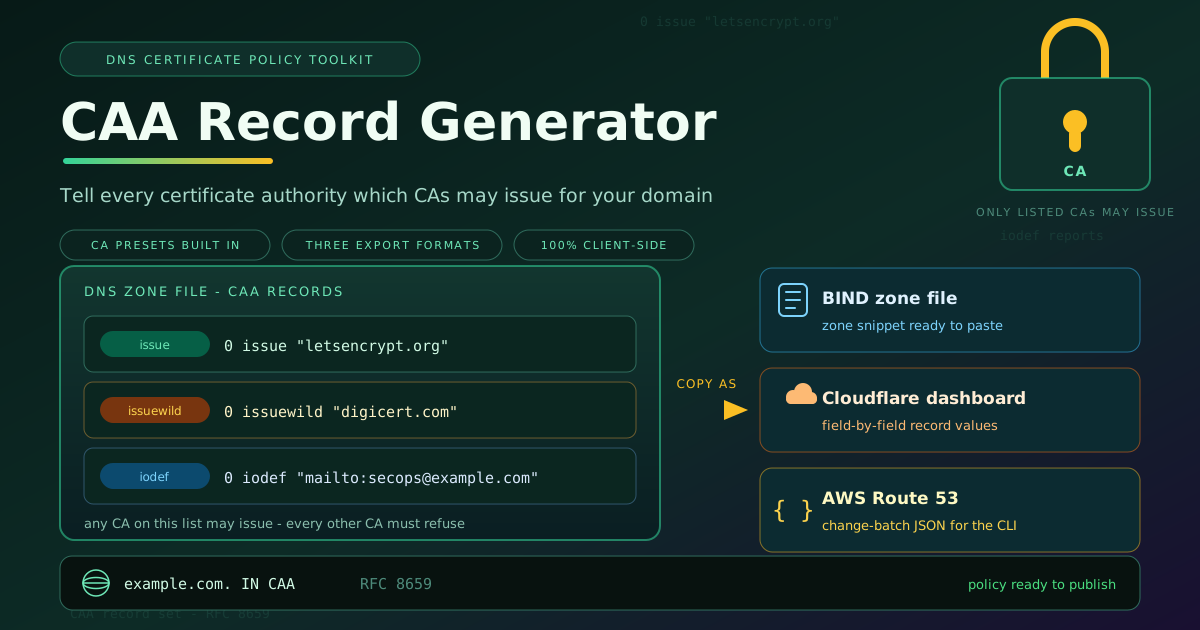
example.com.  IN  CAA  0 issue "letsencrypt.org"
example.com.  IN  CAA  0 issuewild "digicert.com"
example.com.  IN  CAA  0 iodef "mailto:[email protected]"
- issue — authorizes the named certificate authority to issue ordinary, single-name certificates.
- issuewild — authorizes the named CA for wildcard certificates only. If no issuewild record exists, the issue records govern wildcards too.
- iodef — a reporting address where a CA must report issuance attempts that violate your policy.
The leading 0 is a flag field reserved by RFC 8659.
Why multiple records are allowed. CAA evaluation is a union, not a first-match. If any records exist, every CA on the list may issue and no one else may. Publish one issue record per CA and the policy simply means "any of these, and only these." Each CA checks its exact identity: Let's Encrypt looks for letsencrypt.org, DigiCert for digicert.com, Sectigo for sectigo.com — a near-miss domain produces a record that looks correct and does nothing.
The separate-wildcard-policy trick. Because issuewild overrides issue for wildcards, you can split policy along that seam — Let's Encrypt for routine single-name certificates, wildcard issuance reserved for a paid CA:
example.com.  IN  CAA  0 issue "letsencrypt.org"
example.com.  IN  CAA  0 issuewild "digicert.com"
To forbid wildcard certificates entirely, emit an issuewild record with an empty value: ordinary certificates stay allowed, wildcards become impossible.
DNS provider formatting differences. The policy is identical everywhere; the syntax is not. BIND-style zone files use the record form above — name, IN CAA, flag, tag, quoted value. The Cloudflare dashboard exposes CAA as a first-class type with dropdowns for the tag and CA, adding quotes for you. AWS Route 53 speaks JSON: the generator produces a complete change-batch document whose CAAValue fields embed the quoted values, ready for the CLI or API.
Propagation and testing. CAA is subject to DNS caching and TTLs, so changes are not instantaneous. Keep the TTL modest while experimenting, publish, and wait it out. Then test with a real certificate order: a listed CA should succeed, and the iodef mailbox collects the refusals. One real order proves the whole chain.
Practical Use Cases
Locking issuance after a CA migration
Migrations leave residue: old automation jobs, forgotten ACME clients, one-off scripts. Once the new CA is live, a CAA set naming only the new issuer turns any straggler into a visible failure, and the iodef report names the process that tried.
Wildcard-only policies
Some teams issue wildcards exclusively and handle single names through a CDN. An issuewild record naming only the wildcard CA, paired with tight issue records, encodes that architecture in DNS so nobody can quietly obtain a certificate outside the model.
Compliance checklists
Security baselines increasingly ask "can an arbitrary CA issue for this domain?" and expect a documented answer. A CAA record set is that answer made concrete: auditable with a single DNS query, and evidence that issuance is restricted by intent, not luck.
Multi-CA redundancy
Running two CAs — one primary, one fallback — keeps automation alive during a CA outage. Listing both in CAA preserves that redundancy without opening the door to every other CA on the internet.
Best Practices
- Always include an iodef address. Reports are the difference between a blocked issuance you never hear about and an early warning that something is probing your domain.
- Review the policy annually and after every CA change. A stale allow-list either blocks legitimate renewals or quietly protects nothing.
- Remember CAA constrains issuance, not existing certificates. New records revoke nothing; pair CAA with certificate transparency monitoring to catch pre-policy certificates.
- Quote values exactly as generated. The CA identity must match character for character — the presets exist so you never hand-type it.
- Keep the list short. Every CA on the list can issue; remove presets for CAs you have stopped using.
- Test with a real order after every change. One actual issuance attempt is the only proof that counts.
Lock In Your Certificate Policy Today
Mis-issuance is rare until it happens to your domain — and by then the certificate is trusted by every browser on earth. The CAA Record Generator turns the fix into a couple of dropdowns and a copy-paste: presets, three tags, three output formats. Spend the two minutes.
Related Tools You Might Like:
- DKIM Record Generator — turn any DKIM public key into a valid, correctly chunked DNS TXT record.
- Security Headers Generator — build hardened security header and Content-Security-Policy snippets for your site.
- URL Parser — break any URL into protocol, host, path, and query components in your browser.
A few lines of DNS, quietly standing guard. May every unlisted CA refuse you. Happy building!
Frequently Asked Questions
Q: Do CAA records affect certificates that are already issued?
A: No. CAA is checked only at issuance time; existing certificates stay valid until they expire. Pair it with certificate transparency monitoring.
Q: What happens if my domain has no CAA records at all?
A: Any compliant CA may issue for it. Your first CAA record switches the domain to allow-list mode instantly: only the CAs you name may issue.
Q: Can I allow more than one certificate authority?
A: Yes. Publish one issue record per CA. The policy is a union — every listed CA may issue, and no unlisted CA may.
Q: Will CAA break my Let's Encrypt auto-renewal?
A: Not if letsencrypt.org is on the list. For wildcard names, confirm the path is permitted through your issue records or an explicit issuewild record.
Q: How fast do CAA changes take effect?
A: Within the record's TTL. Keep it low while testing, and verify with a real certificate order.