Caddyfile Generator: Production-Ready Caddy Configs in Seconds
The Caddyfile Generator builds complete Caddyfile configs for reverse proxy, static sites, PHP-FPM, and load balancing with automatic HTTPS, gzip, HSTS, and WebSocket support. Learn what every generated line does in this guide.
Free Interactive Tool
Caddyfile Generator
Generate production-ready Caddyfile configs for reverse proxy, static sites, PHP-FPM, and load balancing with automatic HTTPS.
Table of Contents
Caddy promises something rare: point it at your site and HTTPS happens on its own — certificates issued and renewed over ACME, HTTP/2 and HTTP/3 by default, and a config measured in lines rather than pages. The remaining friction is the Caddyfile itself. Getting from "my app listens on port 8080" to "my domain serves it securely" means digging through documentation. The Caddyfile Generator removes that step: pick a preset — reverse proxy, static site, PHP-FPM, or load balancer — toggle what you need, and copy a working starting file.
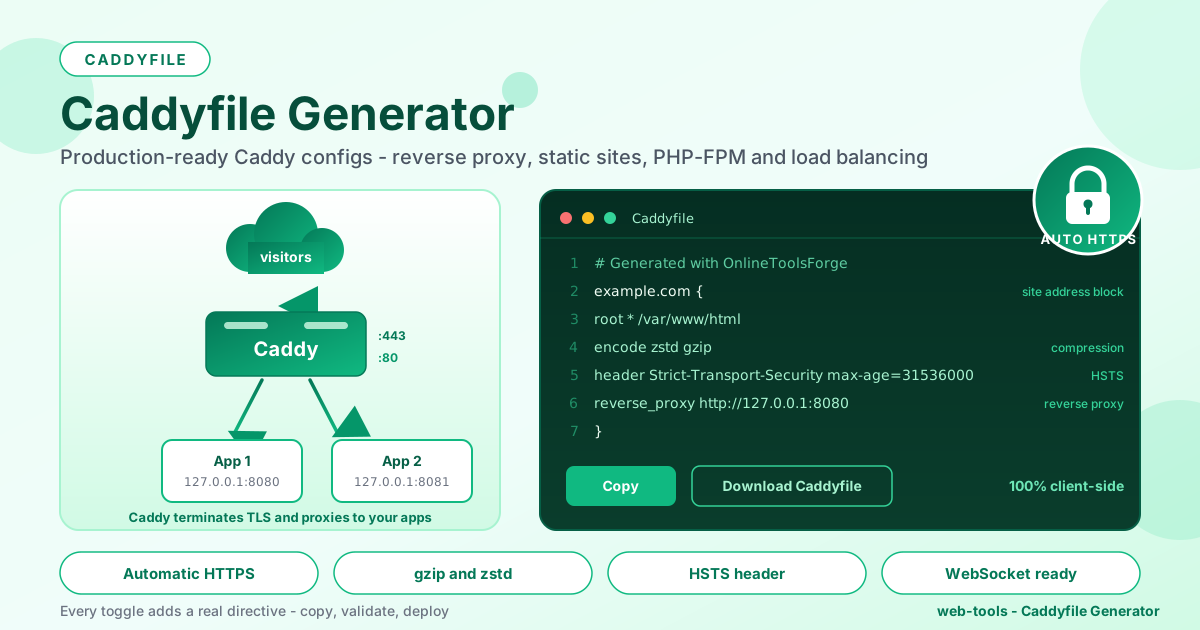
The preview rewrites itself on every change, so you see exactly which lines each toggle adds. Copy the result or download a file named Caddyfile. Everything runs 100% client-side — nothing leaves the browser.
Why Use the Caddyfile Generator?
- HTTPS by default, not by ritual. With automatic HTTPS on, Caddy obtains and renews certificates itself.
- Four presets cover the everyday cases. Reverse proxy, static sites, PHP-FPM, and load balancing are the shapes nearly every small deployment takes.
- Hardening headers included. Every file ships X-Content-Type-Options, X-Frame-Options, and Referrer-Policy without being asked.
- Toggles map to real directives. gzip/zstd, HSTS, and WebSocket each add a visible block to the preview, so nothing is magic.
- Private and instant. Everything assembles in your browser — free, with no limits.
Key Features
| Feature | What it does |
|---|---|
| Config presets | Reverse proxy, static sites, PHP-FPM, load balancing |
| Site address | The domain Caddy serves and secures |
| Backend servers | Any number of host:port upstreams over http or https |
| Load-balancing policy | round_robin, least_conn, random, ip_hash, or header |
| Automatic HTTPS | Serves the site on port 443 with ACME certificates |
| gzip and zstd | Adds the encode directive for compressed responses |
| HSTS | Adds a Strict-Transport-Security header for one year |
| WebSocket support | Adds an upgrade matcher so WS traffic proxies |
- Live copy-and-download output — copy the preview, or download a file named Caddyfile.
- Local-address awareness — localhost or 127.0.0.1 switches the output to plain HTTP, matching what Caddy itself would do.
How to Use the Caddyfile Generator
- Open the tool at Caddyfile Generator. It loads instantly and never sends your configuration anywhere.
- Pick a preset. Reverse proxy and load balancer show backend fields; static site and PHP-FPM show a document root instead.
- Fill in the details. Site address, then backends, a document root, or the PHP-FPM port, depending on the preset.
- Toggle the options — automatic HTTPS, gzip/zstd, HSTS, and WebSocket — and watch each add its lines to the preview.
- Copy or download the Caddyfile, place it at /etc/caddy/Caddyfile, and reload Caddy.
What the Generated Lines Mean
Site address blocks
The first line of the block is the site address: example.com {. That token tells Caddy which hostnames to match, which port to listen on, and — with automatic HTTPS on — which names belong on the certificate. A public domain stays bare, so Caddy serves HTTPS on port 443, while localhost or an IP becomes http://localhost because ACME cannot issue certificates for local names.
The reverse_proxy directive
reverse_proxy http://127.0.0.1:8080 is the whole story of a reverse proxy here: no separate upstream declarations, no proxy header plumbing by hand. http is the norm for local apps; https connects to that upstream over TLS.
The PHP-FPM fastcgi block
The PHP-FPM preset emits php_fastcgi 127.0.0.1:9000 followed by file_server. Despite the name, php_fastcgi expands into a matcher, a rewrite for index files, and a reverse_proxy call using the FastCGI transport aimed at your PHP-FPM port.
Load balancing with lb_policy
With the load balancer preset and two backends, the proxy line grows a policy and a target list:
reverse_proxy round_robin {
    to http://127.0.0.1:8080
    to http://127.0.0.1:8081
}
The policy spreads requests: round_robin cycles in order, least_conn picks the least busy backend, random scatters, ip_hash pins a client to one backend for sticky sessions, and header routes by a request header.
What each toggle adds
- Automatic HTTPS — keeps the bare domain form, so Caddy listens on port 443 and runs the ACME handshake for a trusted certificate. Off, the address becomes http:// and plain HTTP is served.
- gzip and zstd — adds encode zstd gzip, one directive that compresses responses, preferring zstd and falling back to gzip.
- HSTS — adds header Strict-Transport-Security "max-age=31536000; includeSubDomains", telling browsers to refuse plain HTTP for a year. Only written when HTTPS is on.
- WebSocket support — adds a matcher for Connection and Upgrade headers plus a reverse_proxy route for those requests — plumbing generic proxy lines often get wrong.
A small generated Caddyfile, annotated
# Generated with OnlineToolsForge - Caddyfile Generator
example.com {
    root * /var/www/html
    encode zstd gzip
    header Strict-Transport-Security "max-age=31536000; includeSubDomains"

    reverse_proxy http://127.0.0.1:8080

    header {
        X-Content-Type-Options nosniff
        X-Frame-Options DENY
        Referrer-Policy strict-origin-when-cross-origin
    }
    # TLS certificates are provisioned automatically via ACME
}
Top to bottom: the site block scopes everything to your domain; root points at your documents; encode compresses; HSTS locks visitors into HTTPS; reverse_proxy forwards requests to your app; and the final header block applies the hardening headers.
Practical Use Cases
Self-hosting a side project
An app on localhost:8080, a domain on a cheap VPS. Pick the reverse proxy preset, enter the domain and backend, keep automatic HTTPS on, and you have TLS, compression, and sane headers in under a minute.
Fronting Docker containers
Containers change ports often. Add each published container port as an upstream, switch to least_conn if some containers are faster, and regenerate the file whenever the stack changes.
Replacing an aging Apache box
An old server with a pile of Apache virtual hosts and mod_rewrite rules is a migration waiting to happen. Move one site at a time: generate a static or PHP-FPM block per domain, compare behavior, then cut over. The Apache to Nginx Converter helps translate the trickier rewrite rules.
Homelab WebSocket apps
Home Assistant, ntfy, and code-server depend on WebSockets that break mysteriously behind a misconfigured proxy. Turn on the WebSocket toggle, reload once, and the live view just works.
Best Practices
- Run caddy validate before every reload. caddy validate --config /etc/caddy/Caddyfile catches typos before they become outages.
- Keep ports 80 and 443 free. The ACME challenges need both; stop any other web server first.
- Sort DNS before the first start. Your A or AAAA record must resolve to the server before Caddy asks for a certificate.
- Test WebSocket routes after changes. Reordered directives can shadow the upgrade matcher; confirm a live view still connects.
- Back up your Caddyfile. It is small enough to commit next to your app.
- Reload instead of restarting. caddy reload applies changes with zero downtime.
Generate Your Caddyfile in Seconds
Skip the documentation archaeology. Open the Caddyfile Generator, pick your preset, toggle what you need, and copy a production-shaped config with HTTPS, compression, and hardening already in place — free, entirely in your browser.
Related Tools You Might Like:
- Redirect Map Generator — build and validate bulk redirect maps for migrations and clean-ups.
- .htaccess Generator — compose Apache directives visually when a project still runs on Apache.
- Apache to Nginx Converter — translate Apache rewrite rules into modern server configs.
Good configs are short, readable, and versioned — generate the first draft here, then make it yours.
Frequently Asked Questions
Q: Do I need Caddy installed to use the generator?
A: No. It runs entirely in your browser; you only need Caddy on the server when you deploy the file it produces.
Q: Why does localhost get an http:// prefix in the output?
A: Certificate authorities will not issue certificates for local names, so Caddy serves them over plain HTTP. The generator mirrors that: public domains stay bare for automatic HTTPS, while localhost and 127.0.0.1 get http://.
Q: Is it safe to enable HSTS right away?
A: Treat it as a commitment. Browsers cache the header for its full max-age, so if HTTPS later breaks, those visitors are locked out. Test with a short max-age first, then raise it.
Q: Does anything I type leave my browser?
A: No. Everything is assembled into the Caddyfile locally — the tool is 100% client-side.