CVSS Score Calculator: Score Vulnerabilities with CVSS v3.1 and v4.0
Learn how the free CVSS Score Calculator builds v3.1 and v4.0 vectors, computes official FIRST base scores with a plain-language metric breakdown, and turns raw findings into severity ratings you can act on.
Free Interactive Tool
CVSS Score Calculator
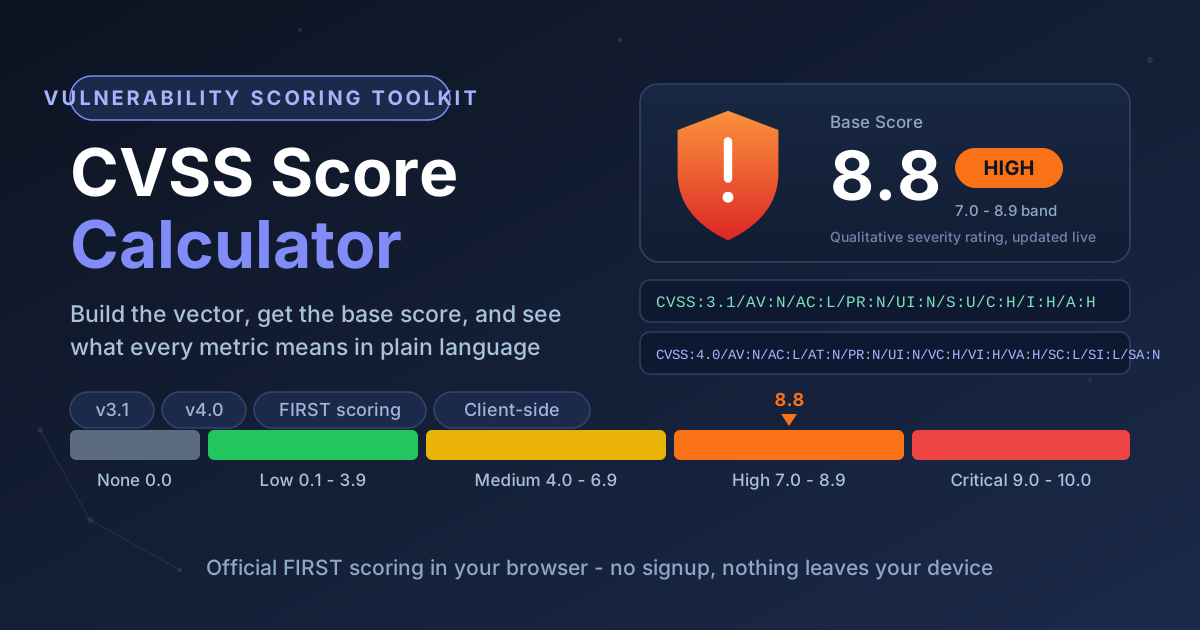
Build CVSS v4.0 and v3.1 vectors and calculate base severity scores with plain-language explanations.
Table of Contents
Every vulnerability meets the same question: how bad is it, actually? A scanner flags a CVE, a pentester documents a finding — and someone must translate that into a number the team can act on. That number is the CVSS base score, the shared language of vulnerability severity, leaning on everything from patch queues to bug bounty payouts.
Computing it by hand is error-prone: misread one metric and a critical flaw quietly lands in the medium bucket. The free CVSS Score Calculator removes that risk — you assemble the vector interactively, the tool scores it with the official FIRST formulas, and every metric is explained in plain language beside your selection, entirely in your browser. No account, no uploads, nothing leaves your machine.
Why Use CVSS Score Calculator?
- Both current CVSS versions in one place. v3.1 still dominates vulnerability feeds while v4.0 takes over new assessments. The tool carries both metric sets, including the v4.0 optional metrics, so one tab covers any report.
- Interactive vector building. You pick values from labeled controls and the vector string assembles itself with the correct CVSS:3.1 or CVSS:4.0 prefix.
- A plain-language metric breakdown. Every metric explains what it captures and why your choice moves the score, so the tool teaches the standard as you use it.
- Official FIRST scoring. It implements the published FIRST specification equations, matching what national databases and vendor advisories publish.
- 100% client-side. Scores are computed with official FIRST math in your browser, the qualitative verdict appears instantly, and unreleased findings stay unreleased.
Key Features
| Feature | What it does |
|---|---|
| Dual-version support | Full CVSS v3.1 and v4.0 base metric sets, switchable at any time |
| Interactive vector builder | Pick AV, AC, PR, UI and impact values; the vector writes itself |
| Optional v4.0 metrics | Add supplemental metrics when the base vector is not enough |
| Plain-language breakdown | A short, jargon-free explanation for every metric and option letter |
| Severity verdict | Base score plus the None to Critical band, updated live |
| 100% in-browser | Official FIRST scoring math with zero server round-trips |
- The breakdown panel shows not just the number but why it is what it is.
- Scores update live as you adjust metrics, so sensitivity analysis takes seconds.
How to Use
- Open the CVSS Score Calculator and pick the version you need — v3.1 for legacy reports and most advisory feeds, v4.0 for new assessments.
- Set the exploitability metrics: Attack Vector, Attack Complexity, Privileges Required, and User Interaction. The vector string builds as you go.
- Set the impact side — Scope plus C/I/A in v3.1, or the vulnerable-system and subsequent-system impacts (VC/VI/VA and SC/SI/SA) plus Attack Requirements in v4.0.
- Read the base score, severity band, and breakdown. Adjust any metric to test assumptions, adding the v4.0 optional metrics for extra context.
- Copy the finished vector string into your report, ticket, or tracking sheet with the score beside it.
Understanding CVSS Metrics
The v3.1 Base Metric Group
CVSS v3.1 base scores are built from eight metrics, each encoding a specific fact about exploitation:
- Attack Vector (AV) — how far away the attacker must be: Network (N), Adjacent (A), Local (L), or Physical (P). Network-exploitable flaws score highest.
- Attack Complexity (AC) — Low (L) when exploitation is reliable; High (H) when the attacker needs conditions beyond their control.
- Privileges Required (PR) — None (N), Low (L), or High (H). The more privilege required, the lower the score.
- User Interaction (UI) — None (N) or Required (R). Flaws that trigger when a victim merely loads a page score higher.
- Scope (S) — Unchanged (U) or Changed (C). Changed means exploitation reaches resources beyond the vulnerable component — a strong amplifier that pushed Log4Shell to 10.0.
- Confidentiality / Integrity / Availability (C/I/A) — each rated None (N), Low (L), or High (H), capturing how much the attacker can read, alter, or disrupt.
What v4.0 Changed
CVSS v4.0, published by FIRST in late 2023, rebuilds the metric model while keeping the qualitative bands unchanged:
- Scope is gone. Impact is split into the vulnerable system (VC/VI/VA) and the subsequent system (SC/SI/SA) it harms.
- Attack Requirements (AT) is new, capturing exploitation conditions like specific plug-ins or race timing (None N, Present P).
- User Interaction is finer-grained: Passive (P) means the victim only visits a page; Active (A) means they must click or submit.
- New groups stack on Base: Threat (exploit maturity), Environmental, and optional Supplemental metrics such as Automatable, Recovery, and Value Density.
- A 7.0 in v4.0 means the same thing to your management as a 7.0 in v3.1.
Severity Bands
Both versions use the same qualitative ranges, making the labels portable across reports:
| Base Score | Severity |
|---|---|
| 0.0 | None |
| 0.1 - 3.9 | Low |
| 4.0 - 6.9 | Medium |
| 7.0 - 8.9 | High |
| 9.0 - 10.0 | Critical |
A Worked Example
Build the classic unauthenticated remote code execution profile in the tool:
CVSS:3.1/AV:N/AC:L/PR:N/UI:N/S:U/C:H/I:H/A:H -> 9.8 Critical
Network-exploitable, low complexity, no privileges, no user interaction, impact confined to the component — but full loss of confidentiality, integrity, and availability. Flip one letter — change S:U to S:C — and the same flaw scores 10.0, because it now reaches resources beyond its own component. This is why the vector string, not just the number, belongs in every report. The v4.0 equivalent carries the same shape: CVSS:4.0/AV:N/AC:L/AT:N/PR:N/UI:N/VC:H/VI:H/VA:H/SC:L/SI:L/SA:N.
Practical Use Cases
Patch prioritization
The scanner returns 400 findings and the team can fix twenty this week. Score the candidates, sort by base score and severity band, and let Critical and High entries set the sprint plan.
Bug bounty reports
Attach a precise vector to your bounty submission and the triager verifies your severity claim metric by metric — honest metrics keep your credibility intact.
Compliance reporting
Auditors expect vulnerabilities rated on a recognized scale with documented criteria. Vectors give you an audit trail — score, band, and metric assumptions — reproducible by anyone.
Internal vulnerability triage
A ticket reading "please fix this sometime" gets ignored; one reading "8.8 High, network-exploitable, no privileges, patch by Friday" does not. Scoring findings turns the backlog into a ranked queue with a shared vocabulary for risk acceptance.
Best Practices
- Score the vulnerability as shipped, not as you hope it is configured. Optimistic mitigation assumptions belong in Environmental analysis, not the base score.
- Record the vector, not just the number. Two 7.5s can describe very different flaws.
- Let the band drive communication and the vector drive engineering. Executives need "Critical"; engineers need to know it is network-exploitable without privileges.
- Never tune metrics to hit a target number. Inflating a metric to win a reward or meet an SLA corrupts the whole prioritization system.
- Recompute when you learn new facts. Exploit maturity and public PoCs change real risk, and re-scoring takes seconds.
- Pair CVSS with context. The base score measures intrinsic severity, not your exposure — weigh asset criticality before deciding what to patch first.
Score Your Next Finding in Under a Minute
Vulnerability scoring should be consistent, reproducible, and fast. Open the CVSS Score Calculator, build a vector for the finding on top of your backlog, and get the base score, severity band, and breakdown instantly — one browser tab for v3.1 and v4.0 alike.
Related Tools You Might Like:
- Security Headers Generator — generate CSP, HSTS and the OWASP header set to close the attack surface your findings flag.
- PII Redactor — strip personal data from logs and reports before they travel, keeping write-ups safe to share.
- Hash Type Identifier — identify likely hash formats such as bcrypt, Argon2 and sha512crypt when credentials surface in findings.
Happy scoring — and may your patch queue always be sorted by severity!
Frequently Asked Questions
Q: Is any information about my vulnerability sent to a server?
A: No. The calculator runs entirely client-side — your vector and score never leave your browser, which matters for undisclosed or embargoed findings.
Q: Should I use CVSS v3.1 or v4.0?
A: Use v4.0 for new assessments — it is the current FIRST standard and models impact more precisely. Keep v3.1 when a program or contract explicitly requires it; both are fully supported.
Q: Does a higher CVSS score always mean I should patch it first?
A: Not automatically. CVSS measures intrinsic severity, not your exposure. A Critical on an isolated lab host may wait while a Medium on an internet-facing payment server cannot — combine the score with asset criticality and exploit intelligence.