Dependabot Config Generator: Build a dependabot.yml Your Team Will Actually Keep
Use the free Dependabot Config Generator to create a tuned .github/dependabot.yml with the right schedule, grouped updates, and ignore rules — right in your browser.
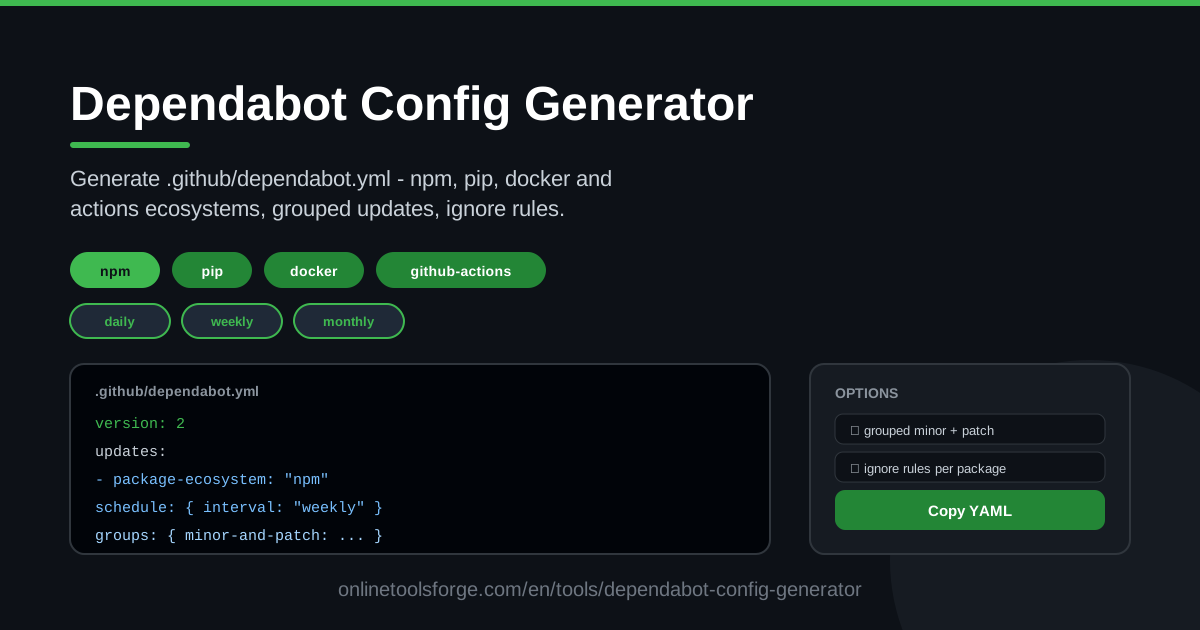
Table of Contents
Every repository accumulates dependencies, and every dependency eventually needs an update. GitHub's Dependabot automates that chore, opening pull requests whenever a newer version of a package, container image, or workflow action is available. The catch is that Dependabot's behavior lives entirely in one YAML file, and getting that file right — the ecosystem keys, directory paths, schedule syntax, grouping rules, and ignore entries — trips up even experienced developers. The Dependabot Config Generator removes that friction by turning the whole configuration into a simple form you fill out in your browser.
Instead of memorizing the official schema or copy-pasting a config from an old project that no longer matches your stack, you tick checkboxes for the ecosystems you use, pick a schedule, decide how aggressively to group updates, and exclude packages you manage by hand. The tool renders valid, copy-paste-ready YAML for your .github/dependabot.yml as you go.
This guide walks through what the tool does, how to use it in five steps, and — just as importantly — how to tune Dependabot so it stays genuinely helpful instead of drowning your team in pull requests.
Why Use Dependabot Config Generator?
- No YAML memorization required. Dependabot's configuration schema is unforgiving: wrong indentation or a misspelled ecosystem name can silently disable updates. The generator produces correct syntax every time.
- Every major ecosystem in one place. npm, pip, Docker, GitHub Actions and more can be enabled from a single screen, each with its own directory and schedule.
- Grouped updates without the boilerplate. The grouping syntax that bundles minor and patch releases into fewer, larger pull requests is fiddly to write by hand — the tool builds it for you.
- Ignore rules made simple. Exclude specific packages or version ranges you deliberately pin, with valid entries rather than guesswork.
- Sane schedules out of the box. Choose daily, weekly, or monthly per ecosystem and see exactly what Dependabot will do.
- Runs entirely in your browser. Nothing to install, no account required, and your repository never leaves your machine.
Key Features
| Feature | What it does |
|---|---|
| Multi-ecosystem support | Enable npm, pip, Docker, GitHub Actions and more in a single config |
| Schedule picker | Set daily, weekly, or monthly update cadence for each ecosystem |
| Grouped updates | Bundle minor and patch releases into one pull request to cut PR noise |
| Ignore rules | Exclude specific packages or versions you manage manually |
| Directory setting | Point each ecosystem at the right folder, including monorepo paths |
| Copy-paste YAML output | Get commit-ready YAML for .github/dependabot.yml instantly |
A few details worth knowing:
- Every option maps directly to the official Dependabot configuration keys, so the output is valid the moment you paste it.
- The YAML preview updates live as you change options, which makes it a great way to learn what each setting actually does.
- Because everything runs client-side, you can experiment freely — including on private projects — without signing in anywhere.
How to Use Dependabot Config Generator
- Pick your ecosystems. Select the package managers your repository uses — for example npm for your JavaScript code, pip for your Python tooling, Docker for container images, and github-actions for workflow dependencies.
- Set the schedule. Choose daily, weekly, or monthly for each ecosystem. Weekly is a great default for most teams; daily suits projects that want a rapid security turnaround.
- Configure groups and ignores. Turn on grouped minor and patch updates to shrink the pull request count, and add ignore rules for packages you pin on purpose.
- Copy the YAML. The tool renders the complete configuration — copy it with one click.
- Commit it to .github/. Save the file as .github/dependabot.yml on your default branch. Dependabot picks it up automatically and starts opening update PRs on the schedule you chose.
Making Dependabot Quiet Enough to Keep
Ask around and you will find teams that switched Dependabot off within a month of enabling it. The reason is almost never the concept — it is the noise. On an unconfigured repository, Dependabot can open dozens of separate pull requests every week: one per outdated package, each with its own review, CI run, and merge. Reviewers stop reading them, security fixes get buried between cosmetic version bumps, and the automation that was supposed to help becomes background spam.
Grouped minor and patch updates are the single most effective fix. Instead of thirty pull requests, you get a handful — one bundle of patch releases, one of minor releases, and individual PRs only where something genuinely needs attention. Review context improves too, because related packages update together and CI validates them as a unit.
A related strategy is to let groups handle everything routine and pay attention only to major version bumps, which are the changes most likely to break your build. Keeping majors separate makes them visible, while minors and patches flow through in quiet batches.
Ignore rules cover the rest. If your team deliberately pins a package — because a release broke your build, or because you coordinate upgrades manually — add it to the ignore list. Dependabot stops nagging, and the decision is documented in version control rather than in someone's memory.
Finally, match the schedule to your review capacity. Daily schedules generate more PRs than most teams can review; monthly suits slow-moving internal tools. Weekly is the sweet spot for most product codebases.
Practical Use Cases
A Monorepo with npm, Docker, and GitHub Actions
Enable all three ecosystems in one generated config: npm pointed at apps/web and packages/ui, Docker watching the images in your docker/ folder, and github-actions keeping workflow actions current at the root. Each gets its own schedule, so workflow updates can ship weekly while container base images refresh monthly.
Pinning Critical Libraries
Suppose your team pins a database driver because a recent release changed connection behavior. Add an ignore rule for that package, and Dependabot leaves it alone while continuing to update everything else — no more closing the same pull request every week.
Security-First Daily Cadence
For a repository that handles sensitive data, set npm to a daily schedule with security-conscious review. You get fast turnaround on patches, while the security tab and Dependabot alerts catch vulnerabilities between scheduled runs.
Spring-Cleaning Stale Dependencies
Adopting a repository with years of drift? Generate a config with grouped updates on a weekly schedule, merge batches incrementally, and use the resulting pull requests as a checklist for removing abandoned packages.
Best Practices
- Start weekly, not daily. It is easier to move to daily later than to recover from notification fatigue.
- Group patches and minors. Reserve individual pull requests for major versions and packages you actually care about.
- Ignore what you pin — deliberately. Every ignore entry should have a reason your team can point to later.
- Review the security tab too. Dependabot alerts and security updates run alongside version updates; configure them in your repository settings as well.
- Watch CI after the first runs. Early PRs reveal which dependencies need extra ignore rules or test coverage.
- Revisit the config quarterly. As your stack changes, so should your ecosystems, directories, and ignore lists.
Ready to stop copying YAML from old projects? Open the Dependabot Config Generator, pick your ecosystems and schedule, and commit a configuration your reviewers will thank you for.
Related Tools You Might Like:
- GitHub Actions Workflow Generator — scaffold reliable workflow files with the same pick-and-copy approach.
- GitHub Issue Template Generator — create clean issue templates for bug reports and feature requests.
- YAML Formatter — validate and beautify any YAML file, including your finished dependabot.yml.
Happy updating!
Frequently Asked Questions
Q: Is the Dependabot Config Generator free? A: Yes. It runs entirely in your browser with no account, sign-in, or payment required, and your repository code never leaves your machine.
Q: Where exactly do I put the generated file? A: Commit it as .github/dependabot.yml at the root of your repository, on the default branch. Dependabot detects it automatically on its next run.
Q: Do grouped updates work for every ecosystem? A: Grouping works for the ecosystems that support it — such as npm and pip — and is configured per ecosystem, which the tool handles for you when you enable the grouping option.
Q: Will ignoring a package also silence security alerts? A: Ignore rules suppress version-update pull requests for the packages and versions you list. Vulnerability alerts in the security tab are controlled separately, so review both settings together.