DKIM Record Generator: Build Perfectly Chunked DNS TXT Records From Any Public Key
Turn a pasted DKIM public key into a valid selector._domainkey DNS TXT record with automatic 255-character chunk splitting, format validation, and 100% client-side processing.
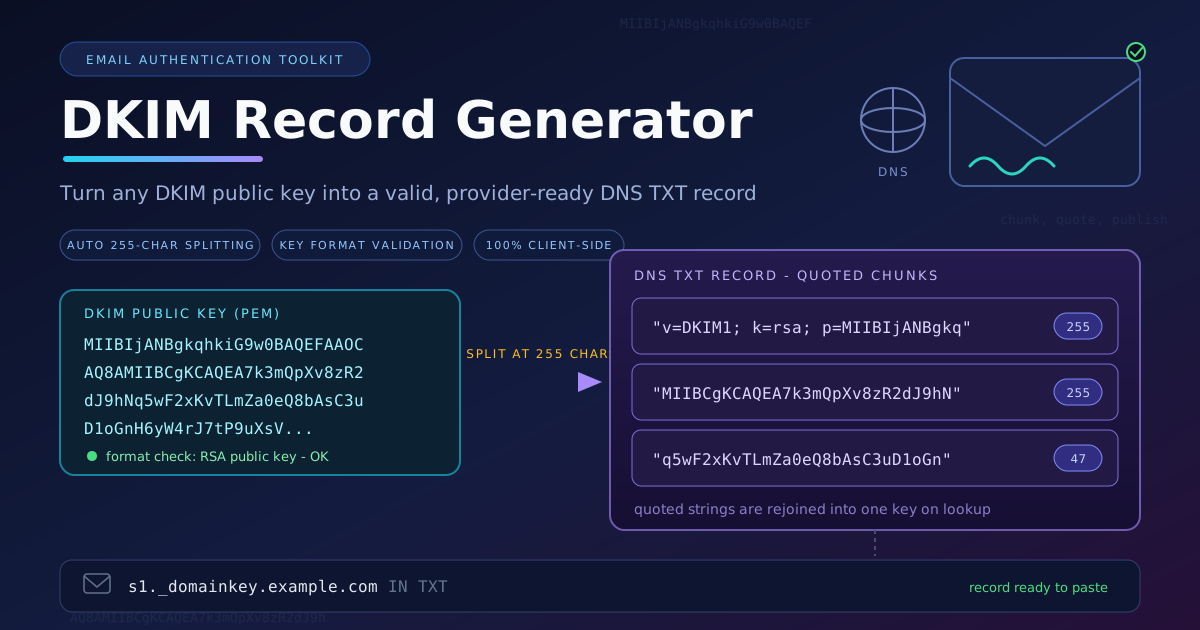
Free Interactive Tool
DKIM Record Generator
Build and validate DKIM DNS TXT records from a public key
Table of Contents
DKIM signatures fail silently. When the DNS TXT record behind a signature is malformed — a chunk over 255 characters, a stripped quote, a truncated key — mail servers send no error. They simply fail the check, and deliverability erodes while dashboards stay green. Since an RSA public key almost never fits in the single-string limit DNS imposes, nearly every DKIM record must be split into quoted chunks, and hand-splitting is where records break.
Our DKIM Record Generator removes that entire class of mistakes. Paste the public key your mail provider or openssl gave you, name your selector, and the tool assembles the full selector._domainkey TXT record — validating the key format, inserting the correct tags, and splitting the payload into provider-safe quoted chunks automatically. Everything runs 100% client-side, so keys never touch a server.
Why Use DKIM Record Generator?
- Automatic 255-character chunk splitting. The tool cuts the record at exactly the right boundaries so DNS providers' quoted-string requirements are met and receivers reassemble it correctly.
- Key format validation. The pasted key is checked before generation, catching PEM headers left in, stray whitespace, line breaks, or a private key pasted by mistake.
- Correct record syntax every time. It emits the standard v=DKIM1; k=rsa; p=... structure with proper quoting.
- Works with any provider's key. Gmail, Microsoft 365, Zoho, Mailgun, or your own openssl-generated pair.
- 100% client-side processing. The key never leaves your browser — no upload, no logging, no account.
- Copy-ready output. One click copies the full record or each chunk individually.
Key Features
| Feature | Details |
|---|---|
| Input | Paste a DKIM public key (PEM body or raw base64) |
| Validation | Format and encoding checks before generation |
| Record construction | Builds v=DKIM1; k=rsa; p=... with your selector |
| Chunk splitting | Automatic 255-character quoted-string splitting |
| Output | Full selector._domainkey TXT record, per-chunk copy |
| Privacy | 100% client-side — no network transmission of the key |
- Selector-aware output. The record name follows the selector you type, so s1, google, or a date-based selector is the same one-step flow.
- No data retention. Close the tab and the key is gone — nothing is stored anywhere.
How to Use
- Open the DKIM Record Generator and paste your DKIM public key — with or without PEM headers.
- Name the selector. Type the label your provider specified (google, s1, 2026-09); the preview shows the exact record name.
- Review the generated record: the tool validates the key, assembles the DKIM tags, and splits the key into quoted chunks of at most 255 characters.
- Copy the record and add it at your DNS provider. Create a TXT record with the name shown, paste the value (all chunks, in order), and save.
- Verify. Send a real signed email and check the receiving headers for DKIM-Signature and a dkim=pass verdict, or use a DNS lookup to confirm every chunk resolves.
DKIM Records and the 255-Character Wall
A DKIM public record is a DNS TXT record published at <selector>._domainkey.<your-domain>. Its value is a semicolon-separated tag list: v=DKIM1 declares the version, k=rsa names the key type, and p= carries the base64 public key receivers use to verify signatures. The private counterpart never appears in DNS — if you catch yourself about to publish a value containing "PRIVATE KEY", stop and start over.
The wall comes from the DNS specification: a single character-string inside a TXT record is capped at 255 octets, and a 2048-bit RSA key base64-encodes to roughly 340–380 characters. The fix is to split the value into consecutive quoted strings, which resolvers concatenate on lookup. This is not several separate TXT records at the same name — that is ambiguous or broken — but one record composed of quoted chunks, each under 255 characters, entered in order. Some consoles split for you; many require you to do it exactly right, which is what the generator automates.
The selector is your namespacing tool. It lets one domain publish several keys at once — one per platform or key generation — and tells receivers which key signed a message. Pick meaningful selectors (google, mailer2026-09) and rotation becomes trivial. A small annotated record makes the anatomy concrete:
s1._domainkey.example.com.  IN  TXT  "v=DKIM1; k=rsa; p=MIIBIjANBgkqhkiG9w0BAQEFAAOCAQ8A"
                                      "MIIBCgKCAQEA7k3mQpXv8zR2dJ9hNq5wF2xKvT"
                                      "LmZa0eQ8bAsC3uD1oGnH6yW4rJ7tP9uXsV"
- s1 — the selector; receivers look it up when a header names it.
- v=DKIM1 — version tag, first in the list.
- k=rsa — algorithm family of the published key.
- p= — the key, split across three quoted strings and joined on lookup.
Where does DKIM sit in the family? SPF authorizes which servers may send for a domain, DKIM cryptographically signs each message so it survives forwarding, and DMARC tells receivers what to do when those checks fail and where to report. DKIM alone is necessary but not sufficient — a deployment is only strong when all three are present and aligned.
Practical Use Cases
Setting up email for a new domain
A fresh domain needs its authentication trio before the first campaign. Paste the public half into the DKIM Record Generator, publish it alongside SPF and a p=none DMARC policy, and start with monitoring rather than enforcement.
Fixing broken deliverability
Mail landing in spam often traces to a record that resolves but parses wrong — one chunk too long, quotes stripped, a trailing newline. Rebuilding with validated chunk splitting takes minutes and removes the most common silent failure modes.
Migrating email providers
During a platform switch, the old selector keeps signing mail. Publish a second record under a new selector for the new provider and run both in parallel until propagation completes — selectors exist precisely to make that overlap safe.
Rotating keys safely
Keys are perishable. Publish a new record under a fresh date-stamped selector, confirm the provider signs with it, then delete the old record. The generator turns each step into a thirty-second task.
Best Practices
- Rotate keys periodically. A fresh selector and key every 6–12 months limits the blast radius of leaked material.
- Verify with a real signed email. DNS lookups prove the record exists; only dkim=pass in receiving headers proves it works.
- Keep DMARC aligned. Match the signing domain to your From: domain, and pair DKIM with SPF and a DMARC policy.
- Remove stale selectors. Orphaned records are still-valid keys nobody maintains — delete records for retired providers.
- Never publish the private key. The tool is built for the public half only.
- Use one selector per service. Distinct selectors keep rotation, debugging, and revocation independent.
Build Your DKIM Record Now
The weakest DKIM record is usually the one assembled by hand before a launch. The DKIM Record Generator turns key packaging into a paste, a selector name, and a copy — validated, chunk-split, done in seconds, entirely in your browser.
Related Tools You Might Like:
- Security.txt Generator — publish a security.txt file so researchers can report vulnerabilities responsibly.
- URL Parser — break any URL into protocol, host, path, and query components in your browser.
- JSON Formatter — format, validate, and beautify JSON payloads from APIs and logs.
May every signature verify on the first try. Happy sending!
Frequently Asked Questions
Q: Is it safe to paste my DKIM key into this tool?
A: Yes. The generator runs entirely in your browser with no server transmission, and it is designed for the public key — the half meant to be published in DNS anyway.
Q: Why does my key need to be split at 255 characters?
A: The DNS specification caps each character-string inside a TXT record at 255 octets, and RSA keys encode to more than that. Providers expect multiple quoted strings that resolvers join on lookup — the tool splits at safe boundaries automatically.
Q: Where do I get the public key from?
A: Managed platforms (Google Workspace, Microsoft 365, most senders) display it in their admin console. If you run your own mail server, openssl generates the pair; paste the public half here.
Q: What selector should I choose?
A: Whatever your provider instructs, or a meaningful label of your own such as mail2026-09. Meaningful selectors make rotation and cleanup far easier later.