Dockerfile Linter: Catch Security, Caching and Size Issues Before You Build
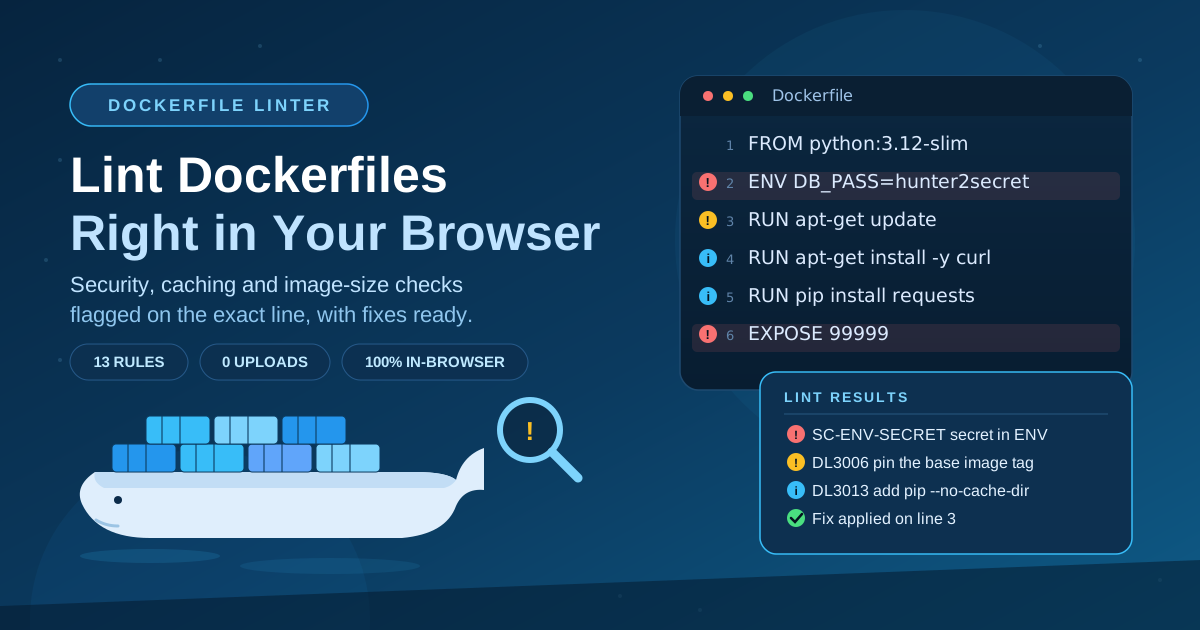
Lint Dockerfiles in your browser for security, caching, and image-size issues with line-level fixes, using familiar hadolint-style rules.
Free Interactive Tool
Dockerfile Linter
Lint Dockerfiles in your browser for security, caching, and image-size issues with line-level fixes.
Table of Contents
Every container you ship starts life as a Dockerfile, and every mistake in that file gets baked into your image and pulled onto production machines. The Dockerfile Linter reviews your Dockerfile directly in the browser and flags security, caching, and image-size problems using hadolint-style rule IDs, severities, and line-level fixes — before a single layer is built.
Most teams meet these problems late: a password discovered in image history, a bloated image that slows every deploy, a build that never caches. All are one-line fixes when caught at authoring time, and painful archaeology in production. Nothing you paste is uploaded — analysis runs 100% locally.
Why Use Dockerfile Linter?
- It catches real security mistakes, not style nits. SC-ENV-SECRET flags secrets in ENV, DL3002 flags containers left as USER root, and DL3004 flags sudo inside RUN — patterns behind a large share of container incidents.
- Line-level positions with fixes. Every issue is anchored to the exact line that triggered it, sorted error-first then by line number, so the report reads like an ordered to-do list.
- Familiar hadolint-style rule IDs. DL3006, DL3008, DL3013, and siblings follow the numbering of the popular hadolint linter, so docs and team wikis you already trust still apply.
- Nothing leaves your machine. The linter runs entirely client-side, making it safe for internal infrastructure code that policies prohibit sending to third parties.
- Faster feedback than a build. docker build can take minutes to reveal a problem this linter surfaces in milliseconds.
- Free and frictionless. No install, no account, no version to maintain. Open a tab, paste the file, and start fixing.
Key Features
| Rule | Severity | What it detects |
|---|---|---|
| SC-ENV-SECRET | Error | Secrets written into ENV instructions |
| DL3011 | Error | Invalid port numbers in EXPOSE |
| DL3006 | Warning | FROM pinned to the moving latest tag |
| DL3004 | Warning | sudo inside RUN instructions |
| DL3002 | Warning | Containers that never leave USER root |
| DL3020 | Warning | Using ADD where the safer COPY fits |
| DL3008 | Info | apt-get install without pinned versions |
| DL3009 | Info | apt-get update not cleaned in the same RUN |
| DL3013 | Info | pip install without --no-cache-dir |
| DL3016 | Info | npm install without pinned versions |
| DL3048 | Info | Missing or malformed HEALTHCHECK |
| DL3059 | Info | Consecutive RUN instructions that could merge |
Findings are triaged error-first — errors such as SC-ENV-SECRET top the list, then warnings, then info rows. Each carries its rule ID plus a plain-language explanation, so newcomers can act without memorizing docs.
How to Use
- Open the Dockerfile Linter in any modern browser — nothing to install, no account needed.
- Paste your Dockerfile into the editor, or type a new one while scaffolding a fresh project.
- Review the issue list, sorted error-first then by line number. Start with error rows such as SC-ENV-SECRET.
- Apply the suggested fix at the flagged line — most corrections are mechanical: pin a version, remove a secret, merge RUN lines, or add --no-cache-dir.
- Re-check until clean, then copy the corrected file back into your repository as one reviewable commit.
What the Rules Catch
Security: secrets and privilege
SC-ENV-SECRET is the rule to treat as a build blocker. ENV DB_PASSWORD=supersecret stores the value in image configuration, where it survives in image history and is readable by anyone who can pull the image. Inject secrets at runtime instead. DL3002 warns when the container never leaves USER root, because a compromised process then starts with maximum privilege, and DL3004 flags sudo in RUN — if you need sudo to build, your USER directive is wrong.
Caching and layers
Docker layers are append-only, which is why DL3009 and DL3059 matter. If apt-get update runs in one RUN and the install in another, the package-list layer stays in the image forever; deleting files in a later layer only hides them. DL3059 flags consecutive RUN instructions that should be merged so cleanup can take effect:
# Before: lists baked into their own layer
FROM python:3.12-slim
RUN apt-get update
RUN apt-get install -y libpq-dev
# After: one layer, lists cleaned up
FROM python:3.12-slim
RUN apt-get update \
    && apt-get install -y --no-install-recommends libpq-dev \
    && rm -rf /var/lib/apt/lists/*
The result ships one layer instead of three and drops the package indexes entirely.
Image size and version pinning
DL3006 warns about FROM instructions that use the latest tag — a moving target that breaks reproducibility and makes rollback guesswork. Pinning python:3.12-slim costs nothing and buys deterministic builds. DL3008 extends the idea to apt-get install, DL3013 asks for --no-cache-dir on pip install so wheels do not linger in the layer, and DL3016 applies the same principle to npm install.
Healthchecks
DL3048 reports a missing or malformed HEALTHCHECK. Without one, orchestrators cannot tell a hung application from a busy one, so a crashed-but-running container keeps receiving traffic. A lightweight check makes the container self-reporting.
Practical Use Cases
A quality gate before CI
Paste the file before every commit that touches it. Errors get fixed before they reach the shared branch, and CI stops being the first place mistakes are discovered.
Faster code reviews and onboarding
The linter handles mechanical checks so reviewers can focus on logic and architecture; the rule explanations double as a teaching resource for newcomers.
Slimming down bloated images
Usual culprits behind oversized images: DL3009 leftovers, missing --no-cache-dir flags, and unpinned installs pulling extra packages. Linting first yields a concrete checklist, and the fixes often cut image size by half.
Secret hygiene before you push
Developers routinely hardcode a credential "just to test locally" and forget it. Since SC-ENV-SECRET sorts first as an error, a thirty-second pre-push check catches exactly that pattern — before the image reaches a registry, where credentials are effectively permanent.
Best Practices
- Treat errors as blockers and warnings as debt. Fix SC-ENV-SECRET immediately; schedule warnings like DL3006 into the same sprint.
- Pin everything you can. Base image tag, apt packages, pip and npm versions — reproducible builds are the cheapest reliability upgrade available.
- Rotate any secret that touched a file. Removing a credential from an ENV line does not remove it from cached layers.
- Order instructions from least to most volatile. Dependency installs before source copies keeps the cache warm.
- Merge related commands per DL3009 and DL3059. Chain with && and clean up in the same instruction so nothing leaks into later layers.
- Re-lint after dependency bumps. Base image updates can introduce new findings; a ten-second check keeps the file clean.
Ship Cleaner Images Today
Container security is mostly hygiene, and hygiene is mostly habit. The Dockerfile Linter turns the hadolint-style rulebook into an instant, line-level checklist — private, browser-based, no install. Paste your current file and see what turns up.
Related Tools You Might Like:
- Dockerfile Generator — scaffold well-structured Dockerfiles for Node.js, Python, and Go
- Docker Compose to Kubernetes Converter — translate compose files into Kubernetes manifests
- YAML Formatter — format and validate the YAML configs alongside your Dockerfiles
Happy linting — small layers, runtime-only secrets.
Frequently Asked Questions
Q: Is my Dockerfile uploaded to a server?
A: No. The linter runs 100% in your browser — content is analyzed locally with JavaScript and nothing is transmitted, stored, or logged anywhere.
Q: How does this compare to running hadolint on my machine?
A: Rule IDs and severities follow the same hadolint-style conventions, so findings map directly to what hadolint reports. The difference is convenience: no binary to distribute and instant availability in any browser.
Q: Why is a rule firing on something my build tolerates?
A: Lint rules encode best practices, not hard failures. A DL3006 warning about the latest tag will not stop your build, but it flags risks that surface later. Treat findings as prompts to choose deliberately, not errors to suppress.
Q: Does it work with multi-stage Dockerfiles?
A: Yes. The file is processed line by line, so rules apply across every stage — including SC-ENV-SECRET in a build stage that never copies its secrets into the final image.
Q: Can I paste Dockerfiles from a private repository?
A: That is the intended use case — nothing is uploaded, so internal files referencing private registries and hostnames stay policy-safe.