Hash Type Identifier: Identify Unknown Hash Algorithms by Shape and Prefix
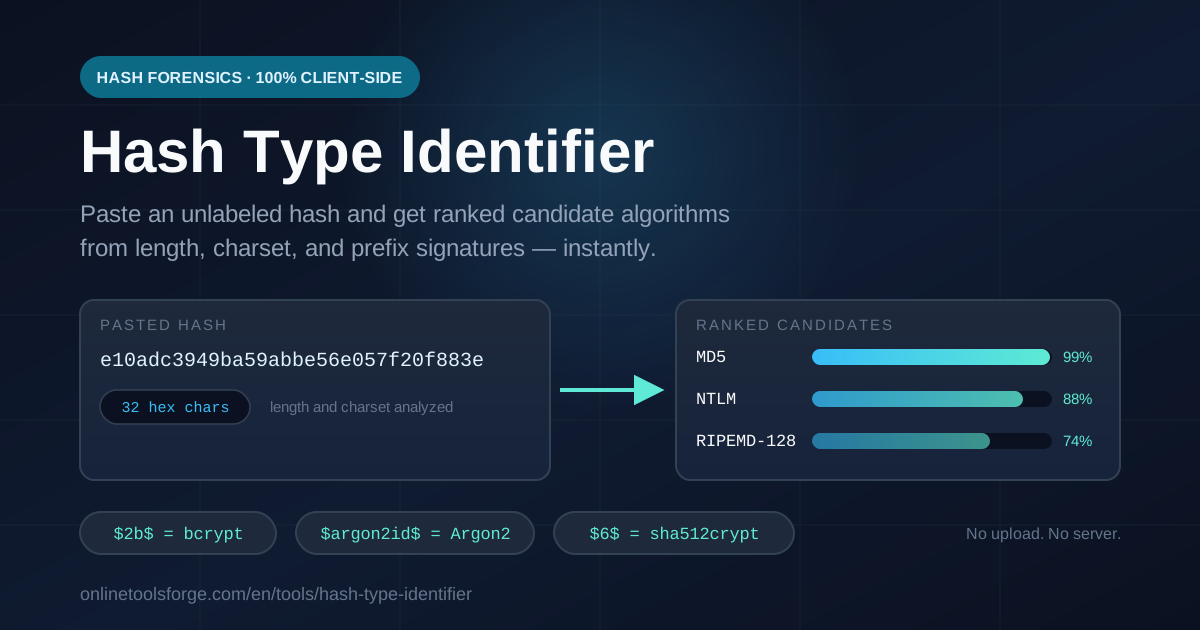
Paste any hash and get ranked candidate algorithms from length, charset, and signature prefixes like bcrypt, Argon2, and sha512crypt — instant, free, and 100% client-side.
Free Interactive Tool
Hash Type Identifier
Paste any hash and instantly identify the likely algorithm from its length, charset, and signature prefixes such as bcrypt, Argon2, or sha512crypt — free and 100% client-side.
Table of Contents
Every security workflow eventually meets an unlabeled hash: a blob from a log line, a database dump, or an old config file. Incident response and CTFs regularly start with exactly that — and before you can verify, crack, or migrate anything, you must know which algorithm produced it. Guessing wastes hours; the shape almost always knows the answer.
The free Hash Type Identifier turns that shape into ranked answers in one paste. It reads the length, character set, and — when present — the signature prefixes password hashing formats carry, then returns likely algorithms ordered by confidence, 100% in your browser. Nothing you paste is uploaded, logged, or stored anywhere.
This guide covers why 32 hex characters are so suggestive, what $2b$ or $6$ reveals, and why length alone cannot pin a 64-hex digest on SHA-256.
Why Use Hash Type Identifier?
- Instant ranked candidates, not a single guess. Hash formats overlap constantly — 40 hex could be SHA-1 or RIPEMD-160 — so you see the likely answer and plausible alternatives side by side.
- Prefix signatures do the heavy lifting. $2a$/$2b$ means bcrypt, $argon2id$ means Argon2id, $6$ means sha512crypt from /etc/shadow — with a prefix, the tool names the exact algorithm and format family.
- Length and charset analysis in one pass. The input is classified as hex, base64, or other, and standard digest sizes map straight to producing algorithms.
- 100% client-side privacy. The analysis runs entirely in your browser tab — even with the network disconnected. Nothing reaches a server.
- Modern and legacy coverage. From Argon2 and scrypt to md5crypt, Apache $apr1$, and PHPass — the formats you meet in the wild.
- Free and instant. No sign-up, no limits, no install. Open the page, paste, read the answer.
Key Features
| Feature | What You Get |
|---|---|
| Input analysis | Length and charset detection (hex, base64, other); base64 decodes to byte length |
| Prefix detection | bcrypt, Argon2i/d/id, sha512crypt, sha256crypt, md5crypt, apr1, PHPass, scrypt, PBKDF2, LDAP |
| Hex digest mapping | Digest lengths 32 to 128 hex chars mapped to matching algorithms |
| Ranked output | Ordered candidates with confidence hints and notes |
| Runtime | 100% client-side — works offline |
- Prefixes beat everything. A $-prefixed modular crypt string identifies itself — salt and cost parameters often ride inside — so prefix matches carry the highest confidence plus the format family.
- Nonstandard inputs are reported, not guessed. A 33-character hex string matches nothing standard, and the tool says so plainly.
How to Use
- Open the Hash Type Identifier. No install or account needed; once loaded, it works offline.
- Paste the full hash. For password hashes the prefix and all that follows matters — never trim characters.
- Read the summary line. Length and character set alone narrow the field enormously.
- Check for a prefix match. A leading $2b$, $argon2id$, or $6$ effectively settles the question.
- Weigh the ranked candidates. Without a prefix, compare the list with context — a shadow file, an old Windows system, an API doc — then confirm the top hypothesis with a test hash.
Reading Hash Shapes and Prefixes
What digest length reveals
Unsalted digests have fixed, well-known lengths — the first reliable clue for raw hex strings. MD5 (like NTLM, MD4, and RIPEMD-128) produces 32 hex characters; SHA-1 and RIPEMD-160 produce 40; SHA-256, SHA3-256, BLAKE2s-256, and Keccak-256 produce 64; SHA-512, WHIRLPOOL, and BLAKE2b-512 produce 128.
A 32-hex string cannot be SHA-1; a 128-hex string cannot be MD5. That is why the tool leads with length.
What prefixes reveal
Password hashing formats deliberately embed their own metadata so verifiers can recompute years later:
$2b$12$[salt][digest]                           — bcrypt
$argon2id$v=19$m=65536,t=3,p=1$[salt]$[digest]  — Argon2id
$6$[salt]$[digest]  (or $5$ = sha256crypt)      — sha512crypt
Here $2b$ marks bcrypt; the digits after it are the cost factor. The second line is the PHC string format, with algorithm, version, and tuning parameters spelled out in plain text. The $6$ and $5$ prefixes come from the Unix modular crypt format in /etc/shadow. You will also meet $1$ (md5crypt), $apr1$ (Apache htpasswd), $P$ (PHPass), {SHA} (LDAP), and $scrypt$. If a hash starts with $ or {, it is telling you what it is.
Why length alone cannot settle a 64-hex string
SHA-256, SHA3-256, Keccak-256 (the variant Ethereum uses — not the same function as SHA3-256 despite the identical output size), BLAKE2s-256, and SM3 all emit exactly 64 hex characters, and nothing in the shape says which. The same ambiguity exists at 40 hex (SHA-1 versus RIPEMD-160) and at 128 (SHA-512 versus WHIRLPOOL). Hence ranked candidates with notes, not one overconfident answer: the length gives a shortlist, honest about what it cannot decide.
Ranked candidates and how to confirm
Treat identification as a hypothesis. For raw digests, run a control experiment: hash a known short string with the candidate algorithm and compare the shape. For bcrypt or Argon2, verify instead of cracking — paste the stored hash plus a known password into a verify mode and let one computation settle it. Confirming takes seconds; cracking the wrong algorithm takes hours.
Practical Use Cases
Incident response triage
A compromised database arrives as a column of 60-character strings starting with $2y$. Within seconds you know the credentials were bcrypt-protected — a password spray is far less feasible than you feared. Bare 32-hex MD5 digests would escalate the incident immediately. Naming the algorithm drives every decision that follows.
CTF challenges
Warmup crypto challenges hand you a hash with no label and expect you to identify it first. Paste the string, read "40 hex characters — SHA-1 or RIPEMD-160", try the leading candidate against your wordlist, and move on.
Migration audits — what are we still storing?
Before upgrading password storage, build an inventory. Sample values from each credential column in a staging copy and run them through the identifier: which tables still hold unsalted MD5, which carry $2b$, which already use $argon2id$. Prefix evidence doubles as audit documentation.
Password hash upgrade planning
With the inventory in hand, planning becomes arithmetic. Accounts on bcrypt or Argon2id rehash transparently on next login; accounts on unsalted MD5 or legacy sha512crypt need a forced reset or scheduled rotation. Identification sizes each cohort and prices each path.
Best Practices
- Confirm before you crack. Identification ranks hypotheses; run the leading candidate through a real hash-and-compare before spending hours on the wrong algorithm.
- Never paste real production hashes into unknown websites. This tool is fully client-side, but the habit matters: a hash pasted into a random service is a credential handed to a stranger.
- Treat every answer as a hypothesis. Length is evidence, not proof; two algorithms sharing a digest size both stay "right" until one is excluded.
- Remember that salt is invisible in the shape. Salting changes the value, not the length — salted and unsalted MD5 look identical at 32 hex.
- Prefer prefix evidence over length evidence. A $ or {...} prefix is near-conclusive; a matching length only produces a shortlist.
- Document what you find. Record the algorithm, the sample's origin, and your confidence level — auditors will need all three.
Ready to Identify That Hash?
Open the free Hash Type Identifier, paste the string, and get a ranked verdict in seconds — length, charset, and prefix analysis, entirely in your browser. Stop guessing; let the shape tell you.
Related Tools You Might Like:
- Bcrypt Generator — generate and verify bcrypt hashes to confirm $2b$ findings
- File Hash Checker — compute MD5, SHA-1, and SHA-256 file digests to confirm raw-digest candidates
- Argon2 Hash Generator — generate and verify Argon2id PHC strings, the modern password storage standard
Frequently Asked Questions
Q: Is it safe to paste a hash from a real incident here?
A: Yes. The analysis runs 100% in your browser — the string never leaves your device, and it works even offline. For sensitive engagements, prefer an isolated browser profile.
Q: My 64-character hex string could be several algorithms. Which one is it?
A: Length cannot disambiguate SHA-256 from SHA3-256, Keccak-256, or BLAKE2s-256 — all emit 64 hex characters. Hash a known string with the candidate algorithm and compare. Only verification settles it.
Q: Can it tell whether a hash is salted?
A: Not from shape alone. A salt changes the value, not the length, so salted and unsalted MD5 look identical at 32 hex. Only formats that embed the salt — bcrypt, Argon2, sha512crypt — reveal it, via their prefixes.
Q: Does identifying the hash mean I can crack it?
A: No — and usually you should not. Identification only names the algorithm; feasibility depends on its strength, salt, password policy, and your authorization. The next step is verification against a known password, not attack.
Happy identifying!