Hourly to Salary Converter: Convert Your Pay Between Every Frequency
Learn how to use the Hourly to Salary Converter to turn an hourly rate into weekly, biweekly, monthly, and annual salary — and back — with unpaid leave and overtime adjustments.
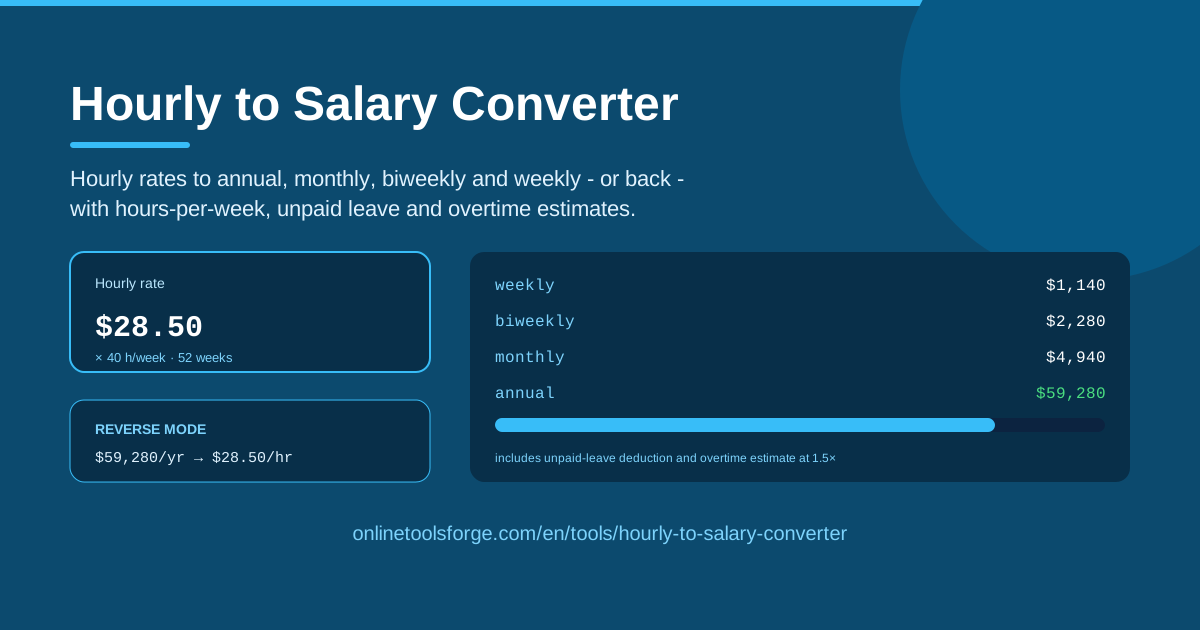
Table of Contents
If you have ever compared a freelance gig against a full-time offer, you know the problem: one side quotes $45 per hour, the other quotes $92,000 per year, and nobody tells you which is better. The Hourly to Salary Converter on Online Tools Forge settles it in seconds. Enter any hourly rate and the tool shows your pay as weekly, biweekly, monthly, and annual salary — or flips the math, turning a salary into the hourly rate it truly represents.
Unlike a bare multiplier, the converter lets you set your real hours per week, deduct unpaid leave so the estimate matches the pay you will actually receive, and preview overtime at 1.5× for irregular schedules. It runs entirely in your browser — no sign-up, and no data leaves your device.
Why Use Hourly to Salary Converter?
Converting pay by hand invites small errors that cost real money. Here is where the converter earns its keep:
- Offer comparison. Contractors speak in hourly rates while employers speak in annual salaries. Converting both to one frequency puts the numbers on equal footing before you decide.
- Unpaid-leave realism. A flat fifty-two-week calculation flatters anyone who takes unpaid time off. Deducting those weeks shows the annual pay you will genuinely bank, not an idealized figure.
- Overtime visibility. If extra hours are routine, the built-in 1.5× estimate shows what they add over a full year.
- Every frequency at once. Weekly, biweekly, monthly, and annual amounts appear together, so budgeting by paycheck and planning by year use the same numbers.
- Two-way conversion. Enter a salary to see the hourly rate behind it — perfect for judging whether freelance work beats your day job.
- Free and private. No account, no upload; everything computes locally in your browser.
Key Features
The converter packs the full pay-conversion workflow into one compact interface:
| Feature | What it does |
|---|---|
| Hourly to salary conversion | Turns any hourly rate into weekly, biweekly, monthly, and annual amounts in a single view |
| Salary to hourly reverse mode | Converts an existing salary back into its true hourly rate |
| Adjustable hours per week | Set 40 for full-time work or fewer for part-time schedules |
| Unpaid leave deduction | Subtracts unpaid weeks so projections match real paid time |
| Overtime estimate at 1.5× | Projects the yearly value of extra hours at time-and-a-half |
| Runs in the browser | Instant results with no installation, account, or data upload |
- The unpaid-leave deduction matters most for seasonal roles and contract positions, where paid weeks do not span the whole year and projections otherwise drift optimistic.
- Overtime projections use the standard 1.5× rate; enter your typical extra hours and the tool folds them into the totals.
How to Use Hourly to Salary Converter
Five short steps take you from a bare hourly quote to a complete pay picture:
- Enter your hourly rate. Type the quoted rate — for example, 25.00 — into the hourly field.
- Set your hours per week. Keep 40 for full-time work, or adjust to 20, 30, or whatever matches your contract.
- Deduct unpaid leave. Enter unpaid weeks or days so the annual figure reflects the weeks you will actually be paid, not a full 52.
- Read all the frequencies. Weekly, biweekly, monthly, and annual amounts appear side by side, plus an overtime estimate if you added extra hours.
- Flip to reverse mode. Enter a salary instead and the converter answers the opposite question: what is this offer worth per hour?
The 2080-Hour Assumption and When It Lies
Almost every quick conversion rests on one equation: 40 hours per week times 52 weeks equals 2,080 hours a year. Multiply a rate by 2,080 and you get the classic annual salary — $25 an hour becomes $52,000; $60 becomes $124,800. It is a useful baseline, and the converter uses it by default. Trouble starts when your working life does not match the assumption.
Part-time schedules are the first casualty. At 20 hours a week the baseline is really 1,040 hours, so $25 an hour yields $26,000, not $52,000 — half the naive figure. Seasonal work distorts further: eight months of full-time effort is roughly 1,387 paid hours, so annual-salary talk overstates the year by nearly half. Setting the hours-per-week field to your true schedule keeps the conversion honest.
Unpaid leave is the second distortion. Four unpaid weeks remove 160 working hours; at $40 an hour that is $6,400 of annual pay the naive math silently adds back. Deducting those weeks turns an optimistic projection into the number your bank account will see.
Overtime cuts the other way. Five extra hours a week at 1.5× on a $40 base is $90 per extra hour — about $4,680 a year. If overtime is routine, excluding it understates your income; if it is rare, including it overstates. Estimate it deliberately, with real hours.
The deepest flaw appears when comparing a contractor rate to a salaried offer. A salary bundles health coverage, paid time off, retirement matching, and the employer's share of payroll taxes — value a contractor buys personally. Convert both sides to hourly, then ask whether the contractor's premium covers benefits, unpaid vacation, and gaps between contracts. Often the salaried job can pay 20 to 30 percent less and still come out ahead.
Practical Use Cases
Four situations where the converter changes the outcome, not just the presentation:
Comparing a Contractor Rate to a Salaried Offer
Suppose you freelance at $55 per hour and receive a $95,000 offer. The converter shows $55 becomes $114,400 a year at 40 hours — $19,400 more than the salary. Now subtract reality: the contractor buys their own insurance, gets no paid vacation, and covers both halves of payroll taxes. Converting the salary back ($95,000 ÷ 2,080 ≈ $45.67 per hour) and pricing the missing benefits often shows the salary is closer than the headline suggested — or the contract rate is fair after all. Either way, you decide with numbers.
Part-Time Budget Planning
A student working 20 hours a week at $22 should not budget around a $45,760 annual fantasy. With hours set to 20, the converter shows $440 weekly, $880 biweekly, about $1,907 monthly, and $22,880 a year — figures a rent application or loan request can safely rely on.
Negotiating Freelance Minimums
If you need $70,000 a year, reverse mode gives your floor: $70,000 ÷ 2,080 ≈ $33.65 per hour before unpaid admin time. Add pitching and invoicing hours and the true minimum climbs — but now you know exactly which lowball projects to decline.
Payroll Sanity Checks
Started at $28 an hour and want to verify the first paycheck? Convert to the weekly figure ($1,120 at 40 hours) and compare it against your pay stub before deductions. Catching a misentered rate or missed overtime premium takes one calculation instead of three pay periods.
Best Practices
- Use realistic paid hours. Enter the schedule you actually work, including seasonal gaps — not the one you wish you had.
- Compare gross first, then net. Line up gross figures with the converter, then run each option through a paycheck or salary calculator for take-home pay.
- Remember benefits value. Health insurance, retirement match, and paid leave commonly add 20 to 30 percent to a salary's worth; gross math is only the start.
- Re-run after schedule changes. Moving from 35 to 40 hours, a new unpaid-leave policy, or steady overtime shifts every frequency — recompute rather than reuse old numbers.
- Watch the pay-period trap. Twice-monthly pay yields 24 paychecks; biweekly yields 26. Budget for the one you receive.
Whether you are weighing a contract against a staff role, planning a part-time budget, or just curious what your time is worth, open the Hourly to Salary Converter, type in one number, and let it translate your pay into every frequency you need.
Related Tools You Might Like:
- Salary Calculator — work out full pay figures from any salary basis.
- Paycheck Calculator — estimate take-home pay after taxes and deductions.
- Thai Salary Calculator — salary breakdowns tailored to Thai payroll rules.
Happy calculating!
Frequently Asked Questions
Q: How do I convert $25 an hour to an annual salary? A: Enter 25 with the default 40 hours per week and you will see roughly $1,000 weekly, $2,000 biweekly, about $4,333 monthly, and $52,000 a year — the classic hourly-times-2,080 result.
Q: Does the tool account for unpaid time off? A: Yes. Enter your unpaid weeks and the converter shrinks the annual, monthly, and other figures to match the pay you will actually receive.
Q: Is the overtime estimate what my employer must pay? A: No. It is a planning figure based on the hours you enter; real eligibility and rates depend on your contract, classification, and local labor law.
Q: Can I convert a salary back to an hourly rate? A: Yes. The converter works both ways: enter an annual, monthly, or weekly salary and it shows the equivalent hourly rate.