JSON Key Sorter: Sort JSON Keys Alphabetically for Stable Diffs and Snapshot Tests
Sort JSON object keys alphabetically, case-sensitively, or by value type with the free online JSON Key Sorter — built for stable diffs and reliable snapshot tests.
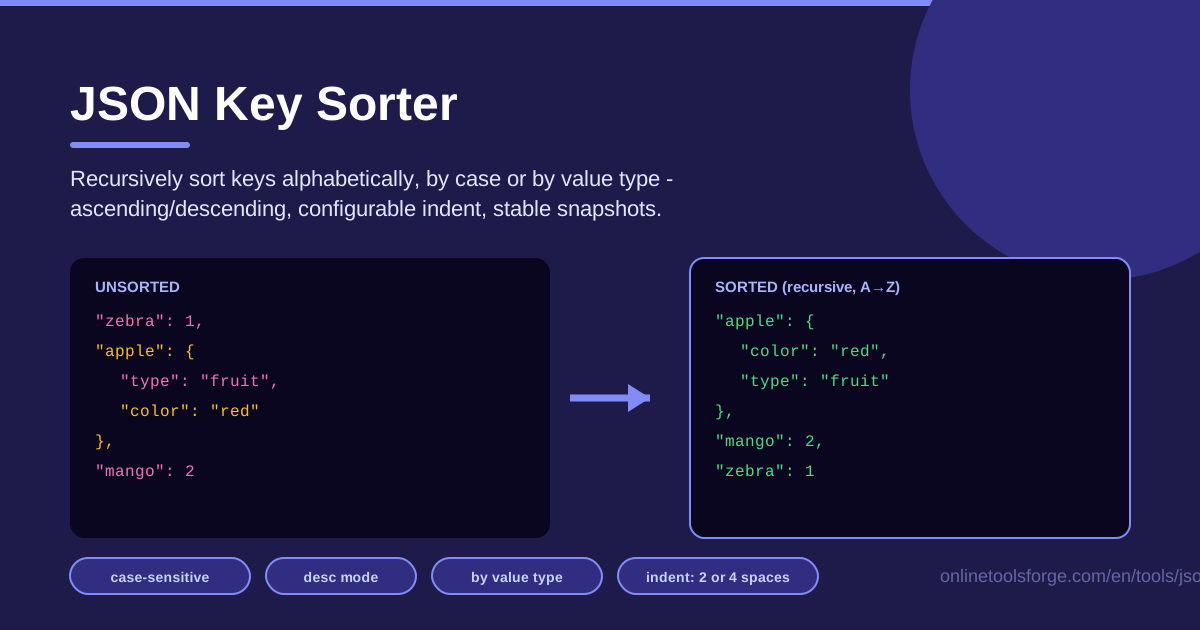
Table of Contents
Every developer who works with JSON eventually meets the same frustration: two payloads containing exactly the same data fail to match because their keys appear in a different order. Key order inside a JSON object carries no meaning — the specification is explicit about that — yet nearly every tool that inspects JSON text, from git diff to snapshot testing frameworks, treats a reshuffled object as a real change. The JSON Key Sorter on Online Tools Forge fixes this in seconds: paste your JSON, and it recursively sorts every object key into a canonical, predictable order.
Because the tool runs entirely in your browser, nothing you paste is uploaded anywhere, which makes it safe for internal API responses, configuration files, and anything else you would rather keep to yourself. You get alphabetical ordering with an optional case-sensitive mode, sorting by value type, ascending or descending direction, and configurable indentation so the output matches your project's formatting style.
In this guide, we will look at why deterministic JSON output matters, walk through the tool step by step, and cover the workflows — snapshot tests, config comparisons, canonical hashing — where it saves the most time.
Why Use JSON Key Sorter?
- Stable diffs for snapshot tests. When keys are always emitted in the same order, snapshot files stop failing for cosmetic reasons, and every red test points at a genuine data change instead of ordering noise.
- Meaningful config reviews. Sorting both files before comparing means the diff shows only values that actually changed, not lines that merely moved.
- Canonical JSON for hashing. If you hash JSON for cache keys, change detection, or signatures, sorted keys guarantee identical data always produces an identical hash.
- Readable files. Alphabetically ordered keys make large JSON documents dramatically easier to scan and search by eye.
- Recursion included. The tool sorts objects at every nesting level, so deeply nested payloads come out fully canonical rather than tidied only at the top.
- No installation, no risk. Everything happens client-side in your browser — no accounts, no uploads, no telemetry.
Key Features
| Feature | What it does |
|---|---|
| Recursive key sorting | Reorders object keys at every level of nesting, including objects inside arrays |
| Alphabetical ordering | Arranges keys from A to Z so identical data always serializes identically |
| Case-sensitive option | Sorts uppercase and lowercase letters strictly (for example, URL before url) |
| Sort by value type | Groups keys according to their value types instead of by name |
| Ascending or descending | Flips the entire sort direction with a single toggle |
| Configurable indentation | Choose 2 spaces, 4 spaces, or another width to match your style guide |
| Stable, repeatable output | The same input and settings always produce byte-for-byte identical results |
| Runs in the browser | Fully client-side, so your data never leaves your machine |
A few details worth knowing. The recursive behavior is the real differentiator, because many online tools only sort the top-level object and leave nested structures untouched. The case-sensitive option matters when mixed-case keys such as ID and id coexist, since strict ordering keeps their positions explicit and reproducible. And sorting by value type gives you a different but equally stable layout that some teams prefer for config files, with grouped fields reading more compactly.
How to Use JSON Key Sorter
- Paste your JSON. Drop your payload, config file, or API response into the input area. If the JSON is malformed, the tool reports the problem immediately so you can fix it before sorting.
- Choose your sort mode and direction. Pick alphabetical ordering (with the case-sensitive toggle if you need strict letter ordering) or sort by value type, then select ascending or descending.
- Set the indentation. Match your target format: 2 spaces is the common web default, 4 spaces suits many style guides, and wider settings are available.
- Click Sort. The tool recursively walks every object in the document and rebuilds the output with keys in your chosen order, leaving all values untouched.
- Copy the stable output. Paste the result into your snapshot file, config, or pipeline, knowing the same input will always regenerate the exact same text.
Why Deterministic JSON Matters
The JSON specification defines an object as an unordered collection of name/value pairs. Two objects with the same keys and values are semantically identical even when their keys appear in different positions — as data, {"a":1,"b":2} equals {"b":2,"a":1}. The trouble starts the moment that data becomes text: diffs, version control, snapshot tests, and hash functions all operate on the serialized string, where key order is just as visible as any value.
That is why a purely cosmetic reshuffle can break a build. A framework such as Jest or Vitest stores the serialized JSON of a response and compares it on every run; if the backend changes serialization order, the snapshot fails even though the data did not. Hashing behaves the same way: two hashes computed from differently ordered JSON never match, which breaks cache keys, change detection, and anything built on signatures.
Deterministic output requires recursive sorting. Sorting only the top level hides the problem, because the interesting noise in real payloads usually lives in nested objects inside arrays inside objects. A tool that walks the whole tree and applies the same rule everywhere produces output where every level is canonical.
It is equally important that arrays stay untouched. Arrays are ordered by definition — [1,2,3] is not [3,2,1] — so a correct key sorter reorders object keys only and preserves array element order exactly. That is the line between canonicalization and data corruption.
Finally, the ordering rule you choose becomes part of your team's convention. Plain alphabetical ordering is the simplest default, case-sensitive ordering removes ambiguity when mixed-case keys coexist, and sorting by value type produces a grouped layout some teams prefer for configs. Applied consistently, any of them makes your JSON stable.
Practical Use Cases
Stabilizing API Responses for Snapshot Tests
Snapshot tests are the classic victim of unordered keys: the suite passes locally and fails in CI because two environments serialize differently. Run the response through a key sorter before it reaches the snapshot writer, and snapshots change only when the data does.
Comparing Config Files
When two environment configs, feature flag files, or Terraform variable files drift apart, sorting both sides first turns a noisy diff into a clean list of real changes, which makes code review and config drift detection far faster.
Canonical JSON Before Hashing
If you hash JSON for cache keys, integrity checks, or signing, normalize the text first. With sorted keys, the same logical data hashes identically no matter which service or library serialized it.
Cleaning Up Hand-Edited JSON
Hand-edited files accumulate chaos: keys appended in whatever order someone needed them, inconsistent indentation, leftovers from copy-paste. A quick pass through the sorter restores a predictable layout without touching a single value.
Best Practices
- Sort before diffing, not before serving. Sorting is a comparison and presentation step; paying the cost on every request in a hot path rarely pays off.
- Validate JSON first. Parse the input before sorting so structural errors surface as clear messages rather than strange output.
- Watch out for duplicate keys. JSON technically allows repeated keys, but most parsers silently keep only the last one — sorting will not fix that ambiguity.
- Keep arrays intentionally ordered. Element order in arrays is meaningful data; only object keys are safe to reorder.
- Match your serializer's settings. Align indentation and case sensitivity with your language's JSON library so tool output and runtime output agree.
- Codify the convention. Write the chosen rule — alphabetical, case-sensitive, 2-space — into your style guide so everyone's canonical JSON matches.
Ready to bring order to your JSON? Open the JSON Key Sorter, paste a payload, and watch a jumbled document snap into a stable, diff-friendly layout in one click — free, browser-based, and done in about ten seconds.
Related Tools You Might Like:
- JSON Formatter — pretty-print, validate, and minify JSON with configurable indentation.
- JSON to YAML Converter — translate JSON documents into clean, readable YAML.
- JSON to TypeScript — generate TypeScript interfaces straight from JSON payloads.
Happy sorting!
Frequently Asked Questions
Q: Does sorting JSON keys change the meaning of my data? A: No. Key order inside a JSON object is not part of the data, so a sorted document and the original are semantically identical. Values, structure, and array order are preserved exactly.
Q: Does the tool sort arrays as well? A: No, and that is intentional. Arrays are ordered collections in JSON, so reordering their elements would change the data. The tool reorders object keys only, including nested ones.
Q: Why is my output different from another JSON key sorter? A: Sort mode, case sensitivity, direction, and indentation all affect the result. Two tools with different settings produce different text for the same input, so use the same options when comparing outputs.
Q: Is it safe to paste sensitive JSON? A: Yes. The tool runs entirely in your browser — the text you paste is processed locally and is never uploaded to a server.