Lockfile Converter: Convert package-lock.json to yarn.lock in Your Browser
Lockfile Converter converts package-lock.json to yarn.lock (and back) by parsing the dependency graph locally in your browser, carrying over versions, resolved URLs, and integrity hashes.
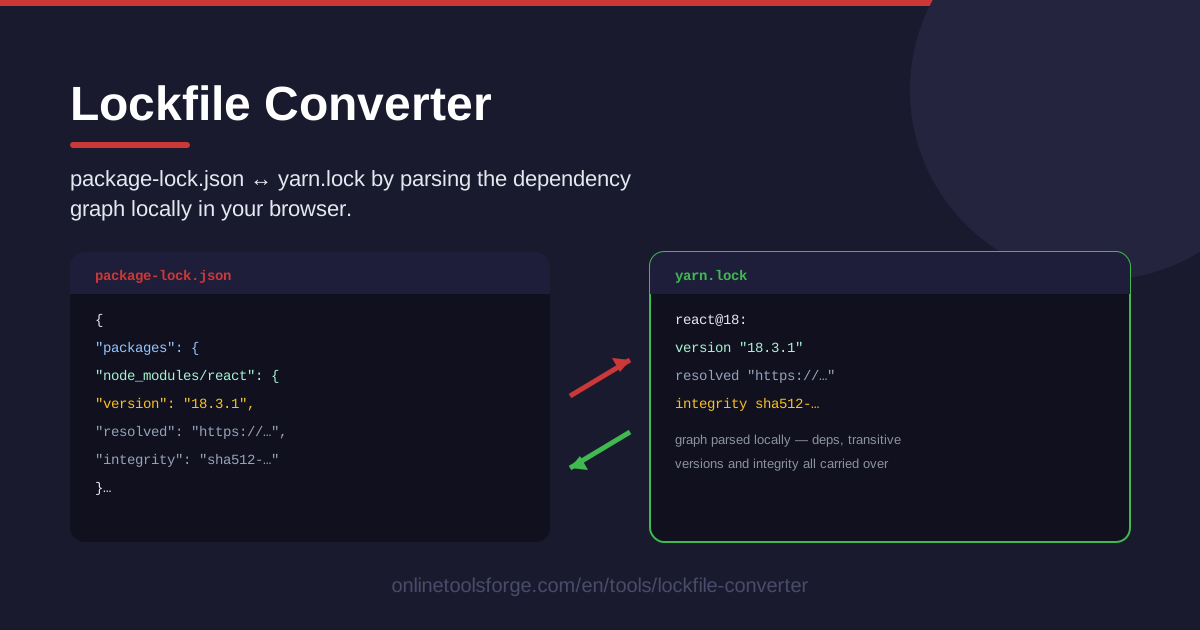
Table of Contents
Every JavaScript project eventually hits the same awkward moment: the team switches from npm to Yarn — or moves back — and the lockfile everyone relies on is suddenly in the wrong format. package.json ports over in seconds, but the lockfile, the file that actually pins your entire dependency tree, has to be translated. Hand-editing thousands of generated lines is not realistic, and regenerating from scratch risks quietly resolving different versions. Lockfile Converter solves this: paste or load a package-lock.json or yarn.lock, and it parses the dependency graph locally in your browser, then converts it to the other format while carrying over versions, resolved URLs, and integrity hashes.
Because the whole conversion runs client-side, nothing is ever uploaded. Your dependency tree — including private package names and internal registry URLs — never leaves your machine. That makes the tool safe for proprietary code and for quick sanity checks during code review, without installing a single CLI utility.
This guide walks through the converter step by step, explains what is actually stored inside a lockfile, and covers the real-world scenarios — migrations, cross-team comparisons, CI recovery — where it saves the most time.
Why Use Lockfile Converter?
- Switch package managers without losing pins. The converter rebuilds the graph in the target format using the exact versions already resolved in your source lockfile, so you never gamble on the registry handing out newer releases mid-migration.
- Everything stays on your machine. Parsing and conversion happen entirely in the browser, which makes the tool appropriate for private packages, internal registries, and client code that cannot be pasted into unfamiliar web services.
- Integrity hashes survive the trip. Each package's integrity value and resolved URL travel across formats, so the converted lockfile keeps the same cryptographic guarantees as the original.
- See the graph before you commit. The tool parses the dependency graph first, letting you review what it understood — names, versions, tree shape — before you take the converted output.
- No install, no account, no setup. Open the page, paste a file, get a result. There is no CLI to install and nothing to sign up for.
- Works in both directions. package-lock.json to yarn.lock and yarn.lock back to package-lock.json are both supported from the same interface.
Key Features
| Feature | What it does |
|---|---|
| Paste or load input | Accepts a package-lock.json or yarn.lock by pasting contents or loading the file |
| Local dependency graph parsing | Builds the package graph in your browser before any conversion happens |
| Two-way conversion | Converts npm lockfiles to yarn.lock, and yarn.lock back to package-lock.json |
| Faithful field carry-over | Versions, resolved URLs, and integrity hashes are transferred to the output |
| Fully client-side | No upload step — the entire conversion runs locally in your browser |
A few details worth calling out:
- The parsed graph is the middle representation: the tool reads your source lockfile into a normalized package graph, then serializes that graph into the target format.
- Because resolved URLs and integrity hashes are carried over rather than re-fetched, the output reflects the exact artifacts your original install used.
- The conversion is a useful validation step on its own: inspect the parsed graph to spot duplicate versions or surprising resolutions before anything changes in your repo.
How to Use Lockfile Converter
- Load your lockfile. Open the tool and either paste the contents of your package-lock.json or yarn.lock into the input area, or load the file directly. The tool detects which format you provided.
- Review the parsed graph. Once parsing completes, inspect the dependency graph the tool extracted: package names, resolved versions, and the shape of the tree. This is your chance to spot anything unexpected before converting.
- Convert to the other format. Run the conversion. The tool serializes the parsed graph into the opposite format, carrying over each package's version, resolved URL, and integrity hash.
- Compare the output. Read through the generated lockfile and spot-check a few well-known packages against the source: same version, same integrity, same resolved URL. Copy the result when you are satisfied.
- Replace and install. Save the converted file into your repository under the correct name, remove the old lockfile if you are switching managers, then run the new package manager's install command to validate everything and write any manager-specific metadata.
What Lives Inside a Lockfile
Lockfiles exist to solve one problem: package.json states what version ranges you allow, but only a lockfile records what you actually got. Without one, two developers running install on the same commit could end up with different dependency trees, and a build that works on one laptop fails on another. A lockfile freezes the entire resolved tree so that every install is deterministic and reproducible.
Three kinds of data do most of the work:
- Versions. Every direct and transitive dependency is pinned to an exact version. That is the difference between "lodash ^4.17.21" and "lodash 4.17.21, installed."
- Integrity hashes. Each entry carries a cryptographic hash of the exact tarball that was installed. If the registry ever serves different bytes, the install fails loudly instead of silently running unverified code.
- Resolved URLs. The precise location each artifact was fetched from — usually a registry URL, but it can also point at mirrors or internal registries.
Beyond your direct dependencies, the lockfile also records the full transitive graph: the dependencies of your dependencies, including cases where two packages need different major versions of the same library and both copies are kept side by side.
So what survives conversion, and what does not? Versions, resolved URLs, and integrity hashes — the substance of the file — travel across formats intact. What a fresh install regenerates is the manager-specific dressing: formatting, ordering, and metadata fields each tool maintains for itself. That is why the recommended flow is convert, then run an install, which normalizes any structural details the target manager expects.
When is a clean regeneration safer? If your source lockfile is very old, has been hand-edited, or contains entries your package manager rejects, deleting the lockfile and resolving fresh gives you a tree the manager fully vouches for — at the cost of potentially newer versions. The converter exists precisely for the cases where you want to keep the exact tree you have already tested.
Practical Use Cases
Migrating a Repository from npm to Yarn (or Back)
A team adopts Yarn for faster installs or a monorepo workflow, and every developer needs the same starting point. Convert the existing package-lock.json to yarn.lock first, then commit the new lockfile together with updated scripts and documentation in a single pull request. The whole team starts from one pinned tree instead of resolving independently and hoping for the same result.
Comparing Lockfiles Across Teams
Two teams share a core library but drifted apart in what they actually install. Because one repo uses npm and the other Yarn, a raw diff is meaningless. Paste both lockfiles into the converter so they end up in the same format, then diff. Version differences pop out immediately, and you can trace which dependency dragged a shared package to a different release.
Standardizing Package Managers Across a Polyrepo Estate
An organization runs dozens of repositories with a mix of npm and Yarn usage. As part of a standardization effort, convert each repository's lockfile to the mandated format, repo by repo, without regenerating and re-testing dependency trees from scratch. Teams keep the versions they have already validated while the tooling landscape becomes uniform.
Unblocking CI After a Format Change
A pull request arrives with the wrong lockfile format for the repository's CI pipeline, and builds fail on lockfile mismatch. Instead of asking a contributor to re-resolve everything, convert their lockfile to the expected format locally, commit the result, and push. The pipeline accepts the file, and the dependency versions are exactly the ones the contributor tested against.
Best Practices
- Commit the regenerated lockfile. A converted lockfile only helps if it is versioned; commit it in the same change as your package manager switch so every teammate and CI runner gets the same tree.
- Run an install right after converting. Treat the converted file as a strong starting point, then let the package manager validate it and write any metadata it needs. The install is your correctness check.
- Delete node_modules on format switches. Stale install artifacts from the old manager cause confusing errors; a clean install directory keeps the migration honest.
- Keep one package manager per repo. Lockfile conversion is for migrations, not for running npm and Yarn side by side. Two lockfiles in one repository is a recipe for drift.
- Review the parsed graph before converting. The graph view is a free audit of your dependency tree — use it to catch duplicate or unexpected versions before they carry into the new format.
- Update CI and docs in the same change. Switching formats means switching install commands in pipelines and READMEs; do it together so nothing points at a lockfile that no longer exists.
Next time a package manager switch lands on your desk, skip the guesswork. Open Lockfile Converter, drop in your existing lockfile, and hand your team a converted file with every version, resolved URL, and integrity hash intact — in about the time it takes to run one install.
Related Tools You Might Like:
Happy converting!
Frequently Asked Questions
Q: Is it safe to paste a lockfile from a private project? A: Yes. Lockfile Converter parses and converts entirely in your browser, and nothing is uploaded to a server. Internal registry URLs and private package names stay on your machine.
Q: Does converting the lockfile replace running an install? A: No. Treat the converted file as a starting point. After replacing the lockfile in your repository, run the new package manager's install command so it validates the file and writes any manager-specific metadata it needs.
Q: Which lockfile formats are supported? A: The tool accepts standard package-lock.json and yarn.lock files as produced by npm and Yarn. After loading, check the parsed dependency graph — it shows exactly what the tool understood from your file before you convert.
Q: Will the converted lockfile match a natively generated one byte for byte? A: Formatting and ordering may differ from a natively generated file, but versions, resolved URLs, and integrity hashes are carried over. A follow-up install normalizes any remaining structural details for the target manager.