mind-map-generator: Complete Online Guide, Features & Practical Examples
Learn how to use the free mind-map-generator in your browser with step-by-step instructions, practical use cases, and expert tips.
Free Interactive Tool
Mind Map Generator
Build a visual mind map from an indented text outline or Markdown list with collapsible branches, color-coded nodes, and SVG export, all client-side.
Table of Contents
The Mind Map Generator turns an indented outline into a color-coded mind map you can collapse, explore, and export as SVG. Type a root idea, indent details beneath it with spaces or tabs, and the tree renders live — branches collapse for a high-level view and expand for the fine print. The SVG download gives you a standalone vector you can drop into slides, docs, or wikis. Everything is generated locally; your ideas never leave the browser.
Whether you are double-checking numbers on a deadline, validating edge cases, or standardizing a repeatable workflow, the mind-map-generator gives you an interactive, zero-install workspace directly in your browser. Every calculation and transformation runs locally on your device — no account registration, no paywalls, and no sensitive inputs uploaded to external servers.
In this guide, we walk through why dedicated tooling beats manual back-of-the-envelope work, explore every feature inside the interface, and cover step-by-step instructions alongside real-world scenarios.
Why Use mind-map-generator?
- Immediate Clarity: Brainstorm fast: typing an outline beats dragging boxes on a canvas.
- Focused Workflow: Collapse branches to present the big picture, expand for details.
- Transparent Logic: Color-coded depths make structure readable at a glance.
- Practical Accuracy: SVG export drops cleanly into slides, wikis and docs.
- Time-Saving Defaults: Private by design — your brainstorm stays in the browser.
- 100% Client-Side Privacy: Every operation executes inside your browser session, keeping your data private and responsive even on slow connections.
Key Features
| Feature Area | What It Delivers | Execution Mode |
|---|---|---|
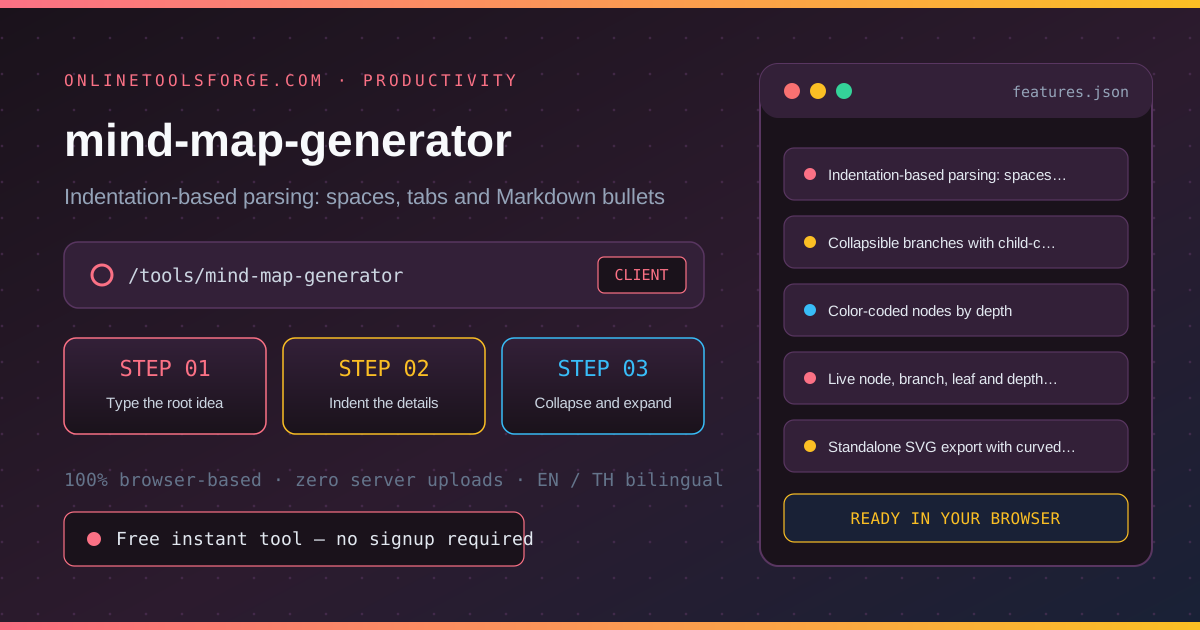
| Capability 1 | Indentation-based parsing: spaces, tabs and Markdown bullets | Instant browser execution |
| Capability 2 | Collapsible branches with child-count badges | Instant browser execution |
| Capability 3 | Color-coded nodes by depth | Instant browser execution |
| Capability 4 | Live node, branch, leaf and depth statistics | Instant browser execution |
| Capability 5 | Standalone SVG export with curved connectors | Instant browser execution |
- Interactive Feedback: Results recalculate on the fly as you adjust inputs, letting you compare multiple scenarios in seconds.
- Bilingual Interface: Switch seamlessly between English and Thai labels whenever you collaborate across multilingual teams.
- Copy & Export Ready: Grab formatted outputs or summaries with one click so you can paste them straight into docs, tickets, or spreadsheets.
How to Use mind-map-generator
From a plain text outline to an exported SVG in four steps.
- Open the Tool: Head to the mind-map-generator in any modern desktop or mobile browser.
- Type the root idea: The first non-empty line becomes the root of the map — the central idea everything hangs from.
- Indent the details: Add child ideas on new lines, indented with spaces or tabs. Deeper indentation nests deeper; Markdown-style - bullets are stripped automatically.
- Collapse and expand: Click the toggle on any branch to hide its children for a high-level view, then expand again to drill back in.
- Export as SVG: Download the color-coded map as a standalone SVG — drop it into slides, wikis or docs with no other tools needed.
Core Concepts & How It Works
Understanding the underlying mechanics helps you interpret the output with confidence. The Mind Map Generator turns an indented outline into a color-coded mind map you can collapse, explore, and export as SVG. Type a root idea, indent details beneath it with spaces or tabs, and the tree renders live — branches collapse for a high-level view and expand for the fine print. The SVG download gives you a standalone vector you can drop into slides, docs, or wikis. Everything is generated locally; your ideas never leave the browser.
Instead of hiding assumptions behind a single opaque result, the mind-map-generator surfaces intermediate values and clear labels so you can audit how the final answer is assembled:
- Explicit Input Validation: Boundaries and unit expectations are checked immediately, preventing silent NaN or unit-mismatch bugs.
- Deterministic Output: Given the same inputs, the tool produces identical, reproducible results every time — ideal for team reviews and documentation.
- Edge-Case Visibility: Built-in warnings highlight when inputs approach practical limits or require special interpretation.
Practical Use Cases
1. Structuring a new project or product idea in a kickoff
When tackling structuring a new project or product idea in a kickoff, manual spreadsheets and ad-hoc scripts often introduce rounding errors or inconsistent assumptions. With the mind-map-generator, you can load your exact parameters, inspect the breakdown immediately, and verify how each variable affects the outcome before committing to a decision.
2. Summarizing chapters or lectures for study notes
When tackling summarizing chapters or lectures for study notes, manual spreadsheets and ad-hoc scripts often introduce rounding errors or inconsistent assumptions. With the mind-map-generator, you can load your exact parameters, inspect the breakdown immediately, and verify how each variable affects the outcome before committing to a decision.
3. Mapping a argument, story plot or research plan
When tackling mapping a argument, story plot or research plan, manual spreadsheets and ad-hoc scripts often introduce rounding errors or inconsistent assumptions. With the mind-map-generator, you can load your exact parameters, inspect the breakdown immediately, and verify how each variable affects the outcome before committing to a decision.
4. Breaking down goals into sub-goals in planning sessions
When tackling breaking down goals into sub-goals in planning sessions, manual spreadsheets and ad-hoc scripts often introduce rounding errors or inconsistent assumptions. With the mind-map-generator, you can load your exact parameters, inspect the breakdown immediately, and verify how each variable affects the outcome before committing to a decision.
5. Drafting information architecture for sites and apps
When tackling drafting information architecture for sites and apps, manual spreadsheets and ad-hoc scripts often introduce rounding errors or inconsistent assumptions. With the mind-map-generator, you can load your exact parameters, inspect the breakdown immediately, and verify how each variable affects the outcome before committing to a decision.
Best Practices
- Start with realistic baseline values before testing extreme edge cases so you have a clear reference point to compare against.
- Verify units and formatting on every input field — many discrepancies come from mixing percentages, decimals, or measurement units.
- Test sensitivity by changing one variable at a time in the mind-map-generator to see which input has the largest impact on your result.
- Document your assumptions alongside the exported output so teammates can reproduce the exact state later.
- Pair with companion utilities in the same category when your workflow spans multiple conversion or validation steps.
Frequently Asked Questions
Q: What format does the outline use? A: Plain indented text: the first non-empty line is the root, and deeper indentation nests ideas beneath their parent. Two spaces per level is typical, tabs work too, and Markdown-style dashes at the start of a line are stripped automatically.
Q: Can I collapse parts of the map? A: Yes — every branch with children has a toggle that hides its subtree, showing a count badge instead. Collapsing gives a clean high-level view; expanding drills back into the details.
Q: What does the SVG export contain? A: A standalone vector image of the whole map: color-coded nodes by depth with curved connectors, rendered on a white background. It drops into slides, wikis and documents with no extra tools.
Q: Do my ideas get uploaded anywhere? A: No. Parsing, rendering and export all happen locally in your browser. Nothing is sent to any server, and closing the tab erases everything — paste-sensitive brainstorms freely.
Try mind-map-generator Today
Ready to streamline your workflow? Open the mind-map-generator now to run instant, accurate calculations right in your browser — completely free and with zero setup required.
Related Tools You Might Like
Happy building and calculating!