Monthly Budget Calculator: Build a 50/30/20 Budget You Can Actually Keep
Build a 50/30/20 monthly budget in your browser with the free Monthly Budget Calculator — category expense breakdowns, overspend warnings and a savings-rate summary from your income.
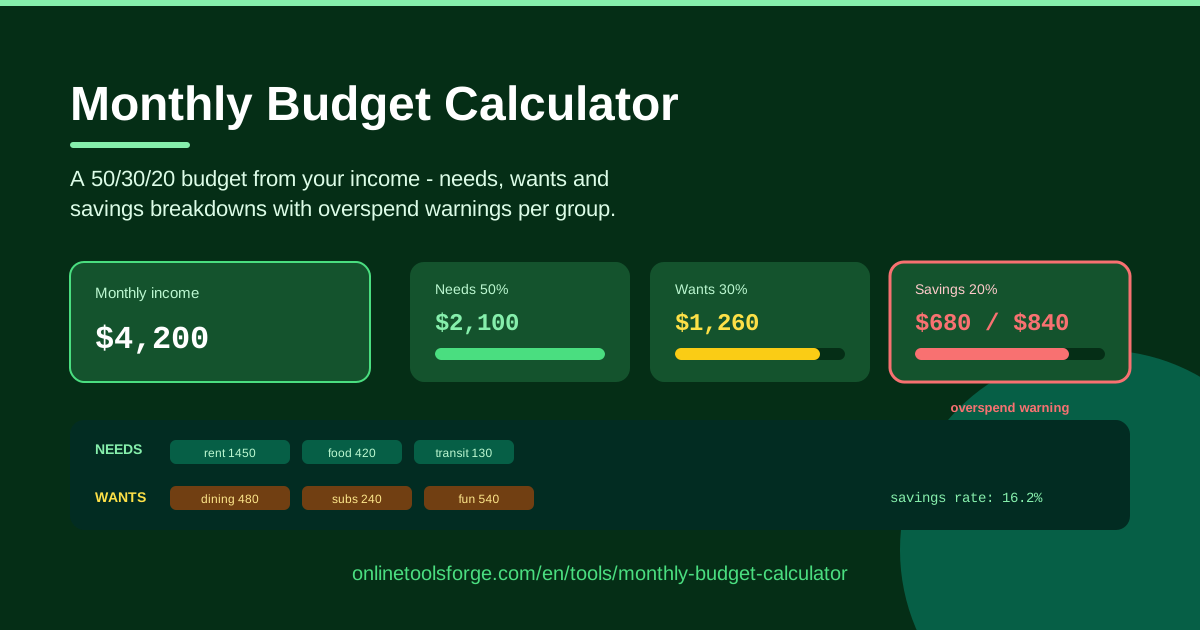
Table of Contents
If you have ever reached the end of a month and wondered where your money went, you are not alone. The Monthly Budget Calculator is a free, browser-based tool that turns a single number — your monthly income — into a complete spending plan built on the proven 50/30/20 rule, so every dollar has a job before the month even begins.
Instead of staring at a blank spreadsheet, you get an automatic split: 50% for needs, 30% for wants and 20% for savings. Within each group you can break expenses down into individual categories, and if any group crosses its allocation, an overspend warning appears immediately. A savings-rate summary shows exactly what share of your income you are actually keeping.
Everything runs locally in your browser — no sign-up, no data leaving your device. Open the page, type your numbers, and you have a working budget in minutes.
Why Use Monthly Budget Calculator?
Budgeting advice is everywhere; tools that make the first step painless are rare. Here is what sets this one apart:
- A framework, not just numbers. The 50/30/20 split gives every dollar a destination — needs, wants or savings — so you allocate with intent instead of guessing.
- Overspend warnings before it hurts. Groups are flagged the moment their categories cross the allocation, while you can still adjust.
- Savings-rate visibility. Everyone knows their salary; almost nobody knows their savings rate. One summary number makes the goal concrete.
- Category detail inside each group. The breakdown reveals whether rent, groceries or transport is the real pressure point.
- Nothing to install or sign up for. It runs in your browser on phone or desktop, and your data never leaves your device.
- Fast enough to redo monthly. A full budget takes minutes, so monthly re-runs are realistic instead of aspirational.
Key Features
| Feature | What it does |
|---|---|
| Monthly income input | Enter your take-home pay once and every allocation updates automatically. |
| 50/30/20 allocation | Splits income into needs (50%), wants (30%) and savings (20%) the moment you type. |
| Category breakdowns | Add expense categories inside each group to see exactly where the money goes. |
| Overspend warnings | Flags any group whose categories exceed its allocation, so problems surface early. |
| Savings-rate summary | Shows savings as a percentage of income — one clear number to improve over time. |
| Browser-based | No downloads or accounts; all calculations happen on your device. |
Two details worth knowing: allocations recalculate as you edit, so changing your income or any category updates the whole plan instantly. And warnings appear per group, not per category, keeping attention on whether needs as a whole fits inside 50% — not on minor line-item drift.
How to Use Monthly Budget Calculator
- Enter your monthly income. Use take-home pay — the amount that actually lands after tax. Every 50/30/20 allocation derives from this one number.
- List your needs categories. Rent, utilities, groceries, transport, insurance and minimum debt payments. Compare the total against the 50% allocation.
- List your wants. Dining out, streaming, hobbies, shopping and travel, capped at 30%. Be honest — an unused gym membership is a want.
- Set your savings. Enter what you plan to save or invest, targeting the 20% allocation — emergency fund, retirement investing, extra debt repayments.
- Act on the overspend warnings. Trim the biggest category in any flagged group, or consciously move money between groups, until every warning clears.
Five steps, no templates to download and no formulas to maintain.
The 50/30/20 Rule in Practice
What really counts as a need. Needs are expenses you cannot skip without real consequences: housing, utilities, basic groceries, essential transport, insurance and minimum debt payments. The test is simple — if skipping it would put a roof, food, health or your credit at risk, it is a need. A phone plan is a need; the premium unlimited tier is usually a want. Groceries are a need; food delivery is a want. Drawing these lines honestly matters, because every misclassified expense quietly distorts the whole plan.
Wants are allowed — on purpose. The rule deliberately reserves 30% of income for enjoyment. That is not a design flaw; it is what makes the budget sustainable. A plan with zero fun money fails within weeks. Category breakdowns inside the wants group show exactly which pleasures are consuming the budget, and which you would happily trade for something you value more.
Why 20% savings is a floor, not a ceiling. The rule says "at least" 20%. If your needs are modest, saving 30% or 40% may be realistic — and a higher savings rate, started earlier, is the fastest route to every financial goal. Treat 20% as the entry requirement, and let raises and paid-off debts push it upward instead of letting lifestyle absorb them.
The savings-rate math. Savings rate is simply savings ÷ income. On $3,500 of monthly income, a $700 contribution is a 20% savings rate ($700 ÷ $3,500 = 0.20). Raise it to $1,050 and you are at 30%. One formula, one number — and it is the single best predictor of how fast your net worth grows, which is why the calculator surfaces it prominently.
Adjusting for a high cost of living. In expensive cities, rent alone can swallow 40% or more of income, making a strict 50% needs cap unrealistic. In that case shift to 60/20/20 or even 70/20/10 temporarily — but protect the savings line first and shrink wants before touching savings. The ratios exist to create balance, not mathematical purity.
Practical Use Cases
Budgeting Your First Salary
Your first real paycheck: $2,800 a month. The calculator sets the targets instantly — $1,400 for needs, $840 for wants and $560 for savings. Listing actual categories shows rent plus transport running $1,250, leaving comfortable room for groceries and a phone plan, while the $840 want budget legitimizes nights out without guilt. Starting a $560 monthly savings habit this early is worth more than a bigger one started five years later, and watching the savings-rate line from month one builds the reflex of paying yourself first.
Freelance Income With Variable Months
Freelancers cannot budget from an average that rarely arrives. Instead, run the tool on your lowest typical month — say $2,400 — and let that define needs and wants. In stronger months, the surplus flows into the savings group instead of inflating spending. Many freelancers also add a "taxes" category under needs, so the 20% savings line stays honest and the tax bill never becomes a crisis.
Digging Out of Overspending
If warnings fire immediately, that is diagnosis, not defeat. Consider a realistic profile: $3,000 income, needs at 58% because of a car payment and delivery-heavy groceries, wants at 34%. The warnings pinpoint which groups — not your whole life — need surgery. Downsizing the car attacks the needs gap; capping food delivery is a wants fix. Two months of small corrections later, the same income clears every warning with the savings rate climbing toward 20%.
Planning a Big Purchase
Saving for a $6,000 used car is a temporary change in ratios, not a mystery. Keep needs at 50%, compress wants from 30% to 15%, and savings jumps from 20% to 35% — $1,050 a month on $3,000 income, putting the goal roughly six months away instead of ten. Once purchased, restore the standard split and keep the freed-up money honest.
Best Practices
- Review the budget monthly. Prices drift and life changes; a ten-minute re-run with current numbers keeps the plan real.
- Automate savings first. Schedule the transfer for payday, before spending begins. A budget where savings move last almost never saves.
- Budget with last month's real numbers. Estimates flatter everyone. Pull actual figures from your bank statement and let the warnings confront them.
- Treat warnings as prompts, not failures. An overspend flag is information about where to adjust — trim a category, raise income, or consciously rebalance.
- Keep categories few and meaningful. Five to eight per group is enough detail to act on; thirty-line budgets collapse under their own weight.
- Re-run after every income change. A raise or a new client changes every allocation, and the calculator updates them in seconds.
Ready to see exactly where your money should go this month? Open the Monthly Budget Calculator, enter your income, and let the 50/30/20 framework do the heavy lifting.
Related Tools You Might Like:
Once the savings line starts growing, these free tools help you put it to work:
- Savings Goal Calculator — turn a target amount into a monthly savings plan.
- Loan Calculator — understand repayment costs before you borrow.
- Compound Interest Calculator — see what your savings rate becomes over years, not months.
Happy budgeting — may your savings rate only go up!
Frequently Asked Questions
Q: Is the 50/30/20 rule suitable for everyone? A: It is a starting point, not a law. Low-cost living often allows a higher savings rate, while high-rent cities may need a 60/20/20 variant. Use the calculator's overspend warnings to find the split that fits your real expenses while keeping savings protected.
Q: What income should I enter? A: Your take-home, after-tax monthly income. The 50/30/20 rule works best on money you actually control, so use net pay rather than gross salary.
Q: Where does my data go when I use the calculator? A: Nowhere. The tool runs entirely in your browser, performs all calculations on your device, and never transmits your income or expense figures to any server.
Q: How is the savings rate calculated? A: Savings rate equals savings divided by monthly income, shown as a percentage. Saving $600 from a $3,000 income is a 20% savings rate — the exact 50/30/20 benchmark.