Mortgage Statement Analyzer: See Exactly Where Every Payment Goes
Use the Mortgage Statement Analyzer to split any mortgage payment into principal vs interest, see your payoff timeline, and test extra-payment savings instantly.
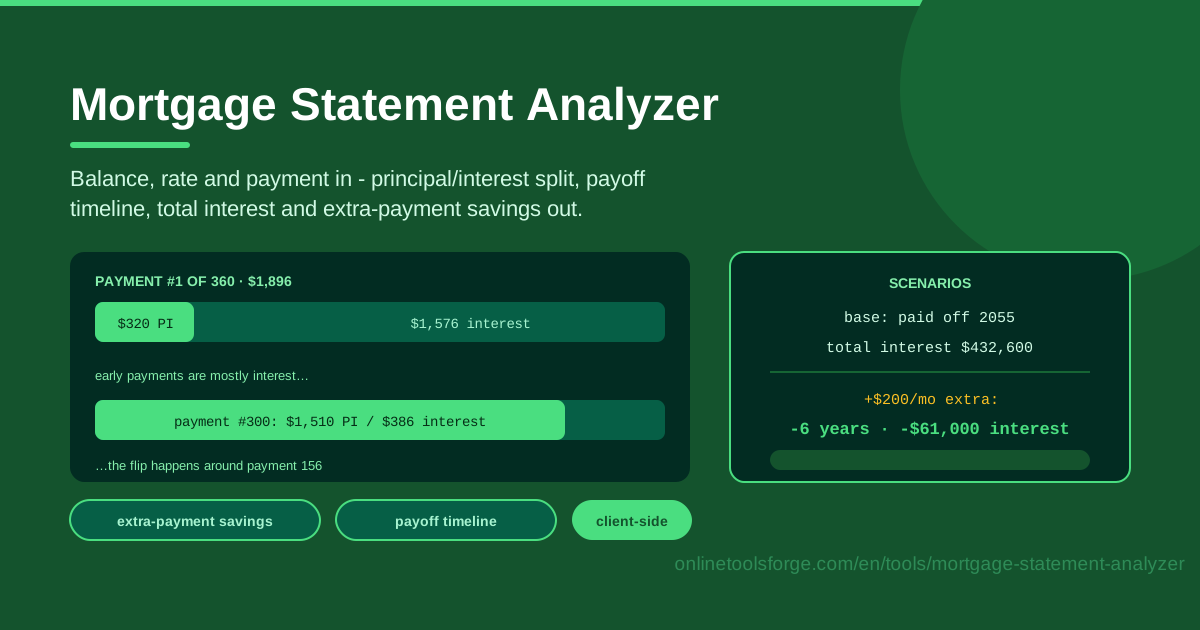
Table of Contents
Every month a large slice of your income disappears into your mortgage, and the statement you get back reveals surprisingly little about where it actually went. Most homeowners can recite their balance and their payment to the penny, yet have no idea how much of each payment genuinely buys down the loan versus pays the lender for the privilege of borrowing. The Mortgage Statement Analyzer closes that gap in seconds: enter three numbers — your current balance, your interest rate, and your payment — and it reveals the complete principal vs interest story behind your loan.
The tool computes the per-payment principal and interest split, shows how that split shifts over the years, draws your payoff timeline, pinpoints the crossover point where principal finally beats interest, totals every dollar of interest still ahead of you, and models extra-payment scenarios that report the savings in both months and dollars. It is all the clarity an amortization schedule buries in a wall of fine print, presented on a single screen.
And because every calculation runs client-side in your browser, there is no sign-up, no account linking, and no data leaving your device — just fast, private answers about the biggest debt most people will ever carry.
Why Use Mortgage Statement Analyzer?
- See the real principal vs interest split. A statement shows one total; the analyzer breaks every payment into its two moving parts and shows how that mix evolves month by month.
- Pinpoint your crossover point. Learn the exact payment where principal overtakes interest — the most motivating milestone in any mortgage, and one that few homeowners know for their own loan.
- Know your total interest remaining. When every future interest dollar is summed into one figure, the true cost of your loan becomes impossible to ignore.
- Test extra payments instantly. Add $100, $200, or $500 a month and watch the payoff date pull forward, quantified in both months saved and dollars saved.
- Analyze from where you are today. The math starts from your current balance rather than the original loan amount, so the results reflect your actual situation, not an old snapshot.
- Keep your data private. The entire calculation runs client-side, so sensitive loan details never leave your device.
Key Features
| Feature | What it does |
|---|---|
| Balance, rate, and payment inputs | Enter the three numbers straight from your statement — no paperwork or account access needed |
| Per-payment split | Shows each payment's principal and interest portions and how the ratio shifts over time |
| Payoff timeline | Maps your remaining payments to a clear payoff date |
| Crossover point | Identifies the payment where principal finally exceeds interest |
| Total interest remaining | Adds up every future interest dollar until the balance reaches zero |
| Extra-payment scenarios | Tests additional monthly amounts and reports months and dollars saved |
- The tool analyzes the principal-and-interest portion of your payment — the part that actually reduces your balance and generates cost.
- Results update as you type, so you can compare a dozen what-if scenarios in under a minute.
- Everything is computed locally and nothing is stored, so the tool works anywhere, on any connection.
How to Use Mortgage Statement Analyzer
- Enter your current balance and interest rate. Copy both figures from your most recent mortgage statement. Use the principal balance, not the original loan amount, and the note rate, not the APR.
- Enter your current payment. Use the principal-and-interest portion of your monthly payment. If yours includes escrow for taxes and insurance, set that aside for now — see the escrow note below.
- Read the split. The tool shows how each payment divides between principal and interest, both today and at every point along the timeline, so you can watch the mix improve month after month.
- Check the crossover point. Find the payment where principal first beats interest. On a young loan that date is often further away than you expect — which is precisely the insight worth having.
- Test extra payments. Try different monthly additions; the scenarios card reports how many months earlier you would finish and how many dollars of interest you would never pay.
Why Early Payments Are Mostly Interest
Amortization is simple in mechanism and brutal in effect. Each month your lender charges interest equal to your rate divided by twelve, applied to whatever balance remains. On a $300,000 balance at 6 percent, that is roughly $1,500 of interest in the very first month. Your fixed payment covers that charge first; only the leftover reduces principal. Because the payment is constant while interest is recalculated monthly on a slowly shrinking balance, the leftover grows a little every single month — which is why the split shifts so slowly at the start.
The crossover point is the payment where principal first exceeds interest. Early in a 30-year loan, interest dominates: on the example above, well over 70 percent of an early payment can be interest. The balance must fall a long way before the interest charge shrinks below the principal share, which is why the crossover on a freshly originated 30-year loan often arrives well past the midpoint of the schedule. As the years pass, each payment retires slightly more principal than the one before it, so the mix improves at an accelerating pace — and the analyzer computes that turning point for your exact numbers instead of leaving you to guess.
This is also why extra payments work disproportionately well early. A dollar of principal retired today stops generating interest for every remaining month of the loan, while a dollar retired in year 25 saves only a few years of interest. Add $200 a month in year two and that money avoids nearly three decades of interest charges; the same $200 added in year 25 does far less. Early extra principal kills the most future interest.
One caution: many statements bundle escrow — property taxes and homeowner's insurance — into the quoted payment. Escrow money never touches your balance and never saves interest, so always analyze the principal-and-interest portion alone. That is exactly what the tool asks for, which keeps the analysis honest.
Practical Use Cases
Deciding Between Extra Payments and Investing
Suppose you have $300 of spare cash each month. The extra-payment scenario gives a guaranteed, tax-free return equal to your mortgage rate: at 6.5 percent, every extra dollar earns 6.5 percent for the life of the loan, risk-free. Compare that honestly with your expected after-tax investment returns and your tolerance for risk. For many homeowners in the first decade of a loan, the payoff math is surprisingly competitive.
Checking Progress After Years of Payments
Paid for eight years and the balance barely moved? The analyzer explains why: you are probably still on the interest-heavy side of the crossover. Seeing exactly how much of each payment now goes to principal turns a vague frustration into a concrete — and usually improving — picture.
Gauging Refinancing Urgency
Enter your current balance, rate, and payment, note the total interest remaining, and compare it with what a refinance offer would produce. If the remaining interest clearly dwarfs the closing costs plus the new loan's interest, the urgency is real. If you are already past the crossover with a modest balance, the savings may not justify the hassle.
Evaluating a Biweekly Payment Plan
Biweekly plans effectively add one extra payment per year. Before paying a service to set one up, model the equivalent extra amount in the scenarios card. You will see the months and interest saved — and you can usually replicate the plan yourself for free.
Best Practices
- Verify against your actual statement. Confirm the analyzer's first-month split matches the principal and interest figures your lender reports before trusting the rest of the timeline.
- Mark extra payments as principal-only. Unless you instruct otherwise, lenders may apply extra cash to next month's bill or to escrow, which saves you almost nothing.
- Compare against investment returns honestly. Payoff savings are guaranteed and tax-free; market returns are neither. Weigh them on equal footing, after tax and risk.
- Re-run after rate changes. On an adjustable-rate mortgage, a reset changes the split and the crossover date overnight — refresh the analysis each time it happens.
- Revisit once a year. An annual check keeps your payoff picture current and can catch errors in how your payments are being applied.
Your mortgage is likely the largest financial instrument you will ever sign, and it deserves more than a glance at the amount due. Take three minutes to run your numbers through the Mortgage Statement Analyzer, find your crossover point, and see what a modest extra payment could really save you.
Related Tools You Might Like:
- Mortgage Calculator — estimate payments and totals for a new or prospective loan
- Interest-Only Mortgage Calculator — model loans whose early payments carry no principal at all
- Loan Comparison Calculator — weigh multiple loan offers side by side before committing
Happy planning!
Frequently Asked Questions
Q: Is the Mortgage Statement Analyzer free to use? A: Yes. It runs entirely in your browser with no sign-up, no account linking, and no limit on how many scenarios you can test.
Q: Why does my payment amount not match my statement total? A: Most statements add escrow for property taxes and insurance on top of principal and interest. Enter only the principal-and-interest portion, since escrow never reduces your balance.
Q: Can I use it for an adjustable-rate mortgage? A: Yes — analyze any moment using the rate and payment currently in effect, then re-run the numbers after each rate reset to refresh your timeline and crossover point.