OpenSSL Command Generator: Build CSRs, Self-Signed Certificates and PKCS12 in Seconds
Stop digging through openssl man pages. Generate copy-paste commands for CSR creation, self-signed certificates, key and PKCS12 conversion, and certificate inspection — 100% client-side.
Free Interactive Tool
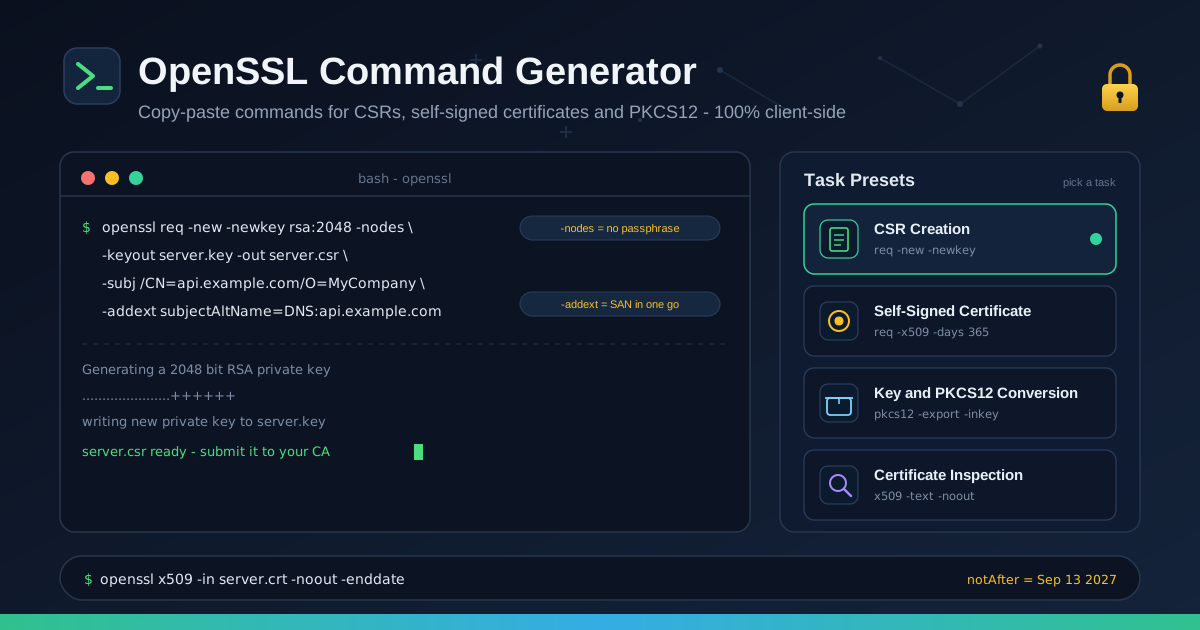
OpenSSL Command Generator
Generate copy-paste openssl commands for CSR creation, self-signed certificates, key conversion, and certificate inspection.
Table of Contents
Ask a developer to write an openssl command from memory and watch them hesitate. Is the unencrypted-key flag -nodes or -no-des? Do SANs go in a config file or an -addext argument? The openssl CLI is famously powerful and famously forgettable — dozens of subcommands, cryptic flags, shifting syntax.
Our OpenSSL Command Generator removes the guesswork. Pick a task — CSR creation, self-signed certificate, key or PKCS12 conversion, or inspection — fill in your common name and SAN details, and the tool emits the exact command, ready to paste. No man pages, no half-remembered snippets.
Just as important: the tool is 100% client-side. Your hostnames and organization details never leave your browser — the standard you want from a tool at the heart of your TLS workflow.
Why Use Openssl Command Generator?
- No more flag archaeology. Hundreds of options are spread across req, x509, genrsa, and pkcs12 — the generator assembles the right combination.
- Correct SANs from the first try. Modern validation reads the Subject Alternative Name extension, not the common name — the most common openssl mistake, eliminated.
- Built around real workflows. No generic builder with a thousand inputs — just the four tasks you actually do.
- Safe for sensitive details. Internal hostnames and organization names never leave your browser.
- Copy-paste output, explained. Every flag carries a short description, so you learn the syntax as you go.
Key Features
| Feature | Details |
|---|---|
| Task presets | CSR creation, self-signed certificate, key and PKCS12 conversion, inspection |
| Subject builder | Fill in CN, organization, and locality instead of escaping slashes by hand |
| SAN support | Subject Alternative Names for every task that needs them |
| Key options | RSA key sizes, unencrypted or passphrase-protected keys |
| Privacy | 100% client-side — nothing leaves your browser |
- Preset-driven. Choose the task first; the tool shows only the inputs that matter.
- Zero friction. No signup, no install.
How to Use
- Open the OpenSSL Command Generator and pick a task preset.
- Fill in subject details — common name, organization, locality — and add every hostname as a SAN.
- Choose key options: RSA 2048 or 4096 bits, unencrypted or passphrase-protected.
- Review the generated command; each flag has a short explanation so you can confirm behavior first.
- Copy, paste into your terminal, and verify the result with the inspection preset before deploying.
The Four Tasks You Actually Do
1. Creating a CSR
A Certificate Signing Request is what you hand to a certificate authority to get a signed certificate back. It carries your public key and subject details; the private key stays with you.
openssl req -new -newkey rsa:2048 -nodes \
  -keyout server.key -out server.csr \
  -subj "/CN=api.example.com/O=MyCompany" \
  -addext "subjectAltName=DNS:api.example.com,DNS:www.example.com"
- req — the subcommand for certificate requests (and, confusingly, self-signed certificates).
- -new — create a new request rather than reading one.
- -newkey rsa:2048 — generate a fresh 2048-bit RSA key with the request.
- -nodes — keep the key unencrypted so automated services read it without a passphrase prompt.
- -keyout / -out — where to write the key and the CSR.
- -subj — subject fields inline, skipping the questionnaire.
- -addext subjectAltName=... — embed the SAN extension directly; without it, most CAs sign a certificate browsers reject.
2. Issuing self-signed certificates for local development
Self-signed certificates let you serve https://localhost without a CA. Browsers warn — you click through once — but TLS behaves exactly like production.
openssl req -x509 -newkey rsa:2048 -nodes -days 365 \
  -keyout localhost.key -out localhost.crt \
  -subj "/CN=localhost" \
  -addext "subjectAltName=DNS:localhost,IP:127.0.0.1"
- -x509 — output a self-signed certificate instead of a request; this one flag is the whole difference from the CSR command.
- -days 365 — validity period; short-lived dev certificates are fine.
- -addext with DNS:localhost,IP:127.0.0.1 — include SANs even locally; browsers validate SANs on localhost.
A self-signed certificate is only as trustworthy as the machine you trust it on. For a team, consider a local root CA signing per-project certificates.
3. Converting between PEM, DER and PKCS12
Formats cause endless pain because every ecosystem has a favorite. PEM is base64 text wrapped in -----BEGIN CERTIFICATE----- markers — the lingua franca of nginx, Apache, and Linux tooling. DER is the binary form common on Windows and Java systems. PKCS12 (.pfx/.p12) is a password-protected container bundling the certificate and its private key.
openssl pkcs12 -export -out bundle.pfx \
  -inkey server.key -in server.crt -certfile chain.pem
- pkcs12 -export — build the container; openssl prompts for an export password.
- -inkey — the private key to bundle.
- -in — the server certificate.
- -certfile — intermediates so clients can build the full chain.
The reverse — extracting key and certificate from PKCS12 — is openssl pkcs12 -in bundle.pfx -out extracted.pem -nodes, and DER conversion is openssl x509 -in server.crt -outform der -out server.cer. The generator emits the right direction either way.### 4. Inspecting certificates and CSRs
Before deploying, answer the basics: which dates, which hostnames, who signed it? No installation required.
openssl x509 -in server.crt -noout -text -dates -subject
- x509 — the certificate-processing subcommand.
- -noout — show only what you asked for.
- -text — readable dump of extensions, SANs, and key details.
- -dates — print notBefore and notAfter, the fields behind expiry incidents.
- -subject — print the subject line and common name.
CSRs work too: openssl req -in server.csr -noout -text confirms the SAN list made it into the request before spending a CA's signing quota.
Practical Use Cases
Local HTTPS development
Modern frontend work assumes a secure context: service workers, HTTPS fetch, Secure cookies. Generate a self-signed certificate with proper SANs for localhost, point your dev server at it, and local behaves like production.
Internal CA workflows
Organizations running an internal CA — ADCS, Vault, smallstep — consume CSRs in bulk. Engineers generate CSRs with the correct SAN list from one standard command, and requests are accepted the first time.
Certificate expiry rotation
Certificates fail silently until users see a browser warning. A tidy loop: generate a fresh CSR, renew through your CA, convert to the server's format, deploy, then inspect the new notAfter.
Appliance and load balancer uploads
Firewalls, VPN concentrators, and load balancers frequently demand PKCS12 bundles with a password. The PKCS12 preset turns the conversion into a copy-paste.
Best Practices
- Complete SANs every time. List every hostname and IP the certificate must cover, including www variants and internal names.
- Use at least 2048-bit RSA, or prefer ECDSA. ECDSA P-256 offers strong security with smaller, faster keys.
- Protect key files. After generating server.key, restrict it with chmod 600 server.key.
- Verify after every change. Inspect every new certificate and converted bundle before deploying.
- Never reuse one certificate everywhere. A leaked dev key should never endanger production.
- Track expiry. The inspection command reveals the date; alert on it before it passes.
Generate Your First Command Today
The openssl CLI will not get less cryptic, but you can stop fighting it. Open the OpenSSL Command Generator, pick your task, and paste a correct command in under a minute — all in your browser.
Related Tools You Might Like:
- PEM Certificate Decoder — Decode X.509 certificates and CSRs in your browser to check subjects, SANs, and validity.
- Certificate Generator — Create self-signed certificates in the browser for quick local development.
- Basic Auth Generator — Build HTTP Basic authentication headers for testing API endpoints.
Happy certificate forging!
Frequently Asked Questions
Q: Is any of my information sent to a server? A: No. The generator is 100% client-side — command assembly happens entirely in your browser, and nothing is transmitted or stored.
Q: Why do browsers reject my certificate even though the common name matches? A: Modern browsers ignore the common name and require the hostname in the Subject Alternative Name extension. Always include a SAN entry.
Q: What is the difference between PEM and DER formats? A: PEM is base64 text wrapped in -----BEGIN and -----END markers, used by nginx, Apache, and most Unix tooling. DER is the raw binary form, common on Windows and Java.
Q: When do I need a PKCS12 file instead of separate PEM files? A: When the target system expects the certificate and private key bundled and password-protected in one .pfx or .p12 file — common for appliances and Windows services.
Q: Can I use a self-signed certificate in production? A: Not recommended — every visitor gets a browser warning and no third party verifies your identity. Use a CA-signed certificate publicly; keep self-signed for development.