Port Number Lookup: Master TCP and UDP Ports Without Leaving Your Browser
Port Number Lookup is a free offline tool for searching well-known TCP and UDP ports by number or service name, with protocol details, descriptions, and common-risk flags — all in your browser.
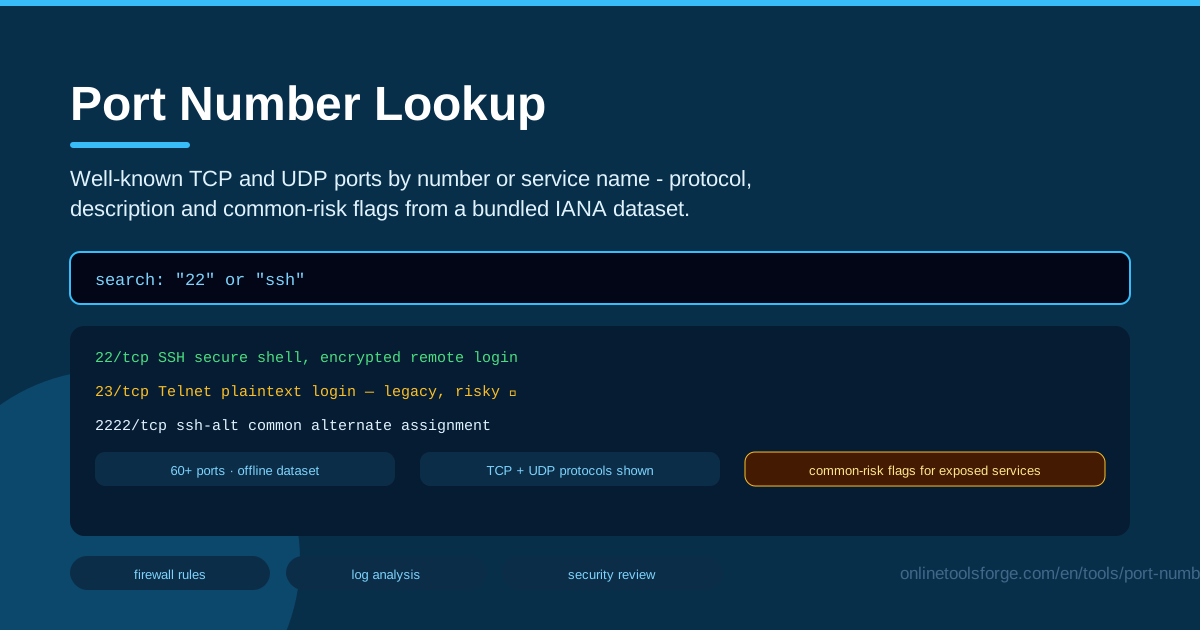
Table of Contents
Every connection your computer makes — every website you visit, every database you query, every server you SSH into — travels through a port. Ports are the numbered doorways of networking, and they appear everywhere in a developer's day: firewall rules, Docker commands, reverse-proxy configs, scan reports, and cryptic error messages. When a report flags port 3389 or a config file mentions 5432, you need to know exactly which service lives behind that number.
That is exactly what the Port Number Lookup tool on Online Tools Forge is built for. Search well-known TCP and UDP ports by number or service name — type 22 or ssh, 443 or https — and the tool instantly shows the protocol, a plain-language description, and common-risk flags drawn from a bundled IANA-based dataset of 60+ ports. Because the entire dataset ships with the page, the lookup runs fully offline in your browser: no sign-ups, no network calls, just type and get your answer.
Why Use Port Number Lookup?
- Instant answers while you work: identify any well-known port in seconds instead of breaking your flow to search a wiki or scroll through forum threads.
- Works fully offline: the IANA-based dataset is bundled with the page, so the tool keeps working on a plane, inside a locked-down data center, or anywhere your connection is unreliable — a genuine port checker offline companion.
- Search both directions: query by number when one shows up in a log, or by service name when you are configuring a service and need its port.
- Protocol clarity: see at a glance whether a service speaks TCP, UDP, or both, which is essential for writing correct firewall rules.
- Risk awareness built in: common-risk flags highlight ports tied to exposed or legacy services — the kind an auditor will ask about first.
- Private by design: everything runs locally, so no queries, hostnames, or IP addresses ever leave your machine.
Key Features
| Feature | What it does |
|---|---|
| Search by number | Type a port such as 22, 5432, or 3389 to identify the service behind it |
| Search by service name | Type ssh, http, or postgres to find the port numbers and protocols it uses |
| Protocol display | Shows whether each port runs over TCP, UDP, or both |
| Plain descriptions | One-line explanations of what each service does and where you will meet it |
| Common-risk flags | Warns when a port is associated with legacy or high-exposure services |
| IANA-based dataset | 60+ well-known ports curated from the official IANA registry |
| Fully offline | Runs entirely in the browser with zero network requests |
- The dataset covers the ports you actually encounter in daily work — remote access, web, databases, file transfer, and infrastructure services — rather than burying you under the full registry of thousands of entries.
- Risk flags are judgment aids, not verdicts: Redis on port 6379 is harmless on a private network, but exposed to the internet without authentication it is one of the most common ways servers get compromised.
- No accounts and no tracking — open the page and the reference is ready.
How to Use Port Number Lookup
- Open the tool. Go to Port Number Lookup — it loads instantly, even with no internet connection.
- Search by number or name. Type a numeric port such as 3389 when you find one in a scan report, or a service name such as ssh when you are configuring access and need the number.
- Read the protocol and description. Check whether the service runs over TCP, UDP, or both, and skim the description to confirm it matches what you expected.
- Note the risk flags. If the entry carries a common-risk flag, treat it as a prompt to verify exposure, authentication, and encryption before allowing the port through.
- Apply it to your firewall or config. Use the verified port and protocol to write a precise firewall rule, set the correct listen port in a configuration file, or justify closing a port during an audit.
Ports Every Developer Should Recognize
The tool covers more than sixty ports, but a handful appear so often that recognizing them on sight will speed up everything from debugging to security reviews.
- 22 / SSH (TCP): the encrypted remote shell every developer uses daily — and the port attackers brute-force most aggressively. Prefer key-based auth and restrict source addresses.
- 80 / HTTP (TCP): plain-text web traffic. In practice it mostly exists to redirect browsers to HTTPS.
- 443 / HTTPS (TCP): TLS-encrypted web traffic, the front door of the modern internet. If it is open, a certificate and proxy configuration live behind it.
- 3389 / RDP (TCP): Windows Remote Desktop. Flagged as risky because internet-exposed RDP is a top target for brute-force campaigns.
- 5432 / Postgres (TCP): the default port of PostgreSQL. It should almost never be reachable from the public internet.
- 6379 / Redis (TCP): the default Redis port and a perennial favorite of attackers when left unauthenticated and exposed.
The protocol column matters more than it first appears. TCP is connection-oriented: ordered, reliable, and used by nearly every service above. UDP is connectionless and fast but unordered — the home of DNS on 53, DHCP on 67/68, and streaming traffic. This is why the tool lists protocol explicitly: a firewall rule allowing "port 53" without specifying TCP or UDP is ambiguous, and some services legitimately use both protocols on the same number.
Common-risk flags in the dataset point to two patterns: services that become dangerous when exposed, such as RDP or Redis, and services that are simply too old to trust. Telnet on port 23 is the classic example — it transmits everything, including passwords, in cleartext, so any listening Telnet service deserves immediate attention and an upgrade path to SSH.
Because this knowledge rarely changes, the tool ships it as a bundled, IANA-based snapshot. That is precisely why the dataset works offline: the reference loads once with the page, and every subsequent lookup is instant and local.
Practical Use Cases
Writing Firewall Rules with Confidence
Before you add an allow rule, confirm what you are actually opening. Looking up 5900 shows VNC over TCP — which tells you the rule should be scoped to a management VPN subnet rather than opened to the world. Precise port and protocol knowledge going in means precise rules coming out.
Triaging Port Scan Results
An external scan returns open ports: 22, 80, 443, and 3306. The first three you expected. A quick lookup confirms 3306 is MySQL — a database that should never answer on a public interface — giving you an immediate, concrete remediation task instead of a vague "investigate later."
Reviewing a Server Configuration
When auditing a server's listening sockets, match each number against the service the owner believes is running. A lookup of 23 turns up Telnet with a risk flag, and a "harmless legacy service" becomes a documented finding with a clear recommendation: close it and use SSH.
Teaching Networking Fundamentals
For instructors and junior engineers alike, the tool doubles as a vocabulary builder. Ask a student to explain what happens when a browser loads a page, then look up 80 and 443 together to anchor the lesson in the same reference their tooling uses.
Best Practices
- Close what you don't use. Every open port is potential attack surface. If no service needs it, the correct firewall rule is a deny.
- Treat alternate ports as noise reduction, not security. Moving SSH from 22 to 2222 reduces log spam but adds no real protection — authentication strength and network scoping do the real work.
- Document every open port. Keep a short record of port, protocol, owning service, and business reason. Your future self and your auditors will thank you.
- Re-audit quarterly. Ports accumulate as services come and go. A quarterly review against your documentation catches drift early.
- Check both TCP and UDP. UDP services are easy to forget because they never appear in TCP-only listings.
- Retire legacy protocols. Wherever a lookup shows a risky legacy service such as Telnet, plan a migration to its encrypted modern counterpart like SSH.
Next time a log line, scan report, or config file throws a port number at you, skip the guesswork. Open the Port Number Lookup tool, type the number or service name, and get the protocol, description, and risk context in seconds — completely offline, right in your browser.
Related Tools You Might Like:
- Subnet Calculator — plan and verify IP ranges for precisely scoped firewall rules.
- Cron Gap Simulator — find gaps and conflicts in cron schedules before they reach production.
- SSH Config Generator — build clean, correct SSH client configs for all your hosts.
Happy networking!
Frequently Asked Questions
Q: Is port 22 TCP or UDP? A: SSH runs over TCP on port 22. UDP 22 is not part of the SSH protocol, which is exactly why the tool's protocol column matters when you write firewall rules.
Q: What does a common-risk flag actually mean? A: It marks ports statistically associated with security problems — either services that are dangerous when exposed to the internet, like RDP or unauthenticated Redis, or legacy protocols that lack encryption, like Telnet. Treat the flag as a prompt to check exposure and configuration, not as a ban.
Q: Why does the dataset include 60+ ports instead of the full IANA registry? A: The bundled list focuses on the well-known ports developers and admins actually encounter — remote access, web, databases, file transfer, and core infrastructure. That keeps the tool compact, instant, and fully offline while covering the vast majority of real-world lookups.
Q: Does the tool tell me whether a port is open on my machine? A: No. Port Number Lookup is a reference, not a live scanner — it tells you what a port is, not whether something is listening on it. Pair it with a local command such as ss, netstat, or your platform's firewall view to see live listeners.