Protobuf Decoder: Inspect Raw Payloads Without a Schema
Decode base64 or hex protobuf payloads without a schema. See field numbers, wire types, varints, strings, and nested messages for gRPC and Kafka debugging — offline.
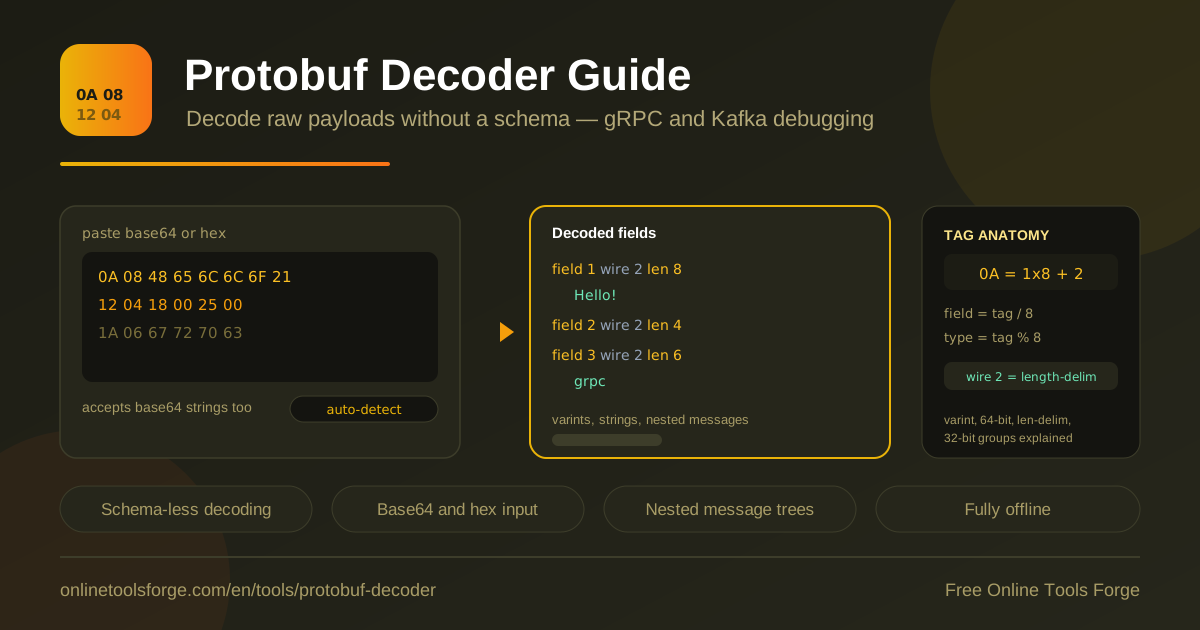
Table of Contents
Protobuf is the backbone of modern service-to-service traffic. It carries gRPC calls, Kafka messages, and countless internal queues, yet the payload itself is compact binary that no one can read by eye. When a request misbehaves you want to see inside the message, but the .proto file is often missing, stale, or owned by another team. The free protobuf decoder closes that gap: paste base64 or hex bytes and get field numbers, wire types, varint values, decoded strings, and nested message trees instantly.
Because the tool parses the raw wire format, no schema is required at all. It validates field number ranges, expands varints, renders printable length-delimited bytes as text, and recurses into embedded messages to build a readable tree. Everything runs 100% in your browser and works fully offline, so proprietary payloads never leave your machine — a hard requirement when you debug production traffic. The sections below cover how to use the tool and how the wire format actually works under the hood.
Why Use the Protobuf Decoder?
Schema-less decoding is not a party trick — it is the fastest path from opaque bytes to answers.
- No schema needed. The decoder reads structure straight from the bytes when the .proto file is missing or out of date.
- gRPC payload debugging. Inspect captured request and response bodies without instrumenting services or redeploying code.
- Kafka message inspection. Paste a topic value exported as hex and see what a consumer actually received.
- Byte-level transparency. Every field number, wire type, and varint is shown exactly as the encoder wrote it.
- Nested message trees. Embedded messages recurse into an expandable tree, so envelope-plus-payload layouts stay readable.
- Private and offline. Everything runs in the browser with no uploads, which suits confidential production payloads.
Key Features
The tool is deliberately small: every feature turns raw bytes into a readable field tree.
| Feature | What it does |
|---|---|
| Base64 and hex input | Paste either encoding; whitespace and line breaks are tolerated |
| Schema-less decode | Walks the wire format with no .proto file required |
| Field tree view | Lists each field number, wire type, and interpreted value |
| Varint decoding | Expands base-128 encodings into readable integers |
| String rendering | Shows length-delimited bytes as text when they are printable |
| Nested messages | Recurses into embedded messages to build the tree |
| Field number validation | Flags numbers outside the valid 1 to 536,870,911 range |
| Offline operation | Runs 100% in the browser with no network calls |
- Validation doubles as a sanity check: if the capture is misaligned or the input is not protobuf at all, malformed tags and impossible field numbers surface immediately instead of producing confident nonsense.
- Length-delimited fields are ambiguous by design — a wire type 2 field could be a string, raw bytes, or a nested message — so raw bytes are shown next to the string attempt.
How to Decode a Protobuf Payload
- Capture the payload. Copy the base64 string from a log line, or export the raw message bytes as hex from a broker, proxy, or packet capture.
- Paste into the protobuf decoder. Input auto-detection handles base64 and hex, so no mode switching is needed.
- Read the field tree. Each node shows the field number, wire type, and decoded value; expand length-delimited nodes to walk into nested messages.
- Check the warnings. Range validation and malformed-tag errors usually mean the capture is truncated or includes transport framing.
- Trim and retry. gRPC, for example, prefixes each message with a five-byte frame — one compression flag plus a four-byte length — so strip it before decoding.
The Wire Format Explained
A protobuf message is a flat sequence of key-value pairs. Each pair starts with a tag, a varint that packs two numbers into one: the field number and the wire type. Encoders compute tag = (field_number << 3) | wire_type — in other words, field number times eight plus the wire type. Decoders invert it with field_number = tag >> 3 and wire_type = tag & 7. That is why tag bytes so often look like small multiples of eight plus a remainder.
Four wire types cover almost everything you will meet:
- 0 — varint: int32, int64, uint32, uint64, sint32, sint64, bool, and enum values.
- 1 — 64-bit: fixed64, sfixed64, and double, stored as eight little-endian bytes.
- 2 — length-delimited: strings, bytes, embedded messages, and packed repeated fields.
- 5 — 32-bit: fixed32, sfixed32, and float, stored as four little-endian bytes.
Wire types 3 and 4, the old group markers, are deprecated and rarely seen in modern traffic.
Varints are little-endian base-128 numbers. Each byte contributes its lowest seven bits, and the high bit says whether another byte follows, so the value 150 encodes as 96 01. Length-delimited fields follow their tag with a varint length and then exactly that many bytes. Depending on the schema those bytes are a UTF-8 string, raw bytes, or an embedded message — and when they are a message, the decoder simply recurses, which is what builds the nested tree you see in the tool.
This self-description is why schema-less decoding works for debugging. The wire format carries the structure; the schema only maps field numbers to names and types. Any well-formed message can be walked and printed as a skeleton of field numbers and values, which is usually all a debugger needs.
0A 05 68 65 6C 6C 6F
└─ tag 0A = (1 << 3) | 2 → field 1, wire type 2
   └─ length varint: 5
      └─ UTF-8 bytes: "hello"
Practical Use Cases
Debugging gRPC Calls
When a gRPC call fails or a client reports unexpected data, capture the message body from logs or a proxy and decode it. Strip the five-byte gRPC frame prefix first — one compression-flag byte plus a four-byte big-endian length — then paste the rest. You see exactly which fields the server received, which makes schema drift between client and server obvious in seconds.
Inspecting Kafka Message Values
Export a message value from a Kafka topic as hex and drop it into the decoder. Many pipelines wrap protobuf in an envelope — a schema version, a tenant id, then the inner payload — and the nested tree view renders the envelope and the embedded message in a single pass, so you can tell a producer bug from a consumer bug.
Reverse-Engineering Captured Payloads
Protocol documentation fades faster than code. When the .proto file for an old service is gone, decode a handful of captured payloads: the field numbers in use, the strings that appear, and the nesting pattern are usually enough to draft a schema. Feed that draft through the JSON to Protobuf Schema tool to formalize it.
Teaching Wire Format Concepts
Nothing makes varints click like watching bytes decode live. Paste 96 01 and watch 150 appear; flip a high continuation bit and watch the value change. The decoder works as an interactive blackboard for explaining tags, wire types, and length prefixes to the team.
Best Practices
- Strip transport framing first. The five-byte gRPC prefix and Kafka record headers will garble the first tag if left in place.
- Interpret wire type 2 fields carefully. Printable text suggests a string, but bytes and nested messages look identical on the wire.
- Watch for truncation. A length that runs past the end of the buffer means the capture was cut short.
- Pick the right encoding. Base64 for log lines, hex for raw exports; the tool accepts both.
- Cross-check against the schema when one exists. Schema-less output shows structure, not field names or types.
- Keep sensitive payloads local. Prefer tools that run offline — including this one — for regulated data.
Decode Your Next Payload Today
Next time a gRPC response looks wrong or a Kafka consumer chokes on a value, skip the guesswork. Open the protobuf decoder, paste the bytes, and read the message tree — free, instant, and fully offline.
Related Tools You Might Like:
- Base64 Encoder — build and verify the base64 payloads you paste into the decoder.
- Hex Viewer — inspect raw bytes one by one when you need to see exactly what is on the wire.
- JSON to Protobuf Schema — turn a captured message structure into a starting-point .proto file.
Happy decoding!
Frequently Asked Questions
Q: Can the tool decode protobuf without the .proto file?
A: Yes. The wire format is self-describing at the structural level, so field numbers, wire types, and lengths are read straight from the bytes and rendered as a message tree with no schema at all.
Q: Why does my payload decode as garbage?
A: Most often the capture includes transport framing — the five-byte gRPC prefix, a compression wrapper, or record headers — or the bytes are not protobuf at all. Trim to the message body and follow the validation warnings.
Q: Which input formats are supported?
A: Both base64 and hex, with flexible whitespace. Paste whichever form your logs, brokers, or captures produce; the decoder detects the encoding automatically.
Q: Is my data uploaded anywhere?
A: No. Decoding runs 100% in your browser and works fully offline, so proprietary payloads never leave your machine.
Q: Which field numbers are valid?
A: Field numbers run from 1 to 536,870,911, with 19000 to 19999 reserved for the protobuf implementation itself. The tool validates this range while decoding.