qr-batch-order-generator: Complete Online Guide, Features & Practical Examples
Learn how to use the free qr-batch-order-generator in your browser with step-by-step instructions, practical use cases, and expert tips.
Free Interactive Tool
QR Batch Order Generator
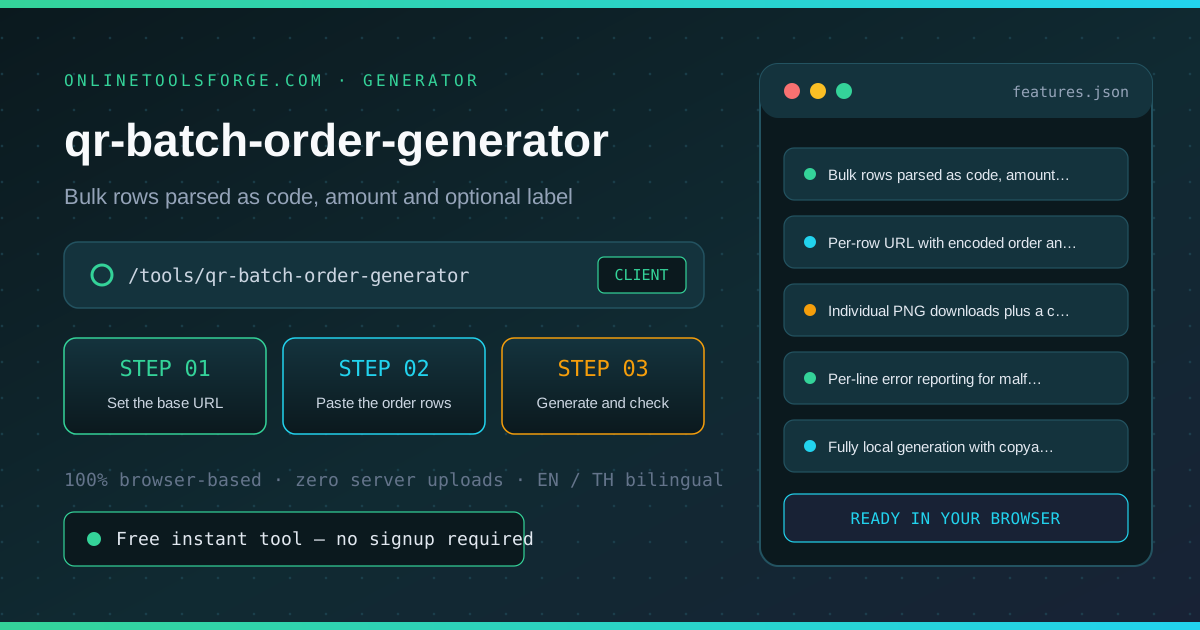
Generate order QR codes in bulk from pasted rows of code, amount and label — each becomes a URL with order and amount parameters, downloadable as PNG files or a combined contact sheet. Fully offline.
Table of Contents
The QR Batch Order Generator turns a pasted list of orders — code, amount, optional label — into a set of scannable QR codes under your own base URL, with the order code and amount encoded as query parameters. Every code can be downloaded as an individual PNG, or the whole batch renders onto one labeled contact sheet ready to print, cut and place on tables or shelves. Codes are drawn locally with the qrcode library, so nothing is uploaded and nothing leaves the browser.
Whether you are double-checking numbers on a deadline, validating edge cases, or standardizing a repeatable workflow, the qr-batch-order-generator gives you an interactive, zero-install workspace directly in your browser. Every calculation and transformation runs locally on your device — no account registration, no paywalls, and no sensitive inputs uploaded to external servers.
In this guide, we walk through why dedicated tooling beats manual back-of-the-envelope work, explore every feature inside the interface, and cover step-by-step instructions alongside real-world scenarios.
Why Use qr-batch-order-generator?
- Immediate Clarity: Whole batches from one paste, with per-line error reporting.
- Focused Workflow: Order code and amount encoded into every URL automatically.
- Transparent Logic: Individual PNG downloads plus a labeled contact sheet.
- Practical Accuracy: Codes readable by any standard phone camera.
- Time-Saving Defaults: Fully local generation — internal ordering links stay private.
- 100% Client-Side Privacy: Every operation executes inside your browser session, keeping your data private and responsive even on slow connections.
Key Features
| Feature Area | What It Delivers | Execution Mode |
|---|---|---|
| Capability 1 | Bulk rows parsed as code, amount and optional label | Instant browser execution |
| Capability 2 | Per-row URL with encoded order and amount parameters | Instant browser execution |
| Capability 3 | Individual PNG downloads plus a combined contact sheet | Instant browser execution |
| Capability 4 | Per-line error reporting for malformed rows | Instant browser execution |
| Capability 5 | Fully local generation with copyable URL list | Instant browser execution |
- Interactive Feedback: Results recalculate on the fly as you adjust inputs, letting you compare multiple scenarios in seconds.
- Bilingual Interface: Switch seamlessly between English and Thai labels whenever you collaborate across multilingual teams.
- Copy & Export Ready: Grab formatted outputs or summaries with one click so you can paste them straight into docs, tickets, or spreadsheets.
How to Use qr-batch-order-generator
From a pasted order list to printable codes in four steps.
- Open the Tool: Head to the qr-batch-order-generator in any modern desktop or mobile browser.
- Set the base URL: Enter the address your ordering page lives under, for example the checkout link of your shop. Every QR encodes this base with the row order and amount appended.
- Paste the order rows: One row per line: code, amount and an optional label like a table name. Bad rows are reported individually and never block the rest of the batch.
- Generate and check: Click Generate QR codes. Each row renders as a scannable code with its label and the exact URL underneath, so you can verify before printing.
- Download or print the sheet: Download single codes as PNG files, or render the whole batch onto one contact sheet with labels, ready to cut and place on tables.
Core Concepts & How It Works
Understanding the underlying mechanics helps you interpret the output with confidence. The QR Batch Order Generator turns a pasted list of orders — code, amount, optional label — into a set of scannable QR codes under your own base URL, with the order code and amount encoded as query parameters. Every code can be downloaded as an individual PNG, or the whole batch renders onto one labeled contact sheet ready to print, cut and place on tables or shelves. Codes are drawn locally with the qrcode library, so nothing is uploaded and nothing leaves the browser.
Instead of hiding assumptions behind a single opaque result, the qr-batch-order-generator surfaces intermediate values and clear labels so you can audit how the final answer is assembled:
- Explicit Input Validation: Boundaries and unit expectations are checked immediately, preventing silent NaN or unit-mismatch bugs.
- Deterministic Output: Given the same inputs, the tool produces identical, reproducible results every time — ideal for team reviews and documentation.
- Edge-Case Visibility: Built-in warnings highlight when inputs approach practical limits or require special interpretation.
Practical Use Cases
1. Per-table order codes for a restaurant or food court
When tackling per-table order codes for a restaurant or food court, manual spreadsheets and ad-hoc scripts often introduce rounding errors or inconsistent assumptions. With the qr-batch-order-generator, you can load your exact parameters, inspect the breakdown immediately, and verify how each variable affects the outcome before committing to a decision.
2. Product shelf codes with a preset amount
When tackling product shelf codes with a preset amount, manual spreadsheets and ad-hoc scripts often introduce rounding errors or inconsistent assumptions. With the qr-batch-order-generator, you can load your exact parameters, inspect the breakdown immediately, and verify how each variable affects the outcome before committing to a decision.
3. Event booths with fixed-price order links
When tackling event booths with fixed-price order links, manual spreadsheets and ad-hoc scripts often introduce rounding errors or inconsistent assumptions. With the qr-batch-order-generator, you can load your exact parameters, inspect the breakdown immediately, and verify how each variable affects the outcome before committing to a decision.
4. Classroom or raffle setups where each item needs its own code
When tackling classroom or raffle setups where each item needs its own code, manual spreadsheets and ad-hoc scripts often introduce rounding errors or inconsistent assumptions. With the qr-batch-order-generator, you can load your exact parameters, inspect the breakdown immediately, and verify how each variable affects the outcome before committing to a decision.
5. Bulk-regenerating codes after a domain or checkout change
When tackling bulk-regenerating codes after a domain or checkout change, manual spreadsheets and ad-hoc scripts often introduce rounding errors or inconsistent assumptions. With the qr-batch-order-generator, you can load your exact parameters, inspect the breakdown immediately, and verify how each variable affects the outcome before committing to a decision.
Best Practices
- Start with realistic baseline values before testing extreme edge cases so you have a clear reference point to compare against.
- Verify units and formatting on every input field — many discrepancies come from mixing percentages, decimals, or measurement units.
- Test sensitivity by changing one variable at a time in the qr-batch-order-generator to see which input has the largest impact on your result.
- Document your assumptions alongside the exported output so teammates can reproduce the exact state later.
- Pair with companion utilities in the same category when your workflow spans multiple conversion or validation steps.
Frequently Asked Questions
Q: What does the QR code actually encode? A: A plain URL: your base address with the row order code and amount appended as query parameters, for example shop.example.com/order?order=ORDER-1001&amount=250. Any phone camera or ordering page that reads those parameters will work — the code is a standard QR, not a proprietary format.
Q: Do the amounts have to be in a particular currency? A: The generator stores the number exactly as typed; currency is whatever your ordering page interprets. Enter amounts in the smallest unit your payment provider expects — for baht or dollars the plain number works, for cents-based APIs enter cents.
Q: What is the contact sheet for? A: It renders every generated code onto a single PNG with its label underneath, laid out in a grid. Print it once, cut along the labels, and place one code per table or product — no image editor needed.
Q: Are the codes generated online? A: No. The codes are drawn locally with the qrcode library inside your browser, and the sheet is rendered on a local canvas. Your order list and base URL never leave the page, so internal or unlisted ordering links stay private.
Try qr-batch-order-generator Today
Ready to streamline your workflow? Open the qr-batch-order-generator now to run instant, accurate calculations right in your browser — completely free and with zero setup required.
Related Tools You Might Like
Happy building and calculating!