RSA Key Inspector: Decode PEM Keys and X.509 Certificates in Your Browser
RSA Key Inspector is a free PEM decoder and X.509 certificate inspector that reveals key size, exponent, curve, and validity dates — and issues an instant strength verdict on any RSA or EC public key.
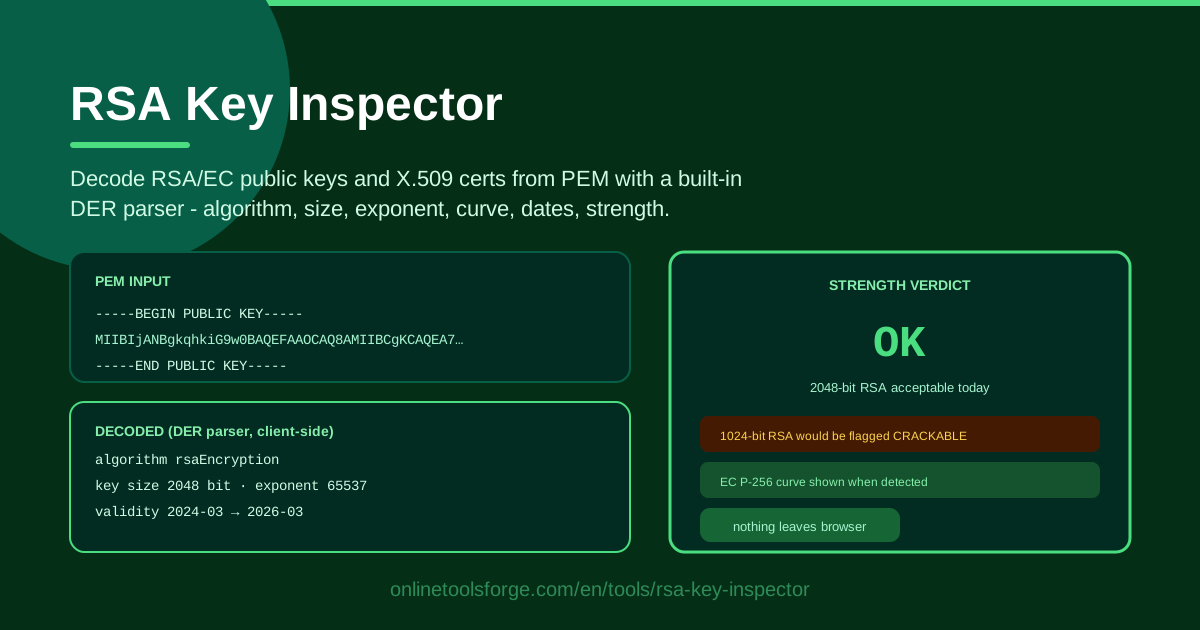
Table of Contents
Every TLS certificate, SSH host key, and SSO signing key you have ever trusted began its life as an inscrutable block of base64 text. Whether that block hides a rock-solid 4096-bit RSA key or a dangerously outdated 1024-bit relic is impossible to tell just by looking at it. The usual answer is to fire up a terminal and wrestle with OpenSSL flags, but there is a faster way: RSA Key Inspector decodes any PEM-encoded RSA or EC public key, or an entire X.509 certificate, directly in your browser.
The tool ships with a built-in DER parser that unpacks the binary structure hiding beneath the base64 wrapper. In a split second you see the algorithm, the key size, the public exponent, the EC curve name, and — for certificates — the validity window. Better still, it does not just describe the key; it judges it. A strength verdict tells you plainly whether the key meets modern standards or whether a 1024-bit RSA key should be flagged as effectively crackable.
Everything happens client-side. Your key material never leaves your machine, no account is required, and there is nothing to install. In this guide we will walk through how to use the tool, explain what all those decoded fields actually mean, and show you where a quick PEM decode saves real time in day-to-day security work.
Why Use RSA Key Inspector?
- Client-side decoding of sensitive key material. Public keys and certificates are not secrets, but key hygiene habits matter. The tool parses everything in your browser with JavaScript, so the PEM text you paste is never uploaded to any server — a safe default for auditors, consultants, and anyone working in a regulated environment.
- No OpenSSL required. Remembering whether it is openssl rsa -text or openssl x509 -noout -dates — and which one works on the file you actually have — is friction. Paste, click, read. It works the same on Windows, macOS, Linux, and even a phone.
- Instant strength verdict. Raw numbers are not decisions. The tool translates a key size of 1024 bits into plain language: this key is crackable and needs replacing. That turns a technical detail into an actionable finding you can hand to a manager or a vendor.
- Supports RSA and EC in one place. Elliptic curve keys do not have a "key size" in the RSA sense; they have a curve. The tool recognizes both families, shows the named curve for EC keys, and evaluates strength appropriately for each.
- Full X.509 context in one view. Drop in a whole certificate instead of just the public key and you also get the validity dates — so you can spot an expired or long-lived certificate without running a separate command.
- Zero cost, zero setup. No sign-up, no API key, no rate limit. It is the kind of tool you bookmark and use ten times a day during an audit.
Key Features
| Feature | What it does |
|---|---|
| PEM paste input | Accepts an RSA or EC public key, or a full X.509 certificate, pasted as PEM text |
| Built-in DER parser | Decodes the ASN.1/DER structure entirely in the browser, no server round-trip |
| Algorithm identification | Tells you whether you are looking at RSA, EC, or something the parser cannot handle |
| Key size and exponent | Reports the RSA modulus size in bits and the public exponent (typically 65537) |
| EC curve name | Resolves the curve OID to a human-readable name such as P-256 or secp384r1 |
| Validity dates | Extracts the notBefore and notAfter window from X.509 certificates |
| Strength verdict | Grades the key against modern guidance and flags weak parameters like 1024-bit RSA |
A few details are worth calling out. First, the strength verdict is opinionated on purpose: 2048-bit RSA is the accepted floor, so anything below it gets a warning rather than a shrug. Second, the parser is a real DER decoder, not a regex over the base64, which means it handles the nested certificate structures that simpler online checkers choke on. Third, because the whole pipeline is local, you can use it on an air-gapped laptop — just load the page once where you have connectivity.
How to Use RSA Key Inspector
- Copy the PEM. Grab the public key or certificate from your source: a server.crt file, a JWKS endpoint value re-encoded to PEM, an SSH host key certificate, or a vendor's published key. The PEM block should start with a header line like -----BEGIN PUBLIC KEY----- or -----BEGIN CERTIFICATE-----.
- Paste it into the input panel. Open RSA Key Inspector and paste the entire block, header lines included. Whitespace is forgiven — the tool strips padding and line breaks automatically.
- Review the decoded fields. The parser immediately displays the algorithm, key size, exponent, and EC curve where applicable. Confirm these match what you expect: an RSA key where you expected EC is itself a finding.
- Read the validity dates. If you pasted an X.509 certificate, check the notBefore and notAfter window. Note the margin: a certificate that expires in two weeks is a change-management ticket today, not a fire drill later.
- Apply the strength verdict. Read the final grade. A green OK means the key meets current guidance; a warning means the key size or algorithm is below modern standards and should be scheduled for replacement.
The whole loop takes under a minute, which is exactly why it works: when inspection is cheap, it actually happens.
Reading a PEM Without OpenSSL
It helps to know what you are pasting. PEM — Privacy-Enhanced Mail — is not a format of its own; it is a base64-encoded wrapper around DER (Distinguished Encoding Rules) bytes, bracketed by header and footer lines. Decode the base64 and you get raw DER, a compact binary serialization of an ASN.1 structure. That structure is what the tool's built-in parser walks, element by element, to pull out the fields you see.
For an RSA public key, the DER payload contains the algorithm OID (a registered identifier that says "this is RSA"), followed by the modulus and the public exponent. The modulus is the big number whose bit length is the key size — a 256-byte modulus is a 2048-bit key. The exponent is almost always 65537 (0x10001), chosen because it is large enough to avoid old padding attacks yet small enough to keep verification fast. An exponent of 3 or 1 in a modern key is worth a raised eyebrow.
For an EC key, the parser reads the curve's OID and maps it to a friendly name: P-256 (also called secp256r1 or prime256v1), P-384, P-521, or Curve25519-family identifiers. Curve strength tracks the field size — P-256 is broadly comparable to a 3072-bit RSA key, which is why a tiny EC key can outperform a chunky RSA one.
On key size guidance, the current consensus is simple. 1024-bit RSA is dead — factoring at that size is within reach of well-funded attackers, and browsers and CAs refused it years ago. 2048 bits is the floor for anything new and is expected to stay acceptable for general use through the 2020s. 3072 or 4096 bits is comfortable headroom if you want keys that will still be defensible a decade from now, at a modest cost in handshake speed.
Certificates add a time dimension. The X.509 validity window — notBefore through notAfter — defines when the key binding is honored, and both boundaries matter: a notBefore in the future can be a sign of clock skew or something worse. One clarification that trips people up: a certificate is a signed statement about a public key, not the key itself, and pasting a private key into any web tool is never necessary for inspecting strength. The public half tells you everything — size, algorithm, exponent, curve — and the tool is designed around exactly that. Only paste public material anyway; it is the safe habit that costs nothing.
Practical Use Cases
Auditing Old Certificates Before Expiry
Quarterly certificate reviews are where weak keys go to hide. Export the certificates from your least-tended services — an aging VPN gateway, a printer's admin interface, that one internal dashboard nobody owns — and run each one through the tool. In an afternoon you will have a list of 1024-bit RSA keys, SHA-1-era certificates, and validity windows ending next month. That list becomes your renewal backlog, prioritized by risk instead of by which renewal email arrived first.
Checking a Vendor's Published Key
Vendors publish signing keys for webhooks, license files, and SAML assertions, often as a bare PEM blob on a docs page. Before you pin it, paste it in and confirm the algorithm, the key size, and the verdict. A vendor publishing a 1024-bit key for payment webhooks is telling you something about their security maturity — and giving you concrete evidence for the conversation that follows.
SSO Metadata Review
When onboarding a SAML or OIDC identity provider, the metadata XML contains one or more X.509 certificates. Extract one, paste it into the inspector, and verify the algorithm and expiry before wiring up the integration. It is a thirty-second check that catches misconfigured staging certificates, short-lived tokens, and the classic "someone left the test tenant's cert in the production metadata" mistake.
Security Training Demos
Nothing makes key size tangible like watching a verdict flip. Generate a 1024-bit key and a 4096-bit key, decode both side by side, and let the class see the tool label one as crackable and the other as strong. Abstract guidance ("use at least 2048 bits") turns into a visual, memorable moment — and it all runs locally, so you can demo it on a conference Wi-Fi with no internet dependency.
Best Practices
- Check expiry on a schedule. Put certificate reviews on the calendar quarterly, and include every endpoint that serves TLS or signs tokens — not just the public website.
- Migrate off 1024-bit RSA and SHA-1 signatures. Both are past their safe-use window. Treat any instance the tool flags as a defect with a deadline, not a curiosity.
- Prefer EC (P-256 or P-384) for new deployments. You get equivalent security to 3072-bit RSA in a fraction of the bytes and with faster handshakes — a win for mobile and IoT clients especially.
- Keep the private key private, always. Inspect public keys and certificates freely; never paste a private key into any tool, browser-based or otherwise. If a private key ever touches an untrusted system, rotate it.
- Pair the verdict with context. A 2048-bit internal cert expiring in five years may be fine; a 2048-bit root used for code signing might warrant more. Use the tool's output as the start of the risk conversation, not the end.
- Re-check after every rotation. New key ceremonies fail quietly. A ten-second paste-and-verdict after each rotation confirms the new key is actually the size and algorithm you intended.
Try It Now
The next time a certificate file lands in your inbox or a vendor hands you a PEM blob, do not squint at the base64. Open RSA Key Inspector, paste the block, and get the algorithm, key size, validity dates, and strength verdict in seconds — entirely in your browser. Bookmark it next to your other daily security tools and make key inspection a habit instead of a project.
Related Tools You Might Like:
- SSL Certificate Checker — validate live TLS certificates and chains on any domain
- SSH Key Fingerprint Checker — compare SSH key fingerprints before you trust a host
- Hash Generator — compute MD5, SHA-1, SHA-256 and more for file integrity checks
Stay safe out there!
Frequently Asked Questions
Q: Is it safe to paste a public key or certificate into RSA Key Inspector? A: Yes. Public keys and certificates are, by design, public — and the tool parses them entirely in your browser with a built-in DER parser, so nothing is uploaded to a server. Private keys are a different matter: you never need to paste one, so keep them out of any web tool.
Q: What key size should I require for RSA keys today? A: 2048 bits is the accepted minimum, 3072 or 4096 bits gives comfortable long-term headroom, and 1024 bits is considered crackable and should be replaced. The tool's strength verdict applies exactly this guidance so you do not have to remember it.
Q: Can the tool inspect an EC (elliptic curve) key too? A: Yes. It decodes EC public keys, identifies the named curve such as P-256 or P-384, and grades strength appropriately for elliptic curve keys rather than applying RSA bit-size rules.
Q: Does the strength check work without an internet connection? A: The decoding and verdict run locally in your browser, so once the page is loaded, no further connectivity is needed — handy for air-gapped environments, training labs, and flaky conference Wi-Fi.