Secret Pattern Scanner: Catch Exposed API Keys Before They Leak
Scan code and configs for exposed AWS, GitHub, Slack, Google, and Stripe keys, JWTs, and private keys with offline regex patterns and masked output. Free in your browser.
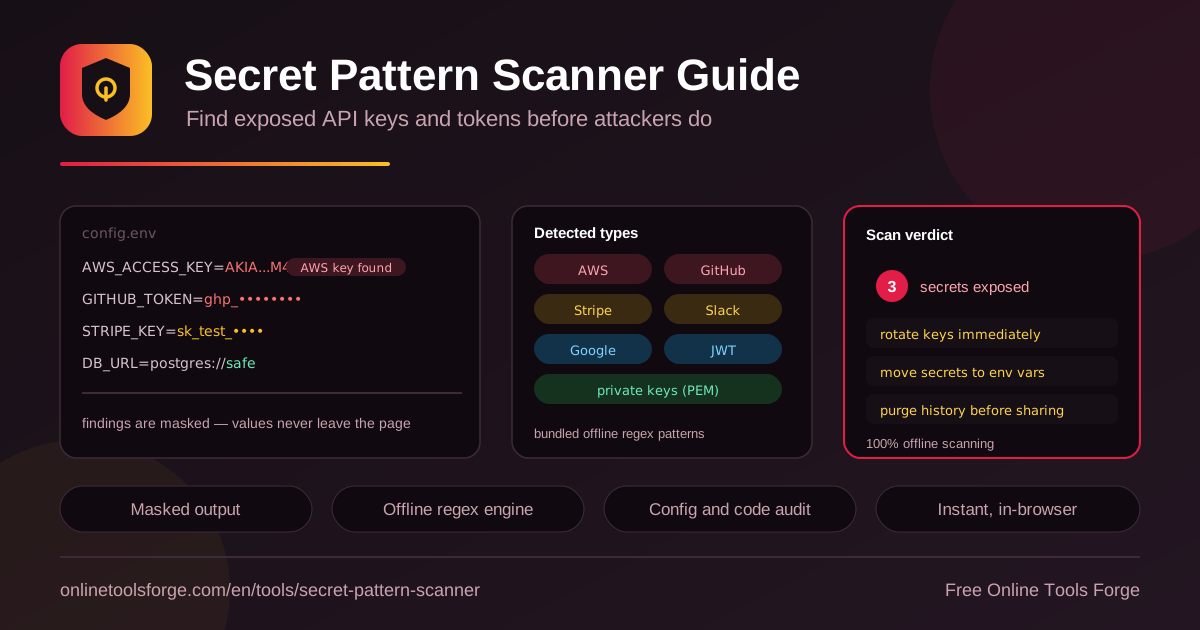
Table of Contents
Leaked credentials remain one of the most reliable breach vectors in software. Automated crawlers sweep public repositories, paste sites, and tutorial pages within minutes of publication, hunting for the distinctive shapes of cloud keys and service tokens. One exposed key can mean anything from a surprise cloud bill to a full account takeover.
The Secret Pattern Scanner gives you a fast, private way to catch these mistakes before you publish. Paste code, a .env file, or any configuration text, and bundled offline regex patterns flag AWS access keys, GitHub tokens, Slack tokens, Google API keys, Stripe keys, JWTs, and PEM private key blocks. Everything runs 100% in your browser and works fully offline — nothing is uploaded, logged, or stored — and every finding is shown with a masked value so the secret is not re-exposed in your screenshots or reports.
Why Use the Secret Pattern Scanner?
- Zero-upload privacy by design. All matching happens client-side, which makes the tool safe for the very content it inspects — your secrets never cross the network.
- Covers the formats that matter. AWS, GitHub, Slack, Google, and Stripe keys, plus JWTs and PEM private keys, are the findings that turn into real incidents.
- Masked output protects you twice. Findings show most characters hidden, so you can capture and share the verdict without leaking the value again.
- Fast enough for the moment before you publish. No account, no install, no CI setup — open the page, paste, and get a verdict in seconds.
- Actionable remediation hints. The verdict pairs each finding with concrete next steps: rotate keys, move secrets to environment variables, and purge history.
- Complements automated scanners. Pre-commit hooks and CI catch most leaks, but screenshots, drafts, and ad-hoc file sharing fall outside their reach.
Key Features
| Feature | What it does |
|---|---|
| Paste-anywhere input | Accepts code snippets, .env files, YAML, JSON, TOML, Dockerfiles, CI configs, and log excerpts. |
| Bundled offline regex patterns | Detects AWS, GitHub, Slack, Google, and Stripe keys, JWTs, and PEM private key blocks with no network calls. |
| Masked findings | Each match is reported with its value largely hidden, so secrets are not re-exposed in screenshots or reports. |
| Verdict summary | Rolls findings into a clear clean-or-exposed verdict with counts grouped by secret type. |
| Remediation hints | Every finding category ships with specific follow-up actions, not just a warning. |
| 100% client-side | Works offline, keeps no history, and needs no account. |
A few details worth knowing:
- The patterns target real provider formats — prefix families like AKIA, ghp*, xoxb-, AIza, and sk_live* — rather than loose guesses, which keeps false positives low.
- Because scanning is fully offline, you get identical results with your network disconnected, including on sensitive or air-gapped machines.
How to Scan for Exposed Secrets
- Open the tool. Visit the Secret Pattern Scanner in any modern browser — no install or signup required.
- Paste the content. Drop in the snippet, .env file, config, or log excerpt you plan to share; the text stays entirely in your browser.
- Review the findings. Each detected secret appears with its type and a masked value, so you see what was found without the full credential.
- Read the verdict summary. A clean result means no known patterns matched; exposed findings are grouped by type so you can prioritize.
- Act on the remediation hints. Rotate exposed keys, move replacements into environment variables or a secret manager, and purge old values from git history before republishing.
What the Patterns Detect
The bundled patterns mirror what automated secret-harvesting bots look for, and knowing each format helps you judge severity.
AWS access keys. Access key IDs start with the AKIA prefix followed by sixteen uppercase characters, and they usually travel with a paired secret access key. A leaked pair is effectively a door into your cloud account.
GitHub tokens. Classic forty-character hexadecimal tokens and the modern prefix family — ghp_ for personal access tokens plus variants for OAuth, app, and server tokens — both match. A leaked token can read private code or push malicious commits.
Slack tokens. Prefixes like xoxb- (bots) and xoxp- (users) let an attacker read channels or post messages from inside your workspace.
Google API keys. The AIza prefix marks keys that authenticate Google Cloud and Maps requests; exposure usually means quota abuse or an unexpected bill.
Stripe keys. Test keys (sktest) are low risk, but a live secret key (sklive) can read customer records and create charges — treat it as an immediate rotation.
JWTs. JSON Web Tokens open with a base64url header starting eyJ and continue through three dot-separated segments. A pasted JWT grants whatever access it encodes until it expires.
PEM private key blocks. Any block opening with a private key header — RSA, EC, or PKCS#8 — is the most dangerous finding of all, because the block is the credential itself rather than a reference to one.
Masking matters because a scanner report can become its own leak. If findings printed full keys, a screenshot of the result would recreate the original problem; masked values keep the report safe to share. Offline scanning applies the same logic at the transport level: a tool that never receives your secrets cannot leak them.
If the verdict shows exposure, remediate in order: rotate first, assuming the value is compromised the moment it left your machine; then rewrite history so it is gone from old commits; then move the replacement into environment variables or a secret manager so it cannot be pasted again. A typical masked result looks like this:
Finding 1 — AWS access key:    AKIA•••••••••••••••• (masked)
Finding 2 — GitHub token:      ghp_•••••••••••••••• (masked)
Verdict: 2 secrets exposed — rotate keys, purge history
Practical Use Cases
Auditing a Repository Before Open-Sourcing
Before flipping a private repo public, export the files you are least sure about — early configs, deploy scripts, seed data — and paste them through the scanner. It takes minutes and catches the forgotten .env file that survived three refactors.
Reviewing Inherited Projects
Old repositories are where dead credentials go to hide. Paste the config directories, CI definitions, and .env files you inherit, then rotate anything flagged even if the key looks unused — stale keys sometimes still authenticate.
Checking Tutorial Drafts and Screenshots
Before publishing a blog post, conference talk, or forum answer, scan the sample config. The same applies to screenshots: check the source text before you capture it, because a terminal image containing a live token is as dangerous as a committed file.
Verifying .env Hygiene
Run a periodic check on your working .env files. If a real key appears where placeholders belong, move it to your deploy platform or a secret manager, and keep an .env.example with dummy values in the repository instead.
Best Practices
- Rotate before you investigate. Treat a possibly leaked key as compromised immediately; replacement costs minutes, cleanup from misuse costs days.
- Deleting a file is not enough. Git history preserves every commit, so rewrite history only after rotation is complete.
- Move secrets out of files. Environment variables and secret managers remove the paste-and-leak failure mode for future work.
- Scan at every share moment. Screenshots, drafts, zips, and chat messages bypass pre-commit hooks — paste-check each one.
- Layer your defenses. Keep CI scanning in place and use the offline paste-check as the fast human checkpoint between runs.
- Re-scan after fixing. Confirm the remediated files come back clean before you close the incident.
Scan Before You Share
One pasted key can turn a helpful post or a project handover into a breach report. The Secret Pattern Scanner is free, works fully offline in your browser, and masks every finding so the check itself is safe. Paste the file you were about to send and get a verdict in seconds — before someone else finds it first.
Related Tools You Might Like:
- JWT Decoder — inspect the header and claims of any token the scanner flags.
- Hash Generator — generate checksums to verify file integrity when sharing code.
- Text Encryptor — protect sensitive notes before transmitting them.
Stay secure!
Frequently Asked Questions
Q: Does the scanner upload my code anywhere?
A: No. All pattern matching runs client-side in your browser and the tool works fully offline, so pasted content never leaves your machine.
Q: Can the tool tell me whether a found key is still active?
A: No, and that is deliberate — it never contacts providers to validate findings. Treat every exposed key as live until you have rotated it.
Q: What should I do first after a finding appears?
A: Rotate the credential with its provider, purge the value from your repository history, then move the replacement into environment variables or a secret manager.
Q: Will it catch every kind of secret?
A: No scanner can guarantee that. The bundled patterns target the most common, highest-impact formats, so a clean verdict is a strong signal rather than formal proof.
Q: Is the Secret Pattern Scanner free?
A: Yes — completely free, with no account and no limits, because all processing happens locally in your browser.