SQL Schema Diff: Compare Database Schemas and Generate ALTER TABLE Migrations
SQL Schema Diff compares two CREATE TABLE scripts or dumped schemas, reports added, changed and dropped tables and columns, and suggests ALTER TABLE migration statements — entirely in your browser.
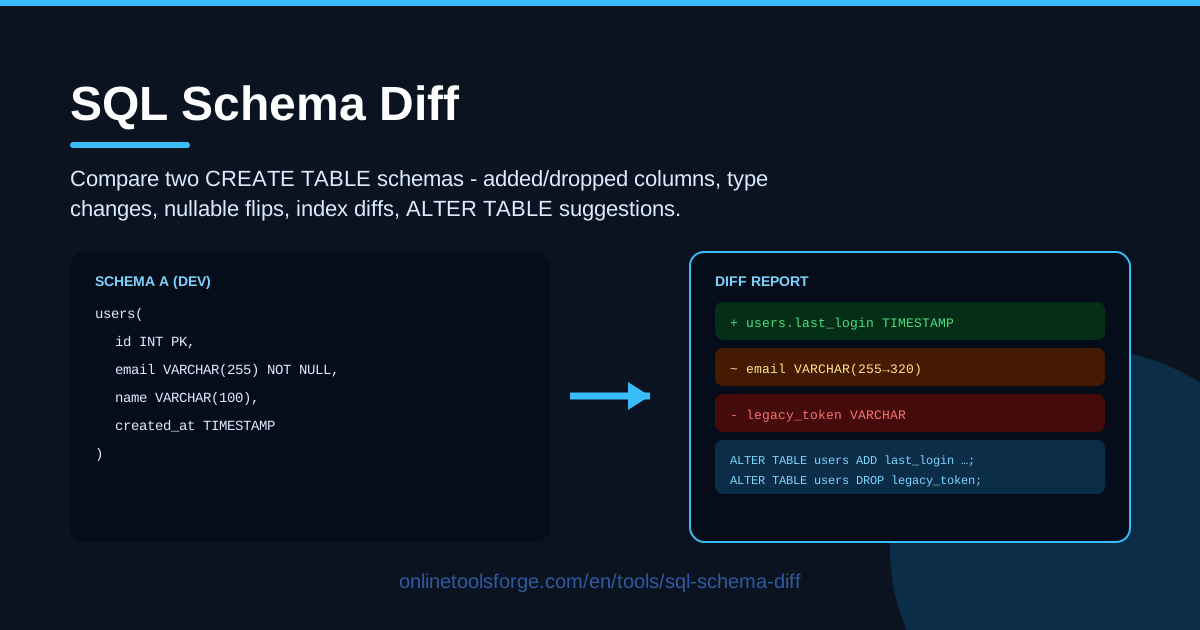
Table of Contents
Databases rarely stay still. A hotfix adds a column on Friday, a feature branch renames a field, and by Monday production no longer matches your migration files. Nobody notices until a query fails at runtime, an ORM complains about a missing property, or a release rolls back in front of users.
SQL Schema Diff is a free online tool built to catch those mismatches early. Paste two CREATE TABLE DDL scripts or dumped schemas, and it reports added and dropped tables and columns, type changes, nullable flips, default changes, and index diffs. It also flags possible renames and suggests ALTER TABLE migration statements for every difference it finds, taking you from "something changed" to a reviewable migration plan in seconds.
Everything runs in your browser: no uploads, no account, and no database connection required, so it is safe even for production-derived dumps or client-owned schemas you cannot paste into external services.
Why Use SQL Schema Diff?
- Catch schema drift before it breaks production. Dev, staging, and production quietly diverge; a quick diff turns "we think they match" into a verified fact.
- Review migrations with real evidence. Diff the before and after DDL to confirm an ORM-generated migration does exactly what you expect — and nothing more.
- Stop eyeballing hundreds of lines of DDL. Manually comparing two large dumps is slow and error-prone; an automated diff reads every table, column, and index in milliseconds.
- Avoid accidental data loss. Dropped columns and narrowing types are the classic ways a schema change destroys data; seeing them flagged before they run is worth thirty seconds.
- Get a head start on migration SQL. The tool suggests ALTER TABLE statements for each difference, turning investigation into review-and-edit.
- Keep sensitive schemas private. Parsing happens entirely in the browser, so internal or regulated schemas never leave your machine.
Key Features
| Feature | What it does |
|---|---|
| Table diff | Lists tables that exist in only one schema — added or dropped |
| Column diff | Flags added and dropped columns, type changes, nullable flips, and default changes |
| Index diff | Compares indexes on every shared table and shows what must be created or removed |
| Rename detection | Matches dropped columns against added ones to suggest likely renames |
| ALTER TABLE suggestions | Generates migration statements you can copy, edit, and run |
| In-browser processing | Parses and compares your DDL locally, with no uploads and no sign-up |
- Dumped schemas work fine. mysqldump output, SHOW CREATE TABLE, or a copy-pasted export all parse correctly.
- Rename hints are suggestions, not verdicts. The tool pairs a vanished column with a similar new one so you confirm intent instead of shipping a destructive drop-and-add.
How to Use SQL Schema Diff
- Paste schema A. Put your baseline — the current production schema, the old dump, or the last released DDL — into the first editor.
- Paste schema B. Add the target in the second editor: the new migration output, the fresh dump, or the DDL you are about to deploy.
- Read the diff. The report shows added and dropped tables and columns, type changes, nullable flips, default changes, and index differences, grouped by table.
- Review the rename hints. For each suggested rename, decide whether it is a true rename or a drop plus an add, and keep the destructive change only knowingly.
- Copy the ALTER statements. Adjust the suggested SQL for your database dialect and deployment conventions, then run it through your normal review process.
What a Schema Diff Must Catch
A credible diff goes deeper than "the files are different." Here is what the tool inspects, and why each check matters.
Column adds and drops. An added column is usually safe; the real questions are whether it needs a default and a backfill. A dropped column is where data disappears forever, so it must be visible, loud, and deliberate.
Type widening versus narrowing. INT to BIGINT or VARCHAR(50) to VARCHAR(255) is widening: nearly always safe. The reverse is narrowing and can fail outright or silently truncate values. Both count as "type changes," but only the direction tells you the risk.
Nullable flips and their migration risk. Making a column nullable is trivial. Making one NOT NULL is among the most dangerous routine changes in SQL: it fails the moment a single row holds NULL, and on large tables it can block writes. Plan the two-step fix: backfill first, then constrain.
Default changes. A changed default affects every future insert while old rows keep their values. Application code that assumed the old default may misbehave, so this tiny edit deserves its own line in the report.
Index diffs. A missing index is the classic cause of a release that passes staging and collapses under production traffic. Comparing indexes catches the one that exists in dev DDL but was never created in production — and the reverse.
Rename detection heuristics. A naive differ reports a rename as one dropped column plus one added column: accurate, and useless. The tool looks for likely pairs — same type, same nullability, similar names — and offers a rename-style migration instead. Every hint stays a suggestion for you to confirm.
Why ALTER suggestions need human review. Generated statements are scaffolding, not a finished migration. The tool cannot know your dialect's locking behavior, whether existing data satisfies a new NOT NULL constraint, the right backfill query, or the safe order for dependent changes. Review each one, adapt it, and test before anything touches a real database.
Practical Use Cases
Catching Dev-to-Prod Drift
Dump the production schema as schema A, paste your migration target as schema B, and see exactly what the deploy will change. Anything unexpected — a dropped column, a narrowed type — is a problem found before it found you.
Reviewing ORM Migrations Before They Ship
ORMs occasionally generate the wrong thing: a drop instead of a rename, or a type your DBA would never approve. Export the before and after DDL, diff it, and read the report as part of the pull request.
Comparing Dump Files Before a Release
Take dumps from staging and production the day before release and diff them. The report becomes a punch list — run these ALTERs and the environments converge — and documents what changed between releases.
Planning a Database Upgrade
Moving between database versions or consolidating schemas? Diff the old and new DDL to inventory every type change, dropped object, and index difference, then turn the suggestions into a phased migration plan.
Best Practices
- Diff before every migration. Make the before-and-after diff part of the definition of done for any schema change, not a post-mortem activity.
- Review narrowing type changes twice. BIGINT to INT or VARCHAR(255) to VARCHAR(50) can destroy data; confirm the column holds nothing larger before approving.
- Back up before applying. Snapshot or dump the target database first — a rollback plan you have beats one you wish you had.
- Test ALTERs on a copy. Run the suggested statements against a staging clone with realistic data volume, then check timing, locks, and dependent queries.
- Mind the order. Add columns and indexes before dependent code ships; drop things only after nothing uses them.
- Re-diff after applying. Compare the live schema against the target once more to confirm reality matches the plan.
Ready to see exactly what changed between your two schemas? Open SQL Schema Diff, paste your DDL, and get a full report with ALTER TABLE suggestions in seconds — free, private, and entirely in your browser.
Related Tools You Might Like:
- SQL Schema Visualizer — turn CREATE TABLE scripts into an interactive diagram of your tables and relationships.
- SQL Formatter — clean up messy DDL and queries so diffs stay readable and code review stays painless.
- OpenAPI Diff — apply the same discipline to your API contracts by comparing two OpenAPI specifications.
Happy diffing!
Frequently Asked Questions
Q: Is my schema uploaded to a server? A: No. SQL Schema Diff parses and compares your DDL entirely in your browser. Nothing is transmitted, stored, or logged, making it safe for internal and client-confidential schemas.
Q: Which database dialects does it understand? A: It parses standard CREATE TABLE DDL — the syntax used by MySQL, PostgreSQL, and similar relational databases — and accepts dumped output such as mysqldump or SHOW CREATE TABLE.
Q: How does rename detection decide two columns are a rename? A: When a column exists in only one schema, the tool looks for a counterpart that shares its type and nullability and has a similar name. Confident pairs surface as possible renames with a suggested migration; the final call is yours.
Q: Can I run the generated ALTER statements directly on production? A: We recommend against it. Treat the suggestions as a reviewed starting point: check the dialect, verify existing data before NOT NULL flips, watch locking on large tables, and always test on a copy and back up first.