Terraform Plan Explorer: Read Terraform Plan JSON Like a Human
Terraform Plan Explorer turns terraform plan -json output into clear change summaries and per-resource before/after diffs, parsed entirely in your browser.
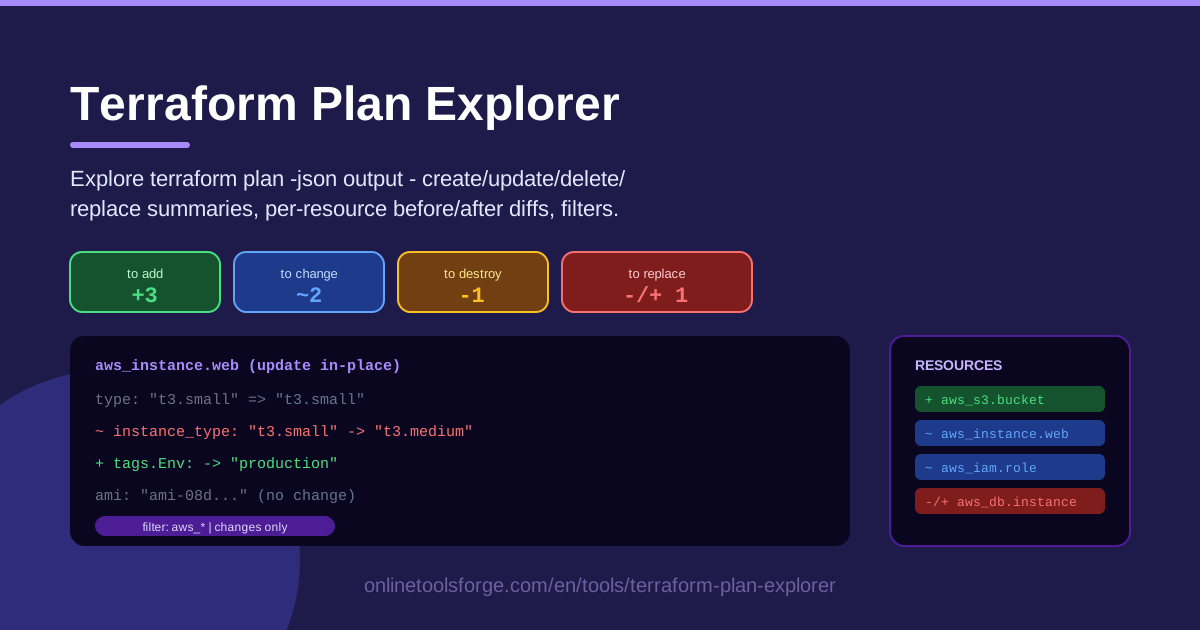
Table of Contents
Every risky infrastructure change should be caught before it happens, and the plan is where that happens. The problem is that reviewing plans is awkward: the colored terminal output is painful to share, while the machine-readable terraform plan -json output is a stream of JSON lines no reviewer wants to scroll through. The Terraform Plan Explorer closes that gap — paste your plan JSON and get readable summaries and diffs instantly.
The tool is built for the review moment. Paste the output of terraform plan -json and you immediately see how many resources will be created, updated, deleted, and replaced. From there, open any resource to inspect a clean before/after diff of exactly the attributes that changed. Everything runs client-side, so nothing about your infrastructure leaves your browser.
In this guide we cover why structured plan review matters, how to use the tool step by step, and how experienced reviewers actually read a plan — the habits that catch accidental database replaces before they reach production.
Why Use Terraform Plan Explorer?
- Human-readable diffs from machine JSON. The -json flag produces output designed for machines, not people. This tool translates that stream into side-by-side before/after diffs you can actually read.
- Instant change summary. Counts of creates, updates, deletes, and replaces appear the moment you paste, answering "is this change destructive?" in seconds.
- Replace visibility. Replacement is the scariest action in any plan. The summary and filters surface replaces instead of letting them hide among dozens of routine updates.
- Filterable resource views. Big plans touch hundreds of resources. Filter by action or search by name to focus on the databases and IAM policies that matter.
- Privacy by design. Parsing happens entirely in your browser. Plans often reveal CIDR ranges, hostnames, and naming conventions — with this tool, none of it is uploaded anywhere.
- Zero setup. No install, no account, no plugins. Reviewers who never run Terraform themselves can still review plans properly.
Key Features
| Feature | What it does |
|---|---|
| Plan JSON paste | Accepts the full output of terraform plan -json and parses it locally in your browser. |
| Change summary | Shows at-a-glance counts of resources to be created, updated, deleted, and replaced. |
| Per-resource diffs | Displays before/after values for every changed attribute on each resource. |
| Filterable resource list | Narrow the view by action type or resource name to cut a large plan down to size. |
| Client-side parsing | Nothing is uploaded; all parsing and rendering happen on your machine. |
A few details worth knowing:
- The summary works as a triage board: a replace count of zero means you can move quickly; anything above zero means slow down.
- Diffs are limited to changed attributes, so you review what is changing instead of re-reading whole resource bodies.
- The parser handles realistic plans — hundreds of resource_changes entries and deeply nested attribute maps included.
How to Use Terraform Plan Explorer
- Run the plan with JSON output. In your Terraform project, run terraform plan -json and capture the stream — redirect it to a file, or copy it from your terminal or CI log.
- Paste the output into the tool. Drop the entire stream into the input area. Parsing starts immediately and happens entirely client-side.
- Read the summary counts. Start with the create, update, delete, and replace totals and check the shape matches the intent of the change.
- Open a resource diff. Click into any resource to see its before/after attributes. Read each changed pair and flag anything that disappears or shifts unexpectedly.
- Filter to what matters. Use the action filter or name search to isolate replaces first, then security-sensitive resources, then skim the rest.
Reading Plans Like a Reviewer
Every planned resource carries one of four actions, and each deserves a different level of scrutiny.
Create is the least risky: a new resource appears and nothing existing is touched. Confirm only that it belongs and is named sensibly. Update modifies a resource in place — the bread and butter of Terraform, but exactly where accidental changes hide, which is why the before/after diff is your main reading surface. Delete removes a resource entirely; it should always come with a stated reason, because legitimate deletes are rare in routine changes.
Replace is the dangerous one. A replace means Terraform will destroy the existing resource and create a new one in its place, usually because an attribute changed that cannot be updated in place (a force_new attribute). For a tag on an instance, a replace is annoying. For a database, a load balancer, or a KMS key, it can mean downtime, data loss, or cascading failures in everything that references the old resource. This is why you filter by replace first — that count matters more than any other number in the summary.
When reading before/after diffs, watch for three patterns: values that silently change to a computed placeholder (often a sign of a dependent change), attributes that vanish entirely, and security-relevant fields — IAM policies, security group rules, public IP flags — where a one-line diff is a big deal.
One caution on sensitive values: Terraform masks sensitive values in plan output, but plan JSON still exposes a great deal about your infrastructure. Treat it like a confidential artifact — paste it into a client-side tool like this one, not into random websites or public issues.
What belongs in a PR comment? The summary counts, a justification for every replace and delete, the key diffs for security-relevant changes, and anything that surprised you. That is the difference between a reflexive "LGTM" and a real review.
Practical Use Cases
PR Review Evidence
When CI posts plan JSON on a pull request, paste it into the tool and attach the summary plus the two or three most important diffs to your review comment. Reviewers get evidence instead of a wall of ANSI-colored terminal noise, and approval becomes a decision about real changes.
Catching Accidental Replaces of Databases
The classic incident: someone bumps an instance size or renames an identifier, and an unrelated attribute quietly forces the database to be recreated. Filtering the plan by the replace action surfaces this instantly — one look at a replace count next to your production database is enough to stop the apply and fix the configuration.
Auditing Drift Fixes
After someone changes infrastructure by hand, the next plan shows a wall of updates as Terraform reconciles reality with code. Walking those diffs confirms two things: the reconciliation matches what actually happened, and no manual change someone wanted to keep is about to be silently reverted.
Teaching Juniors to Read Plans
Plan reading is a skill, and a terminal is a harsh classroom. Open a real plan in the tool with a junior engineer, walk the summary, then a few diffs, and discuss which changes deserve extra scrutiny. They learn actions, diff patterns, and risk instincts without touching production.
Best Practices
- Always read the plan before every apply. Even "trivial" changes cascade; the plan is the only truthful preview you get.
- Filter by replace first. Make zero-replaces an explicit checkpoint before approving any pull request.
- Check IAM and security group diffs twice. Small policy changes have outsized security impact; read them line by line.
- Treat plan JSON as confidential. It reveals infrastructure internals; keep it in access-controlled CI artifacts and client-side tools only.
- Attach summaries to PRs. Counts and key diffs make reviews evidence-based and searchable later.
- Make plan review a gate. Require a reviewer comment that summarizes the change before apply is allowed.
Ready to make plan review the strongest part of your workflow? Open the Terraform Plan Explorer, paste your next terraform plan -json output, and see your infrastructure change in plain language before anything touches production.
Related Tools You Might Like:
- Env to TFVars Convert — turn .env files into terraform.tfvars format.
- JSON Formatter — pretty-print and validate any JSON payload.
- JSON to YAML Converter — switch structured config between formats.
Happy shipping!
Frequently Asked Questions
Q: Does Terraform Plan Explorer upload my plan anywhere? A: No. All parsing happens client-side in your browser. The plan JSON never leaves your machine, which is why the tool is safe for infrastructure data that should stay internal.
Q: What exactly is terraform plan -json output? A: It is Terraform's machine-readable plan format: a stream of JSON events describing the proposed changes, including a resource_changes section with before/after values for each resource. Run terraform plan -json instead of a plain plan to produce it.
Q: What is the difference between delete and replace? A: A delete removes a resource and nothing replaces it. A replace destroys the existing resource and creates a new one in its place, which resets state, IDs, and in many cases data — so replaces are usually the riskier action.
Q: Is the tool free to use? A: Yes. Terraform Plan Explorer is free, requires no account, and works in any modern browser with no installation.