Thai Withholding Tax Calculator: WHT Rates and PND Forms Solved
Compute Thai withholding tax by income type — service, rent, professional, contract, copyright, advertising — with gross and net solve mode and PND form hints. Free in-browser.
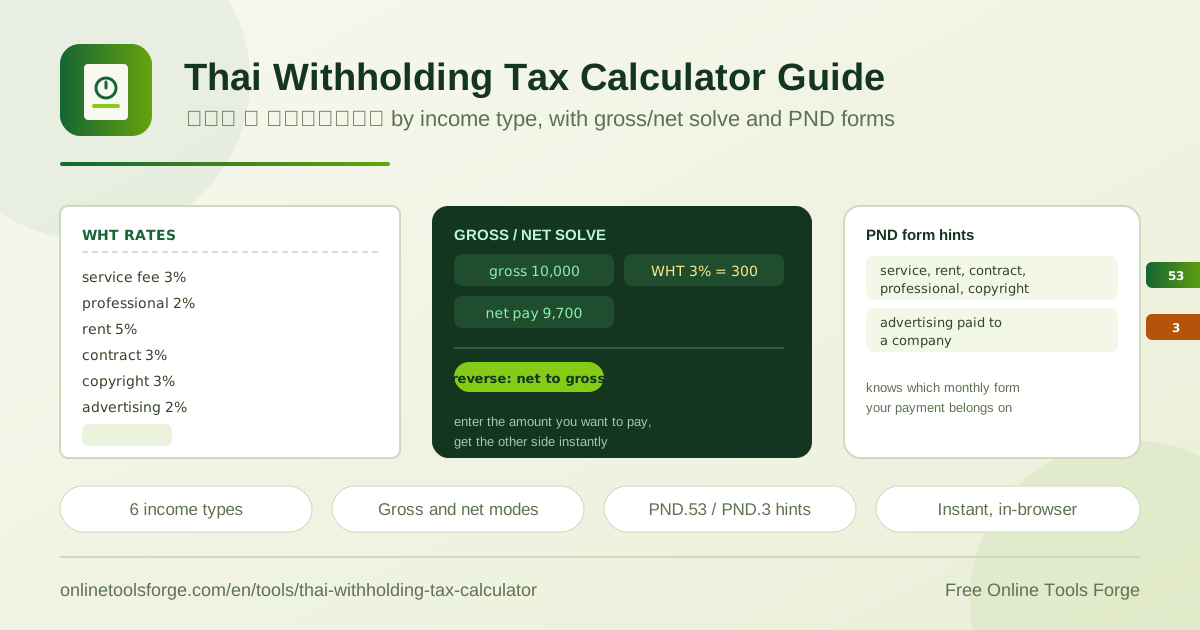
Table of Contents
If you invoice clients in Thailand, you have probably noticed that the money arriving in your bank account is smaller than the figure on your invoice. That gap is withholding tax — หัก ณ ที่จ่าย — a tax the payer deducts at the moment of payment and remits to the Revenue Department on your behalf. The free Thai Withholding Tax Calculator makes the deduction transparent: pick an income type, enter a gross amount, and instantly see the withholding amount, the net payment, and the monthly PND form the payer should file.
The tool covers the six most common WHT categories — service fees, professional fees, rent, hire of work, copyright, and advertising — with official rates from 2% to 5%. It also works in reverse: if you want a specific net amount after withholding, the net solve mode tells you exactly what gross figure to invoice. Everything runs 100% in the browser with no signup, so you can check the numbers mid-call or seconds before you press send.
Why Use the Thai Withholding Tax Calculator?
- Correct rate by income type. Service 3%, professional 2%, rent 5%, hire of work 3%, copyright 3%, and advertising 2% are preloaded, so you never guess the percentage.
- Gross and net solve modes. Enter a gross amount to see the net, or enter your target net and solve for the gross you should bill.
- PND form hints. Each income type is tagged with its monthly withholding form, so deductions land on PND.53 or PND.3 correctly.
- Instant in-browser results. All math runs on your device — no account, no upload, and results update as you type.
- Fewer payment disputes. Stating the expected deduction on the invoice prevents surprises when the client remits 3% less than you billed.
- Free and unlimited. Run as many scenarios as you need for services, rent, and advertising contracts at no cost.
Key Features
| Feature | What it does |
|---|---|
| Six income types | Service fee 3% (PND.53), professional fee 2% (PND.53), rent 5% (PND.53), hire of work 3% (PND.53), copyright 3% (PND.53), advertising 2% (PND.3) |
| Withholding and net calculation | Computes the amount withheld and the resulting net payment from any gross figure |
| Reverse net-to-gross solve | Works backward from a desired net payment to the gross invoice amount |
| PND form hints | Shows which monthly withholding return each income type belongs on |
| Instant results | All calculations run locally in the browser; nothing is sent to a server |
Two details deserve a callout. The rates follow the Revenue Department schedule for specific income categories — rent sits at 5% while professional fees sit at 2%. And the reverse mode earns its place in negotiations: when a client can pay only 9,700 baht net for a service, you solve for the 10,000 baht gross to invoice instead of doing trial-and-error arithmetic.
How to Calculate Withholding Tax
- Choose the income type. Service fee, professional fee, rent, hire of work, copyright, or advertising — each carries its own rate and form.
- Choose the direction. Gross-to-net to check what you will receive, or net-to-gross to work out what to bill.
- Enter the amount. The gross invoice value, or your target net payment when solving in reverse.
- Read the results. The calculator shows the withholding amount and the net payment instantly.
- Note the form hint. Confirm which PND form the income type maps to and share it with the accounts payable contact.
Thai WHT Rates by Income Type
Thai withholding tax is a pay-as-you-go collection mechanism. Rather than waiting until year-end, the Revenue Department requires the payer making the payment to deduct a percentage based on the nature of the income and remit it with a monthly withholding return. The payee receives a withholding tax certificate and credits that amount against the annual tax return. In practice, every agency payment, office lease, and advertising booking starts with the same question: how much should be withheld?
The answer depends on the income type, which is why the calculator asks for it first.
| Income type | WHT rate | Form shown in the tool |
|---|---|---|
| Service fee | 3% | PND.53 |
| Professional fee | 2% | PND.53 |
| Rent | 5% | PND.53 |
| Hire of work (contract) | 3% | PND.53 |
| Copyright | 3% | PND.53 |
| Advertising | 2% | PND.3 |
PND.53 versus PND.3. Thailand has two monthly withholding returns. PND.3 is filed by individual payers who withhold from payments, while PND.53 is filed by companies and juristic partnerships. The tool reflects this split — advertising fees are tagged PND.3, while the service, professional, rent, contract, and copyright categories are tagged PND.53. As the payer, the hint tells you which return to use; as the payee, it tells you which form your client is likely filing.
Gross versus net invoicing. An invoice for 10,000 baht of services does not produce a 10,000 baht transfer. The payer deducts 300 baht, remits it to the Revenue Department, and pays you 9,700.
Service fee, gross 10,000 THB, rate 3%
Withheld: 10,000 x 3% = 300 THB
Net paid: 10,000 - 300 = 9,700 THB
The reverse net-to-gross solve. To land on 9,700 net at 3%, divide 9,700 by 0.97 and invoice 10,000 gross. The calculator does this instantly, removing the most error-prone step in WHT planning — without it, freelancers often invoice the amount they want to receive and silently lose 2% to 5% of the fee.
The monthly filing flow. Deductions happen continuously, but reporting is monthly: the payer totals the withholding made during the month, files the matching return, and remits the tax. For payees, the certificate attached to each payment is the proof of tax already paid at annual filing time. Because the invoice, the certificate, and the PND return all need to reconcile, checking the figures with the calculator beforehand prevents mismatches.
One caveat: rates and filing rules can change, and exemptions or special cases exist. Treat these figures as informational and confirm specifics with the Revenue Department or a qualified Thai accountant.
Practical Use Cases
Invoicing as a Freelancer
A designer agrees to 20,000 baht of work for a marketing agency, classified as a service fee. At 3%, the agency withholds 600 baht and pays 19,400. Checking first lets the designer state the net figure on the invoice — or, if the target is 20,000 net, switch to reverse mode and bill about 20,619 gross.
Corporate Payer Filing Monthly WHT
An accounts payable team pays a law firm (professional fee, 2%), a landlord (rent, 5%), and a fit-out contractor (hire of work, 3%) in one month. Each payment gets its own withholding calculation, its own certificate to the vendor, and its own line on the PND.53 return — all verifiable before filing.
Rent Agreements and Landlords
Commercial rent is withheld at the highest rate in the tool: 5%. A landlord collecting 50,000 baht per month should expect 47,500 to arrive, and the tenant should budget the 2,500 baht monthly remittance. Checking both sides with one tool prevents the classic dispute over which rate applies.
Verifying Vendor Quotes
Competing quotes are not directly comparable when vendors expect different net amounts. Converting each quote to gross terms reveals the true cost, including the tax the company must withhold and remit, and flags any quote whose implied rate does not match the claimed income type.
Best Practices
- Classify the income first. The rate follows the nature of the payment, not the job title of the payee.
- Put the WHT expectation on the invoice. A short line noting the rate and net amount avoids a tense follow-up call.
- Keep every withholding certificate. Certificates are the evidence you credit against your annual tax return.
- Use reverse mode for net targets. Decide what you need to receive, then solve for gross — never the other way around.
- Reconcile before month-end filing. Payers should confirm each certificate matches the deductions totalled on the PND return.
- Ask a professional about edge cases. Exemptions, cross-border payments, and mixed-purpose contracts carry rules this calculator does not model.
Ready to take the guesswork out of your next invoice? Open the free Thai Withholding Tax Calculator, pick your income type, and see the exact deduction, net payment, and PND form in seconds — right in your browser, no signup needed.
Related Tools You Might Like:
- Thai Salary Calculator — estimate net monthly salary after income tax and social security.
- VAT Calculator — add or remove the 7% VAT from any price.
- Tax Calculator — work through Thai personal income tax brackets end to end.
Happy accounting!
Frequently Asked Questions
Q: What is Thai withholding tax and who deducts it?
A: It is a tax the payer deducts from certain income types at the moment of payment and remits to the Revenue Department. The payee receives the net amount plus a certificate for the amount withheld, which is credited against the annual tax return.
Q: Which PND form applies to my income type?
A: In the calculator, service fees, professional fees, rent, hire of work, and copyright are tagged PND.53 (filed by companies and juristic partnerships), while advertising is tagged PND.3 (filed by individual payers). The exact form can depend on who the payer is, so treat the hint as guidance for special cases.
Q: How do I find the gross invoice amount for a desired net payment?
A: Use the reverse net-to-gross mode. Enter your target net and the tool divides it by one minus the rate — 9,700 baht net at 3% requires a 10,000 baht gross invoice. Doing this by hand is easy to get wrong, which is why the solve mode is built in.
Q: Are these rates official and always current?
A: The tool uses the standard published rates for the six covered income types and is meant as a quick reference, not formal tax advice. Rates and rules can change, and exemptions may apply, so confirm important figures with the Revenue Department or a licensed Thai accountant before filing or invoicing.