UFW Rules Generator: Build Ubuntu Firewall Commands Without the Syntax Risk
Generate ufw allow, deny, reject and limit commands with port ranges, TCP/UDP selection and source IP rules — copy-paste ready Ubuntu firewall syntax, 100% client-side.
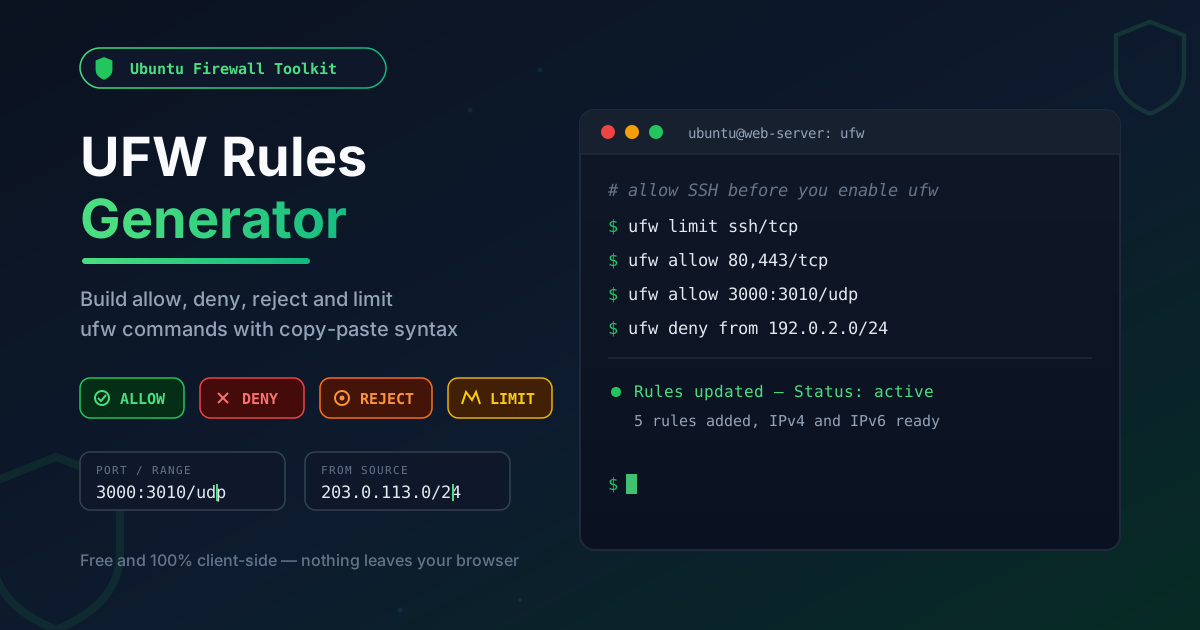
Free Interactive Tool
UFW Firewall Rules Generator
Generate Ubuntu ufw allow, deny, reject, and limit commands with port ranges and source CIDRs. Copy a review-ready bash script.
Table of Contents
UFW — the Uncomplicated Firewall — made host firewalls human-readable on Ubuntu: instead of parsing iptables chain syntax, you type ufw allow 80/tcp and move on. That readability is why it became the default, but the command line is still unforgiving. Swap deny for allow by accident, fat-finger a port, or run ufw enable before permitting SSH, and one small typo locks you out of your own server over SSH.
The UFW Rules Generator takes that syntax risk out of the equation. Pick a verb — allow, deny, reject or limit — enter a port or range, choose TCP or UDP, and optionally scope it to a source IP or CIDR. The tool emits the exact command, copy-paste ready for your terminal or provisioning script. Everything runs 100% client-side, so your rule details never leave the browser.
Why Use UFW Rules Generator?
- The SSH lockout, prevented by design — Running ufw enable before an allow rule for SSH ends admin sessions mid-command. Keep the right sequence: SSH rule first, enable second, live session open while you verify.
- Correct verb behavior, no guesswork — deny, reject, and limit are not interchangeable, and picking the wrong one changes how your server answers scanners.
- Port ranges handled precisely — Range syntax like ufw allow 3000:3010/tcp is easy to mangle by hand; a malformed range fails silently or opens too much.
- Source scoping without memorizing argument order — A rule like ufw allow from 203.0.113.0/24 to any port 5432 proto tcp is hard to recall — fill in fields instead.
- Private by default — Everything runs in your browser; your rule set never touches a server.
Key Features
| Feature | What It Does |
|---|---|
| Four rule verbs | Build allow, deny, reject, and limit rules for any port |
| Port and port-range rules | Single ports or colon-delimited ranges such as 3000:3010 |
| TCP/UDP protocol selection | Attach the right protocol to every rule |
| From-source IP option | Restrict any rule to one address or a whole CIDR block |
| Copy-paste ready syntax | Output is valid ufw grammar you can paste straight into a shell |
| 100% client-side | All generation happens in the browser; no data is transmitted |
The commands are standard ufw grammar, and the form mirrors how you think — allow this port to this source — instead of how ufw orders its arguments.
How to Use
- Choose the verb — allow to open traffic, deny or reject to close it, limit for rate-limited services like SSH.
- Enter the port or range — a single port such as 443, a range such as 3000:3010, or a service name.
- Select the protocol — TCP, UDP, or both, depending on how the service communicates.
- Optionally set a source — add an IP or subnet so the rule only applies to trusted origins.
- Copy and apply in order — add your SSH rule before running ufw enable, then verify with ufw status.
Allow, Deny, Reject, Limit
The four verbs look similar and behave very differently.
allow permits matching traffic. It is the workhorse: web ports, database ports scoped to an application subnet, monitoring endpoints. Anything unmatched falls to the default policy, which is why ufw default deny incoming pairs so well with a short list of allows.
deny silently drops matching packets: no refusal, no error, no hint the port exists. reject actively refuses the connection, returning an ICMP port-unreachable message or a TCP reset. That matters for scanning: a denied port forces a scanner to wait out a timeout per packet, while a rejected port answers instantly and confirms the host is alive. Practical rule: deny on internet-facing surfaces, reject on internal networks.
limit is ufw's built-in anti-brute-force trick. ufw limit ssh/tcp allows at most six new connections from one IP within thirty seconds; further attempts are dropped and logged. Not a replacement for key-based authentication, but it throttles password-guessing bots without a separate daemon.
Range syntax follows the same pattern: ufw allow 80/tcp, ufw allow 5353/udp, and ufw allow 3000:3010/tcp — ranges carry the protocol suffix too. Service names also resolve, but explicit port numbers are less ambiguous in scripts.
From-source rules narrow any verb to specific origins: ufw allow from 203.0.113.7 to any port 22 proto tcp opens SSH to one administrator, while a CIDR covers a whole office. Scoping admin and database ports this way removes entire classes of attack.
Ordering matters because ufw evaluates rules first match wins. An early broad allow shadows a later deny, so an exception must come first — ufw insert 1 deny from 192.0.2.100 pushes a rule to the top instead of appending it where it never fires.
The safe enable sequence inverts beginner instinct: add the SSH rule while the firewall is inactive, then enable:
ufw default deny incoming
ufw default allow outgoing
ufw limit ssh/tcp
ufw allow 80/tcp
ufw allow 443/tcp
ufw enable
That is the complete rule set for a typical web server: SSH rate-limited, HTTP and HTTPS open, everything else denied by default.
Practical Use Cases
VPS Initial Setup
The first ten minutes of a new server are when lockouts happen. Generate the allow rule for your SSH port and switch it to limit immediately, add your web ports, set default policies, and only then enable the firewall, keeping a live session open to confirm the second login.
Self-Hosted Services
A homelab stack accumulates ports fast: media server, dashboard, a handful of Docker-published services. Generate allows for the ranges your services actually use — ufw allow 3000:3010/tcp for a cluster of Node apps — and deny the rest.
IoT Appliance Lockdown
A Raspberry Pi facing the internet needs the tightest rules you own: allow SSH (limited), allow the one service the device exists to provide, deny everything else. Three commands, generated in seconds, and the device stops being an open door on your network.
Staging Environments
Staging servers hold real data but should not be publicly discoverable. Instead of a broad allow, generate a from-source rule for your office or VPN CIDR and let default deny handle the rest of the internet.
Best Practices
- Keep an active SSH session open while testing — apply the rules, then log in on a second session before closing the first.
- Use ufw status numbered before deletes — deleting by number is precise; deleting by text can remove the wrong copy of a similar rule.
- Start from default deny incoming — deny-by-default plus a short list of explicit allows is far easier to audit than exceptions to a permissive default.
- Order rules deliberately — put specific deny or limit rules ahead of broad allows and re-check after every insertion.
- Enable logging when a rule misbehaves — ufw logging on writes blocked packets to the kernel log and turns guesswork into answers.
- Treat the rule set as code — keep the generated commands in a provisioning script so the policy is versioned and re-creatable in minutes.
Lock Down Your Next Server With Confidence
Firewall configuration should be a five-minute task, not a risky ritual. Open the UFW Rules Generator, build your allow, deny, reject, and limit rules with structured fields and copy-paste-ready syntax, and ship a rule set you can explain line by line — free and entirely in your browser.
Related Tools You Might Like:
- SSH Config Generator — stop retyping hostnames, ports, and users with clean per-host SSH config entries
- Nginx Log Analyzer — see which IPs and requests your web server actually faces before finalizing rules
- AWS IAM Policy Builder — apply the same least-privilege thinking to cloud permissions with validated IAM policy JSON
Happy rule building!
Frequently Asked Questions
Q: Does the UFW Rules Generator connect to my server?
A: No. The tool is entirely client-side: it generates the ufw commands locally in your browser and nothing is transmitted anywhere. Applying them to a server remains a manual step.
Q: Should I use deny or reject for closed ports?
A: Prefer deny on internet-facing servers: a silent drop tells a scanner nothing and slows enumeration. Use reject on internal networks, where immediate refusal gives users fast failure and clearer errors.
Q: What does ufw limit actually do to SSH?
A: It rate-limits new connections: at most six from one IP within thirty seconds, with anything beyond that dropped and logged. Combined with key-based authentication, brute-forcing SSH becomes impractical.
Q: Can I use the generated commands in a provisioning script or cloud-init?
A: Yes. The output is standard ufw grammar, so it works in a terminal, a bash script, or cloud-init user data. Keep the ordering discipline: policies and the SSH rule first, ufw enable last.