VAPID Key Generator: Create Web Push Key Pairs in Your Browser
Generate Web Push VAPID key pairs (P-256 ECDSA) in your browser with public and private keys in base64url format. Free, instant, and 100% client-side.
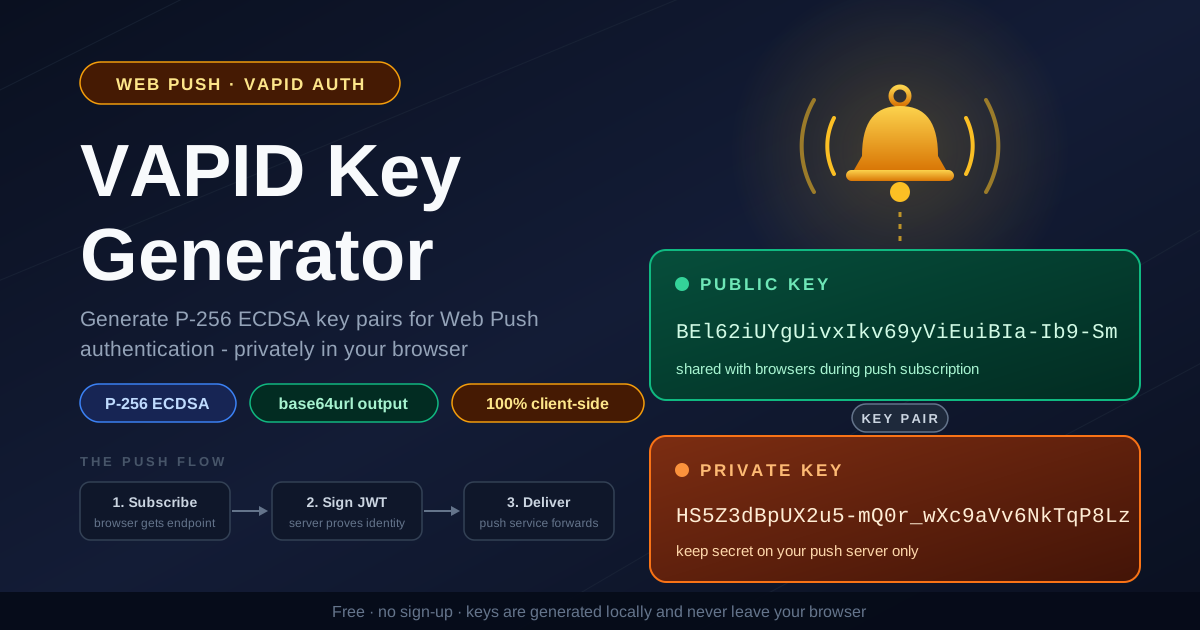
Free Interactive Tool
Web Push VAPID Key Generator
Generate VAPID key pairs for Web Push notifications using the Web Crypto API. P-256 keys in base64url format, generated entirely in your browser.
Table of Contents
If you ship web push notifications, browser push services require your server to prove its identity before they will accept a single message. Web push requires VAPID keys to prove your server's identity to push services, and every subscription a browser hands you is cryptographically bound to one specific key pair. Get it wrong and the whole notification pipeline inherits the mistake.
The free VAPID Key Generator creates that pair for you in seconds. It uses the browser's built-in Web Crypto API to produce a genuine P-256 ECDSA key pair and returns both halves in base64url format (RFC 4648, section 5, no padding) — exactly what push libraries expect. Everything runs client-side, so the private key never touches a server.
This guide covers what the tool produces, where each key belongs, and how to avoid stranding real users' subscriptions.
Why Use VAPID Key Generator?
- The private key never leaves your machine. Keys are generated in-browser via the Web Crypto API — no upload, no server-side logging, no stored copy. Disconnect from the network after the page loads and it still works.
- Correct encoding, first time. The output is base64url per RFC 4648 section 5: URL-safe characters, no = padding. The strings drop straight into applicationServerKey and libraries such as web-push or pywebpush without manual conversion.
- Standard P-256 ECDSA keys. The Web Push specifications (RFC 8291 for encryption, RFC 8292 for VAPID) require the P-256 curve, so these keys interoperate with every major push service.
- No toolchain required. Normally you would reach for an openssl incantation or an npm package just to mint a key. Here there is no CLI — open the page and click generate.
- Free and registration-free. No account, no API key, no usage limits.
Key Features
| Feature | What You Get |
|---|---|
| Algorithm | P-256 ECDSA key pair via the Web Crypto API |
| Public key | base64url string, RFC 4648 section 5, no padding |
| Private key | base64url-encoded raw private scalar |
| Runtime | 100% client-side — works offline after page load |
| Output | Copy-ready strings for client and server |
| Privacy | Nothing transmitted, logged, or stored |
Two details worth knowing:
- The public key is a 65-byte uncompressed EC point starting with the 0x04 marker byte, which is why base64url VAPID public keys almost always begin with B — a handy sanity check.
- Both keys are displayed together once. There is no account to recover them from, so copy and store both immediately.
How to Use
- Open the VAPID Key Generator. No sign-up or installation; it runs in any modern browser.
- Click the generate button. The Web Crypto API produces a fresh P-256 ECDSA key pair and displays both keys in base64url format.
- Copy and store both keys immediately. The private key goes into your secrets manager or server environment; the public key stays with your application configuration. The tool cannot recover the keys later.
- Wire each key to its side. Pass the public key as applicationServerKey in the browser's subscription call, and load the private key from an environment variable on your push server.
- Send a test notification. With both halves in place, push one message end-to-end and confirm subscription and delivery work before you roll out.
What VAPID Actually Does
The push flow: browser, push service, your server
Web push involves three roles. The browser subscribes by contacting a push service, which returns a subscription endpoint URL plus encryption material (p256dh and auth keys). The push service — run by Google, Mozilla, Apple, or Microsoft — stores messages briefly and delivers them to the browser. Your application server decides when to send and calls the endpoint. VAPID is the contract between that last party and the push service.
How VAPID authenticates your server
Every send request carries a JSON Web Token signed with the VAPID private key using ES256 (ECDSA on P-256). The token declares a subject (sub, a contact URL), an audience (aud, the push service origin), and an expiry (exp), and travels in the Authorization header. The push service verifies the signature against the public key stored with the subscription, confirming the request comes from the legitimate application server rather than an impersonator — the same mechanism push services use to attribute and rate-limit senders.
Why P-256 and base64url
The specification mandates P-256 for both VAPID signatures and message encryption, so the generator uses the Web Crypto P-256 primitives directly. base64url matters because these keys travel through URLs, HTTP headers, and JSON payloads where standard base64 cannot survive: it uses + and /, which break inside URLs, plus = padding that some parsers reject. base64url substitutes - and _ and strips the padding, keeping the strings intact everywhere they must live.
Where each key goes, and when to rotate
The public key belongs on the client side: it is passed as applicationServerKey during pushManager.subscribe(), and the push service stores it with the subscription. The private key belongs only on your server, loaded from an environment variable or secret manager — anyone holding it can send push messages as your application. Subscriptions stay bound to the pair active at subscribe time, so rotating keys makes the push service reject old ones until each user re-subscribes. Rotation is sometimes necessary, such as after a suspected leak, but treat it as a planned event.
Practical Use Cases
Adding web push to a PWA
If you are building an installable PWA with re-engagement notifications, VAPID is the entry ticket. Generate one pair, wire the public key into your subscription flow, and you get standards-compliant push across Chrome, Firefox, Edge, and Safari.
Notification servers and background jobs
Most real push traffic originates from backend processes — cron runners, queue workers, event pipelines. Each needs the private key as configuration, and a clean base64url string from the generator slots directly into VAPID_PRIVATE_KEY-style environment variables used by web-push (Node.js) or pywebpush (Python).
Multi-environment key sets
Good practice is one pair per environment: development, staging, and production each get their own. A staging misconfiguration then cannot spam real users, and a leaked development key has no production value.
Debugging and teaching the push flow
Because the tool shows both halves of the pair side by side with the correct encoding, it doubles as a teaching aid: teams can see which string belongs in applicationServerKey versus the server environment — confusing the two is the most common cause of failed subscription setups.
Best Practices
- Treat the private key like a password. Store it in a secrets manager or server-only environment variables; never commit it to version control or embed it in client code.
- Generate one pair per environment. Isolate development, staging, and production so a credential from one can never act as another.
- Keep a secure backup. A lost private key is unrecoverable, and replacement strands every existing subscription until users re-subscribe.
- Plan rotation deliberately. Announce it, pair it with a re-subscription prompt in your app, and watch subscription counts around the cutover.
- Use the exact encoding the tool outputs. base64url without padding is what libraries expect; do not PEM-wrap the keys or introduce line breaks.
- Remember only the private half is secret. The public key ships in client code by design; the private key is the half that needs protection.
Ready to Generate Your Keys?
Open the free VAPID Key Generator, click generate, and hold a correct P-256 key pair in base64url format within seconds — entirely in your browser, the private key never leaving your machine.
Related Tools You Might Like:
- WebAuthn Data Decoder — inspect WebAuthn structures that also rely on COSE P-256 keys
- OpenSSL Command Generator — build openssl commands for keys and certificates
- Hash Type Identifier — recognize and classify unknown hash strings
Frequently Asked Questions
Q: Are the generated keys sent to any server?
A: No. The key pair is created in your browser with the Web Crypto API, then displayed and copied locally. The tool keeps working even with the network disconnected after the page loads.
Q: Can I use these keys with the web-push npm package or pywebpush?
A: Yes. Both accept base64url VAPID keys exactly as the tool outputs them. Pass the public key as applicationServerKey on the client and configure the private key in your server's push setup.
Q: What happens if I lose the private key?
A: It cannot be recovered. A new pair leaves every existing subscription bound to the old public key, and pushes to them get 403 responses until users re-subscribe — exactly why an immediate backup matters.
Q: Do I need separate VAPID keys for different sites?
A: Yes. VAPID identifies an application server per origin, so sharing one pair across distinct sites defeats attribution and rate-limiting.
Happy pushing!