WebAuthn Data Decoder: Decode Passkey Payloads in Your Browser
Decode WebAuthn passkey registration and authentication payloads: clientDataJSON, attestationObject CBOR, authenticator flags, AAGUID, credential ID and COSE public key — 100% in-browser.
Free Interactive Tool
WebAuthn Data Decoder
Decode WebAuthn and FIDO2 passkey payloads: clientDataJSON, attestationObject CBOR, authenticator flags, AAGUID, credential ID and COSE public key, entirely in your browser.
Table of Contents
Passkeys are everywhere now. They protect your Google, Apple, and Microsoft accounts, and every major browser and mobile platform exposes the WebAuthn API behind them. If you build software, chances are you will implement or debug passkeys this year.
There is a catch. When a ceremony completes, the browser hands you base64 wrapping binary CBOR, containing hashed fields, bit-packed flags, and an encoded public key. Nobody can read that by eye, and most tutorials stop at "call the verification library."
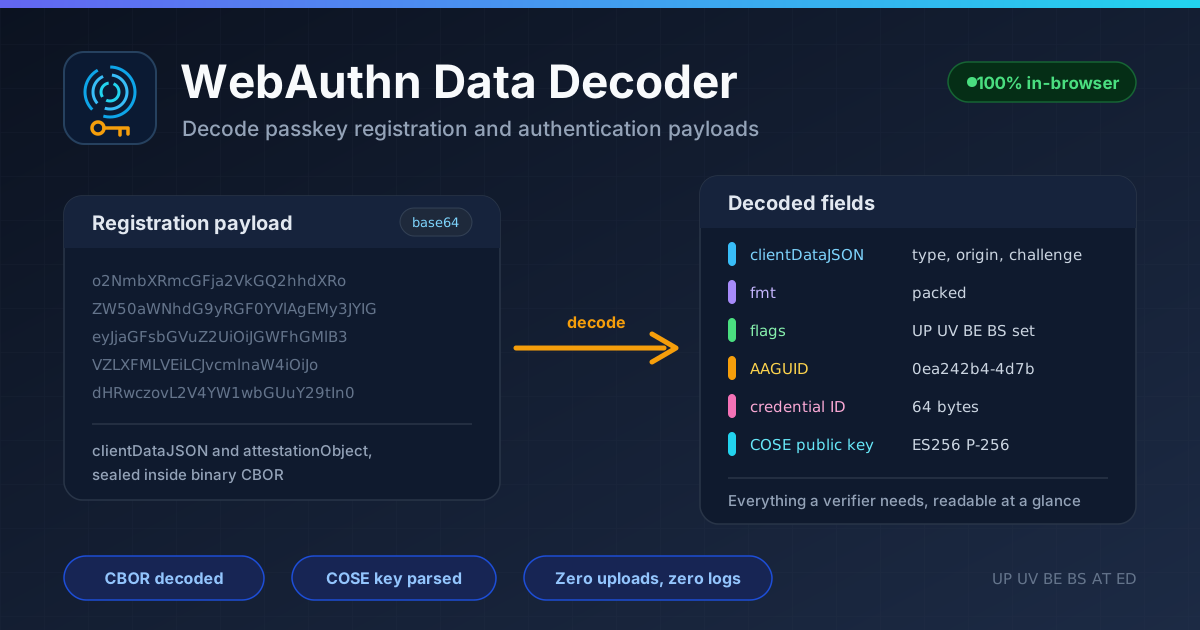
That is the gap the WebAuthn Data Decoder fills. Paste the full registration or authentication JSON object — clientDataJSON plus attestationObject or authenticatorData — and it decodes clientDataJSON, parses the CBOR attestation, breaks down flags such as UP and UV, and extracts the AAGUID, credential ID, and COSE public key. It runs 100% in your browser, so nothing sensitive leaves your machine.
Why Use WebAuthn Data Decoder?
- Debug passkey registration failures faster — When the server rejects a registration with a generic error, decode it and spot a wrong relying party ID, unexpected format, or missing flag in seconds.
- Verify flags server-side with confidence — The UP, UV, BE, and BS bits drive real policy decisions. Seeing which flags the device set confirms your checks match reality.
- Understand what verification libraries do — Libraries are black boxes until you see the structures they consume; a decoded payload shows what each field means.
- Identify authenticators by AAGUID — The authenticator model identifier embedded in every registration, telling platform authenticators, hardware keys, and password managers apart.
- Inspect payloads without shipping secrets — Challenges and credential material stay local, because all parsing happens in your browser.
- Teach and learn WebAuthn concretely — Abstract specs make more sense with a real decoded example on screen.
Key Features
| Feature | What it shows |
|---|---|
| clientDataJSON decoding | type, challenge, and origin values |
| attestationObject CBOR parsing | format, authenticator data, attestation statement |
| Authenticator flag breakdown | UP, UV, BE, BS, AT, and ED bits explained |
| AAGUID extraction | the 16-byte authenticator model identifier |
| Credential ID output | the credential identifier bytes |
| COSE public key display | algorithm and parameters, such as ES256 with P-256 |
| 100% in-browser processing | no uploads, no logs, decoding on your device |
- Paste the whole JSON object returned by navigator.credentials — no manual base64 steps.
- Handles both registration and authentication responses, and every parse step runs locally in JavaScript.
How to Use
- Capture the WebAuthn response — Log the credential object returned by navigator.credentials, or grab the payload your client sent to the server.
- Paste it into the decoder — Open the WebAuthn Data Decoder and paste the full JSON object.
- Review the decoded clientDataJSON — Check the type, challenge, and origin. This alone resolves many invalid-challenge and origin-mismatch bugs.
- Inspect the CBOR and authenticator data — Walk the flags, sign counter, AAGUID, credential ID, and COSE public key, and confirm they match expectations.
- Compare against your server's expectations — Verify that your relying party ID, allowed algorithms, and flag policies line up with what the authenticator sent.
Inside a Registration Payload
A registration response is an envelope inside an envelope, and the layers explain most failures.
The Envelope: clientDataJSON
This base64-encoded browser-generated JSON holds the three fields that matter most:
- type — webauthn.create for registrations, webauthn.get for authentications; a mismatch means the ceremony got mixed up.
- challenge — The challenge your server issued; it must equal your stored value or the response could be a replay.
- origin — The page origin that performed the ceremony; mismatches are among the most common failures, especially across subdomains.
The CBOR Core: attestationObject
The attestationObject is base64-encoded CBOR — a compact binary format — holding a map with three keys:
- fmt — The attestation format, such as packed, fido-u2f, or none, determining how the statement is verified.
- attStmt — The attestation statement: signatures and certificates attesting to the model. Empty for none.
- authData — The authenticator data, where the interesting bytes live.
The Authenticator Data Layout
The authData byte string is densely packed, and the decoder walks it for you:
- rpIdHash — The first 32 bytes: a SHA-256 hash of the relying party ID; it must match your domain.
- flags — One byte of bits: UP (user present), UV (user verified), BE (backup eligibility), BS (backup state), plus AT and ED.
- signCount — A four-byte counter that detects cloned authenticators.
- AAGUID — Sixteen bytes identifying the authenticator model.
- credential ID — A length-prefixed identifier for the new credential.
- COSE public key — The credential public key, typically ES256 over P-256, verified later by your server.
What Your Server Must Check
Decoding locally is a learning tool; the security decisions belong on the server. Verify that the origin matches, the challenge is the one you issued and single-use, the type is correct, rpIdHash matches your relying party ID, UP is set (and UV if policy requires it), the attestation statement verifies, and the sign counter increases monotonically. The decoder makes these values visible; your server must still enforce them.
Practical Use Cases
Debugging Passkey Registration Failures
A user reports enrollment failing on Safari but working in Chrome. Decode the failing response and compare origins, formats, and flags — the cause is often a different origin in a redirect flow, an unexpected format, or a rejected flag.
Server-Side Verification Development
Building a verification endpoint? Decode a staging registration and check that your server parses the same values — the fastest way to align client and backend.
Security Review of Authenticators
Security teams can decode real registrations to inventory which AAGUIDs circulate, whether attestation statements are present, and whether BE and BS indicate credentials synced to cloud password managers.
Teaching WebAuthn
Workshops land better when participants decode their own registration live — seeing the challenge and flags their device set makes the protocol tangible.
Best Practices
- Always verify origin and challenge server-side — The decoder helps you inspect, but only your backend can bind a response to the session.
- Log the AAGUID for inventory — When a vulnerability affects a specific model, you will know which users to contact.
- Decode never means trust — A payload that decodes cleanly is not one that verifies; signatures, attestation chains, and counters still need server-side checks.
- Treat payloads as sensitive — Avoid pasting production payloads into untrusted tools.
- Test across authenticator types — Platform authenticators, hardware keys, and password managers set flags and formats differently; decode one from each class before finalizing policies.
- Keep flag policy explicit — Decide in advance whether you require UV or accept synced passkeys, and enforce it.
Decode Your First Passkey Payload Today
Ever squinted at a base64 blob wondering what your authenticator said? The answer is one paste away. Open the WebAuthn Data Decoder, drop in a registration or authentication response, and read every field in plain view — privately and entirely in your browser.
Related Tools You Might Like:
- VAPID Key Generator — Generate VAPID key pairs for authenticated Web Push.
- PEM Certificate Decoder — Inspect PEM-encoded certificates, including attestation certificates.
- UUID Decoder — Break down UUID versions and structure, handy for identifiers like the AAGUID.
Happy decoding — may your challenges always match and your flags always be set.
Frequently Asked Questions
Q: Is the WebAuthn Data Decoder safe to use with real payloads?
A: Yes. All decoding happens locally in your browser using JavaScript. Nothing is uploaded, stored, or logged, so production payloads never leave your machine.
Q: Does the decoder handle both registration and authentication responses?
A: It does. Registration responses contain clientDataJSON and an attestationObject; authentication responses contain clientDataJSON and authenticatorData. The tool detects which ceremony you pasted.
Q: What is an AAGUID and why does it matter?
A: The AAGUID is a 16-byte identifier naming the authenticator model that created a credential. It lets you inventory which devices your users register with and enforce allow lists per model.
Q: Can this tool replace server-side verification?
A: No. Decoding only makes fields readable. Signature checks, attestation verification, challenge binding, and counter tracking must always run on your server.