How to Verify Webhook Signatures in Your Browser
Verify and generate HMAC webhook signatures for Stripe, GitHub, and Slack with the free Webhook Signature Verifier, complete with timestamp tolerance checks and ready-to-run snippets.
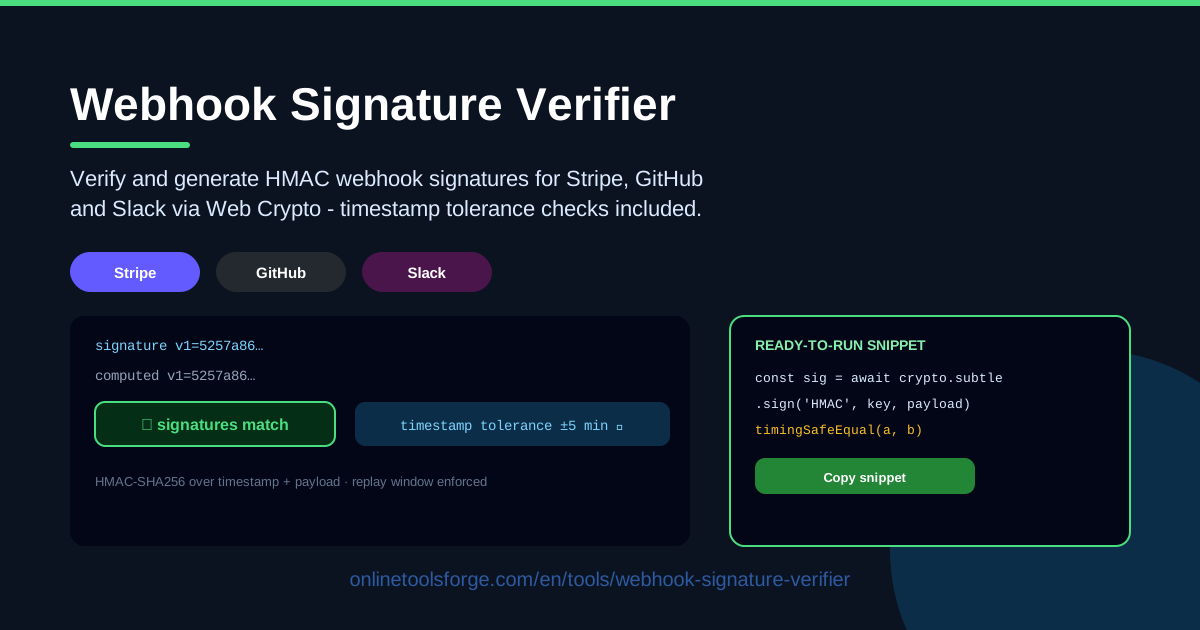
Table of Contents
Webhooks are the quiet workhorses of the modern web. Payments confirm through Stripe, commits trigger pipelines on GitHub, and alerts land in Slack — and every one of those events should be authenticated before your code trusts it. When verification fails, you get a rejected request, a silent retry loop, and an afternoon of guesswork. The Webhook Signature Verifier turns that guesswork into a clear verdict.
The tool is free and runs entirely in your browser. Paste the webhook payload, your signing secret, and the received signature header, pick the Stripe, GitHub, or Slack signing scheme, and it recomputes the HMAC-SHA256 signature using the Web Crypto API and compares the two. It also checks timestamp tolerance, so you know the signature is not just correct but fresh, and it hands you ready-to-run verification snippets for your backend.
This guide walks through why signature verification matters, how each provider's scheme differs, how to debug a webhook that keeps getting rejected, and the habits that keep fake requests out of production.
Why Use Webhook Signature Verifier?
- Debugging a rejected webhook. This is the tool's core job. Instead of sprinkling log statements, redeploying, and re-triggering events from a provider dashboard, paste the payload, secret, and signature header and see instantly whether the computed signature matches the received one.
- Testing without deploying. Verification logic normally lives on a server, but you can confirm your assumptions locally before touching any backend code.
- Untangling scheme differences. Stripe signs a timestamp-prefixed string, GitHub signs the raw body, and Slack adds a v0 version tag. The tool builds the correct signed string for whichever scheme you pick.
- Checking replay protection. A mathematically valid signature on an old request can still be a replay attack. The timestamp tolerance check shows whether the signature is inside the acceptance window.
- Getting copy-ready code. Every verification produces a snippet in the provider's documented style, so the fix you prove in the tool is the fix you ship.
- Keeping secrets private. All hashing happens locally in your browser. Payloads and signing secrets never leave your machine.
Key Features
| Feature | What it does |
|---|---|
| HMAC verification | Recomputes HMAC-SHA256 with the Stripe, GitHub, or Slack signing scheme and compares it against the received signature. |
| Timestamp tolerance check | Reads the timestamp from the signature header and reports whether it falls inside the replay window. |
| Signature generation | Creates a correctly formatted signature from a payload and secret, handy for signing test requests and fixtures. |
| Ready-to-run snippets | Produces verification code that mirrors each provider's official recipe. |
| Browser-only execution | All hashing and comparison run locally through the Web Crypto API; nothing is uploaded. |
Two details worth calling out:
- The tool verifies against the raw payload bytes, which matters because most rejected webhooks were rejected only after the body was parsed and re-serialized.
- The verdict separates three outcomes — signature mismatch, timestamp outside the tolerance window, or a full match — so you know exactly which layer to fix.
How to Use Webhook Signature Verifier
- Paste the webhook payload. Copy the raw request body exactly as your server received it, including line endings and spacing. When debugging, take it from request logs rather than re-formatting the JSON.
- Paste the secret and the received signature header. Add the signing secret from your provider dashboard — for Stripe that is a whsec_... key — plus the full header value, such as Stripe-Signature, X-Hub-Signature-256, or X-Slack-Signature.
- Pick the signing scheme. Choose Stripe, GitHub, or Slack. The tool assembles the right signed string: timestamp plus payload, payload only, or the v0-prefixed version.
- Compare computed versus received. The tool computes the expected digest and runs a constant-time comparison against the received signature, the way hardened production code should.
- Read the timestamp check. A signature can be correct yet unsafe if its timestamp is hours old; the tolerance verdict catches exactly that case.
Why Signatures Stop Fake Webhooks
Every one of these schemes is built on HMAC-SHA256. A hash-based message authentication code mixes a secret key with a message and produces a fixed-length digest. Two properties follow. First, integrity: change a single byte of the payload and the digest changes completely. Second, authenticity: only someone holding the secret can produce a matching digest. An attacker can POST anything to your endpoint, but without the secret they cannot forge the signature — and your server should reject the request before parsing a single field.
Each provider then defines exactly which bytes get signed:
- Stripe. The Stripe-Signature header looks like t=1614556800,v1=5257a869e7.... The signed string is the timestamp, a dot, and the raw body — {t}.{payload} — keyed with the endpoint's signing secret. If the header carries multiple v1 values during secret rotation, compare against each of them.
- GitHub. The X-Hub-Signature-256 header looks like sha256=6c2f45.... The signed string is simply the raw request body, keyed with the webhook secret you configured on the repository or app.
- Slack. The X-Slack-Signature header looks like v0=ba88e4af.... The signed string is v0:{timestamp}:{raw body}, keyed with the app's signing secret, not the bot token.
Timestamp tolerance is the second half of the defense. HMAC proves a request was signed at some point; it says nothing about when. Without a freshness rule, a captured request would stay valid forever, so providers include a timestamp in the header and expect you to reject anything older than a tolerance window — Stripe's documentation recommends five minutes. That window is your replay protection: an attacker who intercepts a genuinely signed request cannot reuse it tomorrow.
Timing-safe comparison is the third piece. Naive string equality often short-circuits at the first differing byte, and measurable timing differences have been used to forge digests byte by byte. Constant-time comparison walks every byte no matter what, which is exactly what the tool and its snippets use.
The classic bugs are worth naming. Parsing the payload twice — reading the body as JSON, then hashing a re-serialized version — breaks verification because key order and spacing change. Using the wrong credential breaks it too, such as anything other than the Stripe whsec_ secret, or Slack's bot token instead of its signing secret. A stray trailing newline or trimmed whitespace from copying the body is another frequent culprit, as is verifying after the body has passed through a queue that no longer preserves the raw bytes.
Practical Use Cases
Debugging a Failing Stripe Integration
Your checkout flow works, but your handler logs show 400s on paymentintent.succeeded events. Copy the raw body from your logs, the whsec secret from the dashboard, and the Stripe-Signature header into the tool. A mismatch usually points at body re-serialization; a timestamp failure points at server clock skew; a local match that still fails in production points at a proxy that modified the request body on the way in.
Local Replay Testing
Use generation mode to sign a test payload with your real secret, then replay it against your locally running endpoint. This exercises your handler's idempotency, and because you control the timestamp, you can also prove that expired signatures are rejected while fresh ones pass.
Security Review of a Webhook Endpoint
Auditing a colleague's handler? Check whether it verifies signatures at all, whether it enforces the replay window, and whether it compares digests in constant time. Tamper with one character of a stored payload, re-run verification in the tool, and you have concrete evidence of why the signature check must precede any business logic.
Teaching Webhook Security
The tool makes a compact classroom demo: sign a payload, change one byte, and watch the digest change completely. Then push the timestamp far into the past and show the replay window rejecting an otherwise valid signature.
Best Practices
- Always verify before processing. Treat an unverified webhook as untrusted input, no matter how convincing the JSON looks.
- Enforce the replay window. Reject signatures whose timestamp falls outside the tolerance, not just mismatched ones.
- Use constant-time comparison. Never compare digests with plain equality; use a constant-time function or your framework's secure-compare helper.
- Hash the raw bytes. Verify against the exact body your server received, before any JSON parsing or re-serialization.
- Never log secrets. Keep signing secrets out of logs, ticket attachments, and chat; treat them like database passwords.
- Plan for rotation. Support verifying against multiple active secrets so you can rotate without dropping in-flight webhooks.
Ready to stop guessing why that webhook keeps failing? Open the Webhook Signature Verifier, paste in your payload, secret, and signature header, and get a clear verdict in seconds — plus a verification snippet you can drop straight into your handler.
Related Tools You Might Like:
- Hash Generator — create and inspect SHA-256 and other digests.
- JWT Decoder — decode and inspect JSON Web Token headers, payloads, and signatures.
- Base64 Encoder — encode or decode Base64 for headers and fixtures.
Stay safe out there!
Frequently Asked Questions
Q: Is my signing secret safe when I use this tool? A: Yes. All HMAC computation and comparison happen in your browser through the Web Crypto API. The payload, secret, and signature never leave your machine.
Q: Why does the signature match in the tool but fail in production? A: The most common cause is the body changing before it is hashed — a framework parsing and re-serializing JSON, a proxy rewriting the request, or middleware trimming whitespace. Verify against the raw bytes exactly as your server received them.
Q: What timestamp tolerance should I enforce? A: Five minutes is the window Stripe recommends and a sensible default for most systems. Tighten it if your handlers are idempotent and your servers sync their clocks with NTP.
Q: Can I use this for providers other than Stripe, GitHub, and Slack? A: Often yes. Any provider that signs with HMAC-SHA256 will verify if its signed-string format matches one of the three schemes — payload-only like GitHub, or timestamp-prefixed like Stripe and Slack. Check the provider's documentation for the exact construction.