3D Print Cost Calculator: Price Every Print With Confidence
The 3D Print Cost Calculator turns filament grams, electricity, machine wear, failure rate, and labor into a cost-per-print breakdown and a margin-adjusted suggested price.
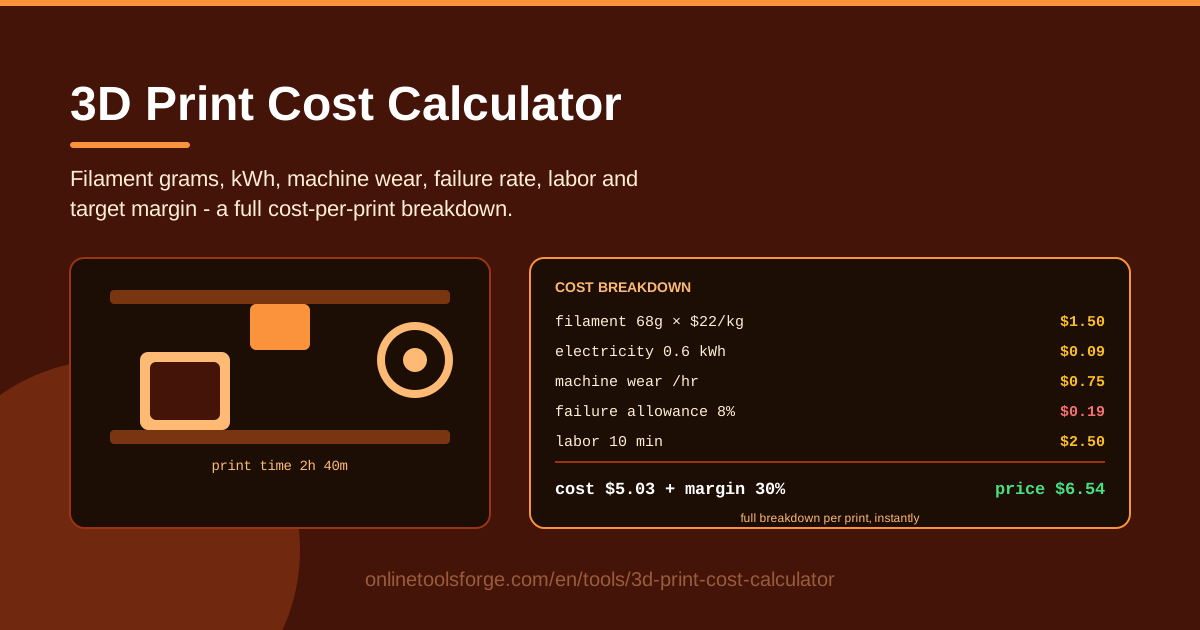
Table of Contents
Every maker eventually faces the same awkward moment: someone asks what you would charge to print a part, and you freeze. Five dollars? Twenty? The 3D Print Cost Calculator from Online Tools Forge ends the guesswork. Instead of eyeballing a number from how full the spool looks, you enter real inputs — filament grams and cost per kilogram, electricity in kWh, machine wear per hour, a failure allowance, labor time and rate, and a target margin — and get a full cost-per-print breakdown plus a suggested price.
Filament is only a fraction of what a print truly costs. A 65-gram PLA part uses $1.30 of plastic, but the hours it spends on the bed consume electricity, wear out nozzles and belts, and carry a real chance of failing at hour four. Ignore those factors and every "cheap" print quietly loses you money.
The calculator runs entirely in your browser — no install, no account, and no data leaves your machine.
Why Use 3D Print Cost Calculator?
- Filament alone is not the cost. Most hobbyists price by plastic weight and ignore everything else the machine consumes — this tool forces the full picture into one honest number.
- Electricity is the forgotten line item. A typical FDM printer draws around 100 watts while printing, so long jobs quietly add kWh to your bill — and enclosed, high-temperature machines draw far more.
- Failed prints are real money. Every maker eats failures; a failure allowance spreads that loss across every successful job instead of one unlucky order.
- Machine wear deserves amortizing. Nozzles, belts, PTFE tube, and fans are consumables; a small hourly wear figure keeps a repair fund alive so a snapped belt never wipes out a month of "profit."
- Your time has value. Slicing, bed leveling, support removal, and sanding are labor, and labor belongs in the price.
Key Features
| Feature | What it does |
|---|---|
| Filament grams | Enter what the part and supports weigh, from your slicer or a kitchen scale |
| Cost per kg | Use your real spool price, from budget PLA to engineering filament |
| Electricity kWh and rate | Pair your printer's power draw with your local electricity rate |
| Machine wear per hour | Add an hourly figure covering nozzles, belts, and maintenance |
| Failure allowance | Pad the quote by a percentage to absorb failed prints |
| Labor time and rate | Pay yourself for setup, post-processing, and packing |
| Target margin | Apply your profit percentage and get a suggested selling price |
Worth knowing:
- The breakdown updates live as you type — swap a $20/kg PLA for a $35/kg PETG and the new price appears instantly.
- Everything is computed locally in your browser — no signup, no upload.
- Any FDM/FFF printer and currency works; the math is identical in dollars, euros, or baht.
How to Use 3D Print Cost Calculator
- Find the filament weight. Slice your model and read the estimated grams, or weigh a printed copy on a kitchen scale. Add a few grams for supports, brims, and purge waste.
- Enter your filament cost per kg. Check the spool label; a $22/kg PLA is very different economics from a $40/kg nylon blend.
- Add electricity and machine wear. Enter roughly 0.1 kWh per print-hour for an open-frame printer (more for enclosed machines), plus an hourly wear figure such as $0.50.
- Set failure rate and labor. Choose an honest failure allowance — 5-10% for a tuned machine, 15% for tricky materials — then enter hands-on minutes and your hourly rate.
- Read the breakdown and suggested price. Adjust the margin until the number fits your market, then reuse the saved figures for every quote.
The Real Cost of a Print
Filament is simple multiplication. Cost equals grams times price per kilogram divided by 1,000: a 65 g print at $20/kg costs $1.30. This is the only line most people calculate — and usually the smallest.
Electricity is small but real. A 4.5-hour print at roughly 0.1 kW draws 0.45 kWh; at $0.15 per kWh that is about $0.07. Trivial per print, but 200 prints a year adds up, and enclosed high-temperature machines draw far more.
Wear is amortization. If you spend $100 a year on nozzles, belts, tube, and fans and print 200 hours, wear costs $0.50 per hour — $2.25 on that 4.5-hour job.
Failure rate is insurance. With a 10% failure allowance, material, power, and wear are multiplied by 1.10, so the prints that succeed quietly pay for the ones that end up as spaghetti.
Labor usually dwarfs everything. Fifteen minutes of support removal and sanding at $15/hour is $3.75 — more than filament, power, and wear combined in this example.
Margin completes the picture. Our example: $3.62 in machine and material costs, $3.98 after the failure allowance, $7.73 with labor included. Apply a 30% target margin and the suggested price lands at about $10.
Practical Use Cases
Pricing custom commissions
A customer sends an STL for a custom bracket. You slice it: 85 grams, six hours. Running your numbers through the calculator produces a defensible quote in seconds — and when they ask why it is not five dollars, walk them through the line items.
Comparing PLA versus PETG cost
PETG often costs half again as much per kilogram and prints slower. Enter both scenarios and the calculator shows exactly what the upgrade adds per part — say 25% — so charge for the durability or confidently recommend PLA for indoor use.
Sanity-checking a print farm quote
Before outsourcing a batch, price it yourself as if you had to run it. A quote below your material-plus-wear number means corner-cutting; a quote near your fully priced figure is probably fair.
Billing a club makerspace
A per-gram and per-hour formula from the calculator gives the club a fair, transparent billing rule members can predict before hitting print.
Best Practices
- Weigh the actual part. Slicer estimates drift when infill or scaling changes; a kitchen scale pays for itself with one accurate quote.
- Keep a per-machine wear number. A pristine CoreXY and a ten-year-old i3 do not wear at the same rate — give each printer its own figure.
- Track your real failure rate. Log successes and failures for a month and enter your measured percentage instead of a hopeful guess.
- Charge for post-processing time. Support removal, sanding, priming, and packing are labor; skip them in the quote and you are working for free.
- Quote a range for brand-new geometry. Unfamiliar models carry unknown risk — quote the range you get at low and high failure assumptions.
Stop guessing and start pricing. Open the 3D Print Cost Calculator, enter your spool price and machine numbers once, and every quote afterward takes seconds — two minutes now that saves you from losing money on the very next print.
Related Tools You Might Like:
- EV Charging Cost Calculator — break down exactly what a charge costs per kWh.
- Paint Calculator — estimate paint volume and cost before you open a single can.
- Scientific Calculator — run any leftover conversions and math in the same browser.
Happy printing!
Frequently Asked Questions
Q: How do I know how many grams my print uses? A: Your slicer reports an estimated weight for every model — start there, then add a few grams for supports and purge waste. For maximum accuracy, weigh the finished part on a kitchen scale.
Q: What machine wear per hour should I use? A: Total your yearly spend on nozzles, belts, tube, and spare parts, then divide by annual print hours: $100 over 200 hours equals $0.50 per hour. Older or heavily used machines justify a higher figure.
Q: Is electricity really worth including? A: Yes, even though it is small. Typical FDM machines draw about 0.1 kWh per hour, so most prints cost only cents of power — but enclosed, high-temperature printers draw several times more, and across a print farm the total matters.
Q: What failure allowance is realistic? A: Well-tuned machines on reliable filament usually sit between 5% and 10%; tricky materials or tall thin models can push 15%. Track your results for a month and enter the real number — the calculator applies whatever you choose.