ANSI Color Code Generator Guide: Build Perfect Terminal Colors
Learn how ANSI escape codes work across 16-color, 256-color and truecolor modes, and build them instantly with the free online ANSI Color Code Generator.
Free Interactive Tool
ANSI Color Code Generator
Build ANSI escape codes for 16-color, 256-color, and truecolor text and backgrounds with a live terminal-style preview. Copy raw or \x1b-escaped sequences for shell scripts, CLIs, and READMEs - free and 100% in-browser.
Table of Contents
Colored terminal output feels modern, but it is 1960s technology. ANSI escape sequences were standardized for video terminals decades ago, and every terminal you use — bash, zsh, fish, PowerShell, Windows Terminal — still speaks exactly the same dialect. Yet almost nobody writes them by hand — they are terse strings of numbers and semicolons that even seasoned developers look up.
That is exactly the problem the ANSI Color Code Generator solves. Instead of memorizing that foreground orange in 256-color mode is 38;5;208, you pick colors visually, watch a live terminal-style preview update in real time, and copy a ready-to-paste sequence — raw with a real ESC byte, or \x1b-escaped for source code. Everything runs 100% in your browser. This guide explains how escape sequences work, when to use each color mode, and where they shine: shell scripts, CLI tools, READMEs, and log pipelines.
Why Use ANSI Color Code Generator?
- No memorizing cryptic codes. SGR numbers like 90-97 are not intuitive; the generator makes color picking visual instead of a recall test.
- Instant visual feedback. The live terminal-style preview catches contrast problems — dark gray on black, for instance — before the sequence lands in a script.
- All three color modes in one place. Switch between the classic 16-color palette, 256-color, and 24-bit truecolor without changing tools.
- Raw and escaped output. Copy raw for direct use in printf or echo -e, or \x1b-escaped for bash, JavaScript, and Python.
- Correct syntax, guaranteed. Missing semicolons and forgotten m terminators are the classic failure modes of hand-written sequences; generated codes are always well-formed.
- Free, private, and instant. Fully client-side, no signup, and it works offline once loaded.
Key Features
| Feature | What it gives you |
|---|---|
| 16-color mode | Classic SGR palette for foreground and background — maximum portability. |
| 256-color mode | Indexed colors via 38;5;n and 48;5;n — standard colors, a 6x6x6 cube, and grayscale. |
| Truecolor mode | Full 24-bit control with 38;2;r;g;b for exact brand colors. |
| Live terminal-style preview | See your styled text as a terminal will render it, before copying anything. |
| Raw and \x1b-escaped copy | One click each — raw for the shell, escaped for source files. |
| 100% client-side | Everything is computed in the browser; nothing is uploaded or stored. |
- The preview uses a realistic dark terminal background, so colors are judged where they will actually appear.
- The builder emits one compact sequence combining all your styles, instead of overlapping codes that are hard to read.
How to Use
- Open the generator. Go to the ANSI Color Code Generator — it loads instantly, no account needed.
- Choose a color mode. Pick 16-color for maximum compatibility, 256-color for a rich but widely supported palette, or truecolor for exact colors.
- Select foreground, background, and styles. Pick a text color, optionally a background, toggle bold — the sequence builds itself as you click.
- Check the live preview. Read the sample text and confirm the combination is legible on a dark background.
- Copy raw or escaped. Use raw for the shell, or drop the \x1b-escaped string into your script, program, or README.
Escape Sequences Demystified
Every color sequence you generate is an SGR (Select Graphic Rendition) sequence with a fixed anatomy: ESC + [ + parameters + m. The ESC [ opener is a Control Sequence Introducer (CSI), the parameters are numbers separated by semicolons, and the final m applies the attributes. So \x1b[38;5;208m reads: escape, CSI, 38 set foreground, 5 indexed mode, 208 color index, terminated by m.
The three modes map onto different parameter schemes:
- 16-color mode uses single codes: 30-37 foreground, 40-47 background, plus 90-97 and 100-107 for bright variants. It works essentially everywhere.
- 256-color mode uses 38;5;n (foreground) and 48;5;n (background), where 0-15 are standard colors, 16-231 a 6x6x6 color cube, and 232-255 a grayscale ramp.
- Truecolor mode uses 38;2;r;g;b and 48;2;r;g;b with components from 0 to 255 — over 16 million colors.
Reset codes matter more than beginners expect. \x1b[0m resets every attribute; forget it and your color bleeds into every later line, including prompts and other tools' output. \x1b[39m and \x1b[49m restore only the default foreground and background, and \x1b[22m turns off bold. Disciplined habit: open each colored block with your style sequence, close it with a reset.
When do you use raw versus escaped? The raw form contains the actual ESC byte (hex 1B) — what printf, echo -e, and terminals consume. Since you cannot type that byte in an editor, source code uses escaped notation: '\x1b[38;5;208m' in bash or JavaScript, '\033[38;5;208m' in Python, $'\e[38;5;208m' in ANSI-C quoting. Same bytes, different notation — the generator hands you both.
A small annotated sequence as it would appear in a script:
printf '\x1b[1;38;5;208m'   # bold, foreground color 208 (256-color orange)
printf 'DEPLOY COMPLETE\n'
printf '\x1b[0m'            # reset all attributes
One support caveat: modern environments — Windows Terminal, Windows 10+ consoles with VT processing, macOS Terminal, iTerm2, Alacritty, kitty — handle 256-color and usually truecolor. The legacy Windows console (conhost on Windows 7 and 8) does not render ANSI and prints garbage, and some old TERM values over SSH lack 256-color. When in doubt, use 16-color, or detect capability with tput colors or COLORTERM.
Practical Use Cases
Colorful Shell Script Output
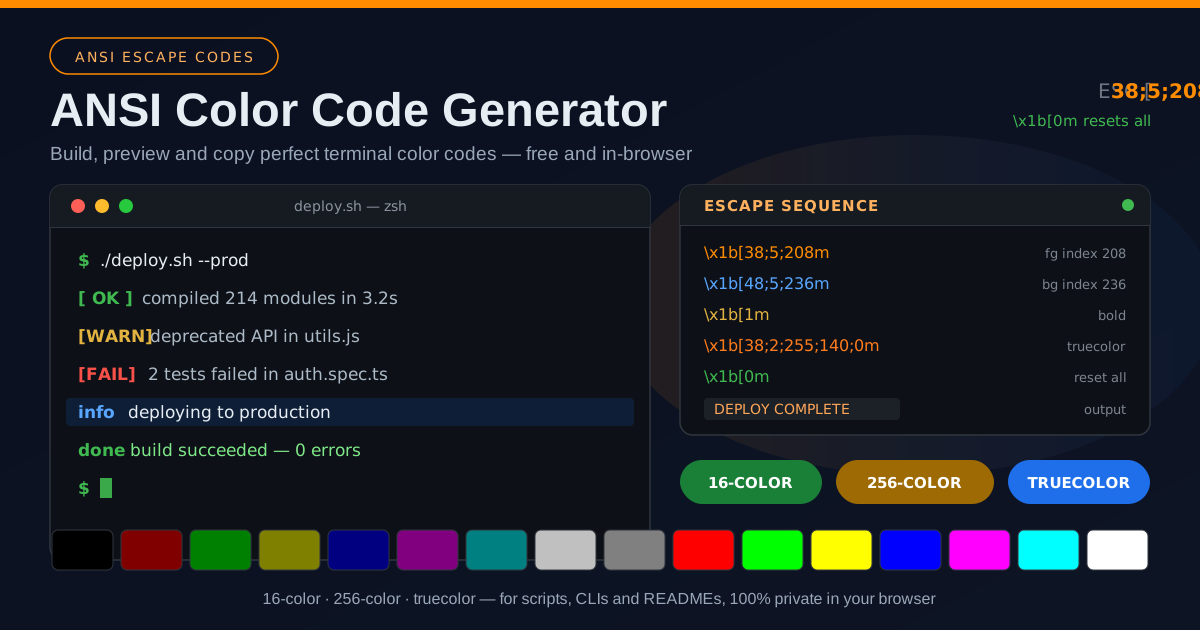
The most common use: making deploy.sh scannable at a glance. Green [ OK ] for success, yellow [WARN] for review, red [FAIL] for errors. Generate each prefix once, store it in a variable, and reuse it. Your future self at 2 a.m. will be grateful.
Styling Your Own CLI Tools
Writing CLI tools in Node.js, Python, Go, or Rust? A few generated constants — RED, GREEN, YELLOW, RESET — give you professional output without a color library, printed the way mature tools like git and npm do it.
README Code Blocks and Demo Output
CLI project docs almost always include a sample-output block. Generating real sequences lets you capture genuine colored output for your README, and escaped \x1b snippets work well in examples that teach how coloring works.
Log Highlighting
Log pipelines benefit from consistent color semantics: red for errors, yellow for warnings, blue for informational lines. Wrap tail -f, grep, or custom formatters with generated sequences so errors jump out of a live stream.
Best Practices
- Always reset after coloring. End every colored run with \x1b[0m, or your color leaks into everything printed afterward.
- Check terminal support before assuming truecolor. Verify with tput colors, COLORTERM, or a runtime check — and keep a 256-color or 16-color fallback.
- Use color sparingly and meaningfully. Reserve red for failure, green for success, yellow for warnings. If everything is colored, nothing stands out.
- Disable color when output is piped. Tools that check for a TTY stdout, or honor NO_COLOR, behave well in CI and log files.
- Prefer semantic constants over inline codes. Store sequences in named variables like ERROR_COLOR so scripts stay readable.
- Test on the platforms you ship to. A sequence perfect in iTerm2 may fail in a legacy Windows console.
Try It Now
Colored output is one of the cheapest quality upgrades a script can get — and it requires zero memorization now. Open the ANSI Color Code Generator, pick colors with the live preview, and copy a pixel-perfect sequence for your next project. It is free, instant, and fully private.
Related Tools You Might Like:
- Text Comparator — diff two text or code versions side by side.
- ASCII Art Generator — turn text into ASCII banners for your colored terminal output.
- Color Converter — convert colors between HEX, RGB, and HSL for your sequences.
Happy coloring!
Frequently Asked Questions
Q: What is the difference between 256-color and truecolor modes?
A: 256-color references one of 256 predefined palette entries by index, as in 38;5;208 — compact and widely supported. Truecolor specifies exact red, green, and blue values, as in 38;2;255;140;0, giving over 16 million colors but requiring 24-bit terminal support.
Q: Why does my output show strange text like ESC[38;5;208m instead of color?
A: The terminal is displaying the sequence literally — either it does not support ANSI codes (legacy Windows console), or the escape was printed uninterpreted, as with plain echo instead of echo -e or printf.
Q: Do ANSI colors work on Windows?
A: Yes on Windows 10 and later, including Windows Terminal and PowerShell, where VT processing is available by default. The legacy console on Windows 7 and 8 renders the sequences as garbage, so provide a fallback or skip color there.
Q: Should I paste the raw sequence or the \x1b-escaped version into my script?
A: In shell code use the escaped version inside printf, echo -e, or bash $'...' quoting; you cannot type the raw ESC byte in an editor. In most languages, write a literal such as '\x1b[0m' (JavaScript) or '\033[0m' (Python). The generator provides both forms.