CSS Selector Tester: Match, Highlight and Debug Selectors in Your Browser
Test CSS selectors against pasted HTML, highlight matched elements, catch invalid selectors, and sharpen your selector skills with live match counts entirely in the browser.
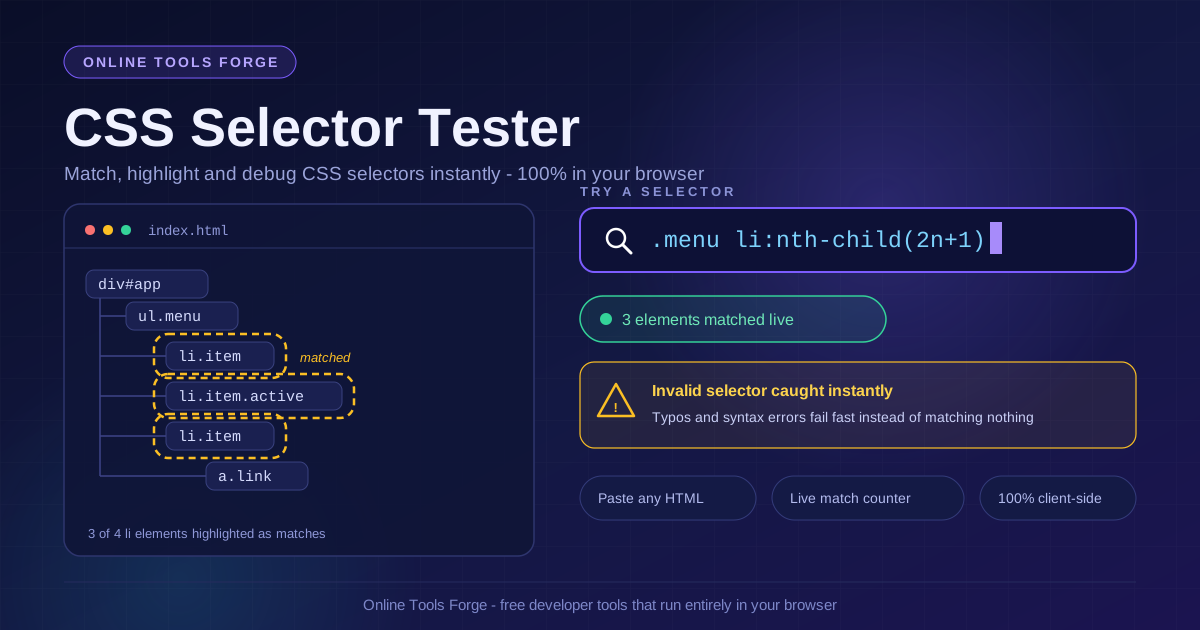
Free Interactive Tool
CSS Selector Tester
Test CSS selectors against your own HTML, highlight matched elements, and catch invalid selectors entirely in your browser.
Table of Contents
Writing a CSS selector is easy; knowing exactly what it matches is the hard part. The CSS Selector Tester closes that gap: paste any HTML snippet, type a selector, and instantly see every matched element highlighted in place, with a live match count and readable errors for invalid input. Everything runs in your browser — no upload, no account, no waiting.
Selectors drive your stylesheets, your querySelector calls, and your test locators. When one silently matches nothing — or matches forty elements instead of one — the bug rarely announces itself. This guide covers the tool, then digs into the techniques worth practicing: combinators, attribute operators, :nth-child math, :not() chains, specificity intuition, and a debugging session where a selector quietly missed its target.
Why Use the CSS Selector Tester?
- Instant visual feedback. Matched elements are highlighted in the rendered markup, so you see a selector's scope at a glance instead of inferring it from a bare array in the console.
- Live match count. The counter updates as you type, making it obvious the moment a tweak narrows results from dozens of elements to the exact three you wanted.
- Invalid selectors fail loudly. Typos surface as clear errors rather than empty result sets — a five-second fix instead of a twenty-minute stylesheet hunt.
- Real markup, not toy examples. Test against the actual fragment from your app, CMS template, or vendor widget — the structure you truly ship.
- Sample HTML loader. No snippet handy? Load built-in sample markup and start experimenting immediately.
- 100% client-side. Your HTML never leaves the tab, so proprietary markup and unreleased designs stay on your machine.
Key Features
| Feature | What It Does | Why It Matters |
|---|---|---|
| HTML paste area | Accepts any markup fragment | Test against your real DOM structure |
| Selector input | Evaluates selectors as you type | Immediate feedback while you refine |
| Highlight overlay | Marks every matched element | See exactly what a selector grabs |
| Live match counter | Reports matches in real time | Spot over- and under-matching instantly |
| Error reporting | Catches invalid selectors | Fail fast instead of debugging blind |
| Sample HTML loader | Provides ready-made markup | Start practicing with zero setup |
- Measurement over guesswork. The highlights and live count tell you within a keystroke whether your mental model of the markup is right.
- Private by design. Client-side evaluation keeps internal dashboards and pre-release components on your machine.
How to Use the CSS Selector Tester
- Paste your HTML. Copy a fragment from your project — a component template, a rendered section, or an email layout — into the HTML area.
- Or load a sample. Click the sample loader to get representative markup with nested elements, classes, and attributes.
- Type a selector. Start broad (div, .card, ul li), then narrow with classes, attributes, or pseudo-classes until the highlights cover exactly your targets.
- Read the highlights and count. Zero usually means the selector is stricter than the markup; a huge number means it is looser than you think.
- Iterate and compare. Flip a combinator, add a :not(), swap an attribute operator, and compare counts until the number and highlights are both exactly right.
Selector Power Moves Worth Testing
Descendant versus child combinators
The space combinator matches at any depth: div.card p selects every paragraph inside a card, however deeply buried. The child combinator div.card > p selects only direct children — add a wrapper <div> between card and text and it silently stops matching. Use > when structure is a guarantee you want enforced, and the descendant form when you want resilience to wrappers.
Attribute selectors: ^=, $=, and *=
a[href^="https"] matches links that start with https — perfect for auditing secure anchors. img[src$=".svg"] matches vector images by extension. [class*="btn-"] matches any class attribute containing the substring btn-, which also catches btn-outline-secondary; prefix matching (^=) is usually safer when naming conventions are predictable.
Pseudo-class math and :not() chains
:nth-child accepts full arithmetic: :nth-child(3n+1) matches items 1, 4, 7, and so on, while :nth-child(n+3) skips the first two. Combine it with :not() for surgical exclusion: li:not(:last-child) styles everything except the final item, and input:not([disabled]):not([type="hidden"]) selects only actionable inputs — without the specificity cost of long class lists.
Specificity intuition
Specificity is a counting game: IDs beat classes, classes beat element names. A selector like #sidebar .nav li a carries an ID, a class, and two element names, so little can override it without another ID — how stylesheets become arms races. A flat .nav-link is easier to override and reuse. When a style refuses to apply, compare the two selectors' match sets in the tester to see the collision.
Why a selector matches nothing
Four suspects cause most empty results: a combinator stricter than the markup; a dynamic class added by JavaScript after the snapshot; invisible attribute differences (trailing spaces, uppercase, a forgotten data- prefix); or content inside a shadow root injected after the snapshot. When the counter reads zero, loosen one constraint at a time.
A worked debugging example
A teammate's script needed pricing plan headings, so they wrote #pricing .card > h3 — and it matched nothing. Three queries solved it in under a minute:
- #pricing returned 1 match — the section exists.
- #pricing .card returned 4 matches — the cards exist too.
- #pricing .card > h3 returned 0; the child combinator was the only difference.
- #pricing .card h3 returned 4, confirming that a <div class="card-inner"> wrapper makes each heading a grandchild, not a child.
The fix was the descendant version or the more intentional .card h3. A zero count plus one-constraint-at-a-time bisection turned a mystery into a two-minute diagnosis.
Practical Use Cases
Writing test assertions
Flaky Playwright or Cypress tests often come from locators matching more elements than their authors believed. Paste the rendered markup, run the locator, and confirm the counter says exactly one before committing the test.
Debugging third-party pages
Vendor widgets and CMS-generated markup rarely document their DOM. Save the rendered fragment, paste it in, and explore with broad selectors ([class*="widget"], form input) to map the territory first.
Cleaning up old stylesheets
Legacy CSS accumulates rules aimed at markup that no longer exists. Paste the current template and check suspicious chains like #wrapper .col-3 .inner p against reality: a zero count marks dead weight, and a count of one often exposes an over-specific rule replaceable by a single class.
Teaching and learning CSS
Show a learner li:nth-child(2n) and let them watch alternating items light up; change it to 3n+1 and let them predict the next highlight. The immediate feedback loop builds correct intuition in minutes.
Best Practices
- Prefer classes over deep structural chains. .card-title survives refactors; #main .content .card > div > h3 does not.
- Test against real markup, not memory. Your mental model of the DOM is always slightly out of date; the pasted fragment is the truth.
- Keep specificity flat. Single-class selectors are easier to override, reuse, and reason about.
- Narrow from broad to specific. Add constraints one at a time so you always know which addition broke the match.
- Watch the count, not just the highlight. A selector can look right while matching twice as many elements as intended.
- Re-test after markup changes. Wrappers appear and selectors rot silently; a ten-second paste-and-check catches the drift.
Try the CSS Selector Tester Today
If you have ever squinted at devtools wondering why a rule will not apply, paste the markup into the CSS Selector Tester, type the selector, and read the count. It is free, instant, and entirely in your browser.
Related Tools You Might Like:
- CSS Unit Converter — convert between px, rem, em, pt, and more in the browser.
- CSS Custom Properties Generator — build design-token palettes and export them as CSS variables.
- Tailwind to CSS Converter — turn Tailwind utility classes into plain, readable CSS.
Happy selecting — may every query return exactly the elements you expect.
Frequently Asked Questions
Q: Is my HTML uploaded to a server?
A: No. Parsing, matching, and highlighting run locally in your browser tab; nothing is transmitted or stored, so you can safely paste internal or pre-release markup.
Q: Which selectors are supported?
A: Standard CSS selectors: type, class, ID, and attribute selectors, descendant, child, and sibling combinators, and widely supported pseudo-classes such as :nth-child and :not(). Invalid syntax is reported as an explicit error.
Q: Why does a selector that looks correct match nothing?
A: Usually a child combinator where nesting is indirect, a class added by JavaScript after the snapshot, invisible differences in attribute values, or elements inside a shadow root. Start broad and add constraints one at a time while watching the count.