Find and Remove Unused CSS With the Unused CSS Finder
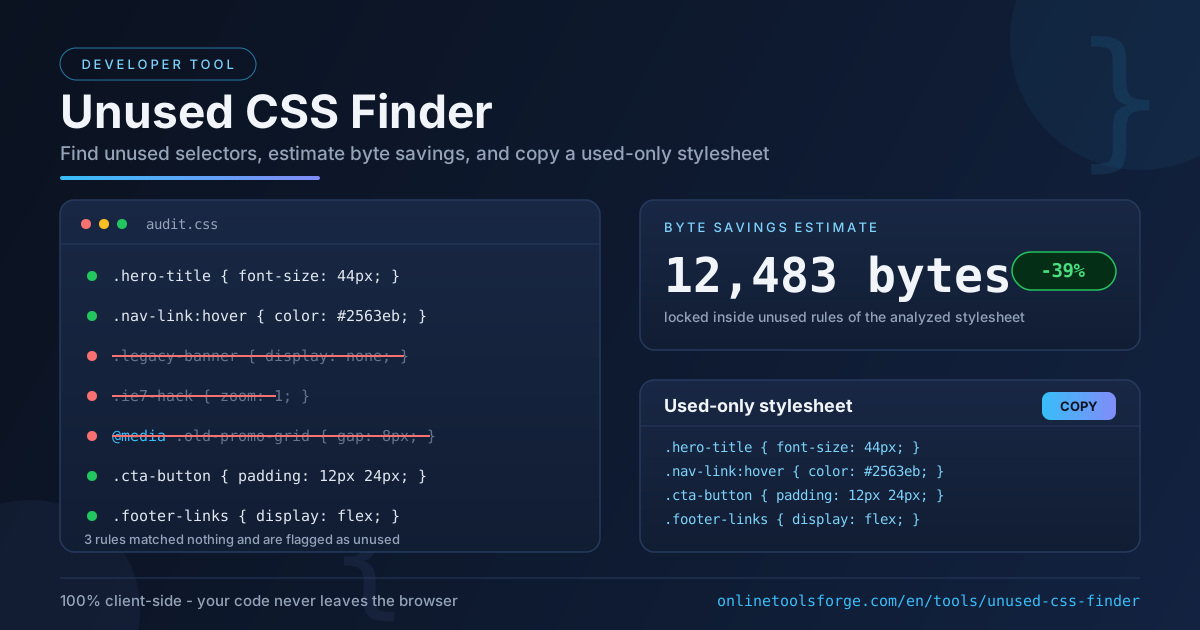
Paste HTML and CSS into the free Unused CSS Finder to surface unused selectors, estimate byte savings, and copy a used-only stylesheet - entirely in your browser.
Free Interactive Tool
Unused CSS Finder
Paste HTML and CSS to find unused selectors, estimate byte savings, and copy a used-only stylesheet in your browser.
Table of Contents
Stylesheets almost never shrink on their own. Every redesign, abandoned experiment, and "temporary" banner leaves rules behind. After years of accretion, a typical project ends up with a stylesheet in which most rules match nothing on the page — selectors for deleted components, unused breakpoints, hacks for browsers that no longer exist. That dead weight still gets written, parsed, and downloaded by every visitor.
The Unused CSS Finder is a free developer tool that attacks this problem directly. Paste your HTML and your CSS, and the tool checks every selector against your markup, reports which rules match nothing, estimates the bytes those unused rules cost you, and can rebuild a used-only stylesheet you copy in one click. The entire analysis runs in your browser — no uploads, no accounts, no server round-trips.
This guide covers how the tool works, what "unused" actually means here, and how to run a cleanup that is fast but still safe.
Why Use the Unused CSS Finder?
- Instant answers with zero setup. No build step, no config file, no package to install. Paste two blocks of text and read the report — minutes faster than wiring up a coverage tool for a quick audit.
- A concrete byte-savings estimate. Instead of a vague "you have dead code" warning, the tool totals the bytes inside unused rules and shows their share of the stylesheet, so you can prioritize the biggest wins first.
- Copy a used-only stylesheet. The tool assembles the surviving rules into a clean, copy-ready stylesheet — the tedious reconstruction step is done for you.
- Privacy by design. The analysis runs entirely client-side in your browser. Your markup and styles never leave your machine, which makes the tool safe for proprietary code and client work.
- Selector-aware analysis. The engine understands comma-separated selector lists, @media nesting, and state pseudo-classes such as :hover, reflecting how real stylesheets are written.
- Free and unlimited. No quotas, no sign-up, no watered-down trial.
Key Features
| Feature | What It Does |
|---|---|
| Selector matching | Checks every CSS selector against the pasted HTML |
| Unused-rule report | Lists each rule that matched no element, with its full declarations |
| Byte-savings estimate | Sums the bytes inside unused rules and their share of the stylesheet |
| Used-only stylesheet | Rebuilds a copy-ready stylesheet containing only matching rules |
| Media query awareness | Evaluates rules inside @media, @supports, and comparable nested blocks |
| Invalid selector report | Lists unparsable selectors separately, so nothing is silently skipped |
A few details worth knowing:
- Comma lists are handled conservatively. A rule like .btn, .btn-alt counts as used if even one selector matches your HTML — preventing the most common cause of accidental deletion.
- State pseudo-classes do not cause false flags. Selectors such as .card:hover are evaluated against the base elements they could apply to.
- Structural selectors are exempt. Rules targeting *, :root, html, or body are always treated as used.
How to Use the Unused CSS Finder
- Open the Unused CSS Finder. It loads instantly in any modern browser, desktop or mobile.
- Paste your HTML. Use the rendered markup of the page or template you want to audit. If JavaScript builds part of your DOM, paste the generated HTML from your browser's inspector rather than the raw source.
- Paste your CSS. Drop in the full production stylesheet, a single component's styles, or a candidate rewrite — minified CSS works fine.
- Review the report. Check the unused-rule count, the estimated byte savings, and the flagged selectors. Cross-check anything surprising before acting on it.
- Copy the used-only stylesheet. Once satisfied, copy the rebuilt stylesheet and integrate it — ideally in a branch, as described below.
What Unused Really Means
The most important thing to understand is that the analysis is scoped to the HTML you paste. The tool answers a precise question: which of these selectors match the markup I gave you? That makes the report accurate and predictable, but it also means anything absent from your markup will be flagged — sometimes correctly, sometimes not.
Three categories deserve special attention. First, dynamically-created classes: if JavaScript builds part of your DOM at runtime, those classes exist only in the rendered page, so pasting the raw source falsely flags their rules. Second, states toggled by JavaScript: classes such as .is-open or .active often appear only after user interaction, so include the post-interaction markup. Third, media-query variants: rules inside @media blocks are evaluated in context, but can only match elements present in your paste — desktop-only pastes may flag genuinely needed mobile rules.
Treat the byte-savings figure as a prioritization signal, not a guaranteed download reduction. The estimate sums the raw bytes of unused rules relative to the pasted stylesheet; real savings depend on minification, compression, and how the browser loads the file. The reported number is usually an upper bound — still the right number for deciding where to clean.
That leads to the safe workflow. Snapshot first: commit the current stylesheet to version control so the change is trivially reversible. Remove second: apply the used-only stylesheet, deleting flagged rules one review at a time. Regression-test third: click through key pages, exercise interactive states, and check a few viewports. If anything breaks, the snapshot makes rollback a one-line operation.
Practical Use Cases
Landing Pages Before Launch
Marketing pages ship as self-contained HTML plus one stylesheet — ideal input for this tool. Run the audit the day before launch, paste the final markup with your CSS, and ship a stylesheet containing only what the page uses. Where every kilobyte affects conversion, that is one of the cheapest wins available.
Legacy Page Slimming
Older pages accumulate the most cruft: rules from a 2015 redesign, prefixes for retired browsers, styles for removed widgets. Paste the page's current markup and stylesheet, copy the used-only result, and retire the rest. Teams routinely find that half of a legacy stylesheet matches nothing.
Email Template Cleanup
HTML email still lives on inline styles and one monolithic <style> block, and every byte counts against clipping limits in some clients. Paste the email's HTML and style block, prune selectors no client will match, and copy back a leaner template before your next send.
Periodic CSS Audits
Audit your highest-traffic templates quarterly, note the unused byte percentage, and track it over time. A rising number warns that styles are being added faster than removed — useful long before the stylesheet becomes a real problem.
Best Practices
- Paste representative markup, including JS-generated DOM. The report is only as good as the HTML you provide; copy the inspected DOM for the most truthful results.
- Keep media queries unless you can prove they are dead. A flagged rule inside a media query may match content you simply did not paste.
- Review flagged selectors before removing them. Watch for classes applied by third-party scripts, animation libraries, or server-side templates.
- Commit to version control first. Never clean a stylesheet that is not safely snapshotted.
- Work template by template, not site-wide in one pass. One page's markup cannot represent an entire site.
- Minify and compress after cleaning, not instead of it — the two are complementary.
Clean Your Stylesheet Today
Dead CSS is invisible until you look for it — and looking takes about a minute. Open the Unused CSS Finder, paste your HTML and CSS, and see how many bytes your stylesheet carries for nothing. Copy the used-only version, commit it, and ship a leaner page.
Related Tools You Might Like:
- Tailwind to CSS Converter — turn Tailwind utility classes into plain CSS you can audit and prune.
- CSS to SCSS Converter — restructure a cleaned stylesheet into maintainable SCSS.
- HTML Tag Remover — strip unwanted tags from markup before or after a CSS cleanup.
Happy pruning!
Frequently Asked Questions
Q: Is my HTML or CSS uploaded to a server?
A: No. The analysis runs client-side in your browser. Your code never leaves your machine, making the tool safe for proprietary stylesheets.
Q: Why does the tool flag a class I know is being used?
A: Most false positives come from scope, not bugs. If the class is added by JavaScript, appears only after interaction, or belongs to a third-party widget, it will not be in the HTML you pasted. Include the rendered, post-interaction markup and the flag usually disappears.
Q: Are the byte savings exact?
A: They are an estimate. The tool sums the raw bytes of unused rules relative to the pasted stylesheet; actual transfer savings also depend on minification and compression, and are typically somewhat lower.
Q: Does it understand media queries and pseudo-classes?
A: Yes. Rules inside @media and comparable nested blocks are evaluated in context, and state selectors such as :hover are matched against the base elements they apply to.
Q: Can I clean a whole site in one pass?
A: You can, but you should not. A single page's markup cannot represent an entire site, so a site-wide paste would flag rules specific to other pages. Audit template by template instead.