CSS to JS Object Converter: Turn CSS Declarations into React Style Objects
Convert CSS declarations into React inline-style objects, plain JS objects, or template literals with camelCase keys — fully in-browser. A practical guide to the CSS to JS Object Converter.
Free Interactive Tool
CSS to JS Object Converter
Convert CSS declarations into JavaScript style objects for React, JSS, and inline styles with camelCase keys, fully in your browser.
Table of Contents
Modern React development keeps pulling presentation closer to the component. When you move a design from a CSS file into a React component, every declaration has to be rewritten: background-color becomes backgroundColor, and values need the right quoting before the style object compiles. Until now that translation happened by hand.
The CSS to JS Object Converter automates it. Paste any block of CSS declarations and it produces a ready-to-paste React inline-style object, a plain JavaScript object, or a template literal — with camelCase keys, sensible numeric handling, and warnings for anything it could not map cleanly. Everything runs 100% in your browser.
This guide explains how the conversion rules work and when each format fits.
Why Use CSS to JS Object Converter?
- Skip the tedious retyping. Rewriting declarations by hand invites subtle mistakes — a missed hyphen, a forgotten quote. The converter produces correct output on the first paste.
- Get camelCase keys automatically. Kebab-case property names are valid CSS but invalid JavaScript identifiers. The tool converts every property, including vendor-prefixed ones such as -webkit-transform.
- Handle numbers the way React expects. Unitless properties such as zIndex and opacity stay numeric, while length values keep their units — matching how React applies inline styles at runtime.
- Choose the output that fits your stack. React style object, plain JS object, or template literal — one tool covers inline styles, style dictionaries, and CSS-in-JS extraction.
- Keep your code private. Parsing happens entirely in the browser with no uploads and no accounts.
Key Features
| Feature | Description |
|---|---|
| Three output formats | React inline-style object, plain JS object, or CSS template literal |
| camelCase key conversion | Kebab-case properties become camelCase keys; prefixes become WebkitXxx |
| Smart numeric handling | Unitless properties stay numbers; other values keep their units as strings |
| Custom property support | --my-variable keys are preserved and quoted instead of being mangled |
| Quote style option | Single or double quotes to match your codebase conventions |
| Copy and download | Copy the result to your clipboard or download it — 100% in-browser |
Two details worth calling out:
- Declarations merge like the cascade. If a property appears more than once, the converter keeps the last value and warns you, mirroring how CSS resolves conflicts.
- Escaping is handled for you. Values containing quotes, such as content: "'", are escaped correctly in the output.
How to Use
- Paste your CSS declarations. Drop a rule, a media query block, or a loose list of declarations into the input area, or load the built-in sample.
- Choose the output format. Pick React style object, plain JS object, or template literal depending on where the code is going.
- Pick a quote style. Select single or double quotes to match your project's linting rules — the output updates instantly.
- Review the result and warnings. Check the selector, declaration, and warning counts, and read any notes about merged duplicates.
- Copy or download. Copy the generated code to your clipboard, or download it as styles.js (or styles.txt for template literals).
Kebab to Camel and the Value Rules
The tool applies a small set of deterministic rules that map CSS syntax onto JavaScript syntax. Understanding them helps you predict every conversion.
Kebab-case to camelCase keys
CSS names properties in kebab-case (background-color, border-radius), but JavaScript keys must be valid identifiers. The converter removes each hyphen and capitalizes the letter that follows it: background-color becomes backgroundColor and line-height becomes lineHeight. Vendor prefixes get the treatment React uses — the leading hyphen is dropped and the first letter is capitalized, so -webkit-transform becomes WebkitTransform.
Property-name exceptions
Not every property should be camelCased. CSS custom properties such as --card-padding cannot be converted — the leading -- is significant — so the tool keeps them as quoted keys with string values:
const styles = {
  '--card-padding': '16px',
};
The output stays valid; resolve the value with var() where the style is consumed.
Numeric values and the px question
React appends px when you pass a bare number to a property that expects a length, but not to every property. Properties such as z-index, opacity, font-weight, and line-height are unitless: a number there must stay a number. The converter knows this list — z-index: 10 becomes zIndex: 10 with no quotes, while padding: 16px becomes padding: '16px', a string with its unit intact. Keeping the unit removes ambiguity for properties React would otherwise guess about.
Three output targets
- React inline-style object — a flat camelCase object ready for style={styles}. Use it when moving declarations into components.
- Plain JS object — selectors become top-level keys and properties keep their original kebab-case names. Use it for Node scripts and design-token pipelines.
- Template literal — declarations rendered as raw CSS inside backticks. Use it for styled-components, other CSS-in-JS libraries, and anywhere a CSS string is expected.
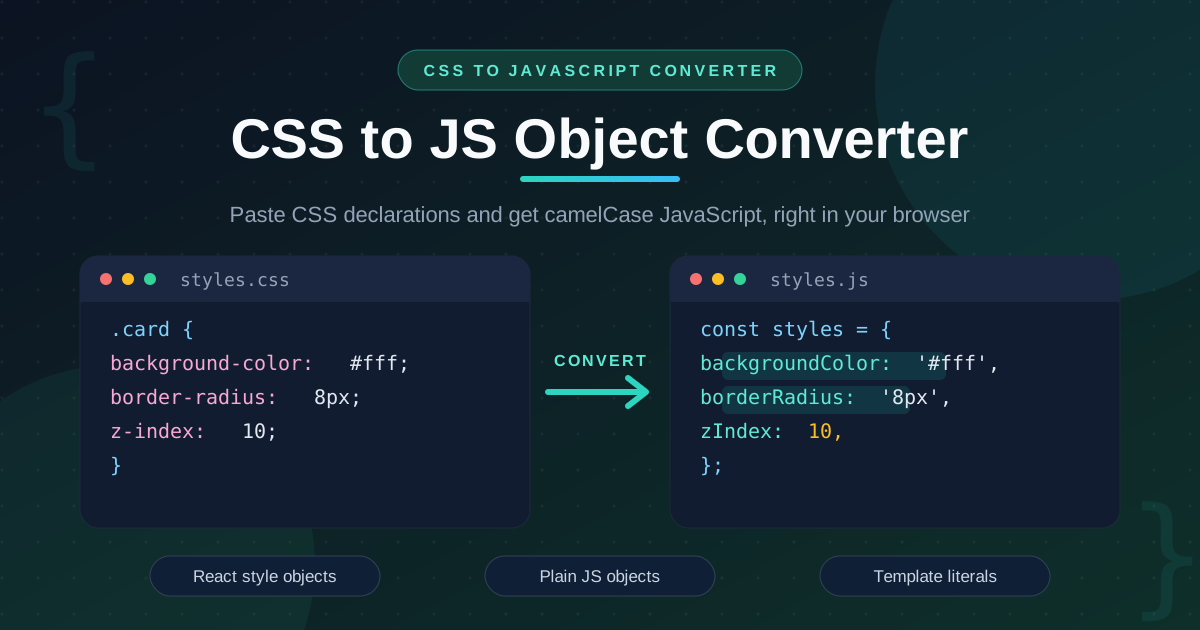
Before and after
/* Before — CSS declarations */
.card {
  background-color: #fff;
  border-radius: 8px;
  z-index: 10;
}
// After — React inline-style object
const styles = {
  backgroundColor: '#fff',
  borderRadius: '8px',
  zIndex: 10,
};
Zero retyping, and the numeric property already behaves as React requires.
Practical Use Cases
React Inline Styles
Inline styles are the right tool for values that change at runtime — positions, state-driven colors, progress widths. Convert the static part of the design, then interpolate the dynamic parts:
<div style={{ ...cardStyles, width: `${progress}%` }} />
Styled-Components Extraction
Designers often hand over styles as plain CSS while the codebase uses styled-components, which expects a template literal. Switch the output format and the declarations arrive formatted for insertion above the component body.
Canvas and DOM Manipulation
When JavaScript drives the DOM directly — animations, canvas overlays, widgets — you set styles through element.style. The camelCase names the converter produces are exactly what the CSSOM expects, so el.style.borderRadius = '8px' pastes straight from the output.
Email HTML Built in JavaScript
Transactional emails are assembled as HTML strings, and their styling must stay inline. Generate a plain object of declarations per element and iterate over it to emit style="..." attributes.
Best Practices
- Prefer stylesheets for static styles. Inline styles cannot express pseudo-classes, media queries, or keyframe animations. Move only what truly needs to be dynamic.
- Keep conversions per-component. Convert the declarations one component needs rather than an entire stylesheet, so each output stays small and reviewable.
- Watch vendor prefixes. Prefixed properties become capitalized keys such as WebkitTransform — keep them, but confirm your autoprefixer is not already handling them.
- Read the warnings before pasting. Duplicate properties merge with the last value winning; make sure that matches your intent.
- Keep custom properties as strings. Leave --variables quoted and resolve them with var() instead of trying to camelCase them.
Ready to Convert Your CSS?
Stop retyping declarations and hoping the hyphens land in the right places. Open the CSS to JS Object Converter, paste your CSS, pick your format, and copy clean, camelCase-correct JavaScript in seconds.
Related Tools You Might Like:
Happy converting!
Frequently Asked Questions
Q: Does the CSS to JS Object Converter upload my code anywhere?
A: No. Parsing and generation run entirely in your browser, so your CSS and the generated JavaScript never leave your device.
Q: Why does z-index stay a number while padding becomes a string?
A: React appends px to numbers passed to length properties, but properties such as z-index and opacity are unitless and must remain numeric. The converter applies React's unitless list automatically.
Q: Can I paste a whole stylesheet with media queries and pseudo-classes?
A: You can paste it and the tool will parse it, but inline styles cannot express :hover or @media rules. Use the warnings to spot context-sensitive declarations.
Q: What happens to custom properties like --brand-color?
A: They are preserved as quoted string keys with values intact, because their names cannot be camelCased. Resolve them with var() where the style is consumed.
Q: Which output format should I use for styled-components?
A: The template literal format. Styled-components and most CSS-in-JS libraries expect raw CSS as a string, which is exactly what the template output produces.