Docker Compose to Kubernetes Converter: Turn Compose Files Into Starter K8s Manifests
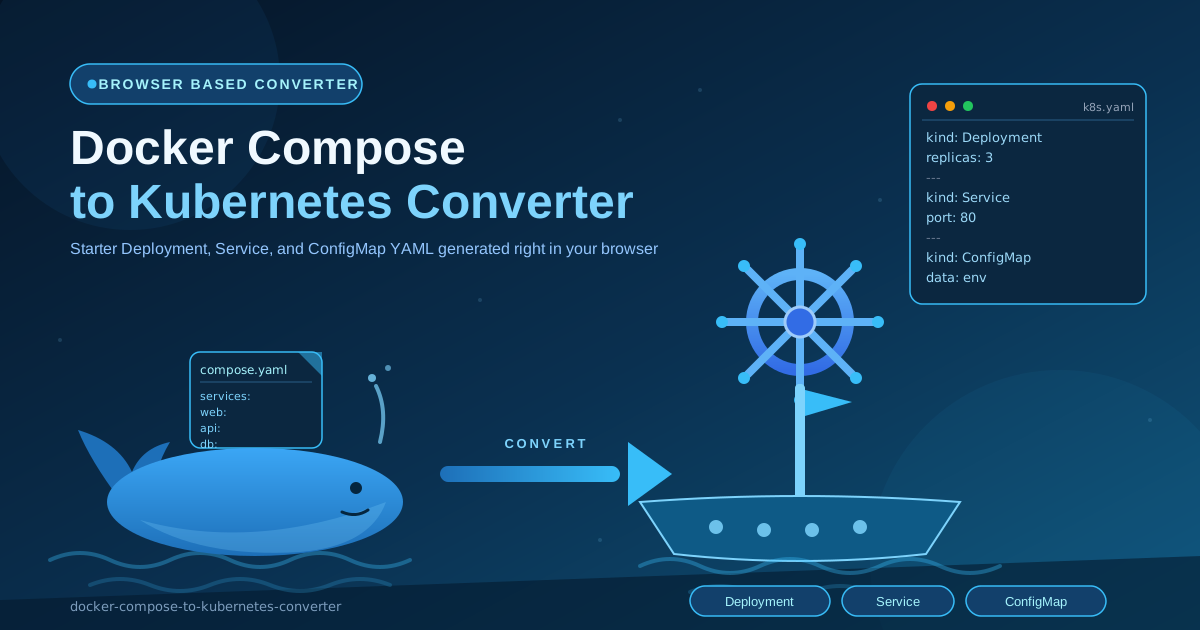
Convert Docker Compose services into starter Kubernetes Deployment, Service, and ConfigMap manifests entirely in your browser — a readable starting point for your first cluster migration.
Free Interactive Tool
Docker Compose to Kubernetes Converter
Convert Docker Compose YAML services into starter Kubernetes Deployment, Service, and ConfigMap manifests directly in your browser.
Table of Contents
Every Compose file already holds the seed of a Kubernetes deployment. The services you defined locally name your workloads, the pinned images exist in a registry, and the published ports describe how traffic reaches each container. The Docker Compose to Kubernetes Converter reads those services in your browser and emits starter Deployment, Service, and ConfigMap manifests, so migration starts from working YAML instead of a blank editor.
Be precise: this is a starter generator, not a full Kompose replacement. It converts the core of your Compose file — images, ports, environment variables, and replica counts — into clean Kubernetes objects you are expected to finish. Small output is a feature: you can read every line and adjust it with intent. It also runs entirely client-side, so internal registries and environment values never leave your machine.
Why Use Docker Compose to Kubernetes Converter?
- It removes the cold-start problem. Facing an empty file is the hardest part of a first migration; the converter hands you a correct skeleton in seconds.
- The output is small enough to review. Each service yields one Deployment, an optional Service, and an optional ConfigMap — readable in minutes.
- Faithful mapping of what matters. Images, ports, environment variables, and replica counts from deploy.replicas or a service-level replicas key land in the objects that represent them.
- Sensible toggles, not all-or-nothing. Toggle Service generation, choose a namespace, and set an image pull policy so output matches your cluster.
- Nothing leaves your machine. Conversion happens locally in JavaScript, keeping internal image names and configuration values safe.
- Free and frictionless. No install, no account, no CLI to version-pin. Open a tab, paste, convert.
Key Features
| Compose input | Generated object | Notes |
|---|---|---|
| services.<name>.image | Deployment | Container image in the pod template |
| services.<name>.ports | Service | Emitted when Service generation is enabled |
| services.<name>.environment | ConfigMap | Collected and referenced from the container |
| deploy.replicas or replicas | Deployment | Carried into spec.replicas, defaulting to 1 |
| Namespace and pull policy | All manifests | Applied consistently across everything generated |
- Per-service output blocks. Multi-service stacks convert service by service, yielding clearly separated manifest groups you can adopt one at a time.
- Copy or download. Grab the YAML for a quick kubectl apply, or save the full set into your repository.
How to Use
- Paste your Compose file. Drop a full docker-compose.yml into the input pane — one service or a whole stack.
- Review the parsed services. Each service is listed with its image, ports, environment, and replica count so you can confirm the parse first.
- Set the options. Choose a namespace, pick an image pull policy, and toggle Service generation depending on how your cluster exposes traffic.
- Convert and inspect. The output shows a Deployment per service, a ConfigMap for environment variables, and a Service when enabled — short by design.
- Copy, adjust, and apply. Add what Compose never expressed (probes, resources, volumes), then run kubectl apply -f against a test namespace first.
Compose Concepts vs Kubernetes Objects
Compose and Kubernetes solve overlapping problems with different vocabulary; knowing the mapping turns the output into something you can defend in code review.
services become Deployments
Each entry under services describes a long-running container — exactly what a Deployment manages. The converter creates one Deployment per service, named after the service key, with the image in the pod template. Replicas come from deploy.replicas, fall back to a service-level replicas key, and default to 1.
ports become Services
Published ports describe how to reach a container; in Kubernetes that job belongs to a Service. With Service generation enabled, every exposed port produces a Service routing to the Deployment's pods. Bindings such as 8080:80 do not become NodePort or LoadBalancer settings automatically — exposure strategy, including Ingress, stays yours.
environment becomes ConfigMaps
Environment variables move out of the pod spec into a ConfigMap referenced through envFrom, so configuration can be versioned and updated independently of the workload.
What the converter deliberately does not cover
- Volumes. Bind mounts have no single Kubernetes answer — emptyDir, a PersistentVolumeClaim, or a cloud storage class is your call.
- Healthcheck tuning. Real liveness and readiness probes need application-specific paths, ports, and thresholds no converter can guess.
- Ingress. External routing, TLS, and host rules depend entirely on your cluster's ingress controller.
- Secrets best practices. Credentials in Compose environment blocks land in a ConfigMap, but production values belong in Kubernetes Secrets.
A small before and after
This Compose fragment:
services:
  web:
    image: nginx:1.27
    ports:
      - '8080:80'
    environment:
      - NGINX_HOST=example.test
    deploy:
      replicas: 2
becomes, in essence, this Deployment (plus a ConfigMap, and a Service when toggled on):
apiVersion: apps/v1
kind: Deployment
metadata:
  name: web
spec:
  replicas: 2
  template:
    spec:
      containers:
        - name: web
          image: nginx:1.27
          envFrom:
            - configMapRef:
                name: web
Same workload, new vocabulary — nothing here you cannot read.
Practical Use Cases
Moving a local Compose app to a managed cluster
Your Compose stack of web app, API, and database is headed for EKS, GKE, or AKS. Convert once, get a Deployment per service in minutes, then focus on storage for the database and probes for the API.
Learning Kubernetes manifests from files you already know
Documentation explains Deployments abstractly; your Compose file explains them in terms of an app you wrote. Converting a file you understand and reading the result side by side is a fast way to internalize spec.replicas, envFrom, and Service selectors.
Bootstrapping a GitOps repository
Flux and Argo CD start from manifests in git. Generate the initial set from Compose, commit them, and let the pipeline own it from there — the output becomes the first commit of your deployment history.
Best Practices
- Review replicas and add resource requests and limits. The converter carries your replica count but cannot know right-sized CPU and memory values — set them before real traffic.
- Move credentials into Secrets. Anything in an environment block that looks like a password, token, or connection string belongs in a Kubernetes Secret, not the generated ConfigMap.
- Add liveness and readiness probes. Treat the generated Deployment as missing health wiring until both probes point at real endpoints.
- Decide the volume strategy deliberately. Replace implicit Compose storage assumptions with explicit PersistentVolumeClaims or a stateless redesign.
- Commit the manifests to git. Starter YAML is the beginning of your infrastructure history — version it so every later tweak is reviewable.
- Dry-run before applying. kubectl apply --dry-run=server against a staging namespace catches naming, quota, and API-version issues early.
Turn Your Compose File Into Kubernetes YAML Today
If a Compose file is the truest description of your application, put it to work. Paste it into the Docker Compose to Kubernetes Converter, review the starter manifests, and walk into your first cluster migration with working YAML instead of a blank page.
Related Tools You Might Like:
- Dockerfile Linter — catch security, caching, and size issues in the images your manifests reference
- Dockerfile Generator — scaffold well-structured Dockerfiles for the services you are containerizing
- YAML Formatter — format and validate generated manifests before you commit them
Happy converting — start from what Compose taught you, finish with what Kubernetes needs.
Frequently Asked Questions
Q: Is my Compose file uploaded to a server?
A: No. Parsing and generation run entirely in your browser. Internal image names, hostnames, and environment values never leave your machine.
Q: Is this a replacement for Kompose?
A: No — and it is not trying to be. Kompose covers a wider range of Compose fields; this tool focuses on the core trio of Deployment, Service, and ConfigMap, with output short enough to read and finish by hand.
Q: Why does my Deployment show one replica when my Compose file never mentioned replicas?
A: Compose defaults to a single instance implicitly, while a Deployment expects an explicit number. The converter uses deploy.replicas or a service-level replicas value when present and falls back to 1.
Q: Where did my volumes and healthchecks go?
A: They are left out on purpose: volumes need cluster-specific storage decisions and probes need application-specific endpoints. Add them as you would any handwritten YAML.