Emoji Remover: Strip Emojis and Zero-Width Characters for Clean Text
Remove emojis and symbol characters from text for clean CSVs, legacy systems, and LLM prompts, with optional zero-width cleanup, all in-browser.
Free Interactive Tool
Emoji Remover
Strip emojis and symbols from text for clean CSVs, legacy systems, and LLM prompts
Table of Contents
Emojis look harmless — a thumbs-up in a status field, a party popper after a customer name. Then a legacy parser throws an encoding error, a CSV importer shifts a column, or an LLM prompt behaves strangely, and those cheerful glyphs become the most expensive characters in your dataset. The Emoji Remover was built for exactly that moment.
The tool strips emojis and symbol characters from any text, leaving plain, predictable content behind, with optional zero-width cleanup that also removes invisible characters — zero-width spaces, zero-width joiners, and byte-order marks — that cause their own silent bugs. Everything runs 100% in your browser: paste, watch the live before-and-after, copy the clean result.
This guide explains why emoji stripping matters, how invisible characters sabotage systems, and when removing an emoji changes meaning.
Why Use Emoji Remover?
- Legacy systems cannot handle them. Older parsers and 8-bit databases were never designed for four-byte Unicode glyphs; emojis mean rejected records, mojibake, or silent truncation mid-character.
- CSV and spreadsheet safety. Emoji-filled cells break naive CSV parsers and turn into garbage like 😂 when encodings mismatch.
- LLM prompt hygiene. Emojis and stray symbols consume tokens unpredictably and add noise to few-shot examples; stripped prompts are cheaper and easier to diff.
- Invisible characters are caught too. With zero-width cleanup enabled, ZWSP, ZWJ, and BOM go as well — saboteurs your string comparisons and IDs definitely notice.
- Instant visual verification. The live before-and-after shows exactly what changed, so you can spot-check before copying.
- Private and free. Everything is processed locally; sensitive records never touch a server, and there is no signup.
Key Features
| Feature | What it does |
|---|---|
| Emoji removal | Strips emojis and symbol characters, keeping plain text intact |
| Zero-width cleanup | Optionally removes ZWSP, ZWJ, and BOM invisible characters |
| Live before and after | Shows original and cleaned text side by side as you type |
| 100% in-browser | All processing happens locally; nothing leaves your device |
| Copy-ready output | One click puts the cleaned text on your clipboard |
The combination matters: removing only visible emojis often leaves invisible residue behind, and half-cleaned text can be worse than untouched text because it looks clean while still misbehaving.
How to Use
- Paste your text. A CSV column, a log excerpt, usernames, or an LLM prompt template.
- Enable zero-width cleanup if the text is machine-bound. Output destined for a database, a legacy parser, or a prompt should also lose ZWSP, ZWJ, and BOM.
- Review the live before-and-after. Original and cleaned versions sit side by side so you can confirm nothing important was swept away.
- Spot-check the result. Restore any symbol that legitimately belonged, such as a math operator or currency marker.
- Copy the clean text. One click sends it to your clipboard, ready for your CSV, API payload, or prompt.
Invisible Characters Are the Real Problem
Emojis are not single characters. Many are sequences of multiple Unicode code points: a thumbs-up with a skin tone modifier is two code points, a family emoji can be four or more glued together with zero-width joiners, and a flag is a pair of regional indicators. Removing an emoji is therefore a parsing problem, not simple deletion — and emoji-laden text is longer, and tokenizes less predictably, than it looks.
Then there are the saboteurs you cannot see at all. Zero-width spaces (ZWSP), zero-width joiners (ZWJ), and byte-order marks (BOM) occupy space in the string while rendering as nothing, arriving through copy-paste from websites, messaging apps, and exports. Three bugs recur:
- Phantom spaces in IDs. An order code that prints as A-1024 may hide a zero-width space after the hyphen; lookups fail and the mismatch is invisible in logs.
- Broken string equality. Two strings that look identical compare as different because one carries a BOM or a ZWJ — deduplication misses duplicates and cache keys silently diverge.
- CSV column shifts. Some importers treat unexpected characters as delimiters or line breaks, pushing every field after it one column to the right.
Sometimes removing an emoji changes meaning. In a support ticket, a warning sign may carry the only signal that an item needs attention; in a chat export, a heart is the content, not the garnish; a rating stored as three stars is data. If an emoji encodes information that exists nowhere else, convert it to text first.
The transformation is easy to eyeball:
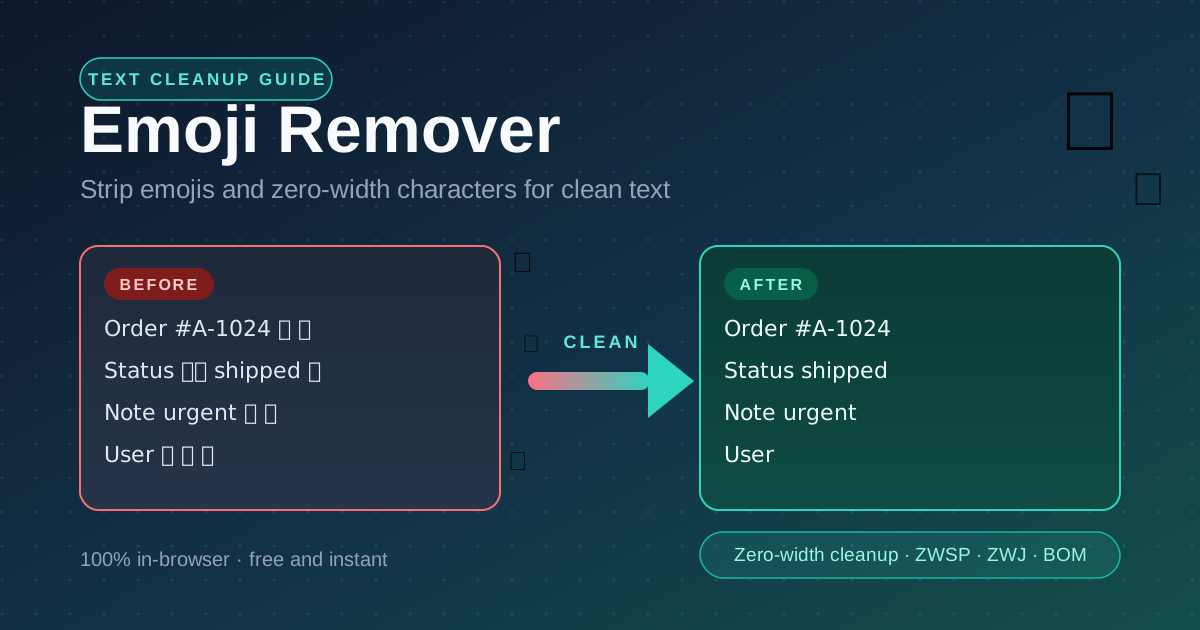
Before: Order #A-1024 ✅ 🎉   Status 👍🏻 shipped 📦   Note: urgent 🔥
After:  Order #A-1024        Status shipped          Note: urgent
Shorter, plainer, and safe for every parser downstream — while the human-readable facts survive intact.
Practical Use Cases
CSV and Database Cleanup
Datasets assembled from web forms, chat exports, and CRM dumps accumulate emojis wherever humans typed them. Cleaning product names, notes, and address fields before import prevents encoding errors, keeps column alignment intact, and makes values uniform.
Legacy System Ingestion
Older ERP, billing, and government systems often accept only narrow character sets. Stripping emojis and symbols at the boundary — before the record reaches the parser — prevents rejected batches and pairs naturally with an encoding fix.
LLM Prompt Hygiene
Prompts assembled from user content often carry emojis and invisible characters into the model. Cleaning normalizes token usage, removes noise from examples, and makes prompt templates easier to diff. Plain text in, plain text out.
Username and ID Sanitization
Display names, order codes, and external identifiers frequently hide zero-width characters from copy-paste. Running them through the remover with zero-width cleanup enabled guarantees that what you store matches what you display.
Best Practices
- Clean at ingest, not at every read. Sanitize once when text enters your system and store the clean version; per-read cleaning wastes cycles and risks inconsistency.
- Keep zero-width cleanup on for machine-bound text. Databases, APIs, and models should never see ZWSP, ZWJ, or BOM; reserve the toggle-off for human-only text.
- Spot-check the before-and-after view. The live diff is your safety net — scan the output, especially fields where a symbol might have carried meaning.
- Convert meaningful emojis before stripping. If an emoji is the only carrier of a signal — severity, sentiment, a rating — translate it into explicit text first.
- Keep a copy of the original. Cleaning is one-way, so retain the raw source for audits or re-runs with different settings.
- Combine with encoding checks. Clean characters in the wrong charset are still garbage downstream, so verify encoding for legacy sources too.
Try It Now
Paste your emoji-laden text into the Emoji Remover, flip on zero-width cleanup, and watch the clean version appear instantly — free, private, and entirely in your browser.
Related Tools You Might Like:
- Text Case Converter — convert between UPPERCASE, lowercase, Title Case, camelCase, and snake_case.
- Mojibake Fixer — repair garbled text caused by wrong-encoding reads across UTF-8, Latin-1, Shift-JIS, and TIS-620.
- Find and Replace — bulk replace words, symbols, and patterns across large blocks of text.
Clean text is quiet infrastructure: nobody notices it until it breaks, so strip the noise before it does.
Frequently Asked Questions
Q: Does the tool remove every emoji, including new ones?
A: The remover targets the emoji and symbol ranges of Unicode — standard emojis, skin-tone variants, ZWJ sequences, and most symbols. The live before-and-after view lets you confirm nothing slipped through.
Q: What is the difference between emojis and zero-width characters?
A: Emojis are visible glyphs that take up space on screen; zero-width characters — ZWSP, ZWJ, and BOM — occupy space in the string but render as nothing. Emoji removal handles the visible problem, zero-width cleanup the invisible one.
Q: Will removing emojis break my text?
A: Only if an emoji carried meaning that exists nowhere else, such as a warning marker or a star rating. Convert those to explicit text before stripping.
Q: Is my text uploaded anywhere?
A: No. All processing runs locally in your browser; nothing is sent to a server, stored, or logged.
Q: Should I enable zero-width cleanup for human-readable text?
A: Usually yes, but zero-width joiners are legitimate in some scripts and combined emoji sequences, so leave the toggle off when joining matters to human readers. For databases, APIs, and prompts, keep it on.