git-blame-lineage-explainer: Complete Online Guide, Features & Practical Examples
Learn how to use the free git-blame-lineage-explainer in your browser with step-by-step instructions, practical use cases, and expert tips.
Free Interactive Tool
Git Blame Lineage Explainer
Paste git blame --line-porcelain output and get the lineage explained: commits grouped into per-author segments, author line-count stats, oldest and newest touches, and a copyable summary. Fully offline.
Table of Contents
The Git Blame Lineage Explainer reads git blame --line-porcelain output and turns the raw stream into a readable story: consecutive lines from the same commit group into segments with hash, author, date and line range, author statistics count every line per person, and the oldest and newest touches bracket the file history. Parsing is pure text processing — no repository access, no network — so internal code can be analyzed anywhere without granting repository access.
Whether you are double-checking numbers on a deadline, validating edge cases, or standardizing a repeatable workflow, the git-blame-lineage-explainer gives you an interactive, zero-install workspace directly in your browser. Every calculation and transformation runs locally on your device — no account registration, no paywalls, and no sensitive inputs uploaded to external servers.
In this guide, we walk through why dedicated tooling beats manual back-of-the-envelope work, explore every feature inside the interface, and cover step-by-step instructions alongside real-world scenarios.
Why Use git-blame-lineage-explainer?
- Immediate Clarity: Raw porcelain becomes a readable lineage in one paste.
- Focused Workflow: Segments show exactly which commit owns which stretch of lines.
- Transparent Logic: Author statistics expose knowledge concentration.
- Practical Accuracy: Oldest and newest commits flag legacy code at a glance.
- Time-Saving Defaults: No repository access, no network, nothing stored.
- 100% Client-Side Privacy: Every operation executes inside your browser session, keeping your data private and responsive even on slow connections.
Key Features
| Feature Area | What It Delivers | Execution Mode |
|---|---|---|
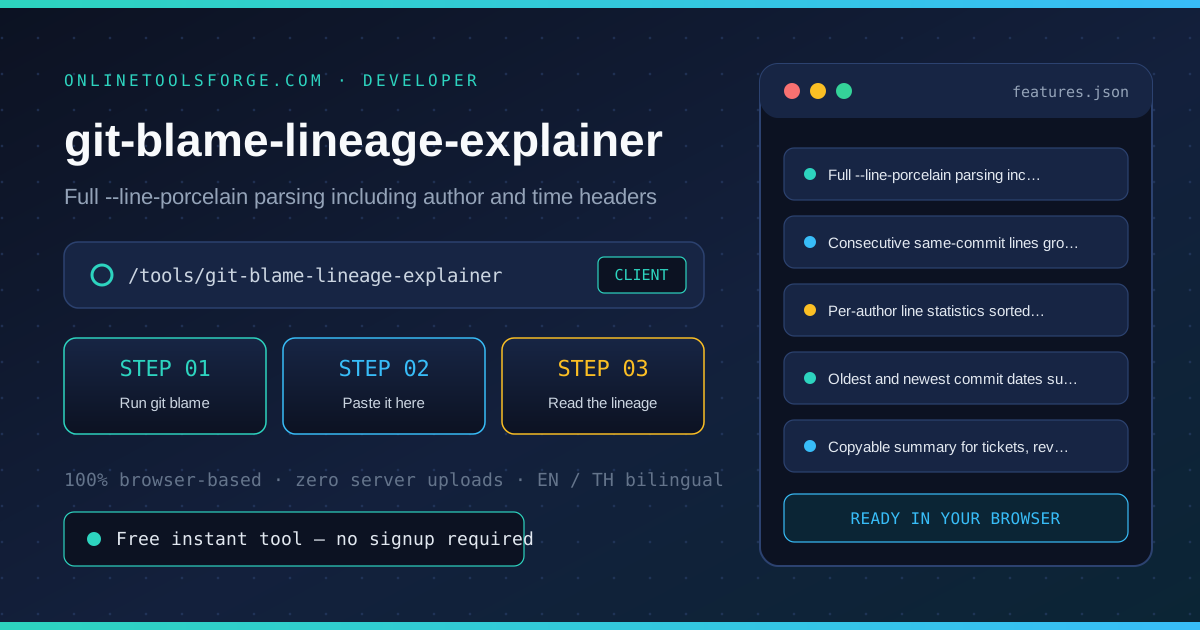
| Capability 1 | Full --line-porcelain parsing including author and time headers | Instant browser execution |
| Capability 2 | Consecutive same-commit lines grouped into segments | Instant browser execution |
| Capability 3 | Per-author line statistics sorted by contribution | Instant browser execution |
| Capability 4 | Oldest and newest commit dates surfaced at a glance | Instant browser execution |
| Capability 5 | Copyable summary for tickets, reviews and docs | Instant browser execution |
- Interactive Feedback: Results recalculate on the fly as you adjust inputs, letting you compare multiple scenarios in seconds.
- Bilingual Interface: Switch seamlessly between English and Thai labels whenever you collaborate across multilingual teams.
- Copy & Export Ready: Grab formatted outputs or summaries with one click so you can paste them straight into docs, tickets, or spreadsheets.
How to Use git-blame-lineage-explainer
From raw porcelain output to a readable lineage in four steps.
- Open the Tool: Head to the git-blame-lineage-explainer in any modern desktop or mobile browser.
- Run git blame: In your repository run git blame --line-porcelain on the file you care about and copy the entire output.
- Paste it here: Paste the porcelain stream into the box. Headers, author lines and tab-indented content lines are all understood.
- Read the lineage: Consecutive lines from the same commit group into segments with hash, author, date and line range, so rewrites and quick fixes stand out visually.
- Use the statistics: Author counts reveal knowledge concentration; the oldest commit dates flag code that predates the current team. Copy the summary into your ticket or review.
Core Concepts & How It Works
Understanding the underlying mechanics helps you interpret the output with confidence. The Git Blame Lineage Explainer reads git blame --line-porcelain output and turns the raw stream into a readable story: consecutive lines from the same commit group into segments with hash, author, date and line range, author statistics count every line per person, and the oldest and newest touches bracket the file history. Parsing is pure text processing — no repository access, no network — so internal code can be analyzed anywhere without granting repository access.
Instead of hiding assumptions behind a single opaque result, the git-blame-lineage-explainer surfaces intermediate values and clear labels so you can audit how the final answer is assembled:
- Explicit Input Validation: Boundaries and unit expectations are checked immediately, preventing silent NaN or unit-mismatch bugs.
- Deterministic Output: Given the same inputs, the tool produces identical, reproducible results every time — ideal for team reviews and documentation.
- Edge-Case Visibility: Built-in warnings highlight when inputs approach practical limits or require special interpretation.
Practical Use Cases
1. Reviewing who owns which section before a refactor
When tackling reviewing who owns which section before a refactor, manual spreadsheets and ad-hoc scripts often introduce rounding errors or inconsistent assumptions. With the git-blame-lineage-explainer, you can load your exact parameters, inspect the breakdown immediately, and verify how each variable affects the outcome before committing to a decision.
2. Finding when a suspicious line was introduced and by whom
When tackling finding when a suspicious line was introduced and by whom, manual spreadsheets and ad-hoc scripts often introduce rounding errors or inconsistent assumptions. With the git-blame-lineage-explainer, you can load your exact parameters, inspect the breakdown immediately, and verify how each variable affects the outcome before committing to a decision.
3. Mapping knowledge concentration across a legacy file
When tackling mapping knowledge concentration across a legacy file, manual spreadsheets and ad-hoc scripts often introduce rounding errors or inconsistent assumptions. With the git-blame-lineage-explainer, you can load your exact parameters, inspect the breakdown immediately, and verify how each variable affects the outcome before committing to a decision.
4. Preparing archaeology notes for onboarding documents
When tackling preparing archaeology notes for onboarding documents, manual spreadsheets and ad-hoc scripts often introduce rounding errors or inconsistent assumptions. With the git-blame-lineage-explainer, you can load your exact parameters, inspect the breakdown immediately, and verify how each variable affects the outcome before committing to a decision.
5. Analyzing blame dumps on machines without repository access
When tackling analyzing blame dumps on machines without repository access, manual spreadsheets and ad-hoc scripts often introduce rounding errors or inconsistent assumptions. With the git-blame-lineage-explainer, you can load your exact parameters, inspect the breakdown immediately, and verify how each variable affects the outcome before committing to a decision.
Best Practices
- Start with realistic baseline values before testing extreme edge cases so you have a clear reference point to compare against.
- Verify units and formatting on every input field — many discrepancies come from mixing percentages, decimals, or measurement units.
- Test sensitivity by changing one variable at a time in the git-blame-lineage-explainer to see which input has the largest impact on your result.
- Document your assumptions alongside the exported output so teammates can reproduce the exact state later.
- Pair with companion utilities in the same category when your workflow spans multiple conversion or validation steps.
Frequently Asked Questions
Q: How do I produce the input this tool expects? A: Run git blame --line-porcelain path/to/file in your repository and copy the entire output. The tool reads the header lines (author, author-time, summary) and the tab-indented content lines; no flags or extra arguments are needed.
Q: Is my source code uploaded anywhere? A: No. Parsing happens entirely in your browser with plain text processing — the pasted blame output never leaves the page, so proprietary or internal code can be analyzed on any machine, even fully offline.
Q: What is a segment in the lineage view? A: A segment is a run of consecutive lines last touched by the same commit. When a file was rewritten wholesale you get one big segment; when many authors patched different parts you get many small ones — the pattern itself tells you how the file evolved.
Q: Why do moved or copied lines show surprising dates? A: git blame follows the content, and with the default settings a line moved between files keeps its original commit. Use the generated hash to find the commit and check whether a move, not an edit, is what you are seeing.
Try git-blame-lineage-explainer Today
Ready to streamline your workflow? Open the git-blame-lineage-explainer now to run instant, accurate calculations right in your browser — completely free and with zero setup required.
Related Tools You Might Like
Happy building and calculating!