Git Branch Name Generator: Conventional Branch Names from Ticket Titles
Turn ticket titles into conventional git branch names with slugify, ticket prefixes, and length limits. Free, 100% client-side, and built for teams that want consistent branches.
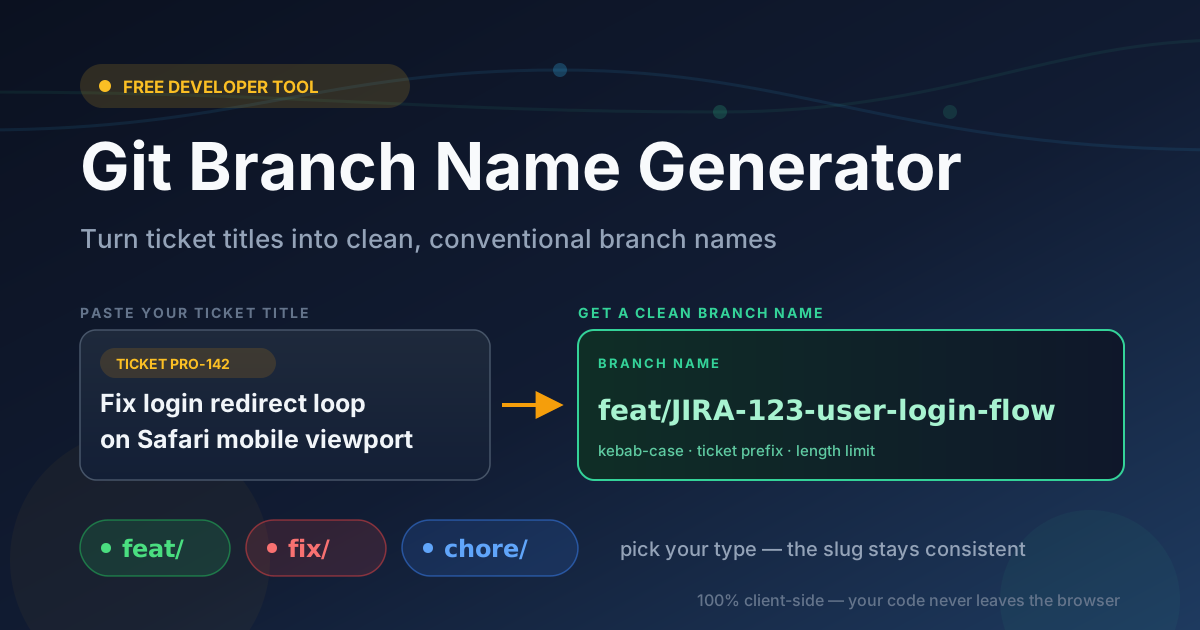
Free Interactive Tool
Git Branch Name Generator
Turn ticket titles into conventional branch names like feat/, fix/, and chore/ with slugify, ticket prefixes, and length limits.
Table of Contents
Every repository tells on its team. Open the branch list of a healthy project and you will see a rhythm: feat/JIRA-123-user-login-flow, fix/PRO-87-null-check-on-invoice. Open a project without a convention and you find the archaeology of good intentions: fix-bug-final-2-REAL, new_fix_try3. Those names are a team-culture smell — evidence that naming is an individual decision made under deadline pressure, dozens of times a week, with no shared standard.
The Git Branch Name Generator removes that decision entirely. Paste a ticket title, pick a change type such as feat, fix, or chore, and the tool returns a slugified kebab-case branch name with an optional ticket prefix like JIRA-123 and a length limit. One click copies it, ready for git checkout -b.
The tool runs 100% client-side, so nothing you paste ever leaves your machine. This guide covers how to use it, the reasoning behind a well-formed branch name, and how to make a convention a habit instead of a wiki page nobody reads.
Why Use the Git Branch Name Generator?
- Consistency without policing. A shared generator produces the same style of name no matter who types, so reviewers stop reformatting and CI rules stop failing.
- Traceability from branch to ticket. When every branch carries its ticket ID, a pull request list shows exactly which backlog item each change belongs to.
- Faster onboarding. New team members paste a title, pick a type, and their first branch already looks like everyone else's.
- Cleaner automation. Scripts parsing branch names for IDs or types need predictable formatting; consistent input keeps them reliable.
- Readable names everywhere. Short kebab-case names stay legible in terminal prompts and PR lists, where long names get truncated.
- Zero friction, zero risk. Free, no signup, and processed entirely locally — it fits even restricted corporate environments.
Key Features
| Feature | What it does | Why it matters |
|---|---|---|
| Type selection | Pick feat, fix, chore, and more | Encodes the change's intent in the name |
| Kebab-case slugify | Lowercases, strips invalid characters, joins with hyphens | Valid on every git host and OS |
| Ticket prefix | Prepends an optional ID such as JIRA-123 | Links branches and PRs to tracker items |
| Length limit | Caps total branch name length | Keeps names readable in prompts and lists |
| Stopword removal | Optionally drops filler words such as "the" | Tightens names without losing meaning |
| Copy to clipboard | One click copies the finished name | No transcription errors into the terminal |
Everything happens in the browser — no API call, no telemetry — so confidential ticket titles are safe. The output is complete too: what you copy is exactly what follows git checkout -b, special characters already handled.
How to Use
- Paste the ticket title. Copy it from Jira, Linear, GitHub Issues, or wherever work is tracked — for example, "Fix login redirect loop on Safari mobile".
- Choose the change type. Select feat for new functionality, fix for bug corrections, chore for maintenance, or another type your convention uses.
- Add the ticket prefix. Enter the tracker ID, such as JIRA-123, so the branch stays linked to its ticket.
- Tune the options. Set a length limit if your team prefers short names, and toggle stopword removal to drop filler words.
- Copy and create the branch. Click copy, run git checkout -b feat/JIRA-123-fix-login-redirect-loop, and start working.
The flow takes about ten seconds — when the right way is also the fast way, the right way wins.
A Naming Convention Teams Can Keep
A durable convention has four parts: a type prefix, a slug, an optional ticket ID, and a length budget. The generator enforces all four.
Type prefixes encode intent
Borrowed from conventional commits, each prefix tells reviewers what to expect: feat/ is new user-facing functionality, fix/ corrects existing behavior, chore/ is maintenance with no behavior change such as dependency bumps, refactor/ restructures without changing behavior, docs/ isolates documentation, and test/ makes coverage work visible and searchable. Adopting even feat, fix, and chore delivers most of the benefit: filtering a PR list by intent becomes trivial, and release tooling can group changes automatically.
Kebab-case slugify rules
The slug must survive your filesystem, your git host, and your colleagues' memory. Slugification is deterministic: lowercase everything, replace runs of spaces and punctuation with a single hyphen, drop characters invalid in refs, and trim end hyphens. So "Fix Login Redirect Loop!" becomes fix-login-redirect-loop — valid everywhere and unambiguous in a URL, a shell command, and a branch filter box.
Ticket prefixes for traceability
A ticket ID between the type and the slug turns every branch into a bidirectional link: from the branch you find the ticket's acceptance criteria; from the ticket, every branch, PR, and deploy that touched it. Place the ID immediately after the type so humans and scripts can extract it with a simple pattern.
Length limits and why they exist
Long branch names actively degrade tooling. Terminal prompts truncate them, and GitHub clips PR lists until two long names look identical. A cap in the 40 to 60 character range forces titles down to their essence: the type, the ticket, and the core of the change.
Stopword removal trade-offs
Dropping filler words such as "the" and "a" shortens names with little information loss: "Fix the bug on the invoice page" becomes fix-invoice-page-bug. The risk is that aggressive removal blurs meaning — "test login for admins" and "test login for users" must not collapse into the same slug. Keep any word that carries meaning.
Before and after
- "Fix the login redirect loop bug on Safari mobile (JIRA-123)" → fix/JIRA-123-safari-login-redirect-loop
- "Add new feature - export dashboard to PDF and CSV (PRO-87)" → feat/PRO-87-export-dashboard-pdf-csv
- "Update deps + bump build script version, misc cleanup (OPS-45)" → chore/OPS-45-update-deps-build-script
- "REFACTOR: split auth module into services (ARCH-9)" → refactor/ARCH-9-split-auth-module
Practical Use Cases
Jira and GitHub Projects workflows
A developer picks up JIRA-123, pastes the title, and the branch exists with the ID embedded. GitHub and Jira auto-link the PR by branch name, status columns update on merge, and sprint boards reflect reality without manual bookkeeping.
Open-source contribution guides
Maintainers who document a branch format in CONTRIBUTING.md still receive patch-1, because forming a compliant name takes effort drive-by contributors will not spend. Linking the generator in your guide removes that friction and keeps the branch list navigable.
Automation scripts that create branches
A script watching a tracker for new tickets can construct the same pattern — type, ID, slugified title, capped length — and create branches automatically. Because every name follows one deterministic format, the parsing layer stays trivial instead of growing regex special cases.
Best Practices
- Agree on the convention in CONTRIBUTING.md. Write down the type list, slug rules, and length cap, and link the generator.
- Always carry the ticket ID. Even for tiny fixes, it is the thread tying code, review, and context together later.
- Keep it short but descriptive. Three to five words after the type and ID; the ticket holds the detail.
- Never rename mid-PR. Renaming after review starts breaks comment links, CI history, and local checkouts.
- Let the tool be the arbiter. When a naming debate starts, "run it through the generator" is the fastest resolution.
Try the Git Branch Name Generator Now
Branch naming is never your team's hardest problem, but you solve it dozens of times a week — making it one of the cheapest places to install a good habit. Open the Git Branch Name Generator, paste your next ticket title, and copy a name your reviewers will thank you for.
Related Tools You Might Like
- Text Case Converter — convert text between UPPERCASE, lowercase, Title Case, and more
- Case Style Converter — switch between kebab-case, snake_case, and camelCase for slugs
- Username Generator — create consistent, readable handles for new accounts
Happy branching, and may your branch list always read like a changelog.
Frequently Asked Questions
Q: Is my ticket title uploaded anywhere when I use the tool?
A: No. The generator runs entirely in your browser and no input ever leaves your device, so confidential ticket titles are safe.
Q: Which change types does the generator support?
A: The conventional set — feat, fix, and chore — plus other common types such as refactor, docs, and test, matching conventional commit categories exactly.
Q: Why should a branch name include the ticket ID like JIRA-123?
A: The ID creates a permanent link between the code and its tracker item, letting reviewers, auditors, and automation trace any branch back to its requirement.
Q: What is the ideal length limit for a branch name?
A: Around 40 to 60 characters — short enough to stay readable in prompts and PR lists, with room for a type, a ticket ID, and a descriptive slug.