JSON to Mongoose Converter: Turn Sample Documents Into Typed Schemas in One Paste
Free online JSON to Mongoose schema converter. Paste a sample JSON document and get a typed Mongoose schema with ObjectId refs, enums, nested objects, strict mode, and timestamps. 100% client-side.
Free Interactive Tool
JSON to Mongoose Schema Converter
Generate Mongoose schemas with types, refs, and timestamps from JSON samples.
Table of Contents
Every Mongoose model starts the same way: stare at a sample document and hand-type a schema — name: String, price: Number, an ObjectId with a ref, an enum of allowed values. The work is mechanical, and a typo in a type name quietly becomes next week's bug. The JSON to Mongoose Converter types it for you in one paste: drop in a representative document and get a complete new mongoose.Schema(...) block back, with types inferred, refs detected, and strict mode and timestamps ready to toggle.
The insight is simple: a sample document already contains the schema's ground truth. Every key is a field name, every value is a type, a 24-character hex string is usually a reference, and a short set of repeating strings is usually an enum. A parser reads those signals instantly and consistently, while you keep the judgment calls — what is required, where each ref points.
Why Use JSON to Mongoose Converter?
- The boilerplate is gone: the tool emits a complete new mongoose.Schema({...}) declaration, so you edit a schema instead of typing one.
- Type inference from sample data: strings become String, numbers become Number, booleans become Boolean, and arrays become typed arrays like [String].
- Refs and enums detected: ObjectId-shaped values map to Schema.Types.ObjectId, and repeating string values surface as enum candidates.
- Nested objects become subdocuments: embedded objects generate nested schema definitions instead of a catch-all Mixed.
- Strict mode and timestamps built in: the two options every real model needs are one toggle away.
- Private and instant: everything runs 100% client-side — no signup, no uploads, no waiting.
Key Features
| Feature | What It Does |
|---|---|
| Sample JSON parsing | Parses your pasted document entirely in the browser |
| Type inference | Maps values to String, Number, Boolean, and typed arrays |
| ObjectId and refs | Detects ObjectId-shaped strings and adds a ref to the related model |
| Enum inference | Proposes an enum when a string field repeats a small set of values |
| Nested objects | Generates subdocument schemas for embedded objects |
| Strict mode and timestamps | Toggles for the two options production models need |
- Copy-ready output: the generated JavaScript follows common Mongoose conventions and reads like code your team would write.
- Deterministic inference: the same document always produces the same schema, so regenerating after a model evolves is painless.
How to Use
- Paste a sample JSON document. Grab your most complete one — from a collection export, an API response, or a design doc.
- Read the generated schema. One line per field, nested objects expanded, types inferred from your values.
- Adjust types and refs. Point each ref at the right model name and correct anything the sample could not fully express.
- Pick strict mode and timestamps. Leave strict on by default, and toggle timestamps for collections that need createdAt and updatedAt.
- Copy it into your models folder. Drop it into models/YourModel.js, add the mongoose.model export, and the model works.
From Document to Schema
The converter's type mapping is direct:
"hello"            -> String
42, 3.14           -> Number
true, false        -> Boolean
["a", "b"]         -> [String]
null               -> edge case: no signal, gets a sensible default you should review
{ "city": "..." }  -> nested object, emitted as a subdocument schema
"64b7f2e9a1c3..."  -> ObjectId-shaped, emitted as Schema.Types.ObjectId
ObjectId detection and refs. MongoDB stores references as 24-character hex strings, so the converter treats matching strings as candidate ObjectIds. A supplier field only pays off once Mongoose knows which collection to populate from, so the tool pairs the detected ObjectId with a ref derived from the field name — confirm or rename it, and the plumbing is done.
Enum inference. When a string field holds one of a small repeating set — "active", "draft", "archived" — a plain String would let anything through. The tool proposes an enum array so Mongoose can validate the legal values on save.
Why strict mode matters. Mongoose strips undeclared fields on save. That protects your collections, but only if the schema declares every field you care about: a schema generated from a complete sample starts correct, while a hand-typed one loses data silently.
Timestamps. The timestamps option adds { timestamps: true }, and Mongoose then maintains createdAt and updatedAt on every document — no middleware needed.
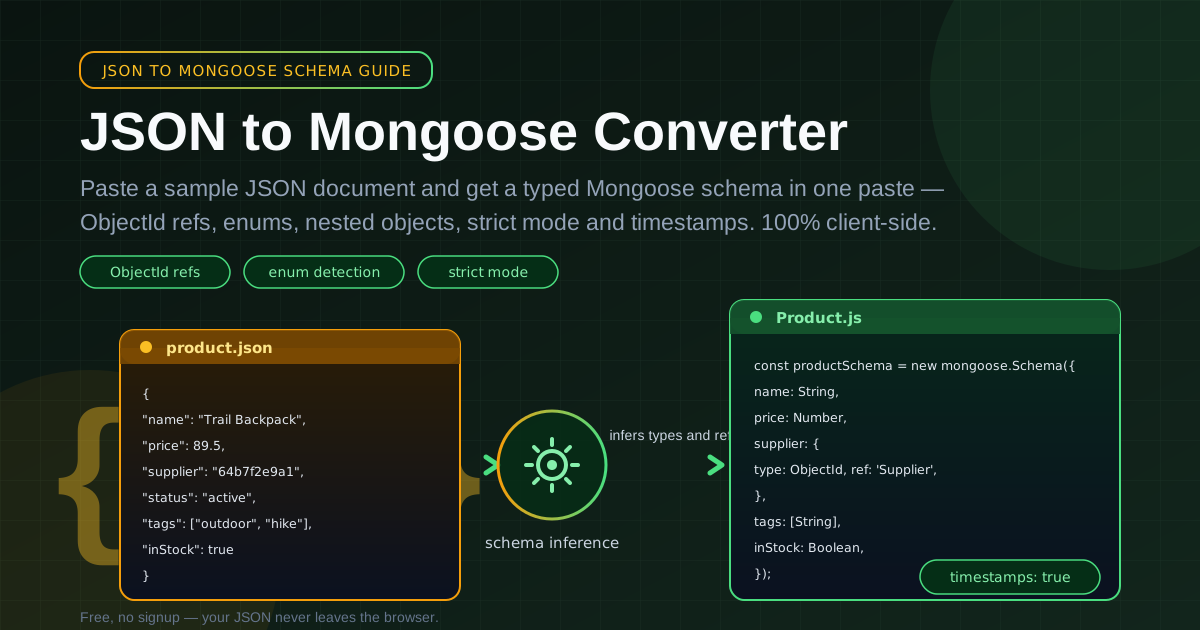
A worked example. Paste a product document with a nested supplier reference and a tags array:
{
  "name": "Trail Backpack",
  "price": 89.5,
  "supplier": "64b7f2e9a1c3d4e5f6a7b8c9",
  "status": "active",
  "tags": ["outdoor", "hiking"],
  "inStock": true
}
The converter emits:
const productSchema = new mongoose.Schema(
  {
    name: String,
    price: Number,
    supplier: { type: mongoose.Schema.Types.ObjectId, ref: 'Supplier' },
    status: { type: String, enum: ['active'] },
    tags: [String],
    inStock: Boolean,
  },
  { timestamps: true }
);
From there, round out the enum with values you know exist, mark name and price as required, and add unique or indexes where queries demand it. The honest caveat: a schema is a starting point, not a finish line. A sample proves what exists, not what must always exist — so add required fields, unique constraints, and indexes deliberately, one decision at a time.
Practical Use Cases
Bootstrapping New Models
Paste a mock or design-doc payload and the scaffolding exists before your first commit. Spend the saved hour on validation rules and indexes.
Reverse-Engineering Existing Collections
Export a representative document from each undocumented collection, convert them, and the whole database has a typed, readable map by the end of the afternoon.
Migrating Raw MongoDB Apps to Mongoose
Teams often adopt Mongoose after living on the raw driver. The converter turns your existing query shapes into schema definitions, so the migration starts from what your data really looks like rather than from someone's memory.
Teaching Mongoose Schemas
Converting a document and comparing it side by side with the JSON is a fast way to see how types, refs, enums, and subdocuments correspond to plain data.
Best Practices
- Use the most complete sample document you can find. Inference only sees what you paste.
- Review every inferred type. A price stored as "19.99" becomes String; a numeric ZIP code becomes Number. Confirm the semantics.
- Add validation before shipping. Generated schemas describe shape, not rules — layer on required, min/max, and custom validators.
- Paste a second, different sample for messy models. Optional fields vary between documents.
- Keep enums honest. Accept an inferred enum only if the sample covers the value space, and extend it with values you know exist.
- Treat strict mode as the default. Turn it off only for genuinely dynamic collections, and document why.
Ready to skip the transcription? Open the JSON to Mongoose Converter, paste your most complete document, and watch it become a typed schema with refs, enums, and timestamps — in one paste, in your browser.
Related Tools You Might Like:
- JSON Schema Generator — turn the same sample JSON into a standard JSON Schema for validation outside Mongoose
- JSON Flattener — flatten nested documents into dot-notation keys for analysis and flat-file exports
- JSON Formatter — clean up and validate messy JSON before you paste it anywhere
Happy modeling — and may every generated schema need only the human touches that matter. — Online Tools Forge Team
Frequently Asked Questions
Q: Is the tool free, and does my JSON get uploaded anywhere?
A: It is free with no signup, and nothing is uploaded — parsing and generation run entirely in your browser, so sample documents never leave your machine.
Q: How does the tool decide that a string is an ObjectId?
A: It checks for MongoDB's standard 24-character hexadecimal pattern. Matching values become Schema.Types.ObjectId with a ref derived from the field name — adjust it to your actual model name.
Q: What happens with null values or empty arrays?
A: A null gives no type signal and an empty array hides its element type, so both land as sensible defaults that are worth confirming by hand.
Q: Is the generated schema ready for production as-is?
A: Treat it as a strong starting point: types, refs, and options are solid, but production still needs required fields, unique constraints, and indexes — decisions that depend on your business rules.