Complete Guide to llms.txt Generator: Make Your Site AI-Readable
Generate an llms.txt and llms-full.txt file for AI agents entirely in your browser. Learn what the llms.txt proposal is, how to structure it, and how to host it.
Free Interactive Tool
LLMs.txt Generator
Free online llms.txt generator. Build an llms.txt file (v2 proposal) for AI agents from your page names, URLs, and descriptions, with optional llms-full.txt export — entirely in your browser.
Table of Contents
AI assistants and agents increasingly read the web on behalf of people. They summarize documentation, answer product questions, and cite sources — but when they visit a website, they face the same problem any newcomer faces: thousands of pages and no sense of which ones matter. Search engines solved this long ago with sitemaps and crawl rules. Language models, which prefer clean markdown over rendered HTML, have had to guess.
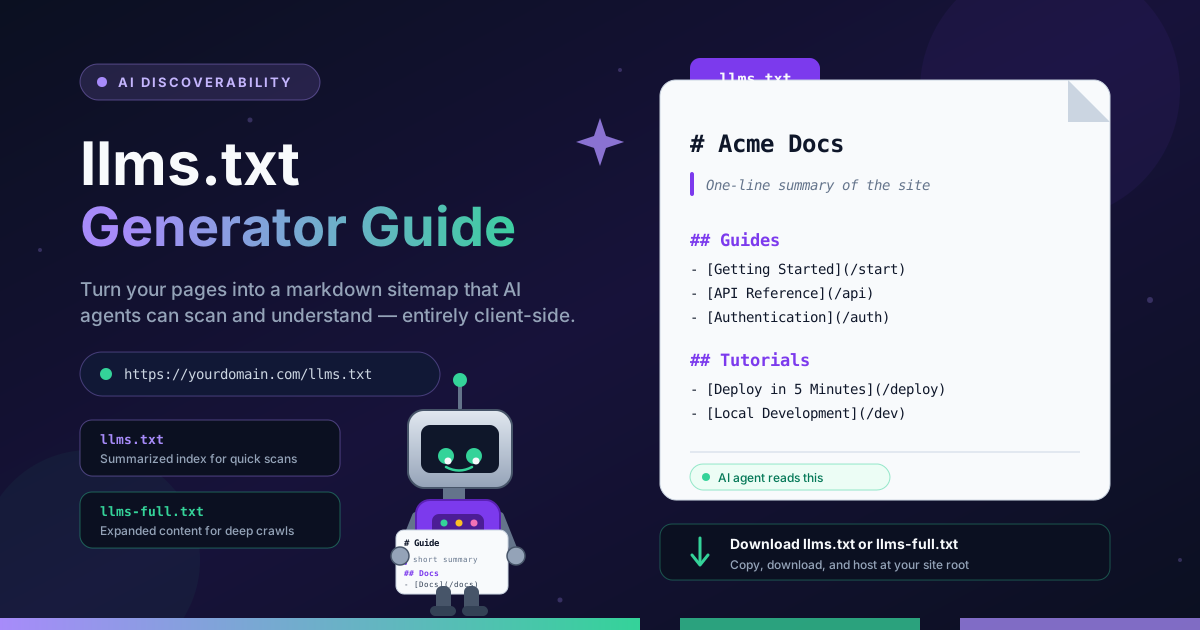
The llms.txt proposal offers a fix: a small markdown file at the root of your domain that presents your site the way an AI agent wants to see it — a short summary up top, then curated sections of links with one-line descriptions. The free llms.txt Generator builds that file in seconds: enter your site name, list your key pages, and download a ready-to-host llms.txt or llms-full.txt, all client-side. This guide covers why the file matters, how to create one, and how it complements robots.txt and sitemap.xml.
Why Use the llms.txt Generator?
- Free and instant — Open the page, fill in a few fields, and download a finished file. No account, no install.
- 100 percent client-side — Your page names, URLs, and descriptions never leave your browser.
- Speaks the language of LLMs — Plain markdown with a clear hierarchy, the format language models parse most reliably.
- Two output modes — Switch between a compact llms.txt index and an llms-full.txt variant.
- No build step required — No framework plugin or script to wire up. Revisit whenever your site changes.
- Curated, not dumped — You choose the pages that matter and describe them, giving agents exactly the context they need.
Key Features
| Feature | What it does |
|---|---|
| Site header | Sets the H1 title and a blockquote summary introducing your site. |
| Page entries | Add pages, each with a name, URL, and one-line description. |
| Reordering | Move entries up or down so key pages appear first. |
| Two output tabs | Toggle between the summarized llms.txt and expanded llms-full.txt preview. |
| URL normalization | Entries missing a scheme are completed with https. |
| Copy and download | Export the active tab as llms.txt or llms-full.txt in one click. |
| Fully client-side | All generation happens in the browser; nothing is uploaded. |
- The summarized llms.txt is a compact index — site title, blockquote summary, and H2 sections of annotated links, the format the proposal recommends.
- The llms-full.txt variant expands each page's description into a short paragraph for agents that want more depth.
- Blank-line separators are on by default and can be toggled for a denser file.
How to Use
- Open the tool and describe your site. Visit the llms.txt Generator and enter your site name and a one-line description. These become the H1 heading and blockquote summary of the file.
- Add your key pages. For each page, enter a name, its URL, and a short description of what an AI agent will find there. Reorder entries until the structure mirrors how you would introduce your site.
- Review both output tabs. Compare the summarized llms.txt index with the expanded llms-full.txt variant.
- Copy or download. The download name matches the active tab.
- Host it at your site root. Upload the file so it is served at https://yourdomain.com/llms.txt — the location agents expect. Then link to it from your home page (a small footer link works) so humans and crawlers can discover it.
llms.txt and AI Discoverability
What the proposal is. llms.txt was proposed in September 2024 by Jeremy Howard of Answer.AI as an open, community-driven convention — not a ratified standard. The idea is a markdown sitemap for language models: an H1 with the site name, a blockquote summary, then H2 sections grouping markdown link lists where each link carries a short description. An agent that fetches this one file gets a guided tour instead of an unindexed pile of URLs.
llms.txt versus llms-full.txt. The compact llms.txt is sized for an agent's limited context window: an index that tells the model what exists and why each page matters, so it can decide what to fetch. The llms-full.txt companion keeps the same links but expands each entry with fuller content — more depth in one request, at the cost of a larger file.
How it complements robots.txt and sitemap.xml. These files answer different questions. robots.txt tells crawlers what they may access; sitemap.xml lists the URLs search engines should index; llms.txt tells a language model what your site is about and which pages matter. Together they cover permission, completeness, and context.
Adoption status, honestly stated. llms.txt is best described as an emerging convention. A growing number of documentation platforms and developer-tool sites publish one. That said, no major AI provider guarantees its agents read it, and search engines do not use it for ranking. Treat it as a cheap, standards-friendly addition that positions your site well if agent-based discovery keeps growing.
Practical Use Cases
Documentation Sites
Documentation is where llms.txt shines. Docs sites have deep page trees, and an agent asked a product question needs the right reference quickly. List your getting-started guide, core concepts, API reference, and troubleshooting pages with precise descriptions, and an assistant routes users correctly.
SaaS Marketing Sites
A SaaS site mixes pricing, features, changelogs, and legal text. An llms.txt that highlights your product overview, pricing, security, and integration pages helps assistants answer buyer questions accurately and point prospects at the pages you want them to see.
Blogs and Publications
For a blog, the file acts as a greatest-hits collection. Link your cornerstone articles and category hubs with honest one-line summaries so an agent researching your topic finds your best work, not a random post.
E-commerce Catalogs
Stores can curate the pages that help assistants answer shopping questions: category hubs, buying guides, shipping and returns policies, and top product families. Limiting the index to durable, high-value pages keeps the file useful in one fetch.
Best Practices
- Keep descriptions accurate. Write each description as a factual summary of the page. Agents that trust your index and find mismatched content will stop trusting it.
- Regenerate on releases. When you add a flagship page, change pricing, or restructure docs, update the file — a stale llms.txt misdirects readers.
- Host at the root. Serve the file at /llms.txt on your primary domain. Agents look there by convention.
- Link it from your home page. A visible link helps people find the file too, and signals that it is maintained.
- Do not keyword-stuff. Cramming promotional phrases into descriptions adds tokens without information. The format rewards clarity.
- Prefer the compact file for big sites. If llms-full.txt would balloon past tens of kilobytes, publish the summarized llms.txt instead.
Make Your Site Legible to AI Today
AI-driven discovery is still taking shape, but assistants increasingly answer questions about sites using whatever context they can gather. Publishing an llms.txt takes minutes and gives them a curated, accurate picture of your site in their favorite format. Try the llms.txt Generator, list your pages, download the file, and upload it to your root.
Related Tools You Might Like:
- robots.txt Generator — Control which crawlers may access your site and point them to your sitemap.
- Sitemap Generator — Produce a complete XML sitemap so search engines index every important URL.
- RSS Feed Generator — Publish a feed so subscribers and readers can follow your updates.
Happy publishing!
Frequently Asked Questions
Q: Is llms.txt an official web standard?
A: No. It is an open proposal introduced in September 2024 by Jeremy Howard of Answer.AI. It has no standards-body status, and adoption is voluntary — a community convention, cheap to join.
Q: Will llms.txt improve my Google rankings?
A: Not directly. Search engines index pages using their own systems, guided by sitemap.xml and robots.txt. llms.txt targets AI agents and assistants — a different, still evolving discovery channel.
Q: What is the difference between llms.txt and llms-full.txt?
A: llms.txt is a compact index — a title, a summary, and annotated links. llms-full.txt keeps the same structure but expands each entry with its full description, trading size for depth.
Q: Does the generator upload my page list anywhere?
A: No. The tool runs entirely in your browser. Entries are combined into a file locally; nothing is transmitted to a server.