RSS Feed Generator: Build Valid RSS 2.0 and Atom 1.0 Feeds Online
Learn how to create standards-compliant RSS 2.0 and Atom 1.0 feeds with a free browser-based generator. Covers feed structure, XML escaping, validation, hosting, and auto-discovery.
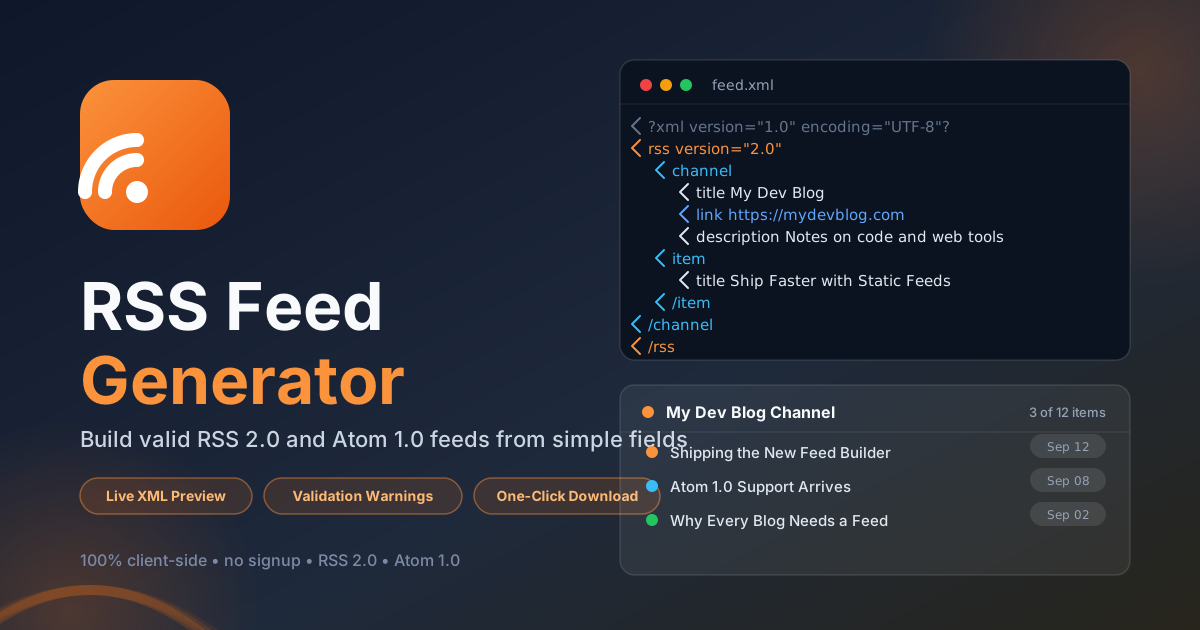
Free Interactive Tool
RSS Feed Generator
Create valid RSS 2.0 and Atom 1.0 feeds from channel details and item lists, with live XML preview, validation warnings, and one-click download.
Table of Contents
Feeds are the quiet plumbing of the open web. They let readers subscribe in Feedly, Inoreader, or any newsreader, and they give search engines and AI agents a machine-readable history of your content. The catch is that feed XML is unforgiving: one unescaped ampersand or a malformed date, and the whole feed stops updating. The free RSS Feed Generator removes that risk. Fill in plain fields for your channel and items, pick RSS 2.0 or Atom 1.0, and the tool writes well-formed XML with a live preview, validation warnings, and one-click download.
Everything runs entirely in your browser, so nothing you type is uploaded anywhere. That makes it a natural fit for a static-site blog, a podcast, or a standards-compliant changelog feed. This guide walks through the workflow, explains how the two formats differ, and shares the habits that keep a feed healthy for years.
Why Use RSS Feed Generator?
- No hand-written XML. Typing tags by hand invites typos that break parsers silently; the generator produces correct structure every time.
- Two standards from one input. Enter your channel and items once, then export RSS 2.0 or Atom 1.0 without maintaining separate files.
- Live preview as you type. The XML updates with every keystroke, so you see exactly what readers will receive before publishing.
- Validation warnings built in. Missing titles, empty links, and suspicious dates are flagged immediately instead of failing silently in readers.
- Automatic XML escaping. Ampersands and angle brackets are encoded for you, eliminating the most common cause of broken feeds.
- Instant download. Save the finished file straight into your repository or hosting bucket, no build step required.
Key Features
| Feature | What It Does |
|---|---|
| Channel metadata | Sets the title, link, and description identifying your site |
| Item list builder | Adds items with title, link, publication date, and description |
| RSS 2.0 output | The classic format understood by virtually every reader |
| Atom 1.0 output | The IETF-standard format preferred by modern platforms |
| Live XML preview | Raw XML updates in real time as you edit fields |
| Validation warnings | Highlights missing or questionable values before export |
| XML escaping | Encodes special characters so text never corrupts markup |
| One-click download | Saves the finished feed as a ready-to-host file |
- Validation warnings are heuristic, but they catch what actually breaks readers: empty required fields, relative links, and unparseable dates.
- The tool is a single client-side page, so you can keep it open in a tab as a scratchpad while drafting.
How to Use
- Open the tool at RSS Feed Generator. No account, installation, or configuration is required.
- Fill in the channel metadata: feed title, your home-page URL, and a one-sentence description, all fully qualified with https.
- Add your items. For each article or episode, provide a title, the absolute content link, the publication date, and a short description.
- Choose the format and review the preview. Switch between RSS 2.0 and Atom 1.0 and resolve any validation warnings shown.
- Download and publish. Save the file as feed.xml or atom.xml and upload it to a stable, permanent URL.
RSS 2.0 vs Atom 1.0
Both are XML dialects describing a channel of dated entries, but their vocabularies and rules differ in ways that matter inside the file.
Channel Versus Feed
RSS wraps everything in a channel element inside the rss root, while Atom uses a feed element as its root. Both require an identifying title, a site link, and a description. Atom must also declare a unique id for the feed plus an updated timestamp; RSS has no such requirements.
Item Versus Entry
An RSS item corresponds to an Atom entry: title to title, link to link, pubDate to published, and description to summary or content. Atom is stricter about identity, so each entry also needs an id, normally the canonical permalink.
Required Fields and Dates
RSS 2.0 asks little: a channel title and description, plus a title or description on each item. Atom requires id, title, and updated on the feed and id and title on every entry. Dates are a classic trap: RSS 2.0 expects RFC 822 timestamps such as Sat, 12 Sep 2026 08:00:00 +0000, while Atom expects ISO 8601 such as 2026-09-12T08:00:00Z. The generator formats dates correctly for either standard.
The Escaping Trap That Breaks Feeds
XML reserves the ampersand and the angle brackets. Write Design & Code unescaped in a title and parsers abort, often taking the entire feed offline. The text must become Design & Code, or sit inside a CDATA section. The rule applies to URLs too: ?page=1&sort=new must be written ?page=1&sort=new. The generator escapes every text field automatically, so the preview always parses.
Hosting and Announcing Your Feed
Host the file as a static asset at a permanent URL such as https://example.com/feed.xml, then announce it in the head of every page for auto-discovery:
<link
  rel="alternate"
  type="application/rss+xml"
  title="My Dev Blog"
  href="https://example.com/feed.xml"
/>
For Atom the type is application/atom+xml. Auto-discovery is what lets a newsreader suggest your feed when someone pastes your home page. For reference, here is a minimal RSS 2.0 feed like the ones the tool produces:
<?xml version="1.0" encoding="UTF-8"?>
<rss version="2.0">
  <channel>
    <title>My Dev Blog</title>
    <link>https://example.com</link>
    <description>Notes on code and web tools</description>
    <item>
      <title>Shipping a Static Feed</title>
      <link>https://example.com/posts/static-feed</link>
      <pubDate>Sat, 12 Sep 2026 08:00:00 +0000</pubDate>
      <description>Why every site deserves a feed and how to add one.</description>
    </item>
  </channel>
</rss>
Practical Use Cases
Static-Site Blogs
Static site generators can emit feeds, but hand-rolled blogs and minimal setups often skip them. Generate the file each time you publish and commit it alongside your HTML to match the big platforms.
Podcast Feeds
Podcast directories consume feeds at heart. Item title, link, publication date, and description map cleanly onto episode metadata, giving you a skeleton that platforms and player apps parse without complaint.
Product Changelogs
A changelog feed turns release notes into a subscription. Customers follow along in a newsreader and hear about new features without more email, a low-noise retention channel.
Newsletter Archives
If you archive newsletter issues as web pages, a feed gives subscribers a second, ad-free way to read them and preserves the archive in a format that outlives any email platform.
Best Practices
- Always use full URLs. Readers do not resolve relative links, so every link must be an absolute https address.
- Use valid, unambiguous dates. RFC 822 for RSS 2.0 and ISO 8601 for Atom; locale-formatted dates will not parse reliably.
- Keep the item list bounded. Twenty to fifty recent items is plenty; smaller files mean faster reader polls.
- Escape every piece of text. Ampersands and angle brackets must be encoded, including in any manual edits.
- Validate after every change. Re-check the output whenever you touch the feed; small edits are how broken feeds ship.
- Never change the feed URL. Readers store the announced address; if you must move, redirect permanently.
Start Publishing a Better Feed Today
Feeds compound: fix a problem once and it is fixed for every subscriber at once. Open the RSS Feed Generator, paste in your latest item, review the live XML, and download a file you can trust.
Related Tools You Might Like:
- LLMs.txt Generator — publish a curated index of your site for AI agents.
- Breadcrumb Schema Generator — add valid BreadcrumbList structured data to your pages.
- Open Graph Generator — craft social preview tags that make shared links stand out.
This guide is maintained by the Online Tools Forge Team, building free, privacy-first developer tools that run entirely in your browser.
Frequently Asked Questions
Q: Is RSS 2.0 or Atom 1.0 the better choice for a new site?
A: Either works with every mainstream reader. Choose RSS 2.0 for maximum compatibility and podcast workflows, and Atom 1.0 for stricter identity and update semantics. Many sites publish both.
Q: Does the RSS Feed Generator upload my content anywhere?
A: No. Generation, escaping, preview, and validation all happen locally in your browser. Nothing you type leaves your device, which also makes the tool safe for unpublished drafts.
Q: How often should I update my feed file?
A: Every time you publish or materially revise an item. Readers poll on their own schedule, and fresh dates help them prioritize what to show.