Breadcrumb Schema Generator: Build BreadcrumbList JSON-LD for Google Rich Results
Learn how to build BreadcrumbList JSON-LD structured data from page names and URLs, with live validation and a copy-paste script tag that helps Google show breadcrumb trails in search results.
Free Interactive Tool
Breadcrumb Schema Generator
Generate valid BreadcrumbList JSON-LD structured data from page names and URLs. Get a copy-paste ready script tag for Google rich results.
Table of Contents
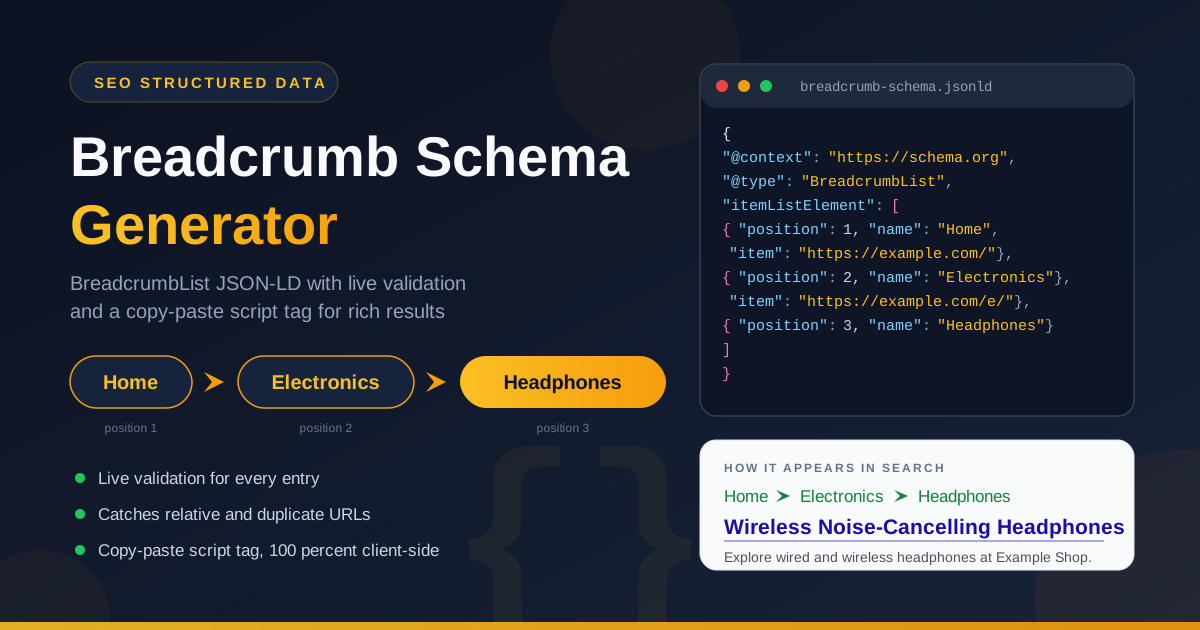
Look closely at a Google search result and you will notice the raw web address under the blue title is often gone. In its place sits a tidy trail such as Home, Electronics, Headphones — a breadcrumb path showing where the page lives. That trail comes from a block of BreadcrumbList structured data on the page, and Google rewards it by replacing the URL with a clickable path that lifts click-through rates.
Building that block by hand is fiddly. Every level needs a ListItem with a correct 1-based position, a name, and an absolute URL, all wrapped in JSON-LD syntax where one missing comma invalidates everything. The free Breadcrumb Schema Generator removes the guesswork: type page names and URLs in order, watch live validation flag mistakes, and copy the script tag. Everything runs 100 percent client-side, so no data leaves your browser.
This guide covers what BreadcrumbList structured data is, how Google turns it into trails in search results, and the validation warnings that protect your rich results.
Why Use the Breadcrumb Schema Generator?
- No hand-written JSON-LD. One misplaced brace and Google ignores the entire block. The generator produces valid BreadcrumbList markup every time.
- Live validation as you type. Every entry is checked instantly for the three mistakes that most often kill breadcrumb rich results: incomplete entries, relative URLs, and duplicate URLs.
- Correct 1-based positions, automatically. Positions must start at 1 and follow your hierarchy. The generator assigns them from entry order, so reordering never breaks the markup.
- Copy-paste script tag output. You receive a complete script tag, not a bare JSON fragment — no templating, no build step, no plugin.
- Absolute URL discipline. Search engines require fully qualified URLs at every level. The tool flags anything relative before it reaches production.
- Private and instant. The tool is 100 percent client-side: your URL structures never leave your machine, and results appear the moment you type.
Key Features
| Feature | What it does |
|---|---|
| Ordered page builder | Add pages by name and URL in hierarchy order, home down to the current page |
| Automatic position numbering | Assigns 1-based positions per the BreadcrumbList specification |
| Live validation warnings | Flags incomplete entries, relative URLs, and duplicate URLs while you type |
| Copy-paste script tag | Emits a complete application/ld+json script tag for head or body |
| 100 percent client-side | Generation and validation happen in your browser with zero uploads |
The trail updates in real time, so you can experiment with shallower or deeper hierarchies and see the JSON-LD change instantly. The output is also minimal — exactly what Google needs, with no bloat.
How to Use
- Start with the home page. Add your first entry with the name and absolute URL of your homepage, such as https://www.example.com/. Hierarchies begin at the root, so this entry comes first and receives position 1.
- Add each level in order. Enter the category and sub-section pages between home and your current page, ending with the page itself. The trail must follow the real path a visitor would click.
- Use absolute HTTPS URLs everywhere. Type the full address for every level, including the protocol. Validation warns you the moment an entry is incomplete or a URL is relative — fix those warnings before moving on.
- Copy the script tag output. When every entry passes validation, copy the generated script tag.
- Paste it into your page and match the visible breadcrumbs. Insert the script tag into the head or body of the target page. If the page displays visible breadcrumbs, the schema must mirror them exactly. Re-run the tool for each page template and every important page carries valid markup.
Breadcrumbs and Search Results
BreadcrumbList is a schema.org type that describes a page's position within the site hierarchy. It contains a list of itemListElement entries, each a ListItem with a position, a name, and an item URL. When the block is valid, Google replaces the raw URL line under a search result with the trail of names — a human-readable path instead of a string of slashes.
The positions carry precise semantics: they must start at 1, increase by exactly one for each entry, and follow the top-down order of the trail. A trail that starts at 0, skips a number, or lists a category after a sub-category gives Google conflicting signals, which lead to fallback rendering or no breadcrumb at all.
This is where the tool's three validation warnings earn their keep. An incomplete entry — a level missing its name or URL — produces a ListItem Google cannot resolve, and one broken entry can disqualify the entire trail. A relative URL such as /electronics/headphones/ without the domain fails because the item property requires an absolute URL the crawler can fetch. A duplicate URL — the same address at two positions — creates an ambiguous hierarchy Google treats as malformed data.
A realistic output for a store category page, ready for the head of your template:
<script type="application/ld+json">
{
  "@context": "https://schema.org",
  "@type": "BreadcrumbList",
  "itemListElement": [
    { "@type": "ListItem", "position": 1, "name": "Home", "item": "https://www.example.com/" },
    { "@type": "ListItem", "position": 2, "name": "Electronics", "item": "https://www.example.com/electronics/" },
    { "@type": "ListItem", "position": 3, "name": "Headphones", "item": "https://www.example.com/electronics/headphones/" }
  ]
}
</script>
Practical Use Cases
E-Commerce Category Paths
Online stores have the deepest hierarchies and the most to gain. A product page five levels down benefits enormously when searchers see Home, Women, Shoes, Running instead of a URL maze. One schema per template and thousands of product pages inherit a correct trail.
Documentation Hierarchies
Technical docs live and die by orientation. A trail such as Docs, API Reference, Authentication tells a developer arriving from search exactly which section they landed in — before the first click.
Blog Taxonomies
Blogs accumulate years of posts across overlapping categories and tags. A consistent trail like Home, Tutorials, JavaScript signals your topical structure and helps search engines connect related posts.
Multi-Language Sites
Sites serving several locales maintain parallel hierarchies under language prefixes. One schema per locale keeps each trail pointing at its own URLs, avoiding confusion in regional results.
Best Practices
- Mirror the visible breadcrumb. The structured data should describe the same path users see on the page; mismatches are a common reason Google ignores the markup.
- One trail per page. Even when a page is reachable by several routes, publish a single canonical path.
- Use absolute HTTPS URLs at every level. Each item must be a fully qualified address; relative paths invite validation failures.
- Start at position 1 and increment cleanly. Never skip numbers, and regenerate the schema whenever the hierarchy changes.
- Keep it current through redesigns. When categories are renamed or moved, regenerate the affected script tags.
- Pair it with the rest of your SEO stack. Breadcrumbs work alongside FAQ markup, robots rules, and tidy snippets — audit them together before a major launch.
Generate Your Breadcrumb Schema Today
Valid breadcrumb markup is a small investment in technical SEO with a very visible payoff. Open the Breadcrumb Schema Generator, type your trail from home to the current page, fix any warnings, and paste the script tag into your template. Five minutes of work, and searchers see a clean navigational path instead of a raw URL.
Related Tools You Might Like:
- FAQ Schema Generator — build FAQPage JSON-LD that can earn expandable question and answer results.
- SERP Snippet Preview — preview your title and description in search before you publish.
- Robots.txt Generator — craft crawler directives that keep bots focused on the pages that matter.
Built for developers, SEO specialists, and site owners who want structured data done right the first time — fast, validated, and entirely in your browser.
Frequently Asked Questions
Q: Does breadcrumb schema replace the visible breadcrumbs on my page?
A: No. Users see the on-page trail, while search engines read the schema. Google's guidance is that the two should match, so keep both consistent.
Q: Where exactly should I paste the generated script tag?
A: Anywhere in the head or body is valid for JSON-LD. Most teams put it at the end of the head section; the position does not affect how Google parses it.
Q: Can a page have more than one breadcrumb trail?
A: It is technically possible but not recommended. One page should declare one canonical path reflecting its primary position in the hierarchy.
Q: Do I need to install anything or create an account to use the generator?
A: No. It runs entirely in your browser with no signup, so your URL structures are never transmitted anywhere.
Q: How long does it take for Google to show the breadcrumb trail?
A: After Google recrawls the page — days to a few weeks depending on crawl frequency. Requesting a recrawl in Search Console speeds it up.