Product Schema Generator: Create Product JSON-LD for Rich Results in Minutes
The Product Schema Generator turns a simple form into valid Product JSON-LD structured data with price, availability, brand and aggregate ratings — copy, paste, and compete for rich results.
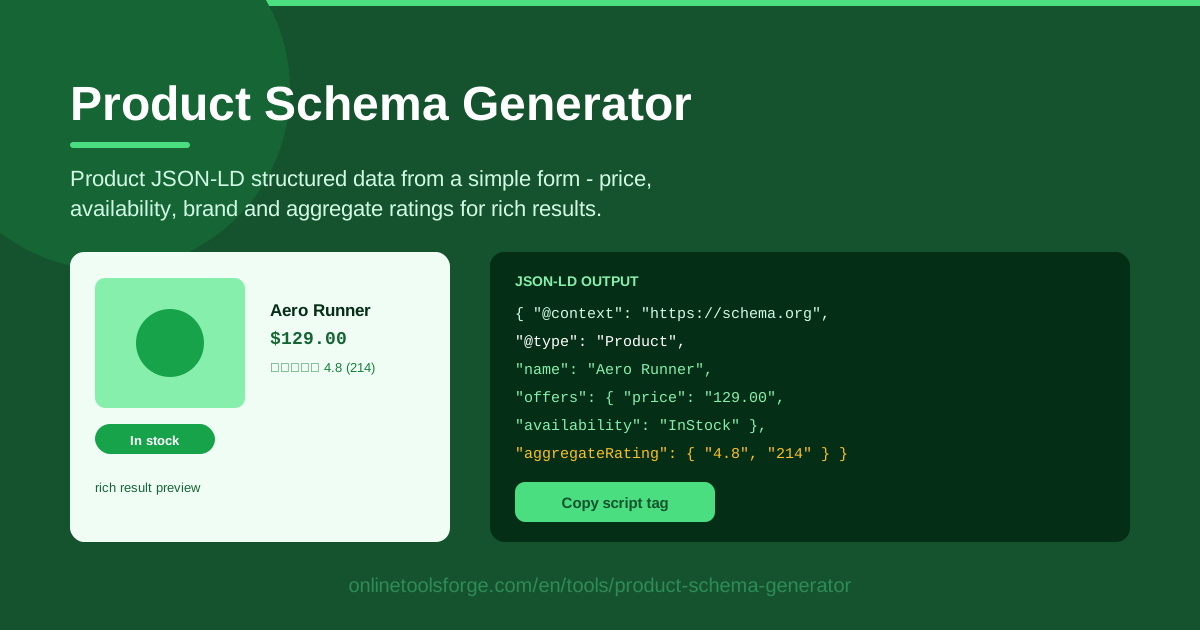
Table of Contents
If you sell anything online, your product pages compete in the most crowded real estate on Google. The listings that stand out rarely have the best copy — they show star ratings, prices, and stock status directly in search results. That visibility comes from Product structured data, and the Product Schema Generator on Online Tools Forge lets you produce it in under two minutes.
The tool is completely form-driven. Enter the product name, price, currency, availability, brand, and aggregate rating (score and review count), and it outputs a valid schema.org Product snippet wrapped in a <script type="application/ld+json"> tag — no syntax to memorize, just copy the script tag and paste it into your product page.
This guide covers how the tool works, what Google expects from Product markup, and how to turn the output into rich results.
Why Use Product Schema Generator?
- Rich results are the point. Valid markup lets product pages display price, availability, and star ratings directly in search listings — enhanced listings earn more clicks than plain blue links, sending qualified traffic to pages where purchase decisions happen.
- Error-free JSON-LD every time. Hand-writing structured data is fragile: one stray comma or misspelled property invalidates the block, and Google ignores it. The generator assembles the JSON correctly on every run.
- No developer required. Marketers, store owners, and content teams can generate compliant markup themselves. If you can fill in a form, you can ship structured data.
- Complete offer details. Price, currency, and availability sit inside the offers object, with brand and aggregateRating alongside — exactly where search engines expect them.
- Honest ratings, structured properly. The rating inputs capture the average score and review count Google requires before stars appear — syntax commonly botched when written by hand.
- Runs entirely in your browser. Nothing is uploaded to a server, so you can safely prepare markup for unreleased products before launch day.
Key Features
| Feature | What it does |
|---|---|
| Product name field | Feeds the required name property that identifies the product to search engines. |
| Price and currency inputs | Builds the offers object with price and priceCurrency in correct ISO format. |
| Availability selector | Maps your stock status to values Google accepts, such as InStock or OutOfStock. |
| Brand field | Adds the brand property, a recommended attribute that strengthens product identity. |
| Aggregate rating inputs | Captures the score and review count to produce a valid aggregateRating object. |
| Copy-paste JSON-LD output | Renders a ready-to-ship <script type="application/ld+json"> tag for the page. |
- Form-driven workflow. Every field maps to a schema.org property, keeping the output predictable and validator-friendly.
- One-click copy script tag. The snippet moves to your clipboard instantly, ready for any HTML template or CMS custom-code field.
- Browser-based speed. Output updates as you type, so testing different prices or availability states takes seconds.
How to Use Product Schema Generator
- Fill in the product basics. Enter the product name exactly as it appears on the page. Search engines compare markup to visible content, so match the title shown on your site.
- Set price, currency, availability, and brand. Type the selling price, pick the currency, choose the availability state that matches inventory, and add the brand customers recognize.
- Enter the aggregate rating. Fill in the average score and total review count — but only if the rating is genuinely displayed on the page, since fabricated ratings invite a manual action.
- Generate and copy the JSON-LD. The tool assembles the complete Product object and outputs the script tag — copy the entire <script type="application/ld+json"> block in one go.
- Paste it into your product page. Place the script tag in the <head> or end of <body>, then run the page through Google's Rich Results Test to confirm the markup is detected and eligible.
Product Structured Data That Passes Validation
Product markup is built on the schema.org Product type, and Google layers requirements on top. Knowing required versus recommended properties separates markup that earns rich results from markup that gets ignored.
The name property is always required. For merchant-style enhancements such as price and stock status, the product also needs a valid offers object holding price, priceCurrency, and availability. Google accepts a defined set of availability values such as InStock, OutOfStock, PreOrder, and BackOrder. Free-text answers like "ships next week" fail, so pick the closest canonical value.
Ratings deserve special care. An aggregateRating is only valid when Google can connect it to review content visible on the page. The score must fall between bestRating and worstRating (1 to 5 by default), and the count must be a whole number above zero. If reviews live on a third-party platform and never appear on the page, marking them up risks a manual action. The rule is simple: mark up only what a visitor can see.
On syntax, JSON-LD is the recommended format and what this tool outputs. It lives in a script tag, independent of your HTML structure, and survives redesigns far better than microdata, which must be woven into every visible element. Microdata still works but is rarely worth choosing for new pages.
Once the snippet is live, run the Rich Results Test: paste the URL and confirm Google detects a Product with no errors; warnings are acceptable, errors are not. Re-test after any future template change — a theme update that drops the script tag silently removes your eligibility.
Practical Use Cases
Single-Product Landing Pages
Landing pages built for ads or launches often use hand-rolled HTML, so structured data never gets added. Generating the JSON-LD for the featured product takes two minutes and gives the page a shot at a price-and-rating rich result — a real edge when every click costs money.
Shopify and WooCommerce Pages Missing Markup
Modern themes usually emit Product schema automatically, but customized themes, page builders, and older templates frequently do not — or output broken offers and ratings. Pasting a clean script tag into the custom-code area fills the gap without touching templates.
Marketplace and Seller Listings
Sellers control listing content but not platform code. Where a marketplace allows custom HTML sections on the storefront, Product schema can still be injected, helping those pages compete in organic search instead of relying solely on internal discovery.
Catalog Migrations and Redesigns
Platform migrations often strip existing structured data, and teams find the lost rich results weeks later in Search Console. Generate fresh Product JSON-LD for priority pages and validate before launch to prevent the silent traffic drop that follows a markup blackout.
Best Practices
- Match markup to visible page content. Every JSON-LD value should be verifiable by a human reading the page — discrepancies are the leading cause of structured-data penalties.
- Keep the price current. When prices change, markup must change with them. Stale prices frustrate shoppers, and Google treats misleading offers as spam.
- Use exactly one Product schema per page. A product detail page describes one product; multiple Product blocks confuse parsers and dilute eligibility.
- Re-validate after template changes. Theme updates can silently remove script tags. Schedule a quick Rich Results Test after every significant design change.
- Skip aggregateRating until real reviews exist. An honest page without stars beats a penalized page with fabricated ones.
- Combine with complementary markup. Pair the Product snippet with FAQ or breadcrumb schema for a richer, more complete search listing.
Ready to make your product pages eligible for rich results? Open the Product Schema Generator, fill in one product's details, and paste the generated script tag into your page today.
Related Tools You Might Like:
- FAQ Schema Generator — build FAQPage markup that expands your listing with accordion results.
- Local Business Schema Generator — generate LocalBusiness JSON-LD for physical stores.
- Breadcrumb Schema Generator — produce BreadcrumbList markup for site-path display.
Happy ranking!
Frequently Asked Questions
Q: Where should I paste the generated JSON-LD script tag? A: Anywhere in the product page's HTML — inside the <head> or just before the closing </body>. It must live on the same page as the product itself, not in a sidebar widget or a different URL.
Q: Do I need aggregateRating for Product rich results to appear? A: No. Price and availability can qualify a page for product enhancements on their own. Stars require a valid aggregateRating reflecting reviews visibly displayed on the page, so add it only once you have real review data.
Q: Will this work on Shopify, WooCommerce, or other platforms? A: Yes. The output is a standard script tag that works in any HTML-editable location: a Shopify custom liquid section, a WooCommerce template, Webflow's custom code field, or a plain HTML file. If the platform already emits Product schema, verify first and avoid duplicating it.
Q: How long until rich results show after adding the markup? A: Google must recrawl and reprocess the page first — a few days to a couple of weeks, depending on crawl frequency. Submit the URL in Search Console to request indexing and watch the Enhancements report.