passive-voice-detector: Complete Online Guide, Features & Practical Examples
Learn how to use the free passive-voice-detector in your browser with step-by-step instructions, practical use cases, and expert tips.
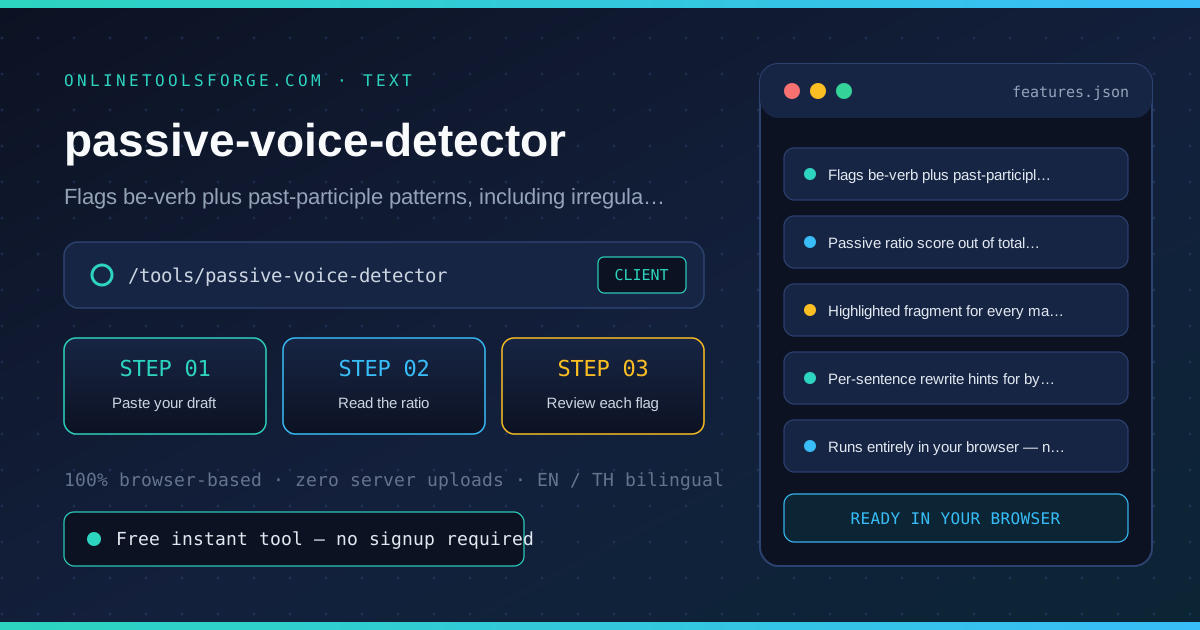
Free Interactive Tool
Passive Voice Detector
Highlight passive constructions in pasted text with a passive ratio score, per-sentence rewrite hints and irregular participle support. Fully client-side.
Table of Contents
The Passive Voice Detector scans pasted text for passive constructions — a be-verb followed by a past participle — and reports what a copy editor would: which sentences are passive, how large the share is, and what to do about each one. Every match is highlighted inside its original sentence with a rewrite hint, and a passive-ratio percent summarizes the whole passage, so you can target the spots where active voice will do the most good. Everything runs locally in your browser.
Whether you are double-checking numbers on a deadline, validating edge cases, or standardizing a repeatable workflow, the passive-voice-detector gives you an interactive, zero-install workspace directly in your browser. Every calculation and transformation runs locally on your device — no account registration, no paywalls, and no sensitive inputs uploaded to external servers.
In this guide, we walk through why dedicated tooling beats manual back-of-the-envelope work, explore every feature inside the interface, and cover step-by-step instructions alongside real-world scenarios.
Why Use passive-voice-detector?
- Immediate Clarity: Instant ratio score showing the passive share of your passage.
- Focused Workflow: Highlights the exact fragment, not just the sentence.
- Transparent Logic: Rewrite hints that distinguish by-phrase and agentless passives.
- Practical Accuracy: Handles irregular participles like written, built and thrown.
- Time-Saving Defaults: Private by design — analysis never leaves the page.
- 100% Client-Side Privacy: Every operation executes inside your browser session, keeping your data private and responsive even on slow connections.
Key Features
| Feature Area | What It Delivers | Execution Mode |
|---|---|---|
| Capability 1 | Flags be-verb plus past-participle patterns, including irregular verbs | Instant browser execution |
| Capability 2 | Passive ratio score out of total sentences at a glance | Instant browser execution |
| Capability 3 | Highlighted fragment for every match, inside the original sentence | Instant browser execution |
| Capability 4 | Per-sentence rewrite hints for by-phrase and agentless passives | Instant browser execution |
| Capability 5 | Runs entirely in your browser — nothing is uploaded | Instant browser execution |
- Interactive Feedback: Results recalculate on the fly as you adjust inputs, letting you compare multiple scenarios in seconds.
- Bilingual Interface: Switch seamlessly between English and Thai labels whenever you collaborate across multilingual teams.
- Copy & Export Ready: Grab formatted outputs or summaries with one click so you can paste them straight into docs, tickets, or spreadsheets.
How to Use passive-voice-detector
From pasted draft to a ratio score and rewrite hints in four steps.
- Open the Tool: Head to the passive-voice-detector in any modern desktop or mobile browser.
- Paste your draft: Paste the paragraph, email or report section into the box. Everything is analyzed locally, so drafts never leave the page.
- Read the ratio: The headline percent is passive sentences divided by total sentences. Business writing usually reads better under about ten percent, while scientific method sections traditionally run higher.
- Review each flag: Every highlighted fragment is a be-verb followed by a past participle, with adverbs allowed in between. Sentences with a by-phrase show the agent to relocate; agentless ones ask you to name the actor.
- Rewrite and rescan: Flip the flagged sentence so the doer becomes the subject, then clear and paste the revision to watch the ratio drop.
Core Concepts & How It Works
Understanding the underlying mechanics helps you interpret the output with confidence. The Passive Voice Detector scans pasted text for passive constructions — a be-verb followed by a past participle — and reports what a copy editor would: which sentences are passive, how large the share is, and what to do about each one. Every match is highlighted inside its original sentence with a rewrite hint, and a passive-ratio percent summarizes the whole passage, so you can target the spots where active voice will do the most good. Everything runs locally in your browser.
Instead of hiding assumptions behind a single opaque result, the passive-voice-detector surfaces intermediate values and clear labels so you can audit how the final answer is assembled:
- Explicit Input Validation: Boundaries and unit expectations are checked immediately, preventing silent NaN or unit-mismatch bugs.
- Deterministic Output: Given the same inputs, the tool produces identical, reproducible results every time — ideal for team reviews and documentation.
- Edge-Case Visibility: Built-in warnings highlight when inputs approach practical limits or require special interpretation.
Practical Use Cases
1. Tightening emails and cover letters before sending
When tackling tightening emails and cover letters before sending, manual spreadsheets and ad-hoc scripts often introduce rounding errors or inconsistent assumptions. With the passive-voice-detector, you can load your exact parameters, inspect the breakdown immediately, and verify how each variable affects the outcome before committing to a decision.
2. Checking essays against a passive-voice limit
When tackling checking essays against a passive-voice limit, manual spreadsheets and ad-hoc scripts often introduce rounding errors or inconsistent assumptions. With the passive-voice-detector, you can load your exact parameters, inspect the breakdown immediately, and verify how each variable affects the outcome before committing to a decision.
3. Editing reports where accountability matters
When tackling editing reports where accountability matters, manual spreadsheets and ad-hoc scripts often introduce rounding errors or inconsistent assumptions. With the passive-voice-detector, you can load your exact parameters, inspect the breakdown immediately, and verify how each variable affects the outcome before committing to a decision.
4. Teaching or learning the difference between active and passive
When tackling teaching or learning the difference between active and passive, manual spreadsheets and ad-hoc scripts often introduce rounding errors or inconsistent assumptions. With the passive-voice-detector, you can load your exact parameters, inspect the breakdown immediately, and verify how each variable affects the outcome before committing to a decision.
5. Sweeping marketing copy for weak, agentless claims
When tackling sweeping marketing copy for weak, agentless claims, manual spreadsheets and ad-hoc scripts often introduce rounding errors or inconsistent assumptions. With the passive-voice-detector, you can load your exact parameters, inspect the breakdown immediately, and verify how each variable affects the outcome before committing to a decision.
Best Practices
- Start with realistic baseline values before testing extreme edge cases so you have a clear reference point to compare against.
- Verify units and formatting on every input field — many discrepancies come from mixing percentages, decimals, or measurement units.
- Test sensitivity by changing one variable at a time in the passive-voice-detector to see which input has the largest impact on your result.
- Document your assumptions alongside the exported output so teammates can reproduce the exact state later.
- Pair with companion utilities in the same category when your workflow spans multiple conversion or validation steps.
Frequently Asked Questions
Q: What counts as a passive construction? A: A be-verb (is, was, were, been, being and friends) followed by a past participle, with adverbs and not allowed in between: the report was finished, mistakes were made, the bridge is being repaired. The detector also knows irregular participles such as written, thrown and built, not just words ending in -ed.
Q: Is passive voice always wrong? A: No. It is the right choice when the actor is unknown or irrelevant, as in the road was resurfaced last year, and scientific writing traditionally uses it in method sections. The ratio exists so the choice is deliberate: when most of your sentences are passive without a reason, readers lose track of who does what.
Q: Why is was supposed to not flagged? A: Phrases like was supposed to and was used to describe a state or habit rather than an action done to the subject, so the detector deliberately skips them. True passives such as the samples were used in the study still get flagged.
Q: How is the ratio calculated? A: Passive sentences divided by total sentences, shown as a whole percent. A sentence with two passive constructions still counts once, and sentence boundaries are detected by terminal punctuation, so bullet fragments without periods count as one sentence each.
Try passive-voice-detector Today
Ready to streamline your workflow? Open the passive-voice-detector now to run instant, accurate calculations right in your browser — completely free and with zero setup required.
Related Tools You Might Like
Happy building and calculating!