Postman to cURL Converter: Turn Collection JSON Into Ready-to-Run Commands
The Postman to cURL Converter turns Postman Collection v2.1 JSON into ready-to-run cURL commands or fetch snippets, with full auth and variable support, entirely client-side.
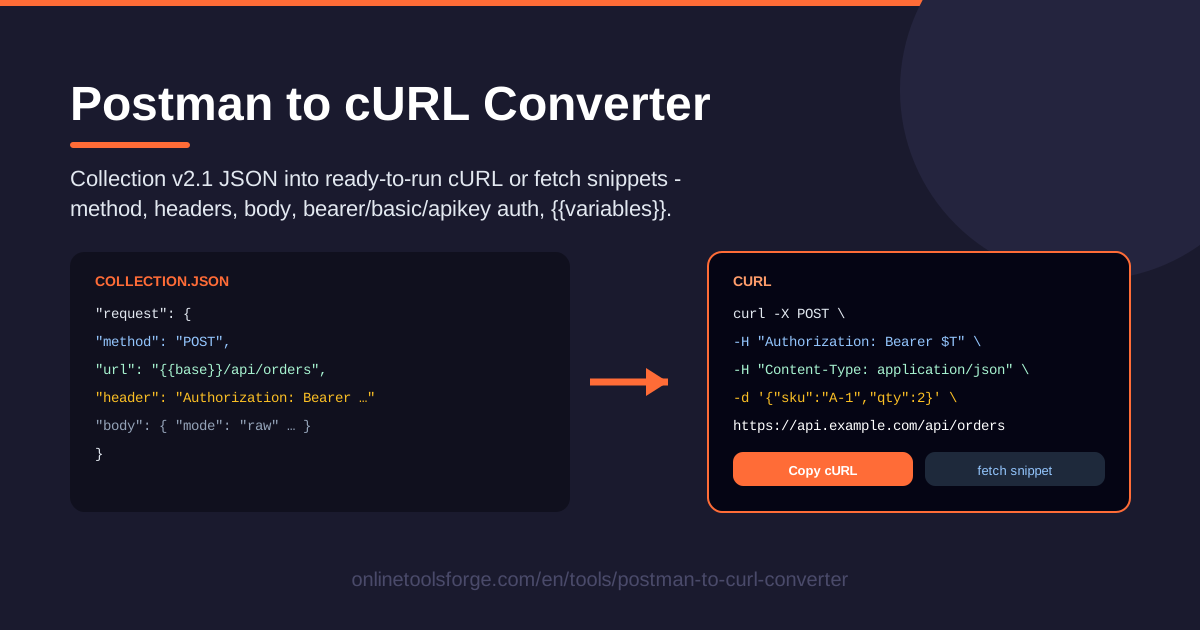
Table of Contents
Every developer knows the moment: you have a neatly organized Postman collection, and a teammate asks for "just the cURL command so I can try it in my terminal." Hand-transcribing a request means chasing down every header, rebuilding the query string, and guessing how the auth settings translate. The Postman to cURL Converter removes all of that: paste your Postman Collection v2.1 JSON and get clean, ready-to-run cURL commands or fetch snippets for every request inside it.
The converter parses everything that matters — the HTTP method, headers, query parameters, request body, and bearer, basic, and apikey authentication — and produces a command you can paste straight into a shell or a script. Postman's {{variable}} placeholders are carried through, so your output stays faithful to the collection you exported.
Best of all, the tool runs fully client-side in your browser. Your collection JSON never leaves your machine, there is no signup, and nothing to install. This guide covers why the tool earns its place in your workflow, how each conversion works under the hood, and where it saves the most time.
Why Use Postman to cURL Converter?
- Skip manual transcription. Rebuilding a request as cURL by hand invites mistakes — one forgotten Content-Type header and your terminal test fails mysteriously. The converter reads the collection JSON directly, so nothing gets dropped.
- One collection, dozens of commands. A collection with 30 requests becomes 30 individually copyable cURL commands from a single paste, and bulk copy grabs several at once for scripts or docs.
- Auth handled correctly. Bearer tokens become an Authorization header, basic auth becomes cURL's -u flag, and apikey auth becomes the right named header — the three conventions behind most hand-translation errors.
- Works without Postman installed. Teammates, reviewers, and ops engineers who do not use Postman can still replay your exact requests from any terminal.
- Choose cURL or fetch. Prefer JavaScript? Switch to fetch snippets and paste them directly into browser code, Node scripts, or tests.
- Private by design. Collections often contain staging URLs and live tokens. Because conversion happens client-side, your request data never leaves your device.
Key Features
| Feature | What it does |
|---|---|
| Paste Collection v2.1 JSON | Accepts a standard Postman Collection v2.1 export with no preprocessing. |
| cURL command generation | Converts each request into a copy-paste cURL command with method, URL, headers, query, and body. |
| fetch snippet generation | Produces the equivalent JavaScript fetch call when you need code instead of a shell command. |
| Method, headers, and query params | Carries over the verb, every header, and the full query string faithfully. |
| Body handling | Supports raw bodies (JSON, text, XML) and formdata requests with the correct flags or options. |
| Bearer, basic, and apikey auth | Translates all three auth styles into the proper header or cURL flag automatically. |
| {{variable}} substitution | Keeps Postman placeholders intact or lets you resolve them for a runnable command. |
| Bulk copy | Copies multiple converted requests at once instead of one at a time. |
| Fully client-side | All parsing and generation happens in your browser — no uploads, no server round-trips. |
Worth noting in more detail:
- Requests nested inside folders are picked up automatically, so you never need to flatten a collection before pasting it in.
- Long cURL commands are formatted with readable line breaks rather than dumped as one giant string, which makes them easy to review and tweak.
- Both output formats derive from the same parsed request, so switching between cURL and fetch never alters the underlying request data.
How to Use Postman to cURL Converter
- Export your collection from Postman. Select your collection, open its context menu, and choose Export. Pick the Collection v2.1 format and save the JSON file.
- Paste the JSON into the converter. Open the Postman to cURL Converter and paste the collection JSON. The tool parses it instantly and lists every request it finds.
- Review auth and variables. Check how bearer, basic, or apikey credentials were translated, and look over any {{variable}} placeholders. Decide whether to keep them or substitute real values first.
- Copy the cURL or fetch output. Pick a request and copy its cURL command, switch to fetch mode for a JavaScript snippet, or use bulk copy to take several requests at once.
- Run it in your terminal. Paste the command into your shell, adjust anything environment-specific, and press Enter — you should get the same response Postman produces.
Once the collection is exported, the whole loop takes under a minute, and you can repeat it whenever the collection changes.
From Collection JSON to a Working Command
Knowing what the converter does with your JSON makes the output easier to trust — and easier to tweak.
The collection v2.1 structure. A v2.1 export is a JSON document with an info block and an item array. Each item is a request holding a method, a url object with parsed query params, a header array, a body descriptor, and possibly an auth block. Auth can live at collection, folder, or request level. The converter walks this tree and turns each request, with its effective settings, into a command.
How each auth type converts. Bearer auth stores a token, which the converter emits as an Authorization: Bearer header. Basic auth stores a username and password pair, which maps to cURL's compact -u user:password flag — the conventional way cURL expresses basic auth. Apikey auth becomes a regular named header, matching whatever header name Postman configured. Collection-level auth still applies to every generated command, just as Postman resolves inheritance.
{{variable}} substitution. Collections use variables like {{baseUrl}} or {{apiKey}} so one collection works across environments. The converter preserves these placeholders in the output. Keep them for readable, environment-agnostic commands — ideal for documentation — or replace them with concrete values when you need something runnable immediately.
Body modes. A raw body, most often JSON, is passed with -d in cURL alongside the matching Content-Type header. A formdata body becomes repeated -F flags, one per field, which is how cURL natively expresses multipart submissions. The fetch output mirrors these with the body property and the FormData API.
cURL versus fetch output. The cURL output targets terminals and shell scripts: flags, quoted strings, line continuations. The fetch output targets code: a method property, a headers object, and a body. They represent the identical request, so choose based on where you are pasting it.
Client-side privacy. Every step — parsing, auth translation, variable handling, and output generation — runs in your browser's JavaScript. Nothing is uploaded, logged, or stored anywhere, which matters when collections include internal hostnames or live credentials.
Practical Use Cases
Reproducing Bugs in the Terminal
When QA reports "this endpoint returns 500," the fastest diagnosis is replaying the exact failing request yourself. Get the collection export, convert it, and rerun the request from your terminal while tailing server logs. The generated command reproduces Postman's request precisely — no ambiguity about headers, encoding, or query order.
CI Smoke Tests Without Extra Dependencies
Many teams keep a few canary requests in a collection and want them executed on every deploy. Converting those requests to cURL means your pipeline needs nothing beyond the curl binary every runner already ships — no Postman CLI, no Node runtime, no plugins. Generate the commands once, commit them as a smoke-test script, and the pipeline stays lean.
Handing Off Requests to Backend Teams
Frontend developers usually hold the canonical collection: exact headers, auth scheme, edge-case bodies. When a backend team must reproduce an issue, a converted cURL command removes every setup step — they paste one line into a terminal instead of importing a collection into a tool they rarely use. Bulk copy makes it easy to hand over an entire endpoint family at once.
Copy-Paste Examples for API Documentation
Public API docs favor cURL examples because they are language-neutral. If your team maintains a Postman collection as the source of truth, converting selected requests yields accurate, consistent examples for your README or docs site, and {{baseUrl}} placeholders keep them environment-agnostic.
Best Practices
- Redact tokens before sharing. If a converted command will land in a ticket, chat, or docs, replace live bearer tokens and API keys with obvious placeholders first — collection exports often contain real credentials.
- Resolve variables before running. {{placeholders}} are great for readability but fail in a terminal; substitute concrete values or define matching shell variables first.
- Test the output once. Run the generated command and compare the response with Postman's to catch proxies, VPNs, or stale tokens quickly.
- Keep collections in version control. Commit the exported JSON next to your code so anyone can regenerate fresh commands, and collection changes show up in review.
- Export in v2.1 specifically. Older formats may omit auth or body details the converter expects; v2.1 is the current standard and carries everything.
- Trim before converting. Remove requests irrelevant to your audience so recipients are not left guessing which command matters.
Ready to turn your collection into commands? Open the Postman to cURL Converter, paste your Collection v2.1 JSON, and copy your first ready-to-run request in seconds — all in your browser, with nothing uploaded.
Related Tools You Might Like:
- OpenAPI to TypeScript Converter — generate typed interfaces straight from your API spec.
- OpenAPI to Postman Converter — build Postman collections directly from an OpenAPI definition.
- URL Encoder — safely encode query values and parameters for your requests.
Happy converting!
Frequently Asked Questions
Q: Which Postman collection format does the converter support? A: It supports Postman Collection v2.1 JSON, the standard export format Postman offers today. Export your collection with the v2.1 option selected and paste the resulting JSON directly into the tool.
Q: How are the different authentication types converted? A: Bearer tokens become an Authorization: Bearer header, basic auth becomes cURL's -u flag with the username and password, and apikey auth becomes the named header Postman configured. Auth defined at collection level applies to every request in the output.
Q: What happens to {{variable}} placeholders in my collection? A: They are preserved in the output so commands stay readable and environment-agnostic. For a runnable command, replace the placeholders with real values or define matching environment variables in your shell.
Q: Is my collection data sent to a server? A: No. The converter runs entirely client-side in your browser. Your collection JSON, including any tokens inside it, never leaves your device.