Times Table Generator: Printable Multiplication Tables, Practice Sheets and Quizzes in Seconds
Generate printable 1-to-20 multiplication tables with highlight ranges, blank-cell practice sheets and a scored quiz mode using the free Times Table Generator, ideal for classrooms and home practice.
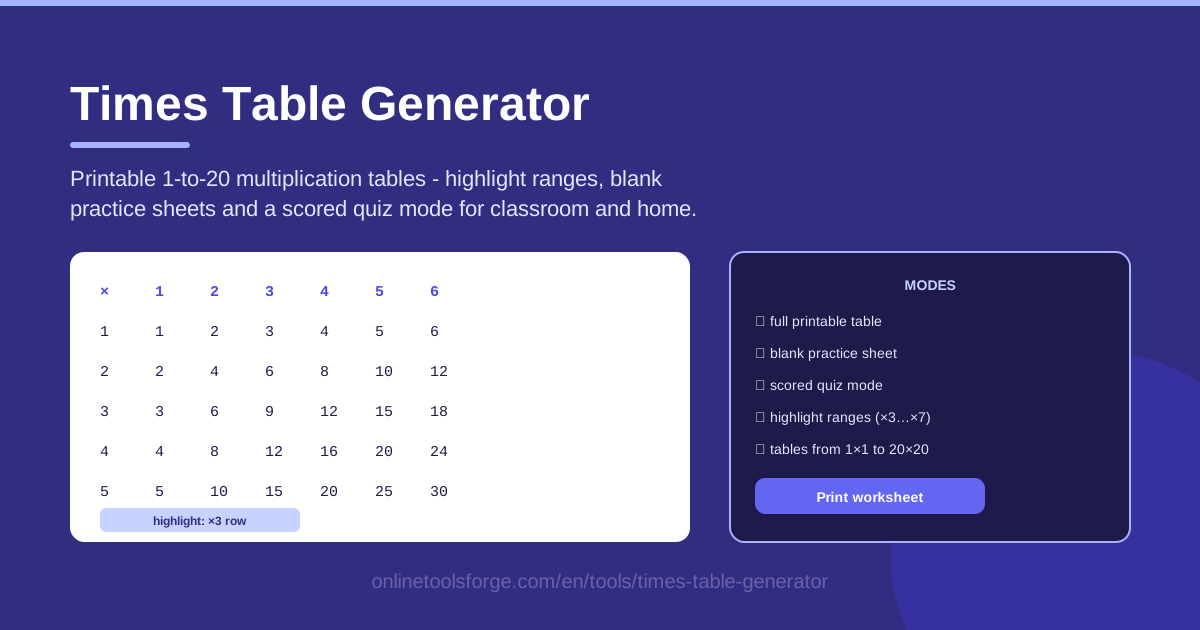
Table of Contents
Mastering multiplication facts is a huge milestone in early math — and one of the most frustrating when taught from one worn-out chart. Children move at different paces: some race through the ×2 and ×5 rows in a week, while others need weeks of repetition before the ×7 facts stick. What helps most is rarely more pressure; it is better materials — clear tables to reference, blank charts to fill in from memory, and quick checks that make progress visible.
That is exactly what the Times Table Generator provides. In a few clicks you can generate printable multiplication tables covering 1×1 to 20×20, highlight the rows or ranges you want to focus on, switch to blank-cell practice sheets for active recall, and finish with a scored quiz mode that makes revision a small, motivating challenge. Because the tool runs entirely client-side in your browser, there is nothing to install, no account to create, and no data leaving your device.
This guide covers what the tool does, how to use it step by step, and how to build a complete times table practice routine around it.
Why Use Times Table Generator?
- Instant printable tables. Generate a clean, readable chart in seconds and print it straight from the browser — no hunting for worksheets the night before class.
- Highlight ranges for focused study. Highlight the ×3 row or the 6-to-9 block instead of staring at the whole grid, so the eye lands where learning should happen.
- Blank-cell practice sheets. Active recall beats passive reading: print the grid with answers hidden and let students fill in the cells.
- Scored quiz mode. Turn practice into a light game: run a quiz, get a score, and try to beat it tomorrow.
- The full 1-to-20 range. Most free charts stop at 10×10; this one goes to 20×20, suiting older students stretching into mental math.
- Fully client-side. Everything happens locally in your browser — no sign-ups, no downloads — and it works on restricted school networks.
Key Features
| Feature | What it does |
|---|---|
| Printable multiplication tables | Generates tables from 1×1 to 20×20, ready to print for walls, binders or homework folders. |
| Highlight ranges | Marks the row or block you choose — the entire ×3 row, say — so learners target one goal at a time. |
| Blank-cell practice sheets | Prints the same grid with empty cells, creating a worksheet students complete from memory. |
| Scored quiz mode | Quizzes learners and keeps score, adding a motivating layer of challenge to every session. |
| 1-to-20 coverage | Goes beyond the classic 10×10 chart to support advanced practice and mental multiplication. |
| Client-side operation | All generation happens locally in the browser, so it is fast, private and classroom-friendly. |
Two details are worth calling out:
- Highlight ranges turn a generic chart into a targeted lesson: print the ×6 table highlighted this week and ×7 the next, and the wall display keeps pace with your curriculum.
- Blank sheets reuse the full table's layout, so students know where every answer belongs — lowering anxiety and making self-checking easy.
How to Use Times Table Generator
- Set the table range. Open the Times Table Generator and choose a single table for young learners or the full 1-to-20 grid for older ones.
- Highlight the focus rows. Select the row or range you are working on this week, such as the ×3 row or the 11-to-15 block. Highlights carry through to everything you print.
- Print the full table. Print the completed, highlighted chart as a reference for the classroom wall, the fridge door, or a math notebook cover.
- Switch to blank practice. Toggle to the blank-cell version and print that too; students fill in the blanks from memory, then check against the full chart.
- Run the quiz mode. Close each session with a scored quiz — an instant, honest picture of what has stuck and what still needs work.
Three Modes for Three Stages of Learning
The tool's three outputs map neatly onto the three stages of genuinely learning multiplication facts.
Full tables for reference. Learning starts with exposure. A printed table on the wall gives students a trustworthy answer to check anytime, and seeing the grid daily builds familiarity with its patterns — even rows, ×5 endings, perfect squares along the diagonal.
Blank sheets for active recall. Reference alone never creates fluency. Once a row has been studied, the blank-cell sheet forces the brain to retrieve each answer from memory — precisely the skill a test demands. One sheet a day is usually enough.
Quiz mode for testing under time. Fluency means fast as well as accurate. The scored quiz adds gentle time pressure and an objective number, turning "I think I know them" into "I scored 18 out of 20."
Highlight ranges for weak rows. Most learners do not struggle uniformly; the ×7 and ×8 rows cause most of the pain. Highlighting just those rows aims every printable at the facts that need repair instead of re-practicing mastered ones.
The 1-to-20 range. Going beyond 10×10 prepares students for multi-digit mental math, shows how patterns extend rather than stop, and challenges quick finishers.
Printing tips. Print the full table on card stock for walls, keep blank sheets in a tray for early finishers, and choose landscape orientation for the wider 11-to-20 columns so cells stay legible.
Practical Use Cases
Classroom worksheets in minutes
A teacher sets the range to 1–10, highlights the ×4 row, and prints one chart for the wall plus thirty blank sheets for the class — about three minutes of prep, matching exactly what was taught.
A calm at-home practice routine
Parents print a highlighted chart and a blank sheet on Sunday; each weekday the child studies one row for five minutes, fills in the matching cells, and checks independently — a screen-free routine that fits into breakfast.
Tutoring with instant progress checks
A tutor works through the ×7 row, then runs quiz mode at the end. Last week: 9 out of 20; this week: 14. That visible jump is often exactly the motivation a discouraged learner needs.
Preventing the summer slide
Over the long break, families print the full 1-to-20 chart once and a fresh blank sheet each week; ten minutes three times a week usually keeps times tables intact until the new school year.
Best Practices
- Short daily sessions beat weekend marathons. Ten focused minutes a day builds stronger recall than an hour of cramming.
- Study the reference first, then go blank. Never hand over a blank sheet for a row the student has not seen discussed.
- Target weak rows with highlights. Re-print only the rows that keep causing errors, not the whole grid.
- Celebrate quiz improvements, not perfection. Moving from 11 to 15 out of 20 is real progress and deserves recognition.
- Laminate one reference copy. A laminated table survives the whole school year on a wall or in a binder.
- Keep blank sheets ready. Print a stack in advance so practice starts the moment a spare ten minutes appears.
Ready to build your own worksheets? Open the free Times Table Generator, print your first highlighted table today, and turn practice into the easiest five minutes of the day.
Related Tools You Might Like:
- Word Search Generator — printable word search puzzles for vocabulary and spelling practice.
- Flashcard Study Tool — digital flashcards for any subject, drillable anywhere.
- Maze Generator — ready-to-solve mazes for brain breaks and logic warm-ups.
Happy practicing!
Frequently Asked Questions
Q: Is the Times Table Generator free to use? A: Yes — completely free, with no account to create and no watermark on anything you print.
Q: Do I need to install anything? A: No. It runs entirely in your browser, with everything processed client-side on your own device.
Q: Can I use it on a school Chromebook or tablet? A: Yes. It is browser-based with no downloads, so it works on Chromebooks, tablets and any modern device.
Q: What is the largest table I can generate? A: The generator covers the full 1×1 to 20×20 range, and you can pick a smaller range whenever you need a simpler chart.