Apache to nginx Converter: Migrate RewriteRule and Redirect Rules Without the Guesswork
Convert Apache .htaccess RewriteRule and Redirect directives to nginx location and return rules, entirely in your browser. Learn how the two rewrite engines differ and how to migrate safely.
Free Interactive Tool
Apache to Nginx Converter
Convert Apache .htaccess RewriteRule, RewriteCond, and Redirect directives into nginx location, return, and proxy_pass rules
Table of Contents
Sooner or later, most teams that start on Apache migrate to nginx: it is the default reverse proxy for containerized deployments and handles high-concurrency traffic with a fraction of the memory. The catch: none of your accumulated .htaccess rules carry over — different dialect, different home, different URL matching. The Apache to nginx Converter closes that gap: paste in your RewriteRule and Redirect directives and get nginx location blocks with return 301 and rewrite rules back in seconds.
The conversion is not just a syntax swap: Apache evaluates rewrite rules per directory, while nginx works from a single server-level context with ordered location blocks. One slip by hand produces a redirect loop or a silently proxied request. A converter that understands both dialects turns an afternoon of archaeology into a five-minute review.
Why Use the Apache to nginx Converter?
- 100% in-browser, nothing leaves your machine. The parser runs entirely client-side, so routing rules, hostnames, and legacy paths are never uploaded — which matters when .htaccess quietly reveals your infrastructure topology.
- Flag-aware parsing, not keyword matching. It understands [L], [R=301], the proxy flag [P], plus Redirect 301 and RedirectPermanent, mapping each to the correct nginx idiom.
- Idiomatic output you can paste directly. Redirects become location blocks with return 301, internal rewrites become rewrite rules, and proxied rules become proxy_pass targets.
- Built for iteration. Real migrations happen in batches: paste ten rules, fix a path, paste five more. The tool responds instantly, and comparing each directive with its nginx equivalent teaches you location matching along the way.
- Free and frictionless. No account, no quota, no install — open a browser tab next to your editor and keep working.
Key Features
| Feature | What it does |
|---|---|
| RewriteRule parsing | Reads pattern, substitution, and flags from each directive line |
| Redirect handling | Converts Redirect 301 and RedirectPermanent into return 301 blocks |
| Proxy flag support | Maps the [P] flag to an nginx proxy_pass directive |
| Location emission | Generates location blocks with prefix or exact-match syntax |
| Rewrite emission | Produces rewrite rules with permanent / redirect semantics |
The output is deliberately conservative: ambiguous rules yield the closest safe equivalent plus a clearly marked line to adjust. Because everything is local, you can safely paste rules from production configs referencing internal hostnames.
How to Use
- Collect your rules. Open every .htaccess you are migrating — web root plus subdirectories, since Apache applies them per directory.
- Paste into the converter. Drop the directive lines into the input panel on the Apache to nginx Converter page. It parses RewriteRule, Redirect, and RedirectPermanent lines and ignores the rest.
- Review the nginx output. Each rule appears as a location block or rewrite line; check that the match type — prefix, exact, or regex — reflects what the Apache rule did.
- Copy into your server block. Paste the output into the relevant server { } context of your nginx config, keeping more specific location blocks sensibly ordered.
- Test every rule. Run nginx -t, reload, then hit each old URL with curl -I to confirm the expected 301 or proxied response.
Why Rules Do Not Translate 1:1
The two engines solve the same problem — URL routing and rewriting — with architectures that look interchangeable and are not.
In Apache, .htaccess provides per-directory configuration: each RewriteRule pattern matches the URL path relative to that directory, with the prefix stripped and reapplied on every pass. Rules run in order — [L] stops processing, [R=301] makes an external redirect, [P] hands the request to mod_proxy — and since .htaccess files can live in any directory, one URL may pass through several layers before a final decision.
nginx has no per-directory configuration concept. Everything lives in server blocks and nested location blocks, loaded at startup. A request hits exactly one location: prefix matches are tried first (location /blog/), then regex locations (~ case-sensitive, ~* case-insensitive), and the best match wins.
Those differences drive three idiomatic mappings:
- Redirect flags become return 301. For plain redirects, return 301 inside a location block is clearer and faster than a rewrite — it terminates processing immediately.
- The [P] flag becomes proxy_pass. A rule that proxies to a backend maps to a location block with proxy_pass pointing at the upstream.
- Internal rewrites become rewrite rules. URL-transforming patterns map to nginx rewrite directives with permanent, redirect, last, or break flags.
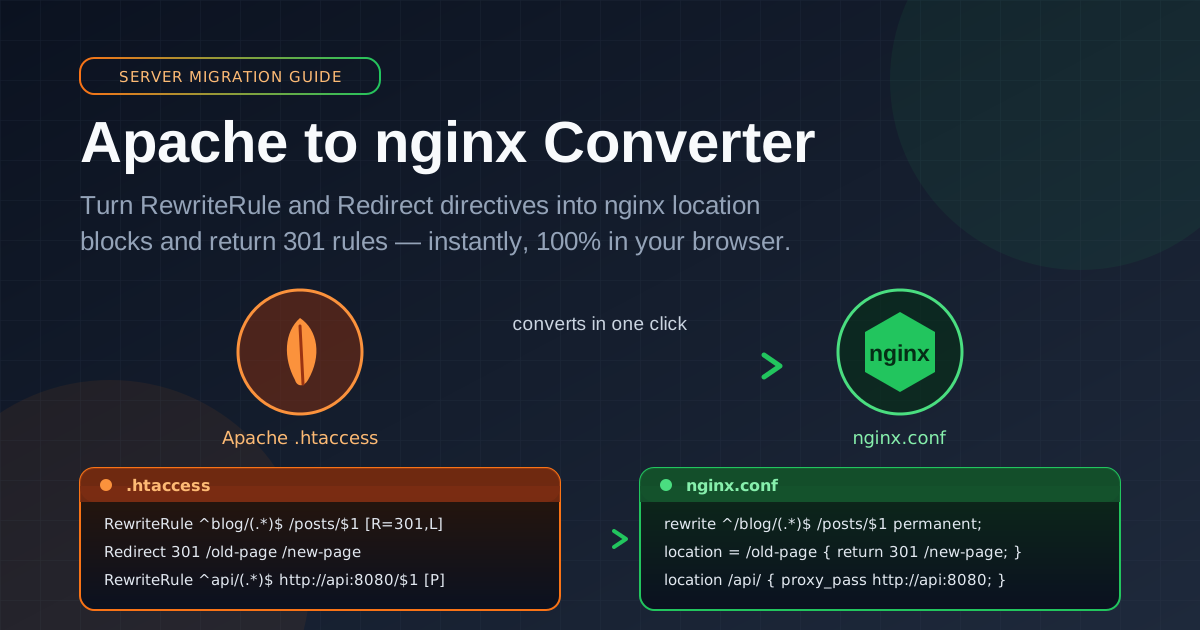
A realistic side-by-side conversion:
RewriteEngine On

RewriteRule ^blog/(.*)$ /posts/$1 [R=301,L]
RewriteRule ^api/(.*)$ http://backend:8080/$1 [P]

Redirect 301 /old-page /new-page
RedirectPermanent /legacy /archive
And the nginx equivalent:
rewrite ^/blog/(.*)$ /posts/$1 permanent;

location /api/ {
    proxy_pass http://backend:8080;
}

location = /old-page {
    return 301 /new-page;
}

location = /legacy {
    return 301 /archive;
}
Two caveats: RewriteCond stacks do not translate directly — Apache conditions test request properties like host, query string, or file existence, and in nginx those checks become map blocks, try_files, or if directives, a redesign rather than a copy. Case-insensitive matching changes shape: [NC] has no location-level equivalent, so you need a ~* regex location or normalization upstream. Verify condition-heavy rules with real requests.
Practical Use Cases
Host Migration With Zero Downtime
The classic scenario: moving a site from Apache to nginx. Every rule in the old .htaccess is a URL somebody has bookmarked, linked, or indexed; converting them in bulk and verifying each with curl -I keeps years of SEO equity intact.
Containerizing Legacy PHP Apps Behind nginx
Plenty of production PHP still ships with a .htaccess from a decade ago. Containerized, it runs PHP-FPM behind nginx and the .htaccess is simply ignored — the converter supplies the nginx equivalent so the build behaves identically to what it replaced.
Standardizing Infrastructure After Mergers
After a merger you inherit two stacks. Standardizing on nginx means converting one side's redirect corpus once and keeping it in version control as the source of truth for every legacy URL.
Moving Redirects to the Edge
Modern architectures push routing to CDNs and edge workers, which want simple redirect maps, not Apache dialects. Converting rules into a tidy set of return 301 locations is the first step toward a canonical map you can load anywhere.
Best Practices
- Test each rule with curl -I, not your browser. Browsers cache 301s aggressively; curl -I shows the raw status and Location header every time.
- Prefer return 301 over rewrite for plain redirects. When no pattern transformation is needed, return is cheaper, clearer, and cannot accidentally loop.
- Keep redirect maps in version control. The generated output is an asset: commit it, review changes through pull requests, and let CI validate with nginx -t.
- Watch for infinite redirect loops. Rules that send /a to /b and back again loop until the client gives up — test both directions.
- Convert RewriteCond logic by hand. Condition stacks are where automated equivalence ends; reimplement each with the right nginx primitive and re-test.
- Order your location blocks mindfully. nginx picks the best match, not the first listed, but overlapping prefix and regex locations still interact — comment anything subtle.
Ready to make the jump? Open the Apache to nginx Converter, paste your first batch, and see the nginx equivalent in seconds.
Related Tools You Might Like:
- Caddyfile Generator — generate Caddyfile configs for the modern alternative web server
- Redirect Map Generator — build bulk redirect maps and test URL mappings for migrations
- htaccess Generator — create Apache .htaccess rules for redirects, rewrites, and access control
Happy migrating — and may every old URL find its new home with a clean 301. — Online Tools Forge Team
Frequently Asked Questions
Q: Is the tool free, and does anything get uploaded?
A: It is free, with no signup or quotas, and nothing is uploaded: all parsing happens locally in JavaScript, so your rules and paths never leave your machine.
Q: Which Apache directives does the tool understand?
A: It parses RewriteRule lines with their flags — including [L], [R=301], and the proxy flag [P] — as well as Redirect 301 and RedirectPermanent directives.
Q: Will the output work in my nginx config without edits?
A: The blocks use standard nginx syntax, but review match types and test each rule with curl -I before deploying; complex RewriteCond stacks may need manual adaptation.