Calendar Link Generator: Add to Calendar Links for Every Calendar
Generate Add to Calendar links for Google, Outlook, and Yahoo plus a downloadable ICS file. Learn link formats, RFC 5545 structure, timezone handling, and best practices.
Free Interactive Tool
Calendar Link Generator
Generate Add to Calendar links for Google, Outlook, and Yahoo plus a downloadable ICS file from event details.
Table of Contents
Event pages, webinars, and product launches lose attendees for a mundane reason: there is no "add to calendar" button, or the one that exists demands a sign-in. A visitor who does not lock the date into their calendar will forget. Attendance is rarely lost at the event itself — it is lost beforehand, while the date lived only in memory instead of in a calendar.
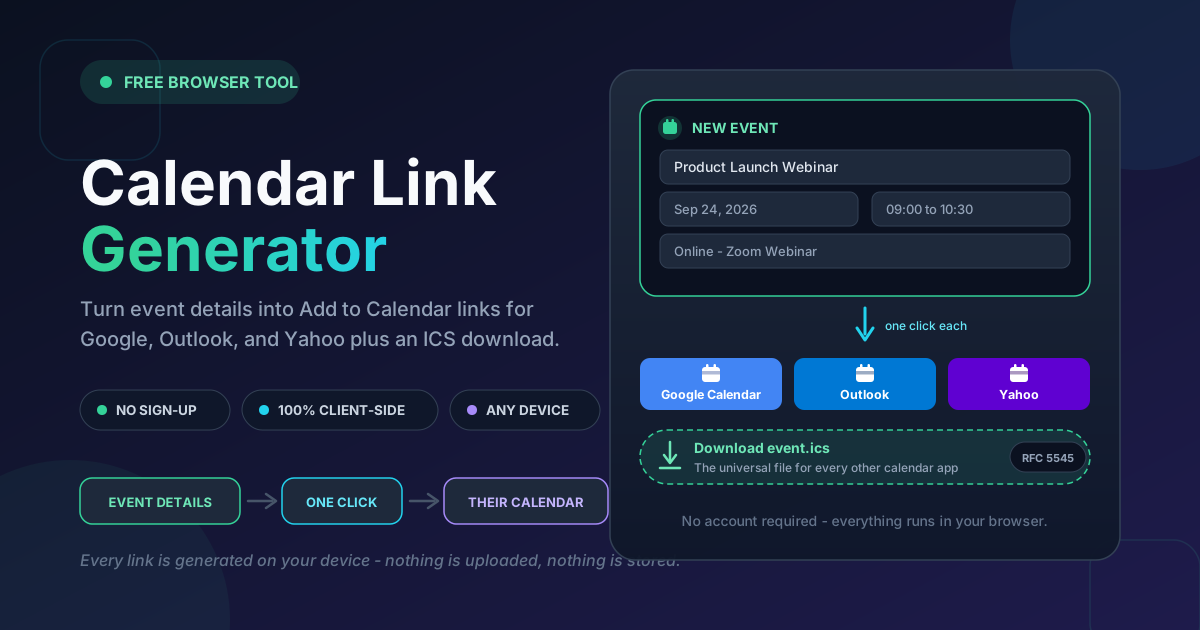
Building those buttons by hand is fiddly. Each provider expects its own URL format, timestamps need special encoding, and text values must be escaped. Our Calendar Link Generator removes the friction: enter the event title, start and end time, location, and description, and it produces ready-to-use links for Google Calendar, Outlook, and Yahoo plus a downloadable universal ICS file — computed entirely in your browser.
Why Use Calendar Link Generator?
- Works for every calendar without an account. One-click links for Google Calendar, Outlook, and Yahoo, plus an ICS file for Apple Calendar, Thunderbird, and the rest — nobody is forced into a service they do not use.
- No code or API keys. Hand-rolling these links means reading provider docs and debugging URL encoding; the generator handles every format instantly.
- Timezone-safe by design. Times are encoded in UTC, so attendees in every region see the correct local time from a single link.
- Runs 100% in your browser. Event details never leave your device — safe even for confidential internal meetings.
- Free and unlimited. No registration, no usage limits, no watermarks.
Key Features
| Feature | What it does | Why it matters |
|---|---|---|
| Event details form | Title, start and end time, location, description | One input, every format |
| Google Calendar link | Render URL with a pre-filled event screen | Largest calendar base |
| Outlook link | Deep link into the Outlook compose screen | Microsoft 365 and Outlook.com |
| Yahoo link | Prefilled Yahoo Calendar URL | Often-forgotten audience |
| ICS file download | RFC 5545 calendar file for any app | Universal fallback |
| Client-side processing | Everything built locally in the browser | Private and instant |
Links and the ICS file come from the same input, so buttons and downloads never drift out of sync — and because generation is local, confidential events stay on your machine until you publish them yourself.
How to Use
- Open the tool. Go to the Calendar Link Generator page.
- Enter the event details. Fill in the title, start and end time, location (venue, room, or meeting URL), and a short description.
- Copy the link for your target calendar. Use the Google Calendar, Outlook, or Yahoo link as the href of an "Add to Calendar" button on your page.
- Or download the ICS file. Attach event.ics to a confirmation email or host it beside your page for every other calendar app.
- Test, then ship. Open each link in an incognito profile, confirm the time and details, and publish.
Links vs ICS Files
The generator produces two families of output, each belonging in a slightly different place.
Per-Platform Links
Google Calendar accepts a render URL — calendar.google.com/calendar/render with action=TEMPLATE plus parameters such as text, dates, location, and details. Clicking it opens a pre-filled event; one more click saves it. Outlook uses the same idea through its deep link, outlook.live.com/calendar/0/deeplink/compose with rru=addevent, for Microsoft 365 and Outlook.com users. Yahoo offers its own prefilled URL at calendar.yahoo.com with v=60. In all three cases values must be URL-encoded — the error-prone part the generator automates.
The Universal ICS File
An ICS file is the plain-text calendar format defined by RFC 5545 — the reason you need no bespoke link for every app on earth. Apple Calendar, Outlook desktop, Thunderbird, and Fastmail all import it:
BEGIN:VCALENDAR
VERSION:2.0
PRODID:-//Online Tools Forge//Calendar Link Generator//EN
BEGIN:VEVENT
UID:[email protected]
DTSTAMP:20260913T000000Z
DTSTART:20260924T020000Z
DTEND:20260924T033000Z
SUMMARY:Product Launch Webinar
LOCATION:Online - Zoom
DESCRIPTION:Join the live demo and bring questions.
END:VEVENT
END:VCALENDAR
Two mechanics do quiet work here. Timezone handling via UTC: DTSTART and DTEND end in Z — a 09:00 Bangkok start (UTC+7) is stored as 20260924T020000Z, and each attendee's calendar converts it to local time automatically. Description escaping: in ICS text fields, commas, semicolons, and backslashes need backslash escapes and newlines are written as \n — rules the generator applies, so generated files never import mangled the way hand-typed ones do.
Links convert fastest for signed-in users; the ICS file reaches everyone else — and is the right choice in email, where link rewriting often breaks provider URLs.
Where to Place the Buttons
- Event page hero, above the fold next to the date.
- Registration confirmation page, at the moment of peak intent.
- Emails — attach the ICS file rather than embedding links; mail clients are harsher on provider URLs than browsers.
- Launch and changelog posts — any page announcing a dated event.
Practical Use Cases
Event Pages and Launch Sites
Place the calendar links and ICS download directly under the date, and state the timezone in plain text beside them. Visitors who might "check back later" become calendar entries instead.
Webinar Confirmations
Send registrants to a confirmation page carrying the buttons, then follow up with an email attaching the ICS file. UTC-encoded times ensure participants in London and Singapore both see their correct local start — the most common cause of missed webinars disappears.
Podcast and Live-Stream Schedules
Generate one link set per episode and list it on your schedule page. The description field holds the stream URL and episode topic, so the calendar entry carries everything a listener needs.
Community Meetups
Members arrive through threads, Discord, and mailing lists alike. A single block with Google, Outlook, Yahoo, and ICS options respects whatever each person already uses.
Best Practices
- Offer multiple calendars, not just Google. Entire companies live in Outlook, and Apple Calendar users are invisible until you hand them an ICS file.
- Include timezone clarity in the text. The links encode time correctly, but write "09:00 ICT (02:00 UTC)" on the page so nobody trusts mental arithmetic.
- Test every link in an incognito profile. Your signed-in browser hides the first-time visitor's experience; a clean profile reveals broken encodings immediately.
- Keep titles short and specific. The title becomes the event name in someone's calendar for weeks.
- Regenerate links when details change. A saved entry never updates itself — publish new buttons and send a fresh ICS file with a note.
Start Saving Attendees, Not Just Inviting Them
An invitation without a calendar entry is a hope, not a plan. Our Calendar Link Generator turns your event details into Google Calendar, Outlook, and Yahoo links plus a universal ICS file in seconds, entirely in your browser. Open it, fill in one form, and give your next event the attendance it deserves.
Related Tools You Might Like:
- QR Generator — Create custom QR codes for URLs, WiFi, and vCards, ready to print on event materials.
- Date Range Splitter — Split any date range into even intervals for schedules and billing periods.
- Business Days Calculator — Count working days between two dates with custom holidays and weekend rules.
Happy hosting, and may every attendee arrive on time — because their calendar told them to.
Frequently Asked Questions
Q: Do my visitors need an account to use the links? A: The tool itself requires no account. The provider links ask visitors to sign into their own calendar service to save the event — the normal flow — while the ICS file imports into apps like Apple Calendar with no sign-in at all.
Q: Which calendar apps can open the ICS file? A: Essentially all of them — Apple Calendar, Outlook desktop, Mozilla Thunderbird, Fastmail, and most mobile apps — because ICS is the internet standard defined by RFC 5545.
Q: How does the tool handle timezones? A: Times are encoded in UTC (the Z suffix in the ICS file). Each attendee's calendar then displays the event in their local timezone automatically, so one link works for a global audience.
Q: Is my event data uploaded anywhere? A: No. All links and the ICS file are generated locally in your browser. Nothing is transmitted or stored, which makes the tool safe for confidential or unannounced events.